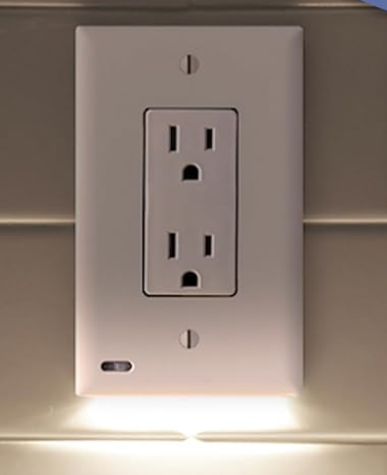
Need something like the Third Reality Night Light, but smaller/sleaker (WAF issue)

Forgot about the ESP 32 nano. Small and suitable for DIY led status indicator. The onboard RGB LED can be solid, flashing or breathing, and it’s dimmable too.

Probably @ogiewon has done this with Hubduino or similar. Lots of Home Assistant projects for this as well.

1 Like

Something's not right. Firmware up to date? Shelly's description on their website says the plug can be dimmed and color adjusted.

" • Mildly dimmed night light for children's comfort:
Now, you have the option to customize both the color and the intensity of the glow for your Shelly Plug US Gen4 LED indicator. This feature allows you to create a gentle and soothing light source in the kids' room during the night, ensuring their comfort and peace of mind."

Sure, there might be some work to do in order to adjust it from Hubitat, but if you cannot adjust it from the Shelly app, then there's possibly a firmware update needed? :thinking:

They're supposed to be compatible with Apple Home, so you could potentially adjust color and brightness by adding the plug to the Hubitat HomeKit Controller integration.

"• Works with Apple HomeKit for control via the Apple Home app or Siri"

How about Home Assistant? There's an official integration and there's a HACS integration. Might have some luck with one of those if you strike out with HomeKit support.

Only the on/off switch cluster is exposed; the diagnostic ElectricalMeasurement clusters (90, 91, 9C) are interesting but do not provide LED control..

2 Likes

@danabw Looks like you can set the color and brightness via HTTP GET Request. You should then be able to use Rule Machine to do this.

2 Likes

I had no idea Shelly had all these crazy features. The Script capability seems potentially useful all on its own. Although at this second I can't think of any real awesomely useful use cases! Lol

S

1 Like

Woah, that's a nice surprise.

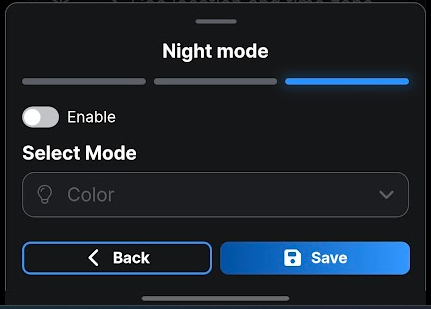
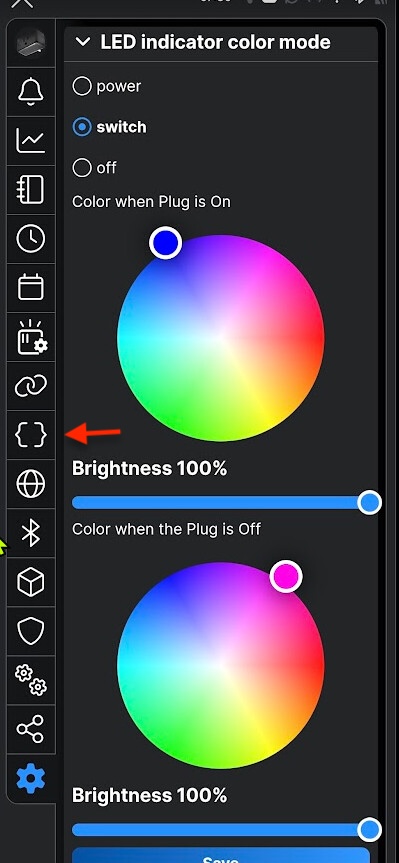
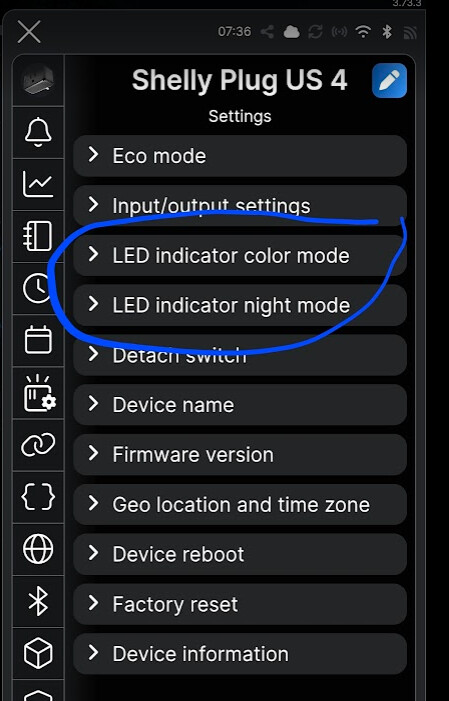
Yeah, you can adjust the colors & brightness used for on/off and Night Mode (and timing for night mode). I can do all that in the app, and confirmed that the FW is up to date in the Shelly app. What the app doesn't have an option for is "make the LED purple now." You only control the on/off & night mode colors.

image

image

Thanks for pointing that out! So looks like one approach would be to leave the switch on all the time so it's usable as a plug, and use the GET requests in RM to change the color used for power On status to report the door/window status I want.

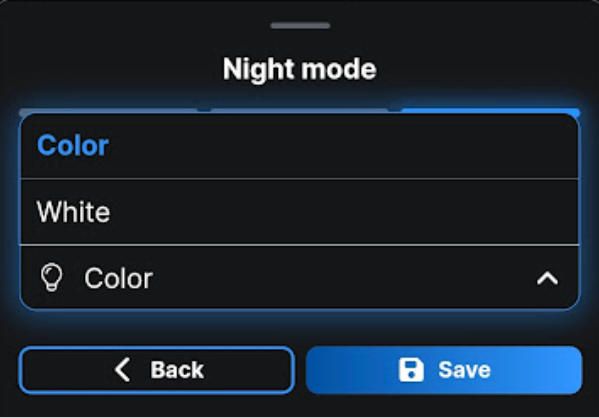
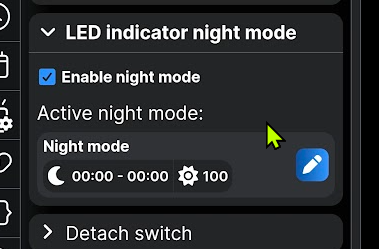
It looks like Night Mode only allows you to choose the colors set in the power on/off section or white (looks that way in the app and http code). Below shows options in the app - "Color" which seems to mean use existing color settings for Power/On (as there is no secondary option to select a color), and White.

image

1 Like

Dang, have to leave for a morning appt in just a few minutes. Back to play w/this later today! Thanks very much for the GET request tip!

1 Like

You should be able to just set the same color for both ON and OFF in your rule based on the status color you want to show.

http://192.168.33.1/rpc/PLUGS_UI.SetConfig?config={"leds":{"mode":"switch","colors":{"switch:0":{"on":{"rgb":[100,100,0],"brightness":100},"off":{"rgb":[100,100,100],"brightness":100}},"power":{"brightness":100}},"night_mode":{"enable":true,"brightness":10,"active_between":["22:00","06:00"]}},"controls":{"switch:0":{"in_mode":"detached"}}}

i.e.

"colors":{"switch:0":{"on":{"rgb":[100,100,0],"brightness":100},"off":{"rgb":[100,100,100],"brightness":100

You could also disable the power use notification colors so they don't interfere with the colors you want to display for your personal status.

"power":{"brightness":100

And additionally, you can deactivate night mode.

"night_mode":{"enable":true,

1 Like

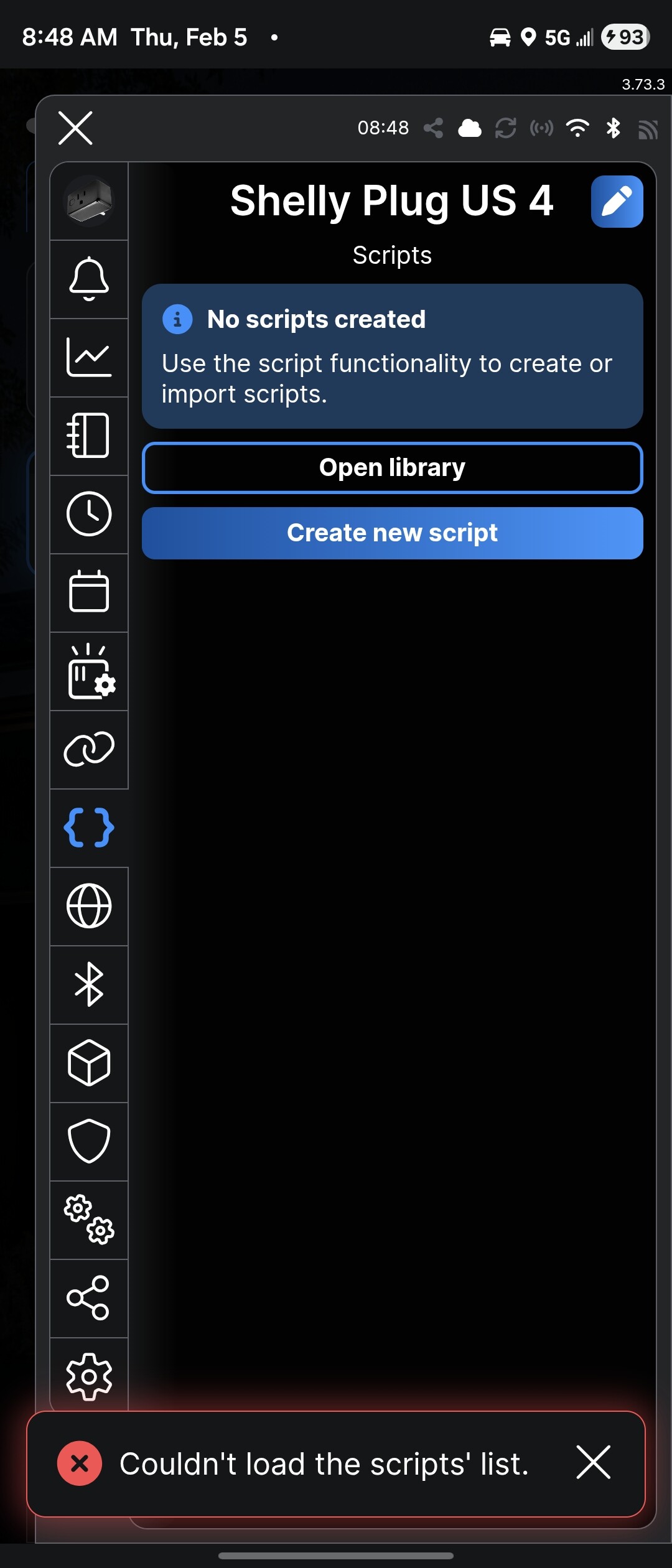
What does this bracket icon show when you tap it? I'm guessing it allow you to copy the GET request based on the currently saved settings, is that right? If so, I would assume it also gives the option to choose GET, Curl or Mos

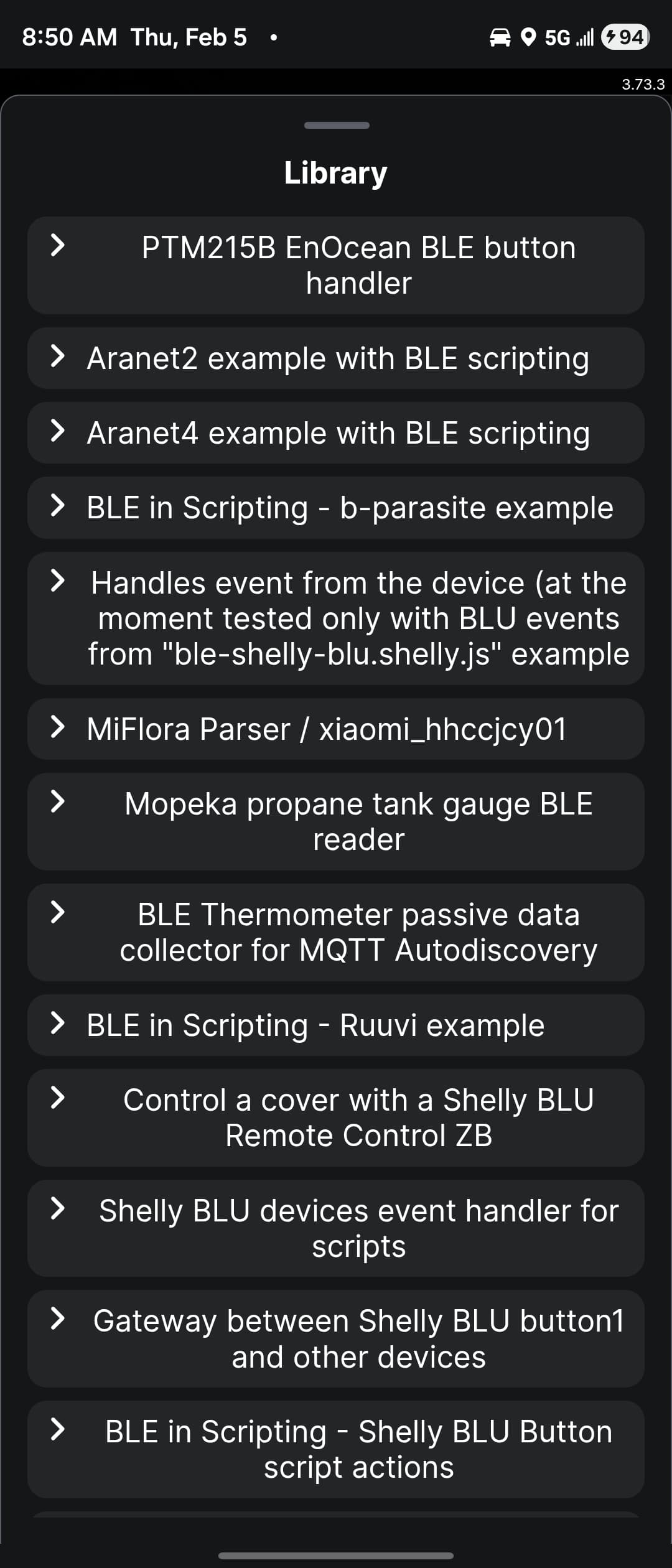
Opens up this scripts window....

Library:


There are at ton of existing scripts...

1 Like

Ah OK. Well that's very interesting too. Man, those guys at Shelly are intense with their customization level. Nice products indeed.

Anyway, manually editing the GET request shouldn't be that big of a deal. You only have to do it once for each of your notificaiton colors, and then the RM rule will fire it off each time.

2 Likes

Hot yoga starting, I'm out for a while. :woozy_face:

1 Like

Great minds (mostly yours) and all that: :wink:

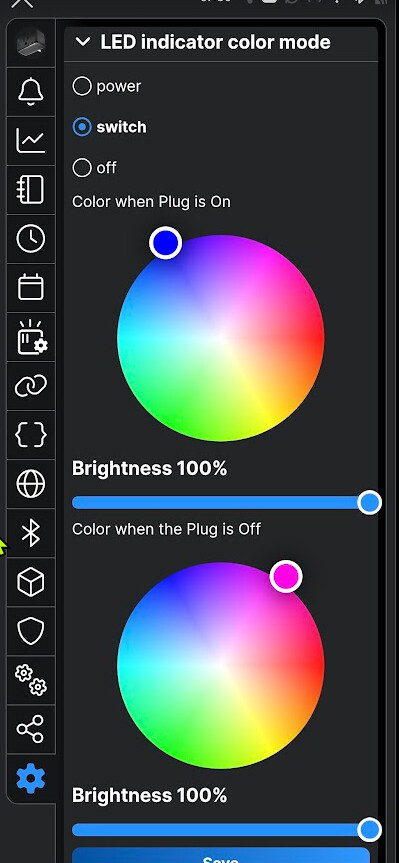
All closed - Blue
http://192.168.20.102/rpc/PLUGS_UI.SetConfig?config={"leds":{"mode":"switch","colors":{"switch:0":{"on":{"rgb":[0.000,0.000,100.000],"brightness":100},"off":{"rgb":[0.000,0.000,100.000],"brightness":100}},"power":{"brightness":100}},"night_mode":{"enable":false,"brightness":10,"active_between":["00:00","00:00"]}},"controls":{"switch:0":{"in_mode":"detached"}}}

One open - Magenta
http://192.168.20.102/rpc/PLUGS_UI.SetConfig?config={"leds":{"mode":"switch","colors":{"switch:0":{"on":{"rgb":[100.000,0.000,90.000],"brightness":100},"off":{"rgb":[100.000,0.000,90.000],"brightness":100}},"power":{"brightness":100}},"night_mode":{"enable":false,"brightness":10,"active_between":["00:00","00:00"]}},"controls":{"switch:0":{"in_mode":"detached"}}}
One open nearby, other all closed - Yellow 
http://192.168.20.102/rpc/PLUGS_UI.SetConfig?config={"leds":{"mode":"switch","colors":{"switch:0":{"on":{"rgb":[100.000,100.000,00.000],"brightness":100},"off":{"rgb":[100.000,100.000,00.000],"brightness":100}},"power":{"brightness":100}},"night_mode":{"enable":false,"brightness":10,"active_between":["00:00","00:00"]}},"controls":{"switch:0":{"in_mode":"detached"}}}
1 Like

I'm not mistaken, the "power" configuration setting is for that feature that shows a color based on the plug's current energy metering. So if you're actually going to use this plug for powering an applicance and not just for notifications, then I would set the brightness to zero.

The button can be disabled so you can prevent anyone from changing the state from the plug itself, and thus messing up your notification color.

So ideally you'd like Shelly to make a version of THIS with controllable colour LEDs. :thinking:

image

2 Likes

Also, just tested, and w/the current GET requests the color change on power on/off seem to be disabled. So turning the switch on and off doesn't mess w/the notification colors. Very nice. I know have a working switch that doubles as a notification device. $19. Happy.

1 Like

That's what the InvisOutlet Aura is, but at a heart stopping price, and without all the Shelly customization goodness. So short answer, Yes I'd probably buy one.

For $19. Yes. :wink: Shelly now does everything I want, and likely more based on all the customization options. Bonus: wife called the Shelly plug "cute and not chunky" this AM. Win.

4 Likes

Hmm, thought the InvisOutlet was a smart outlet, this is just an add on cover with LEDs.

Nice. I don't have a current need, but I think once the white are back in stock I'll order one.

1 Like