Originally, I raised this thread:
Room Lighting App not issuing lighting command (used to work, now doesn't) - Why Hubitat Elevation / Ask Anything - Hubitat
I had thought that Room Lighting was failing to work but I re-ordered the devices in the Room Lighting app and constructed the rules in Rule Machine to treat the problem devices separately and I still get unwanted behaviour.
OK, so what's going on?
When I trip a motion sensor in my living room, while it's dim, the living room lights come on.
I have them come on in one of two states: when the TV is on or when it is off. The principle difference is that some table lamps are on when the TV is off (for extra light) and off when the TV is on (to prevent reflections on the screen).
The table lamps are Cree Zigbee bulbs and, knowing that they don't always play nicely with other Zigbee devices, I have them associated with the Extender of my Harmony Hub.
I use the rather excellent driver by @ogiewon to control the activities and automations.
Something strange happens in only one instance and I can't work out why...
I walk into the living room while it's dim and the lights come on, including the Cree bulbs commanded by the Harmony Hub.
I turn on the TV and the Rule Machine detects it and issues the command to change the Room Lighting. The same rule is supposed to tell the Harmony to turn off the Cree bulbs but they don't turn off. I can then run the rule actions through the web interface (or through another rule that issues the same commands) and the bulbs will then turn off as requested.
I can turn the TV off and the rule commands the lights back to the previous state and the Harmony Hub turns on the Cree bulbs as expected. If I turn the TV back on, it leaves the Cree bulbs on when they should turn off.
Screenshots below are as follows:
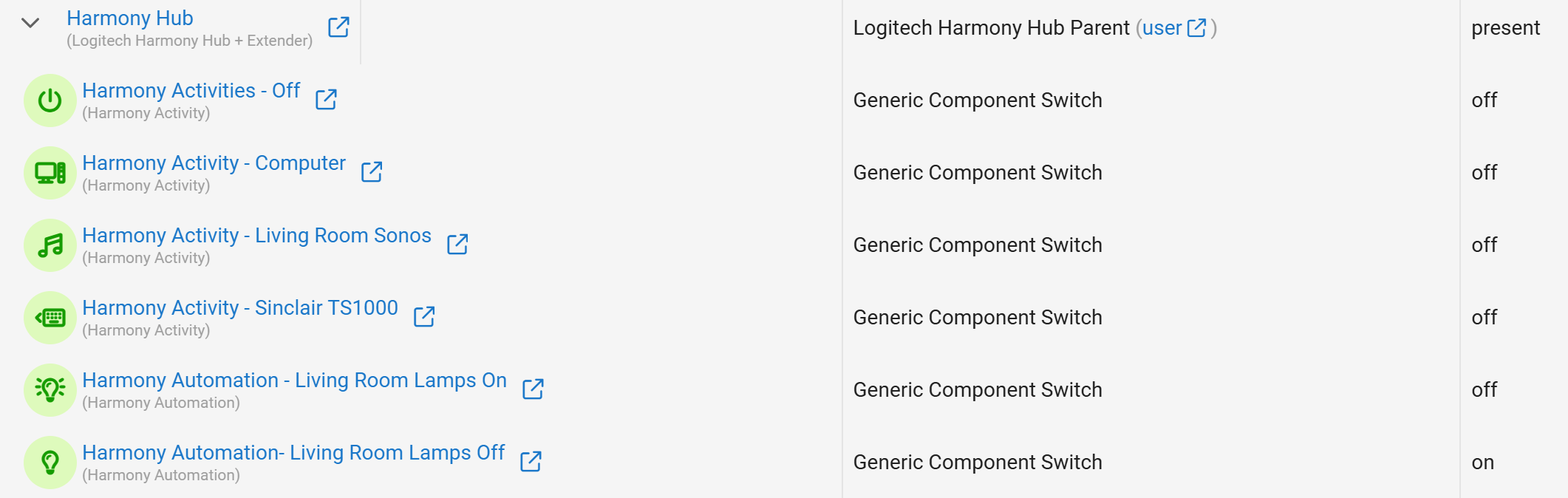
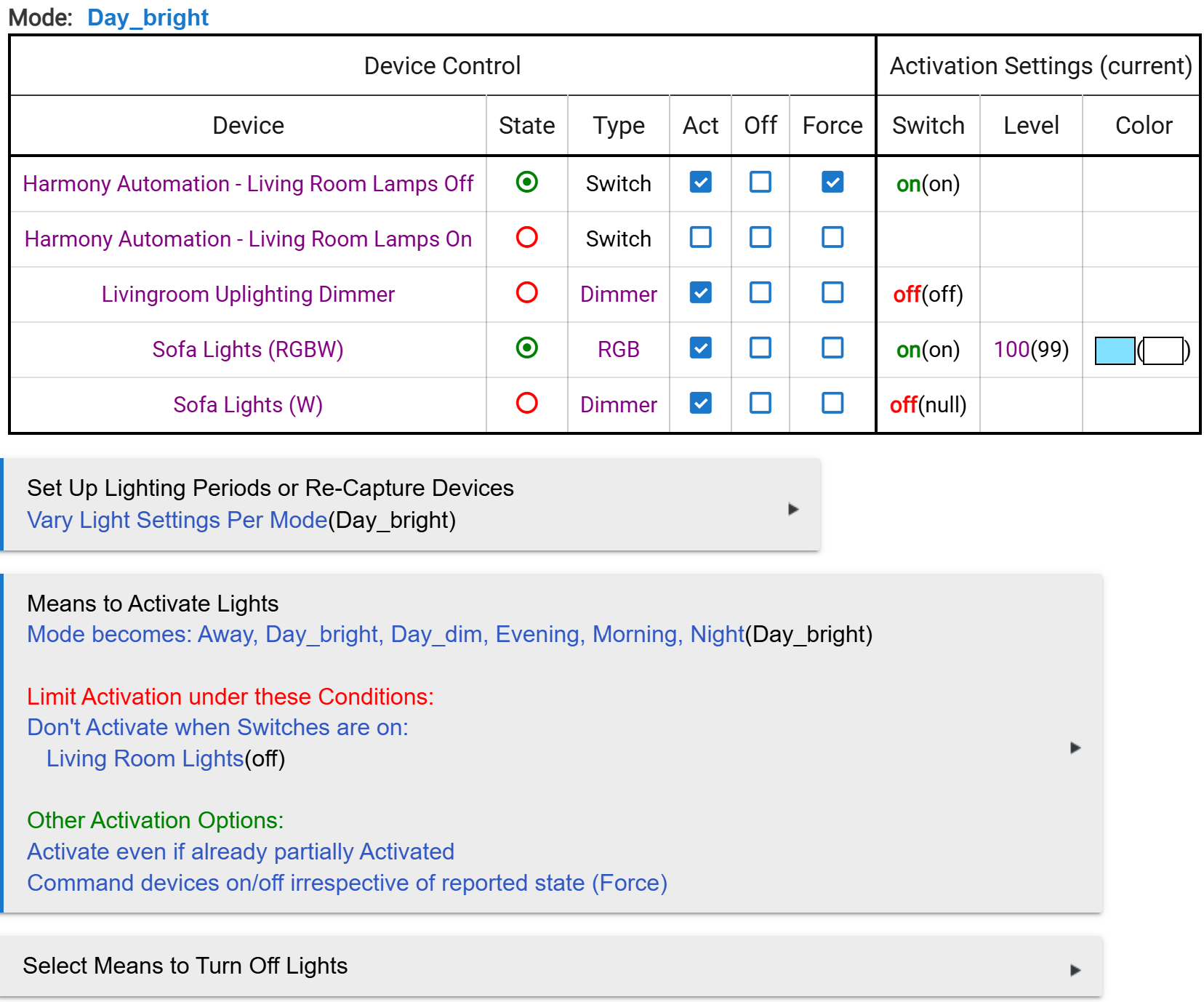
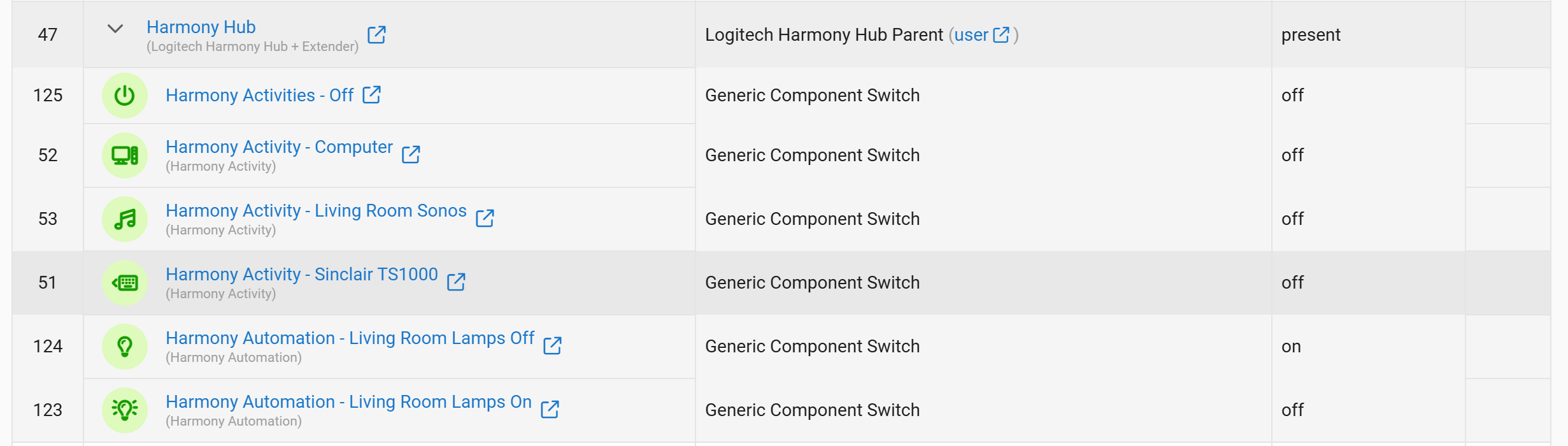
The Harmony Devices (I am using the two automations at the bottom of the list)...
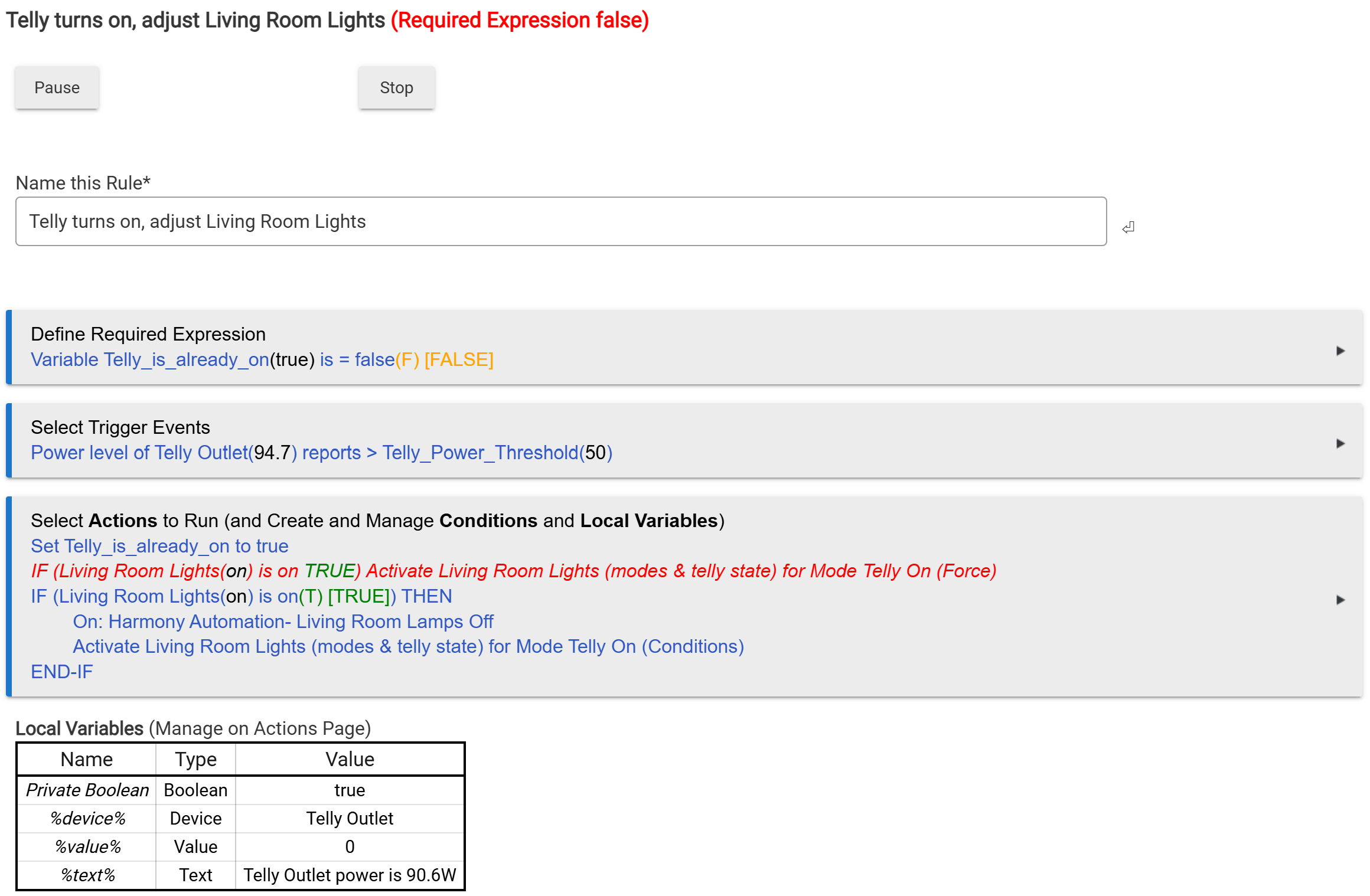
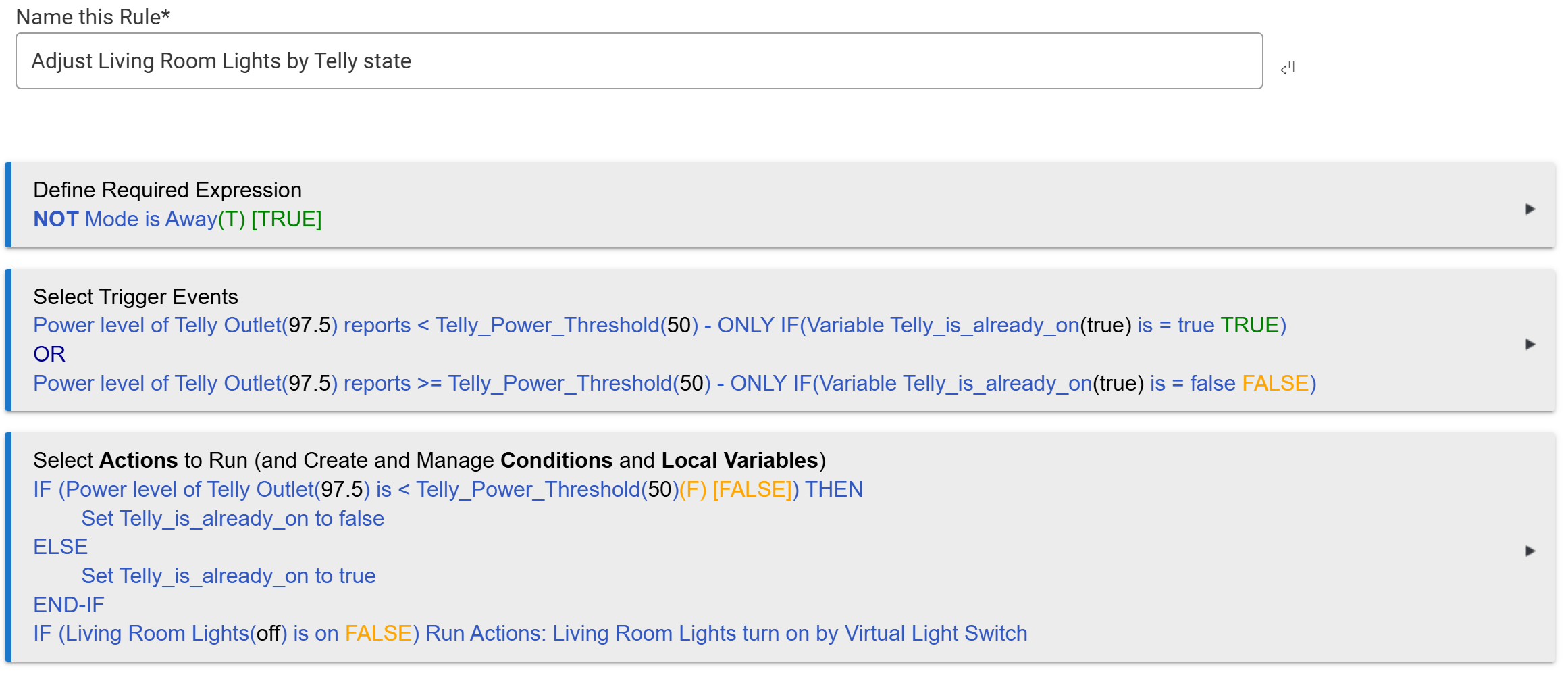
The rule that doesn't run correctly when the TV turns on (and that I have to repeat through the web interface)...
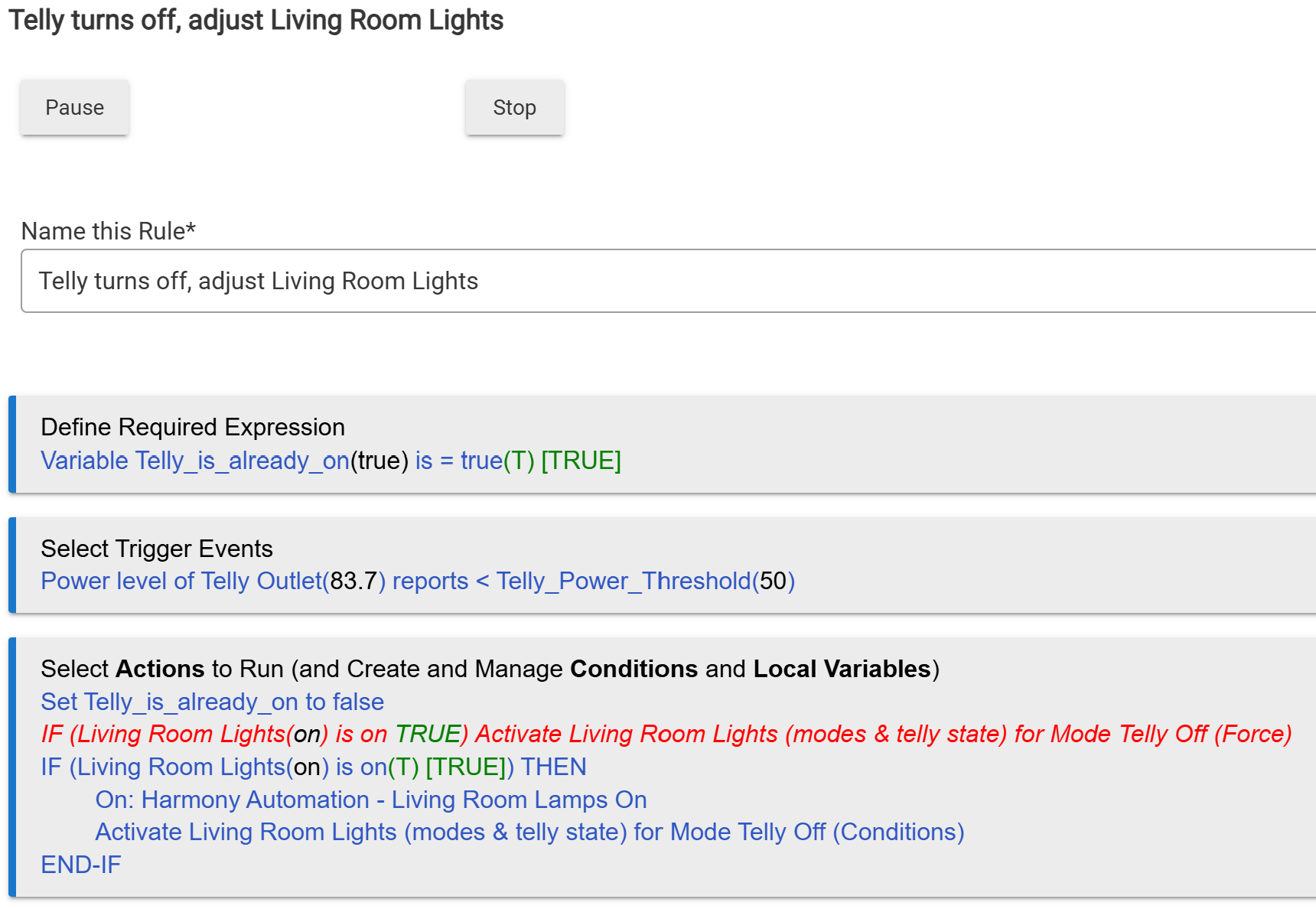
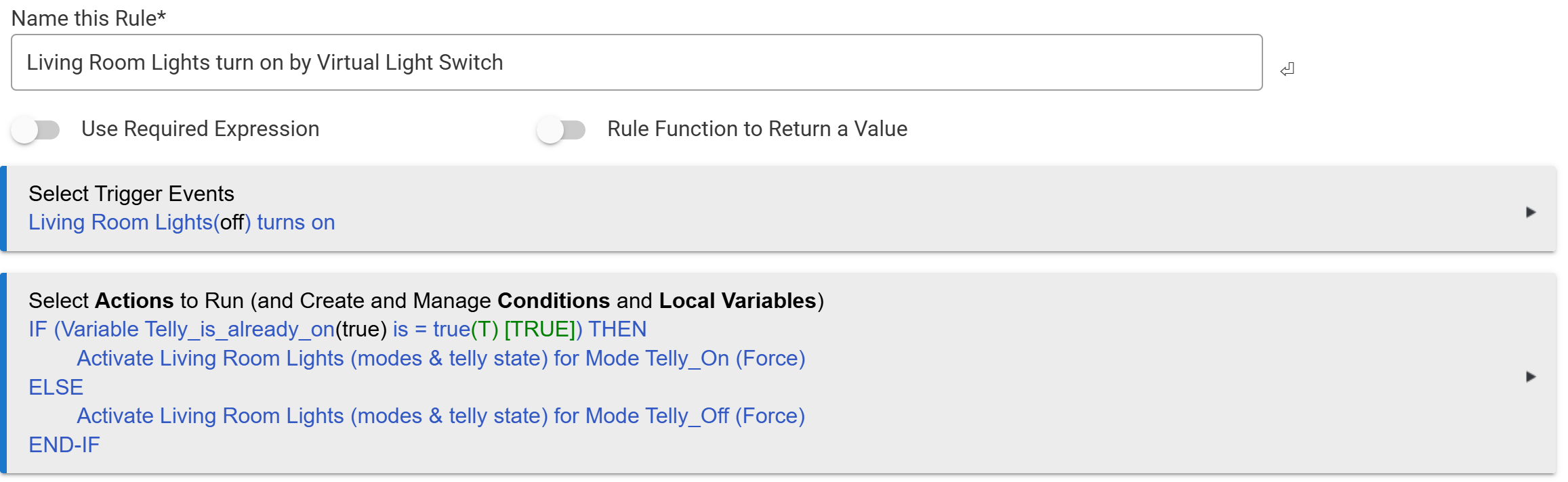
The rule that runs correctly when the TV turns off...
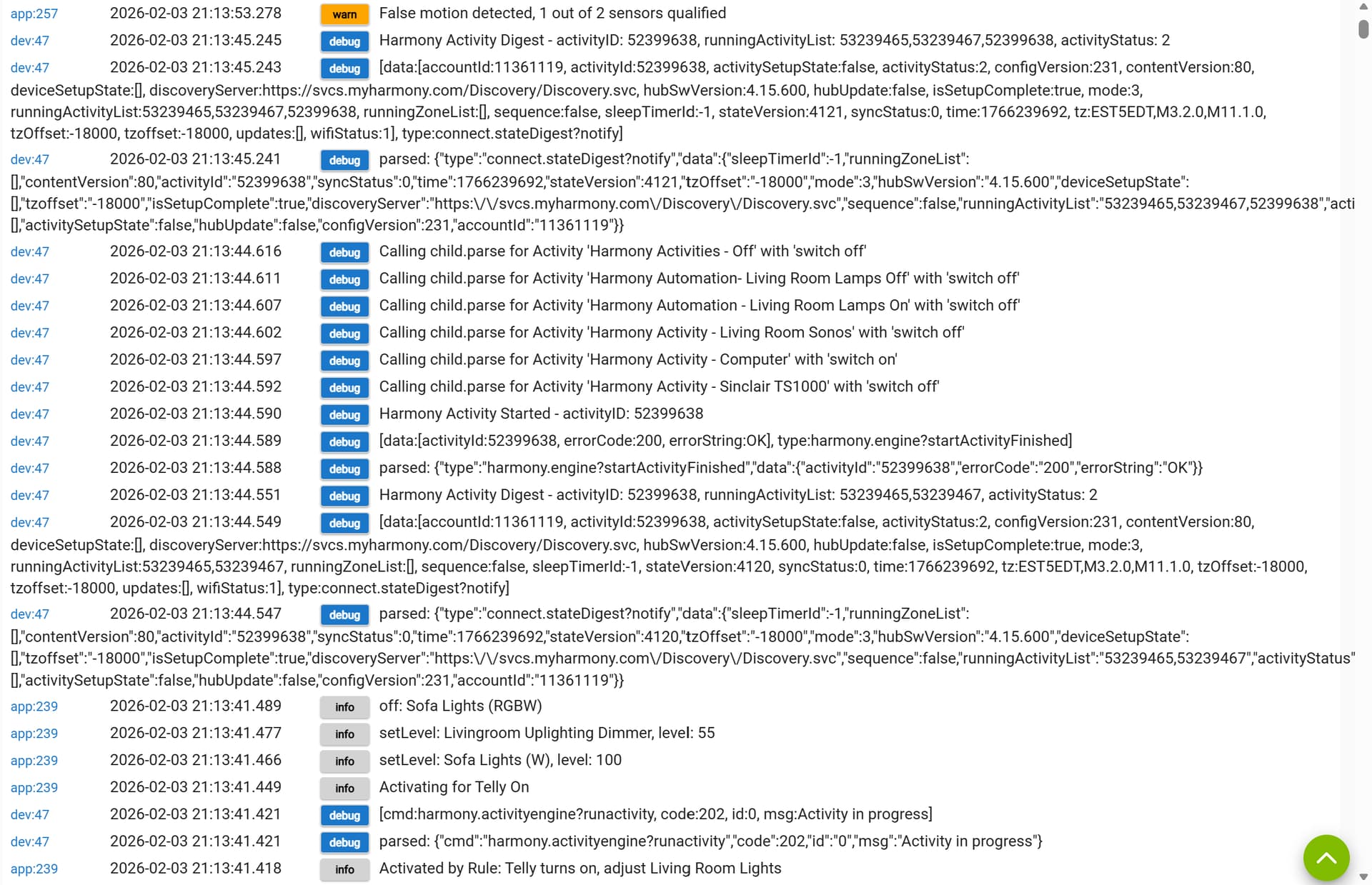
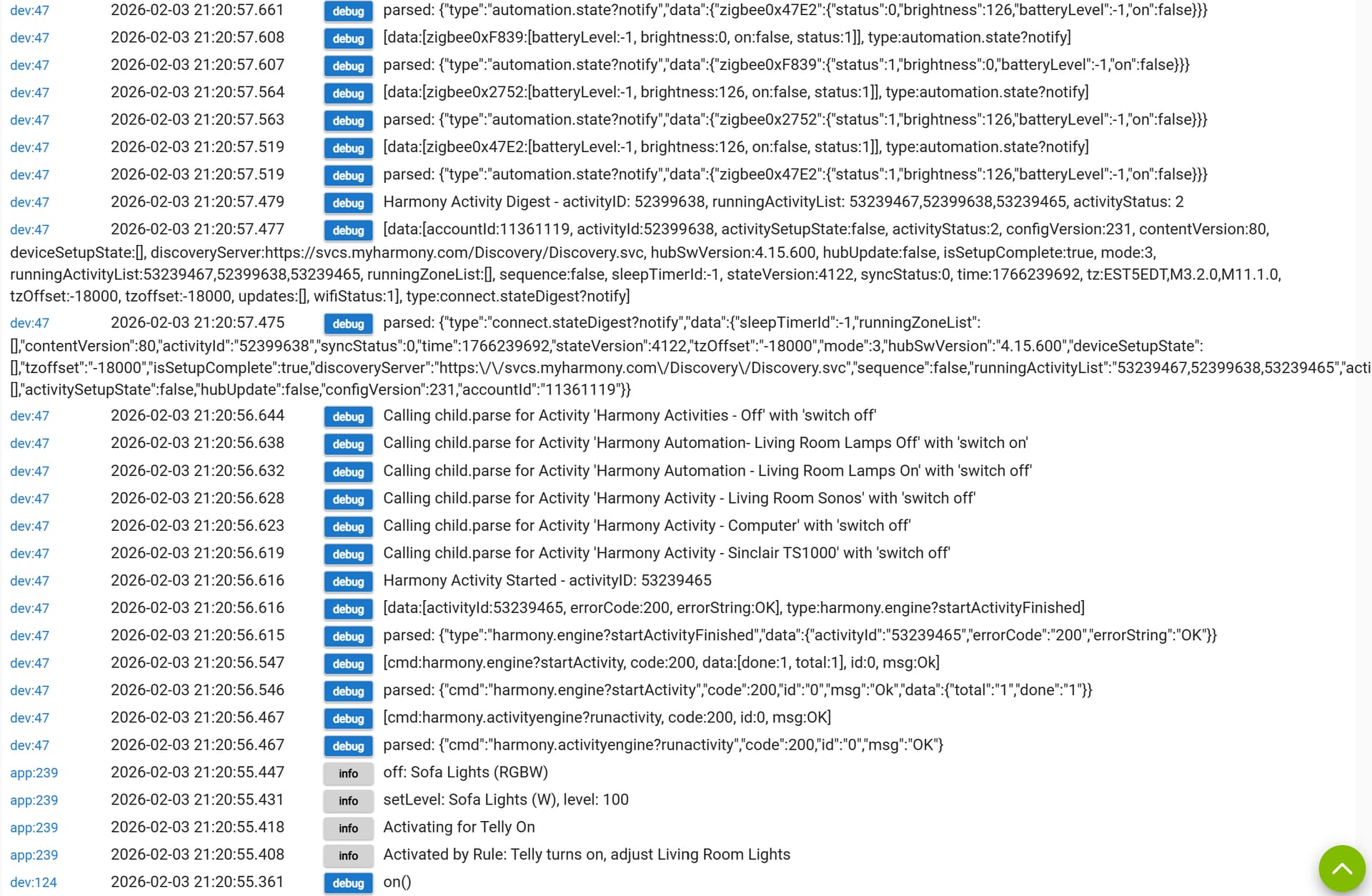
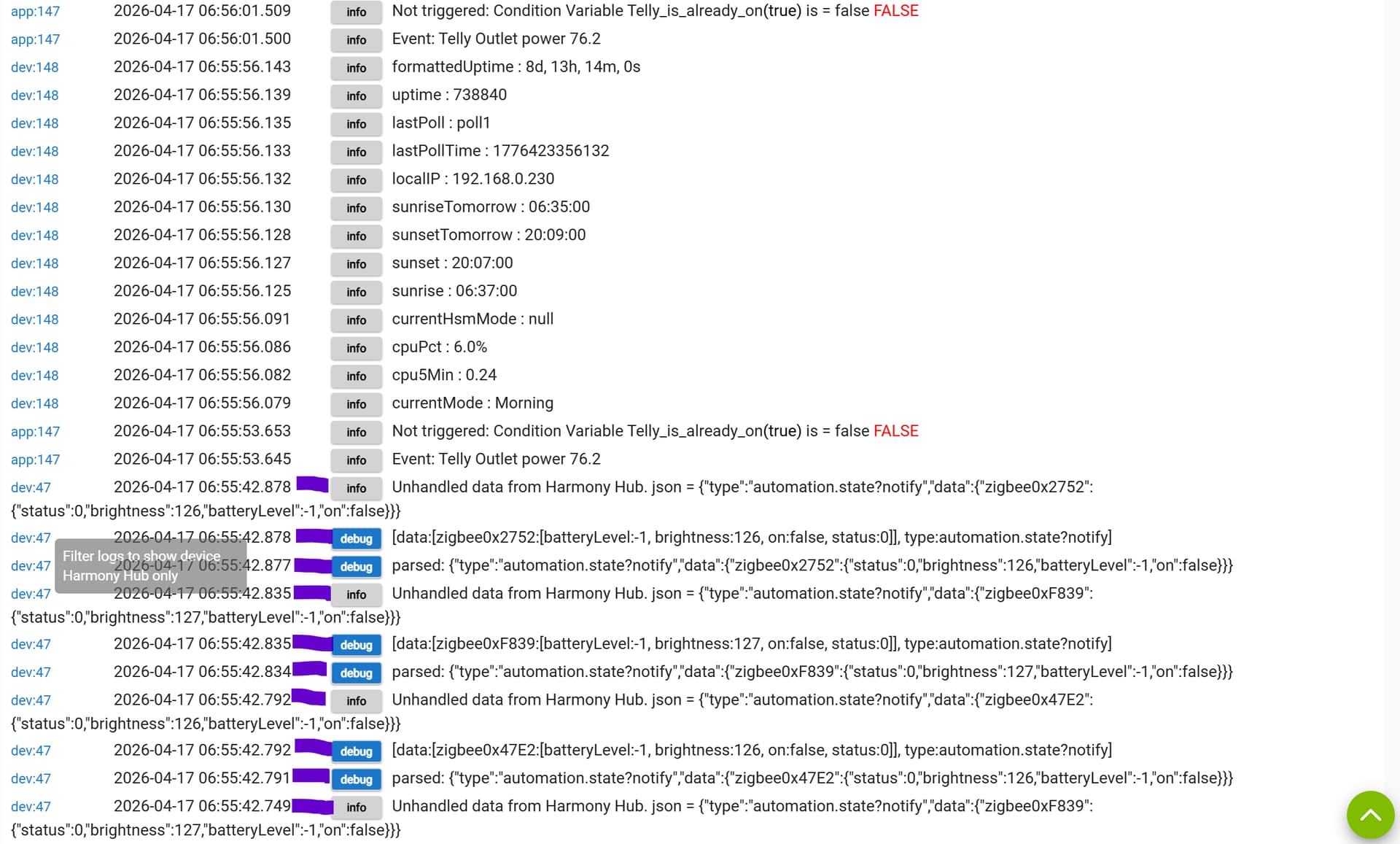
Logs in timeline order for when I enter the room and the rules run. You can see what is being done. I don't pretend to understand most of what's going on here...
Logs in timeline order of when I trigger the rule through the web interface to correct what was left undone...
Can anyone help advise why, in only one specific instance, my automation isn't running?
I have changed nothing material since late last year when it was running absolutely fine.
I can't swear as to when this behaviour started, but it is recent (within the last 3-4 weeks).
Everything seems to be working individually and the two rules above are almost identical yet behave differently. It doesn't matter what time of day I trigger these rules, it's only ever associated with the TV turning on when the living room lights are already on.
I have raised this topic under Custom Apps and Drivers, but this may yet be the wrong place.
I'd like help narrowing down where this is going wrong so I can get a meaningful fix that will help others as well as sort out my own frustrations.
I have tried upgrading HE to the latest 2.4.4 firmware; resetting the Logitech Harmony Hub; and even begun renaming variables, modes, Room Lighting automations and other things to remove spaces in case that helps (at the very least, it makes my Rules more readable as it's clearer what's a condition/command and what's being acted upon).
There has been no change. The Room Lighting turns off the Harmony-connected Zigbee lamps in every case except the one where they are on and I turn the TV on and they should turn off.
Since the action runs when I trigger it subsequently, I wondered if it was to do with the order events happened.
This morning, on entering the living room and the lights coming on, I pressed a button to turn the living room lights off and then back on again before turning on the TV.
Once again, the only lights to fail to respond to the Room Lighting App was the Logitech-Harmony-connected lights. ...and, again, I could get them into the correct state by turning the living room lights off and on while the TV was on.
OK, I think I've solved it.
Despite the issue being only for one transition and the Harmony Hub not having any knowledge or data that that was the transition taking place, nevertheless, I reconfigured the home control automations through my phone app and now they are working correctly.
Not a Hubitat issue; a Harmony Hub issue.
I don't know why, but there we are...
Nope, it's still there, but is now even more strange.
First thing in the morning, motion activates the lights, per my description, and turning on the TV fails to turn off the table lamps through the Harmony. I can prompt action by turning off the Living Room Lights app with a switch and then back on again (the table lamps do not come back on).
Then I can turn off the TV, the power is detected and the table lamps come on.
Finally, I turn the TV back on, the power is detected, and THEN the table lamps turn off as they are supposed to.
So now it seems to be the first attempt that fails each day.
I have gone over the rules and automations that run before this command fails first time (in case they were doing something that would trip up the first run of this automation). I can't find anything that looks like it leaves something open-ended or unresolved.
These would be the routines that turns off select lights and adjusts heating when I get into bed, and when I leave home and the system mode goes to Away. Neither touch the living room lights as I rely on the motion sensors to set those.
There is one automation that runs at sunrise to command the living room lights off in case of a power cut but that only commands if I am away; however, it might be a lead...
With the clocks changing soon this is something I'll notice more in the mornings for a couple of more weeks and then the days will be long enough at both ends that this will became transparent for the Summer.
1 Like
I made a different change to a lighting rule to ensure a command is not issued unless it has not been issued before. That hasn't helped.
I will try the above lead next.
I will try not making further changes and seeing if I can characterise the behaviour a bit better.
However, I'm due to travel over the next week-or-two, and that may interfere with how things play out...
1 Like
Something strange is happening.
I was going through my Rule Machine rules to reduce the number in the list and make them more readable. I wanted to eliminate separate rules that countered one another based on states and mode changes and use the "Only if" condition on triggers to combine apparently opposing triggers in one rule and make management easier.
I changed the Rules to trigger the light changes with apparently no effect (but only based on one morning's transition).
Then I upgraded to the latest 2.4.4.156 over Easter weekend and, yesterday morning, the lights flipped when I turned the telly on while the room was measuring as 'dim'.
It worked again this morning, but didn't work last night.
I'll need to show the latest Rule just to make this thread complete, but there's going to be more investigation required here...
1 Like
The two rules in my first post are now combined into the following:
after the variable that latches the state of the telly is set, it runs the actions of this rule (so instructions are not duplicated)...
The "Living Room Lights" room that is activated is the same as from my first post.
I can see that the rules have been run because the variable is set.
I need to dig more into why the "Living Room Lights" room doesn't seem to always issue the command to the Logitech Harmony when all the other lights in the room are set as ordered.
I don't know where the interaction that causes the failure is because I can run rule actions and activate Room modes through the web interface and the devices respond correctly to that prompting.
Oh, I didn't capture the "Living Room Lights" room for everyone to see.
There are several states per mode that will change based on timed modes changes and then these two specifically for when the living room lights are turned on (based on whether the telly is on or off)...
The activation settings including the current (as of posting this) mode are captured here...
Whatever happened to make the automation apparently work is now undone.
The Logitech-connected lights failed to respond to the change in power state of my telly last night and this morning when the conditions for the rules and automations were satisfied.
I altered two other rules I had that I thought may have had a knock-on effect. I had them set up to trigger on a specific switch state and then use the 'Wait' command for the opposite switch state to occur to revert to the rest state. It struck me that this would create stalled states in the hub that could be bad for running logic. Instead I recoded them to trigger on a * changed * state and then use an IF statement to work out which state applied and act accordingly. I think this has had a beneficial effect on processor load and memory use (needs to be measured over a longer period) but has not helped with the main issue of this topic.
I have remapped things so the Harmony control is a specific command rather than hidden in the Room Lighting App.
I am confident that the logic of Rule Machine is working and it is executing the correct steps. The problem seems to be with something screwy going on with the command being sent to the Harmony.
I have the following devices and turned on logging for the Harmony Hub, and the automations for Living Room Lights Off and ...On.
I am having trouble keeping logging enabled: the setting seems to automatically disable after a time (but I don't know how long). I have to remember to enable logging first thing in the morning before triggering any relevant activities and rules.
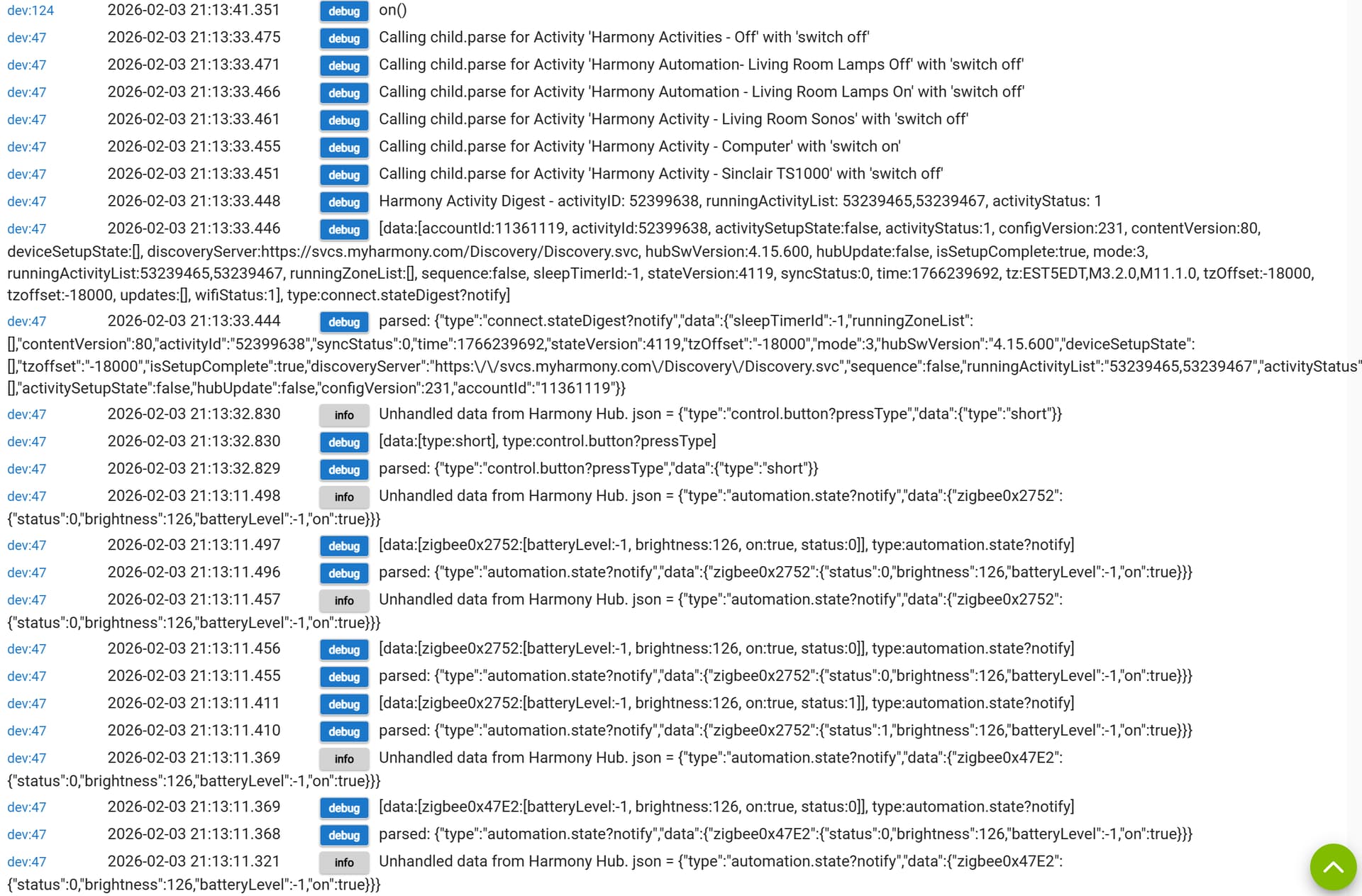
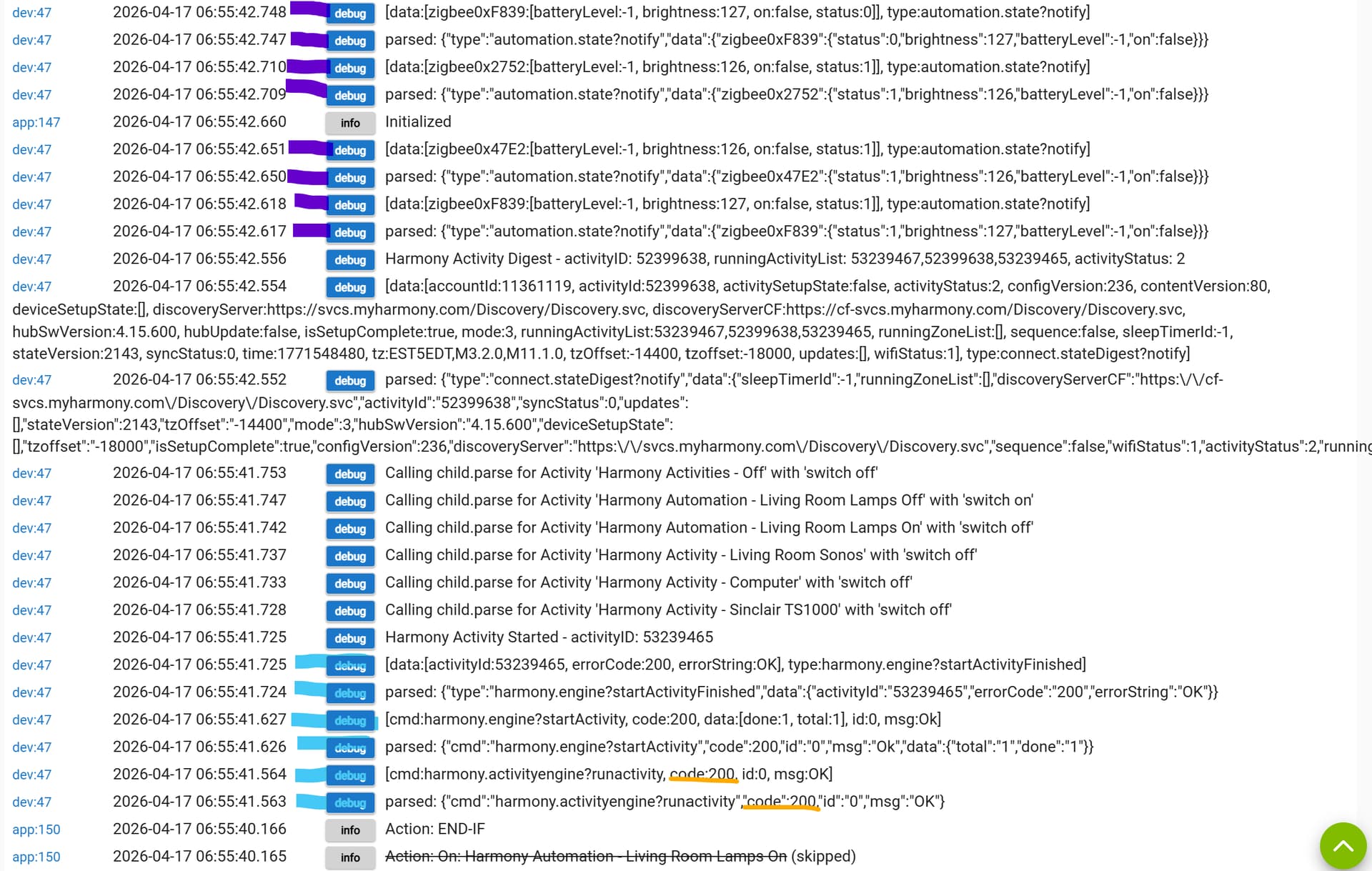
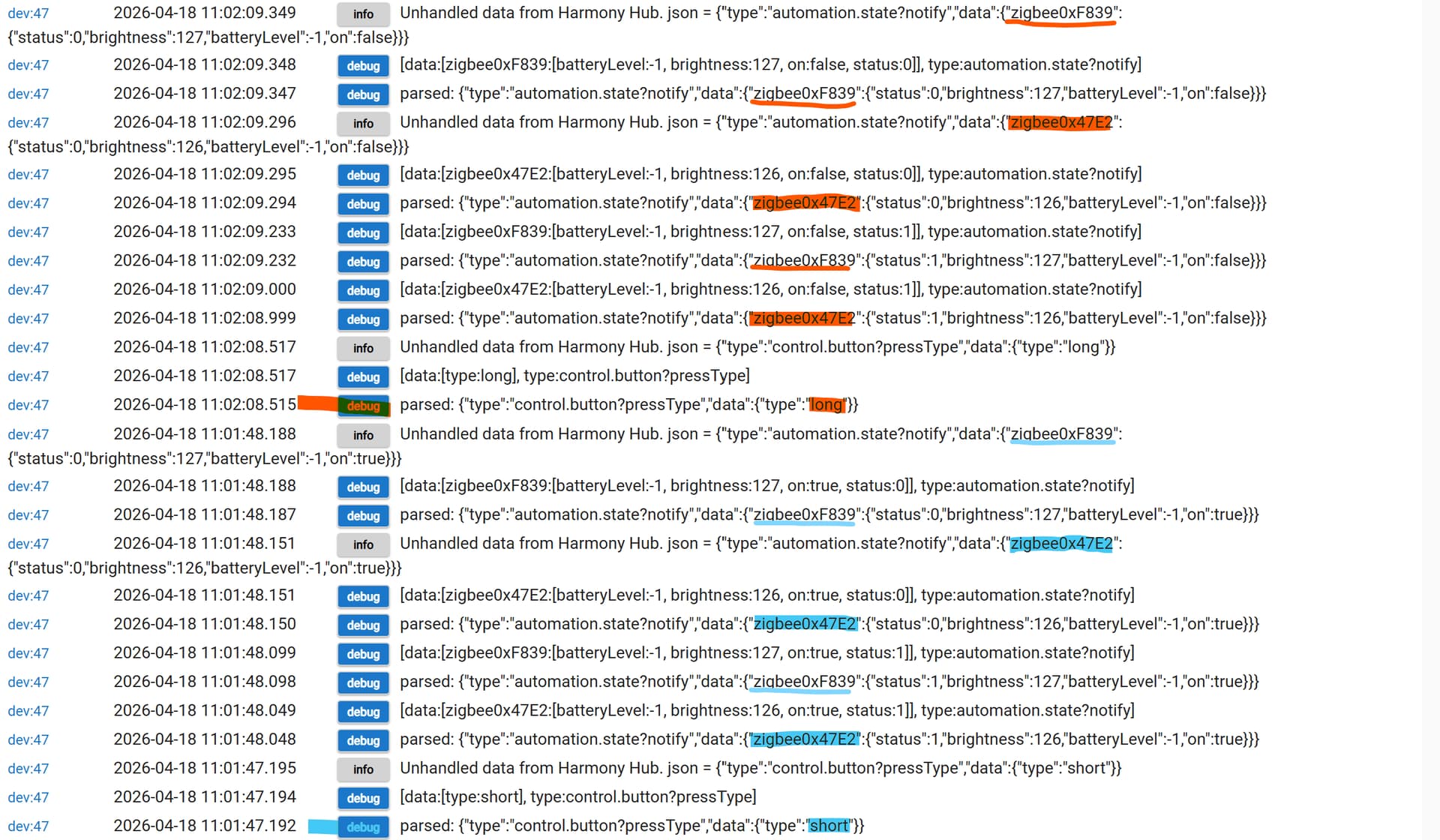
Anyway, Friday morning, I remembered and captured tho following (in time order from bottom to top):
I have highlighted the following, but please check for anything I have not seen:
I have already walked into the Living Room so the logic for my presence is already satisfied.
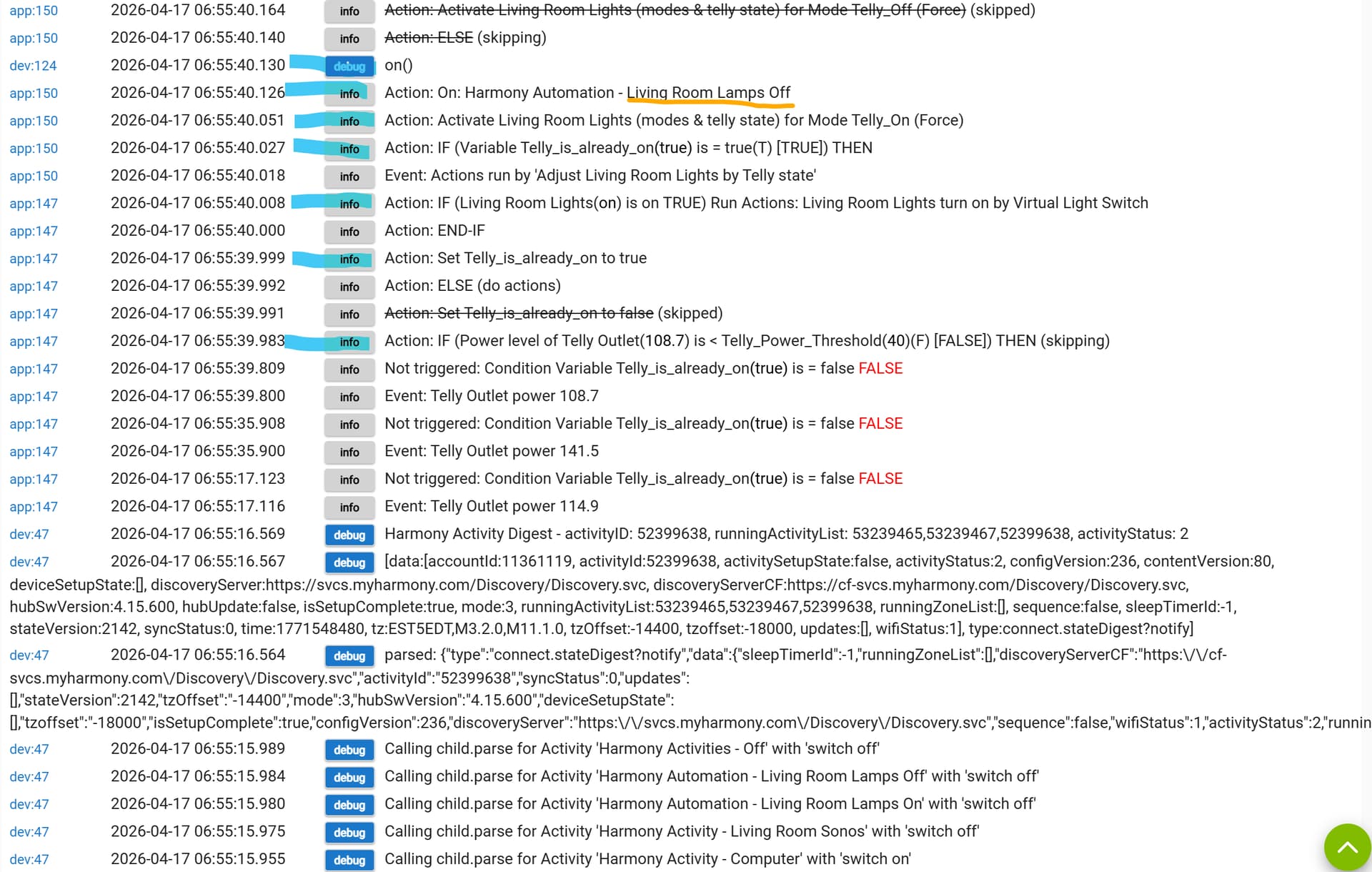
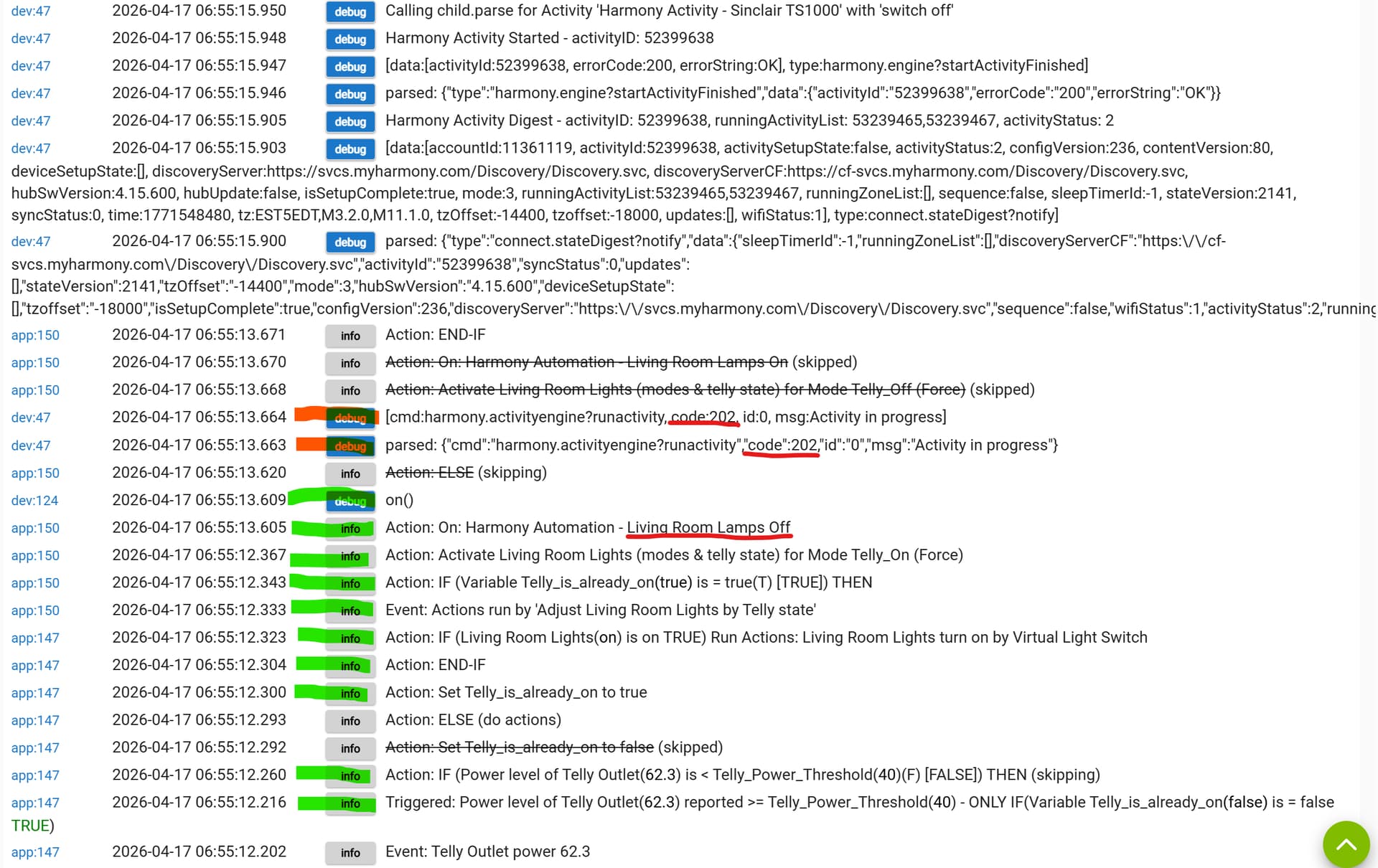
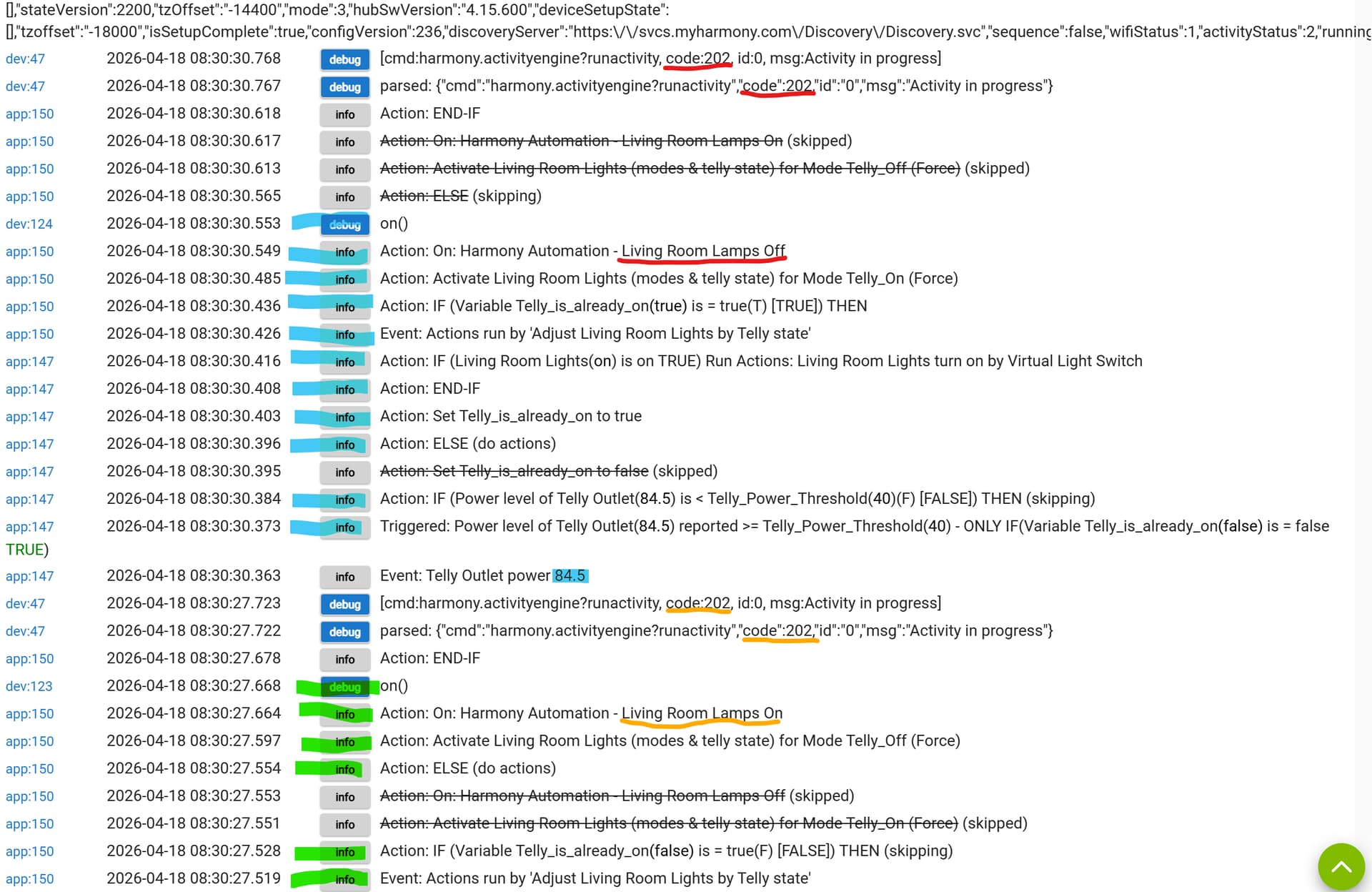
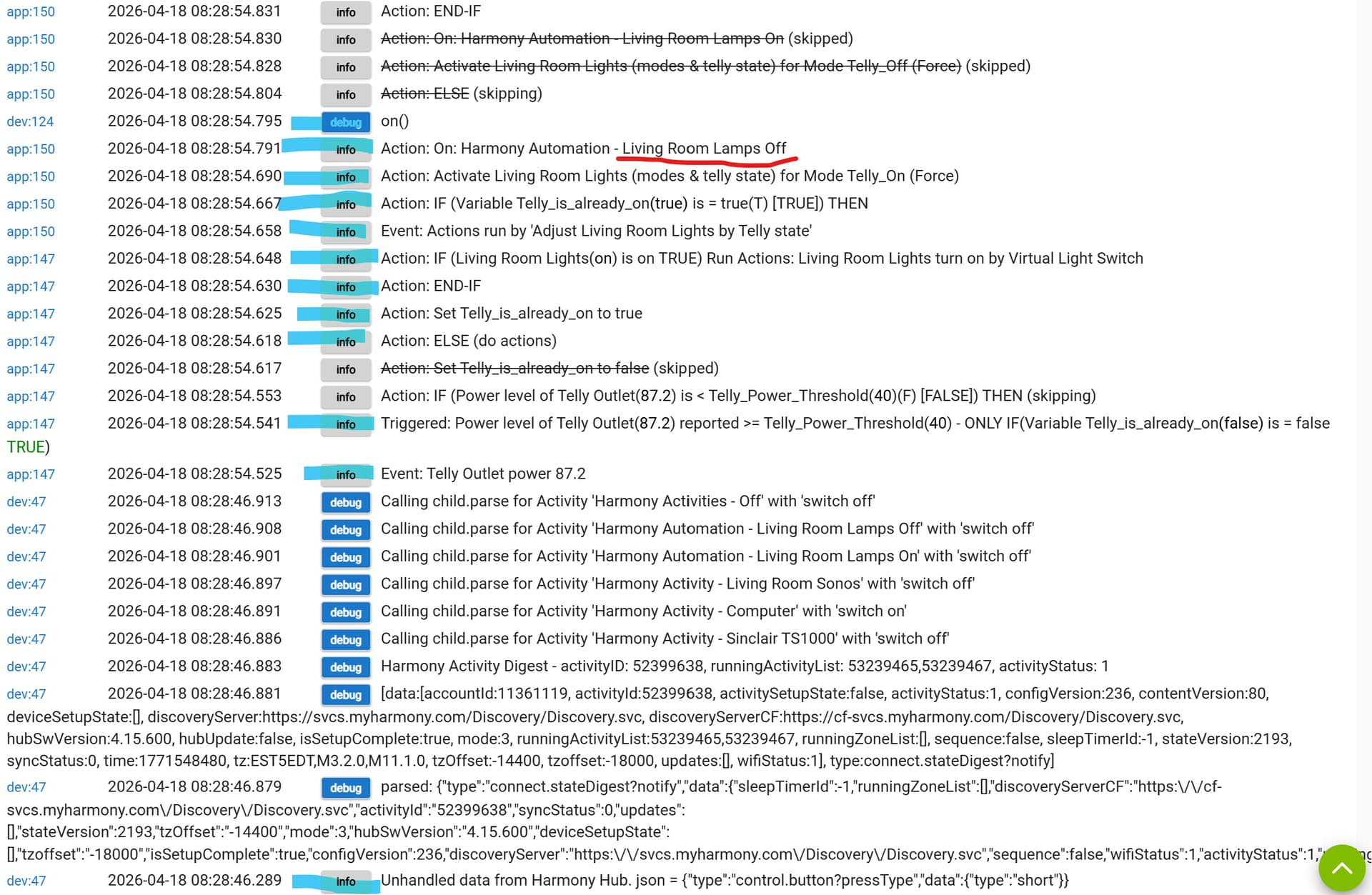
In green, I turn on the TV and the power meter detects it. This triggers the rule to record that the telly is on and run the rules actions to adjust the Living Roon lights (with special command to the Logitech. The log shows the on() command is issued to device 124, which is the Living Room Light Off command.
Only two commands, highlighted in red-orange, are exchanged with the Harmony and refer to code '202'. This is relevant in the next steps.
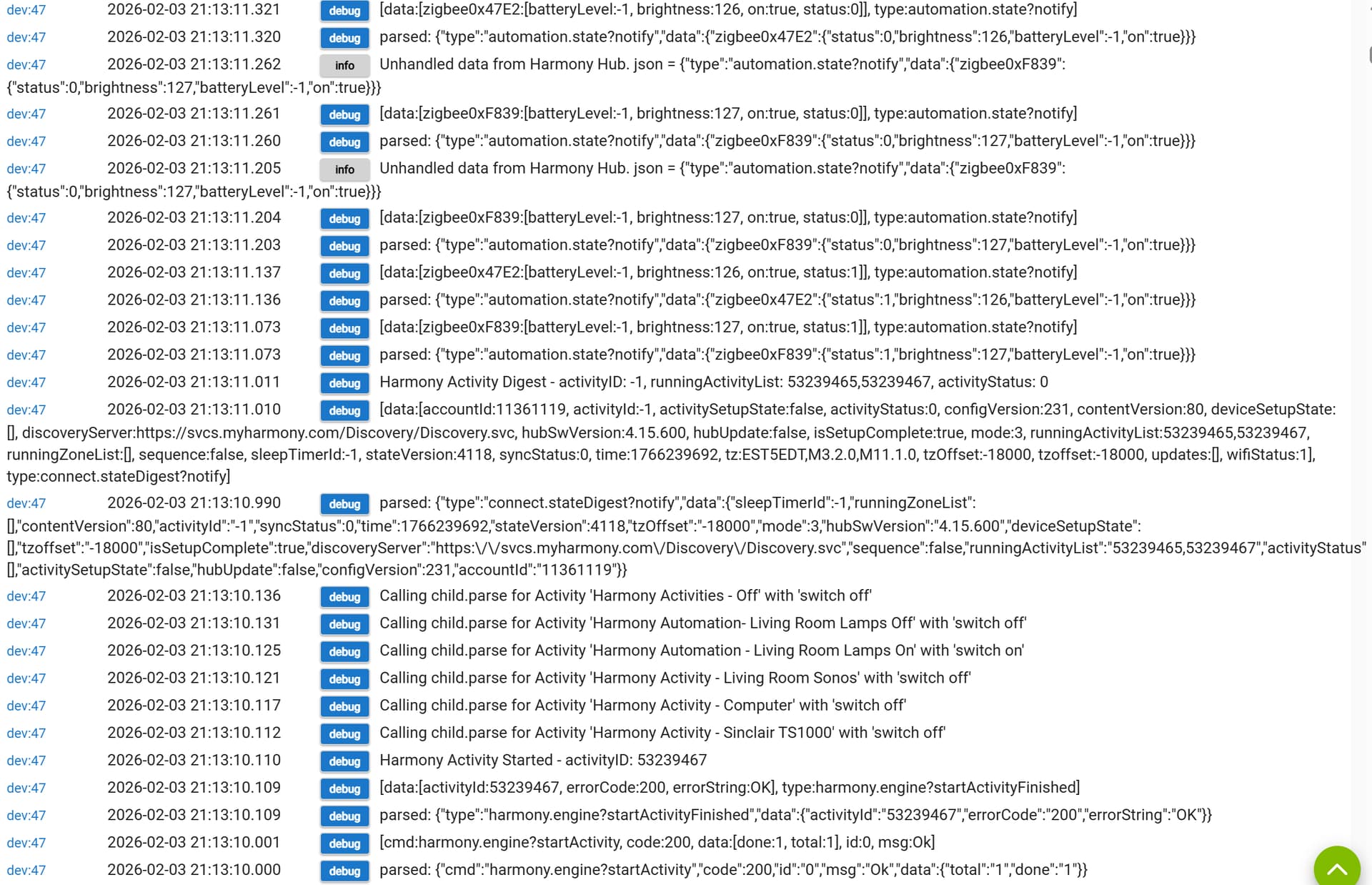
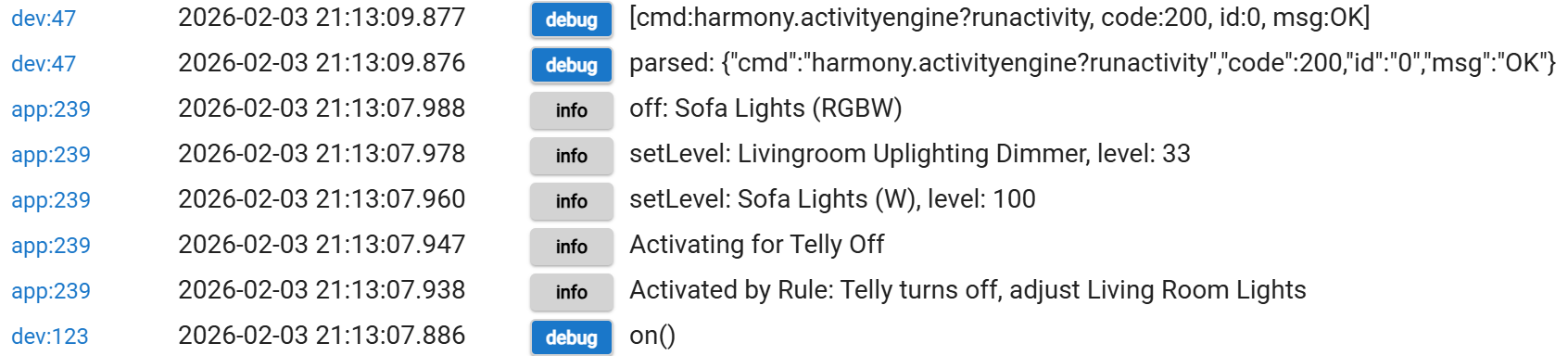
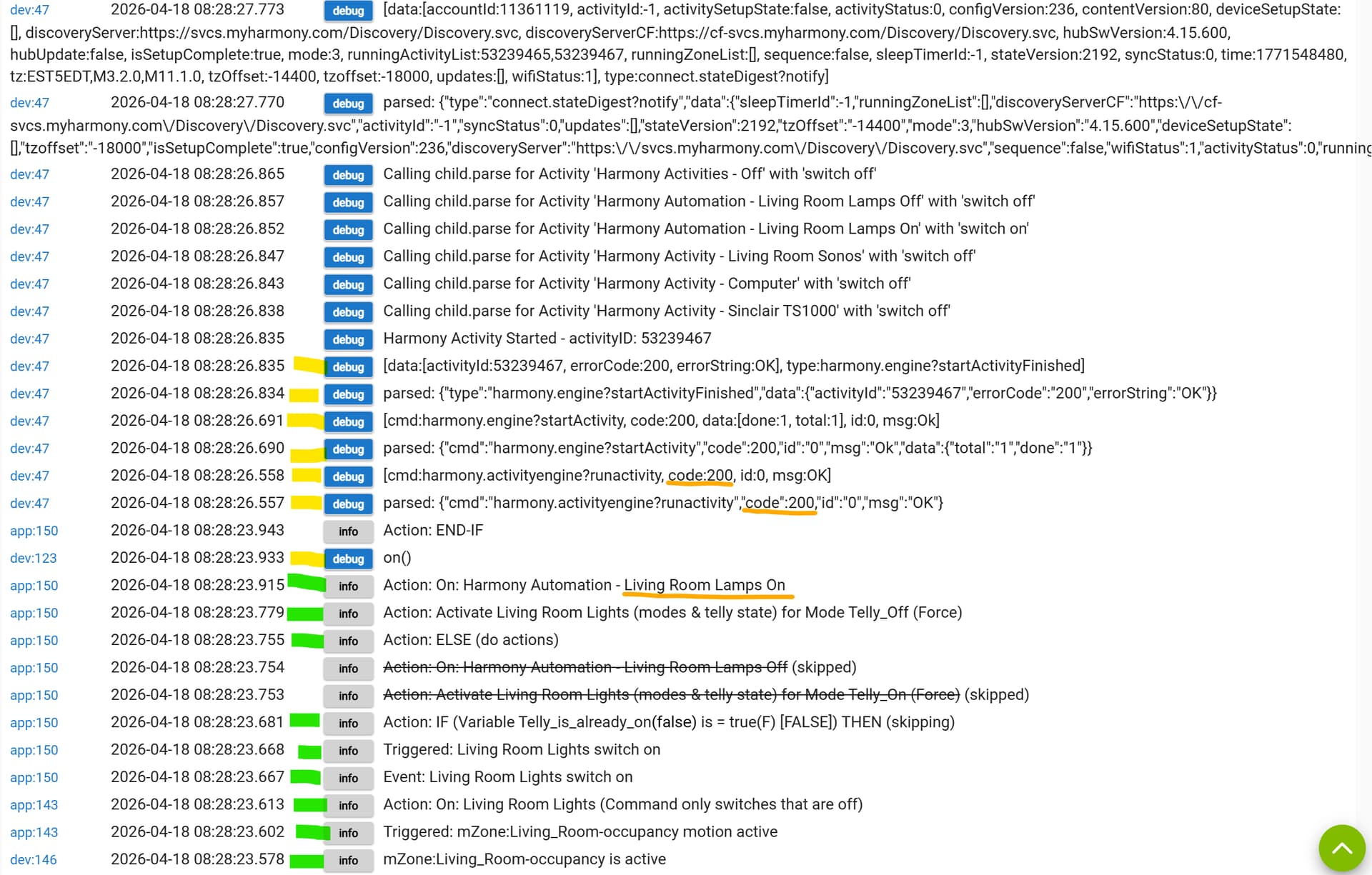
Naturally, the lights in my living room do not respond as I want so I open my laptop and sign in to the HE. I can then specifically run the actions of the rule that detects the telly is on (power above a threshold).
These log entries are in blue and culminate in the on() command to device 124 but this time with following Harmony code of '200'. The exchanges with the Harmony Hub are more protracted this time and the lights respond as I want.
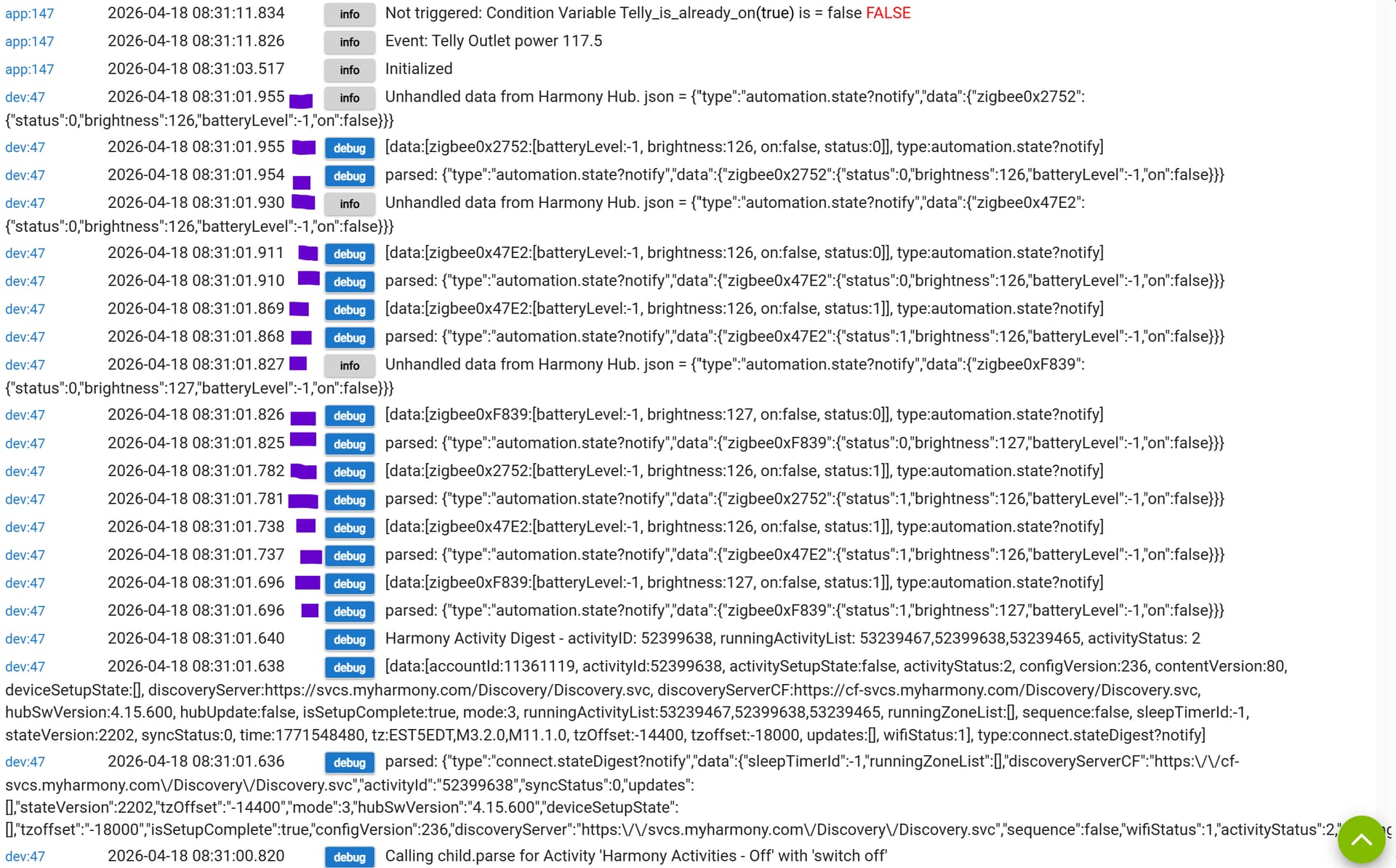
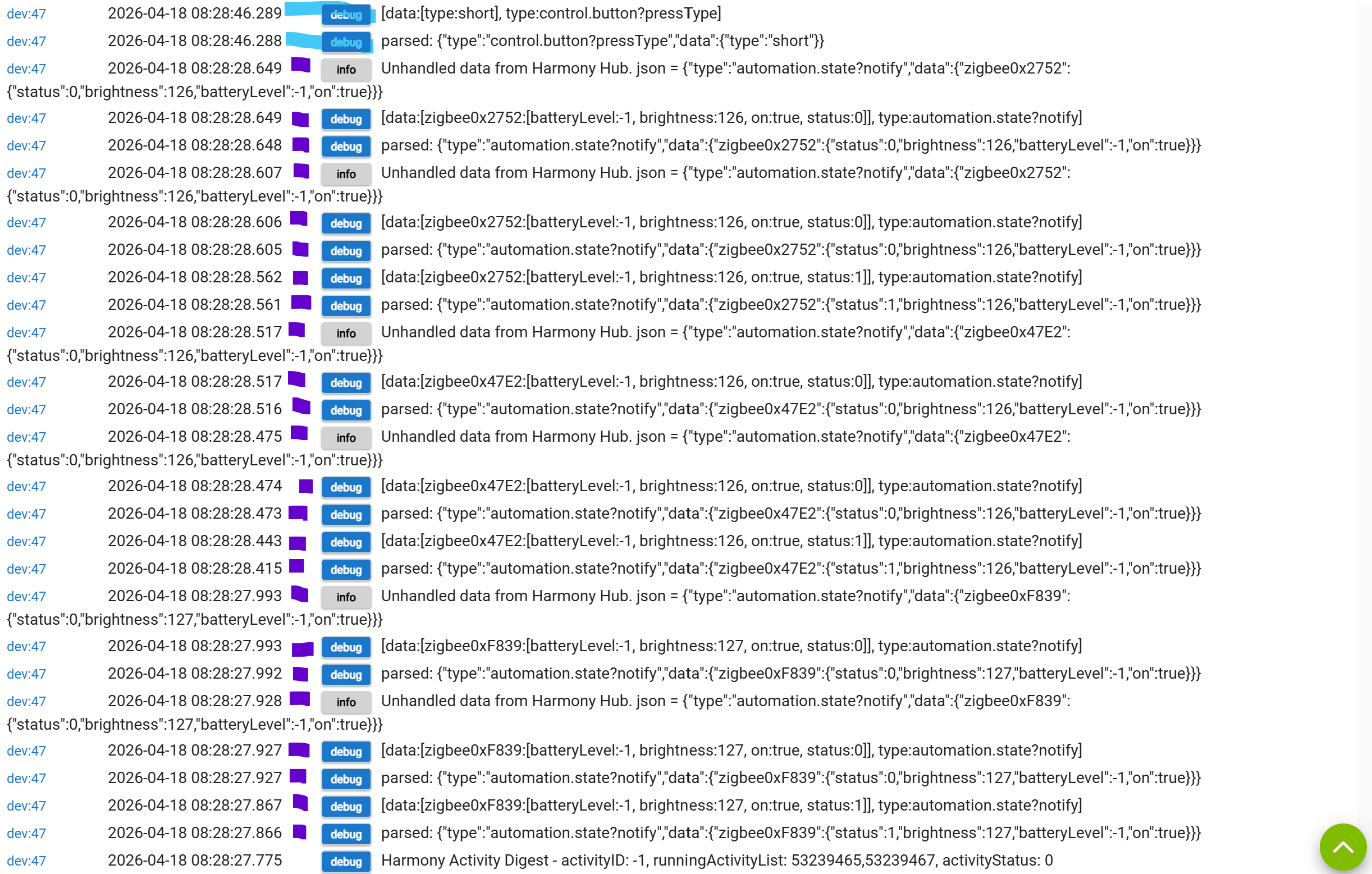
Highlighted in purple are a slew of extra exchanges with the Harmony Hub missing from the first attempt.
The purple section maps to two sets of three Zigbee exchanges corresponding to the three bulbs I have associated with the Harmony Hub Extender.
Thank heavens for thundery Saturday mornings making everything dull. I can try this automation again and gather more logs.
This time, I enabled logs first thing even before going in to the living room.
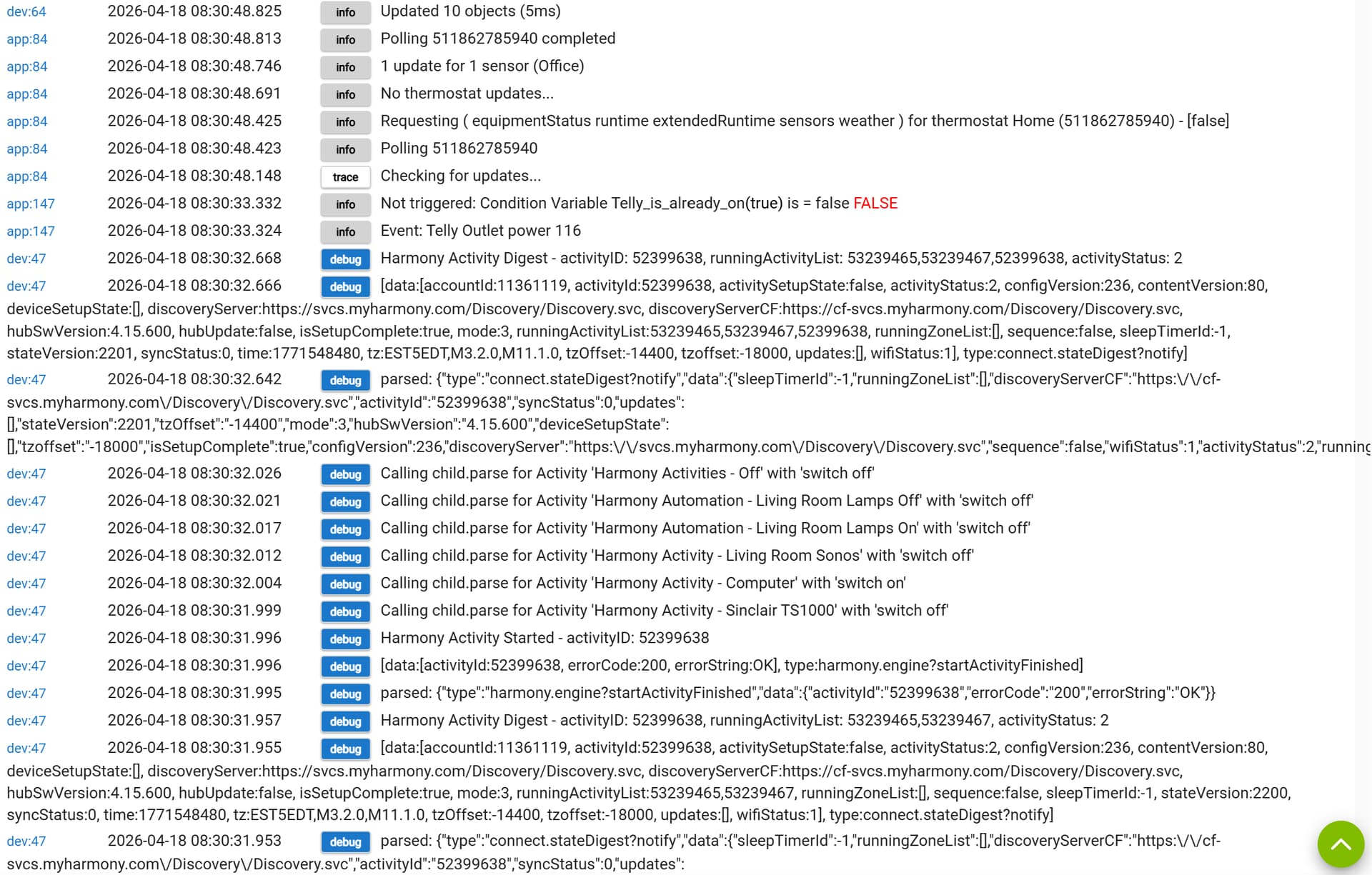
Again, presented in time order from bottom-to-top...
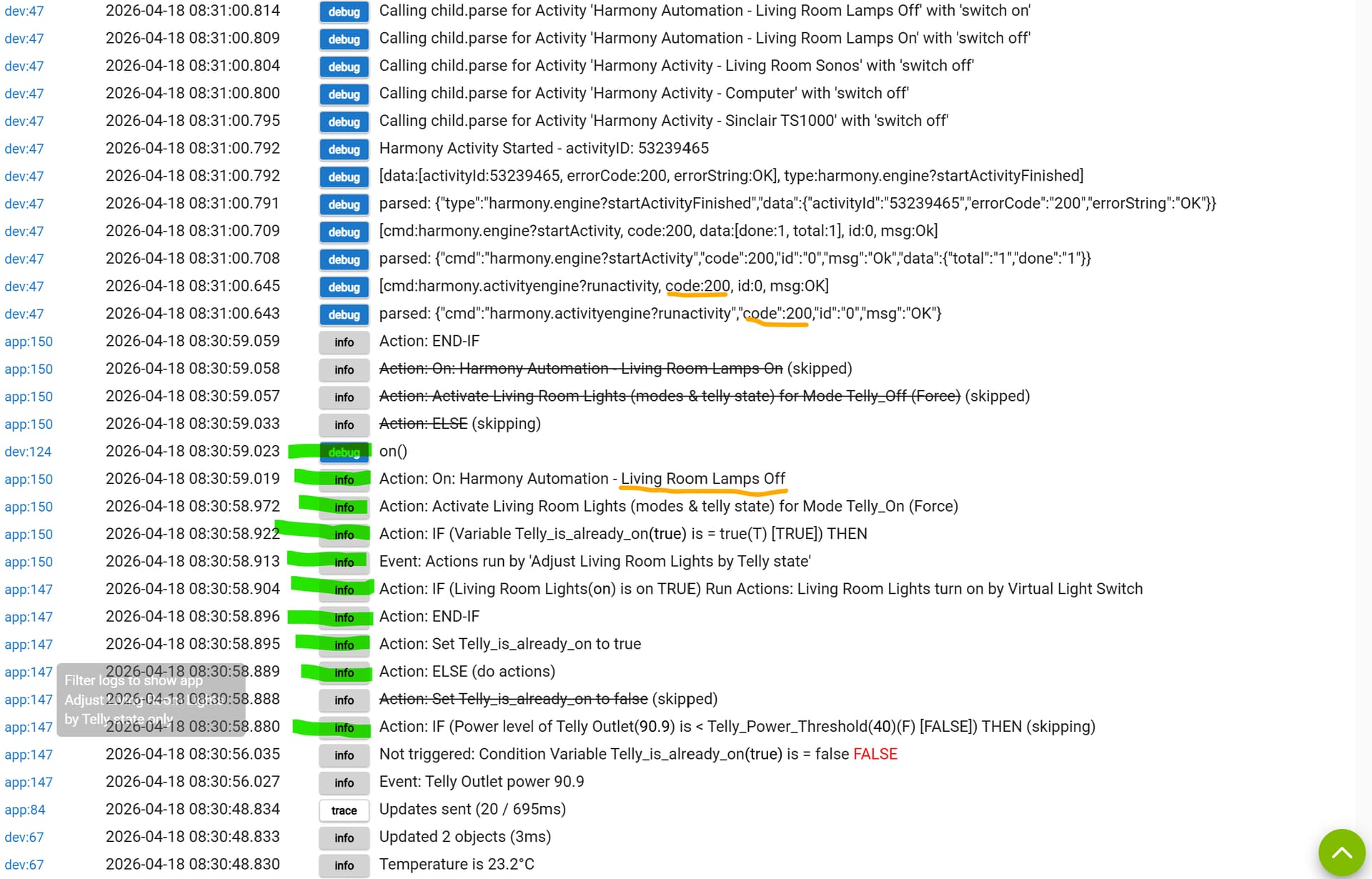
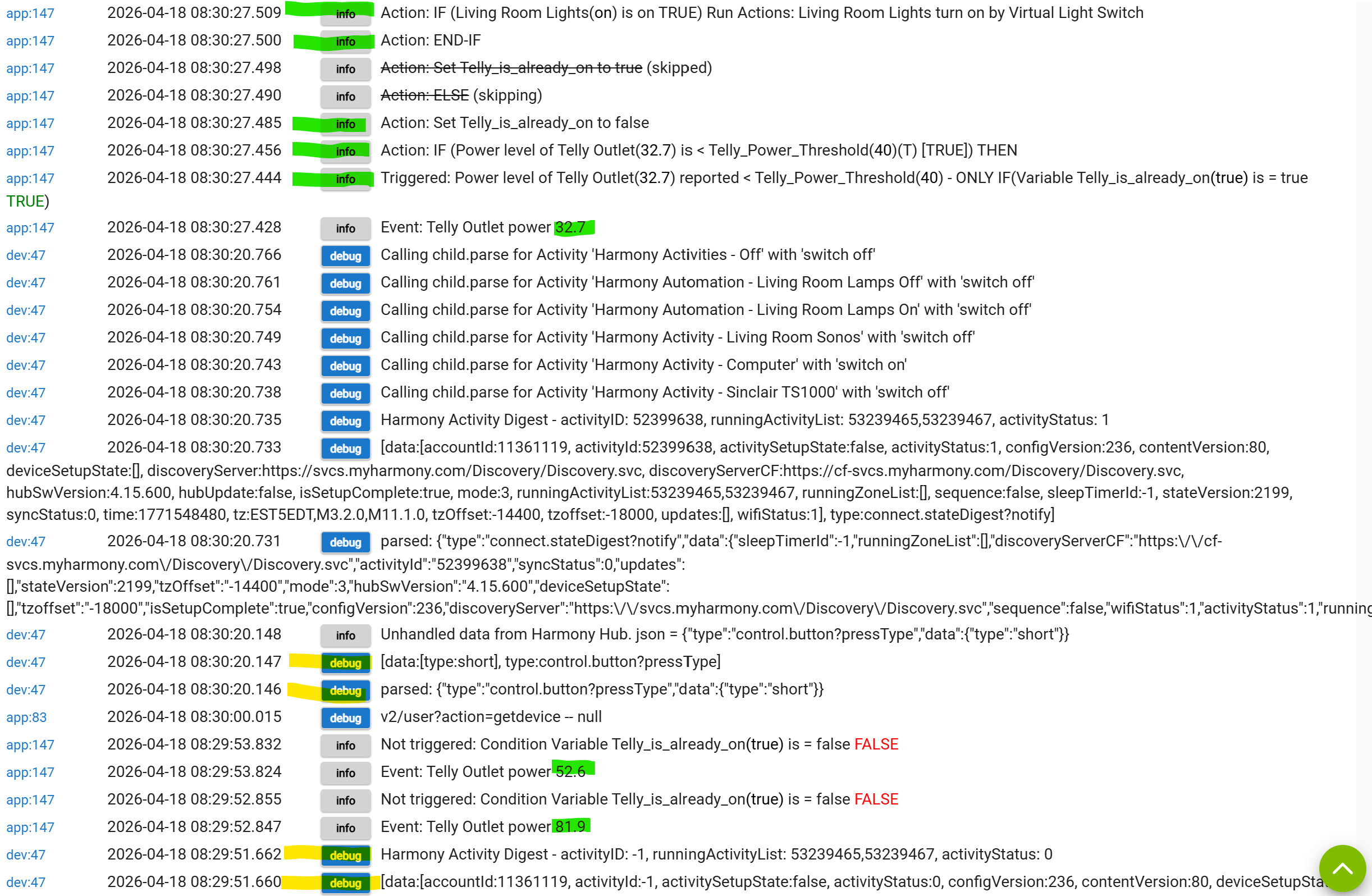
Log highlights start with me entering the room (green). The TV is not on and the lights come on to the corerct state (with the Harmony-Hub-connected lights coming on) using code 200 - underlined in orange and with a slew of purple-highlighted exchanges following.
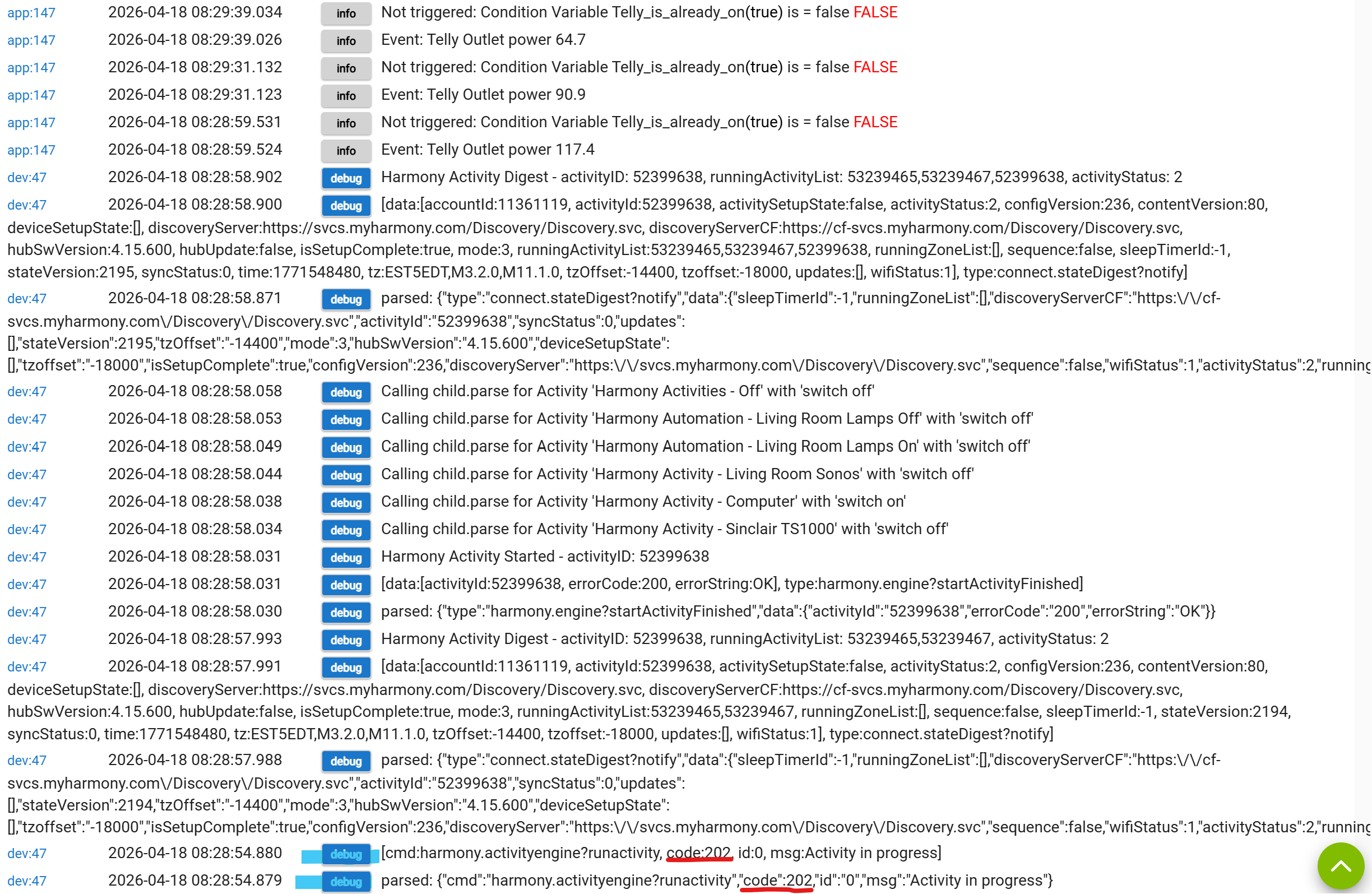
I then press the activity button on my remote to turn on the telly (blue highlight).
That all runs with the Harmony Hub being commanded to turn off its lights with code 202, which doesn't work and there are no purple exchanges following.
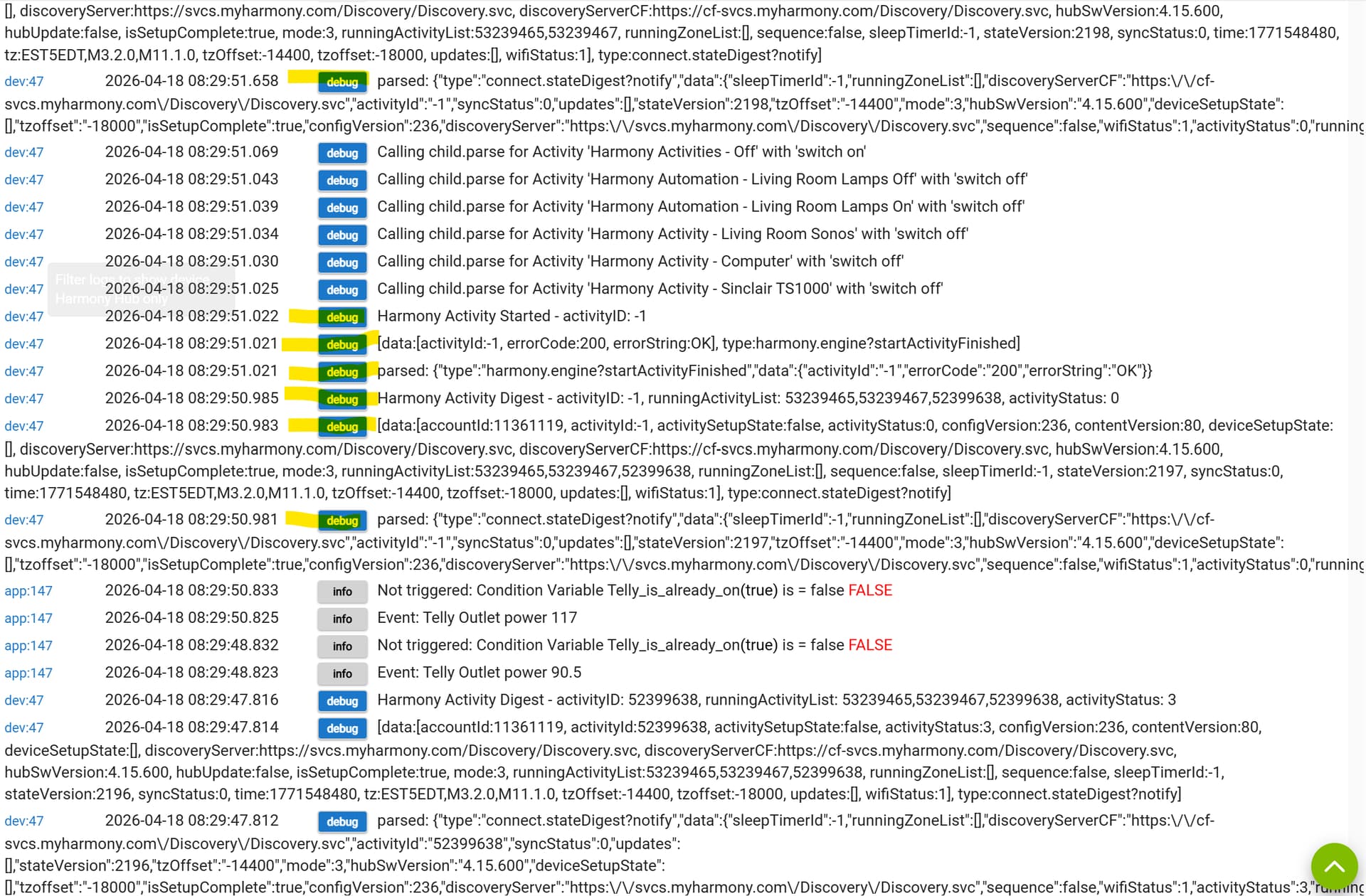
Then I wait a bit and turn the telly back off using the Harmony remote 'Off' button (yellow highlights corresponding to activityId -1).
The upshot of this is that the power monitor sees a drop (green highlights) that triggers the automation to turn on the Harmony-Hub-connected lights with code 202. I cannot see any change because the lights are already on when they shouldn't be, but there are no corresponding purple highlighted exchanges that apparently follow a successful command.
I don't know if I left enough time before using the remote to turn the TV activity back on (I can't see the report) but the power starts to rise again and the rules kick in for the telly turning back on (blue hightlights). This causes the Harmony Hub to be commanded to turn off its lights with code 202 and no subsequent purple exchanges. Indeed, the lights have been on this whole time and do not now turn off.
Finally, I run the Rule Actions from the HE web interface and the Lamps Off command is sent with code 200 and the flurry of purple-highlighted exchanges follows as the lights finally turn off.
Again, the purple sections each map to two exchanges per the three bulbs associated with the Harmony Hub Extender.
So, something seems to be up with the code that is used to command the Harmony Hub.
Now, why is that?
...slightly to the side of this topic...
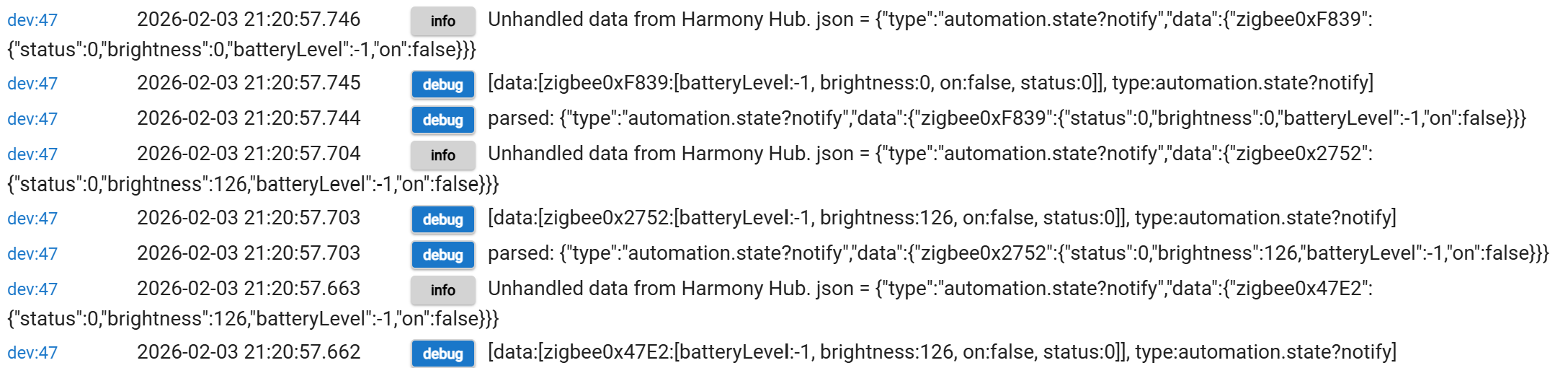
I think it would be much better if I were using the Home Control {Light, Socket} buttons for the lights. I can see the boxes to supply the deviceId for these but cannot find the corresponding values in the Harmony Hub output when debugging is enabled. I have lights mapped to Home control Lights buttons 1 and 2 but can't use them from the HE.
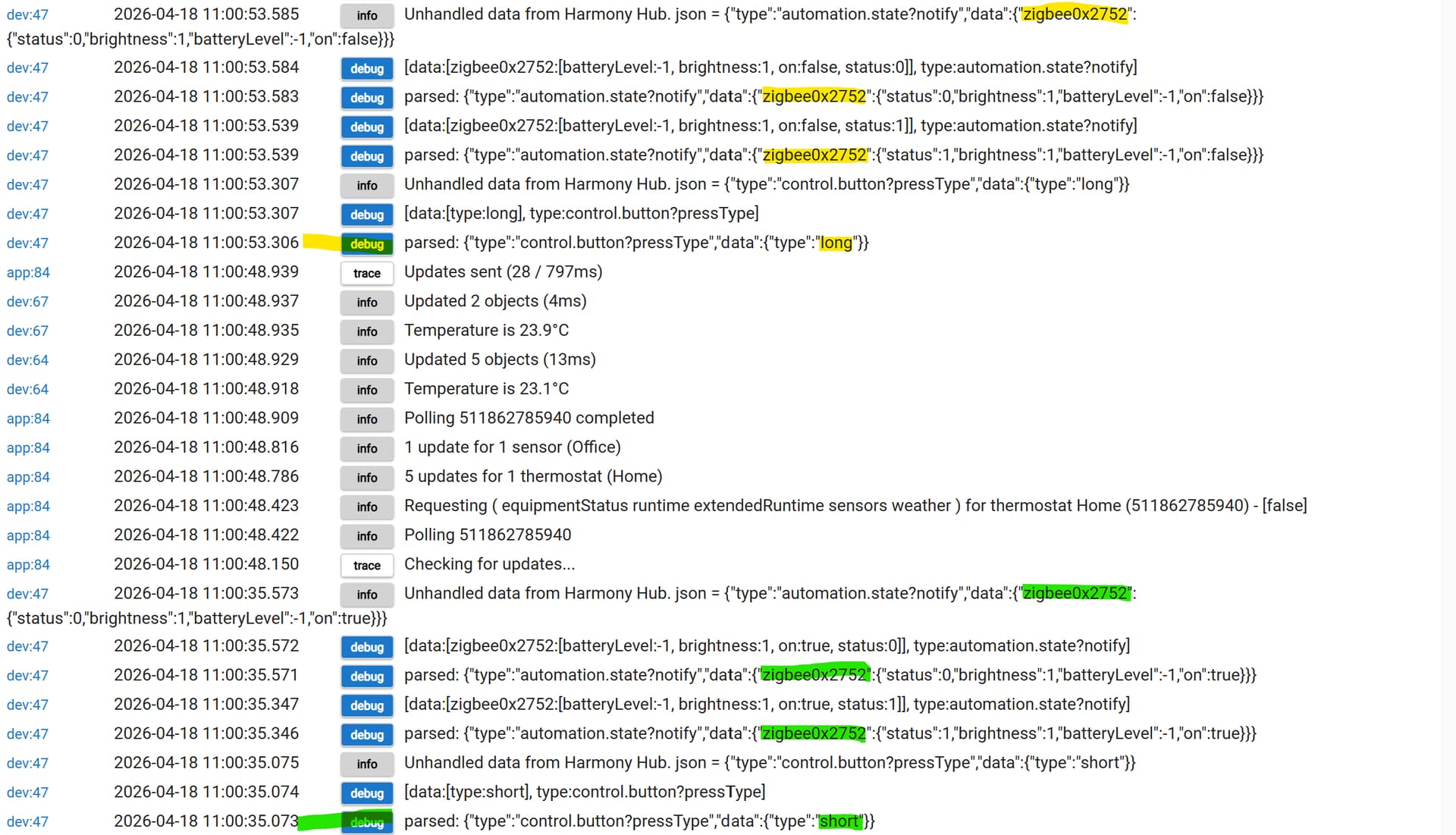
Here is the HE debug output from pressing Home Control Light button 1 (the upper on the remote)...
...and here is the HE debug output from pressing Home Control Light button 2 (the lower on the remote)...
I cannot see any deviceId and I cannot find anything that might correspond in the vast list of text when debugging is first enabled.
Anecdotally, upgrading to v2.5.0 seems to have addressed this issue.
I'm not sure why, and I need to gather more logs to look at what's going on but the last two mornings (very cloudy) have granted me the chance to test the function, and the lights are turning off as expected just after the telly turns on.
1 Like
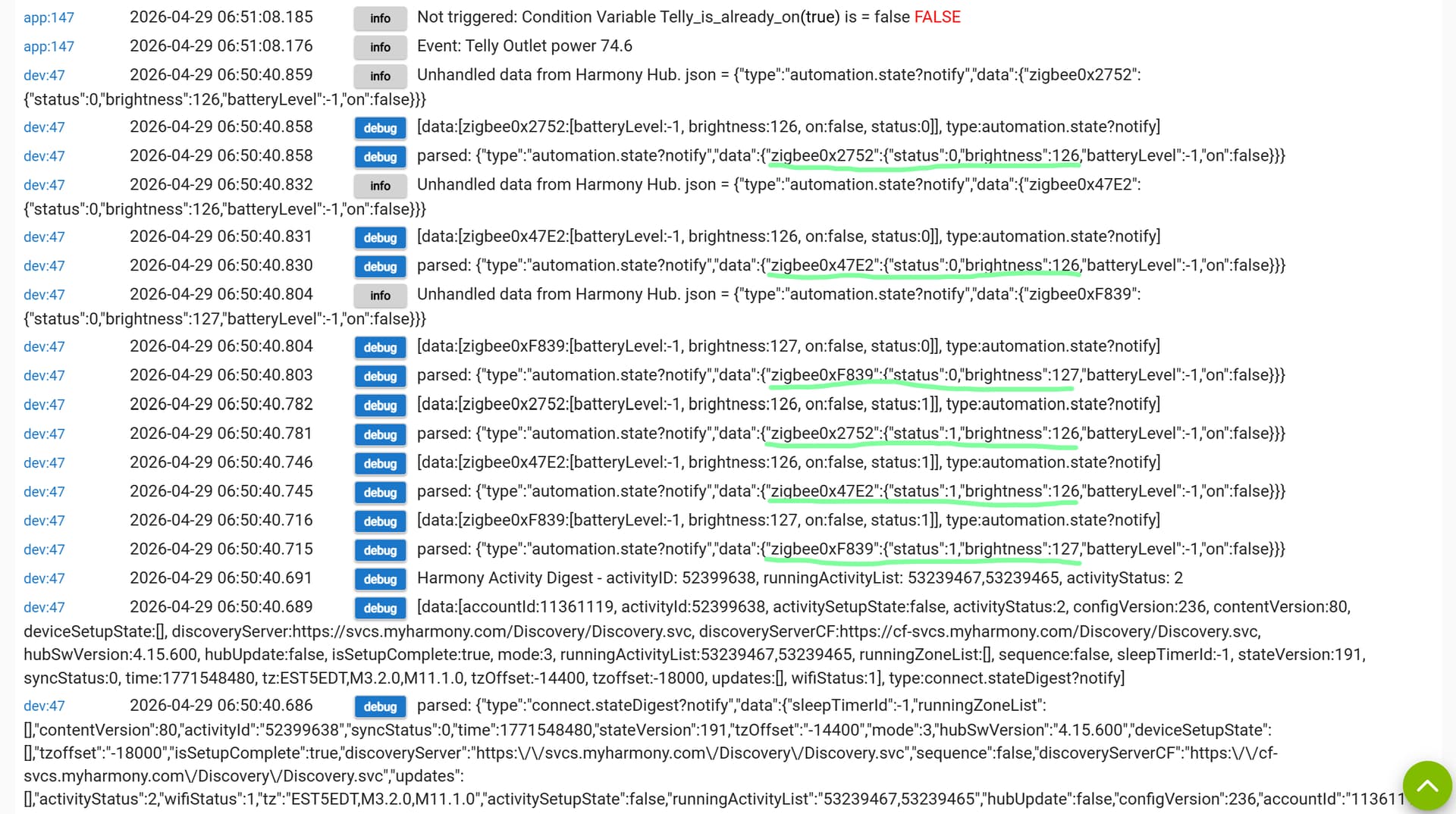
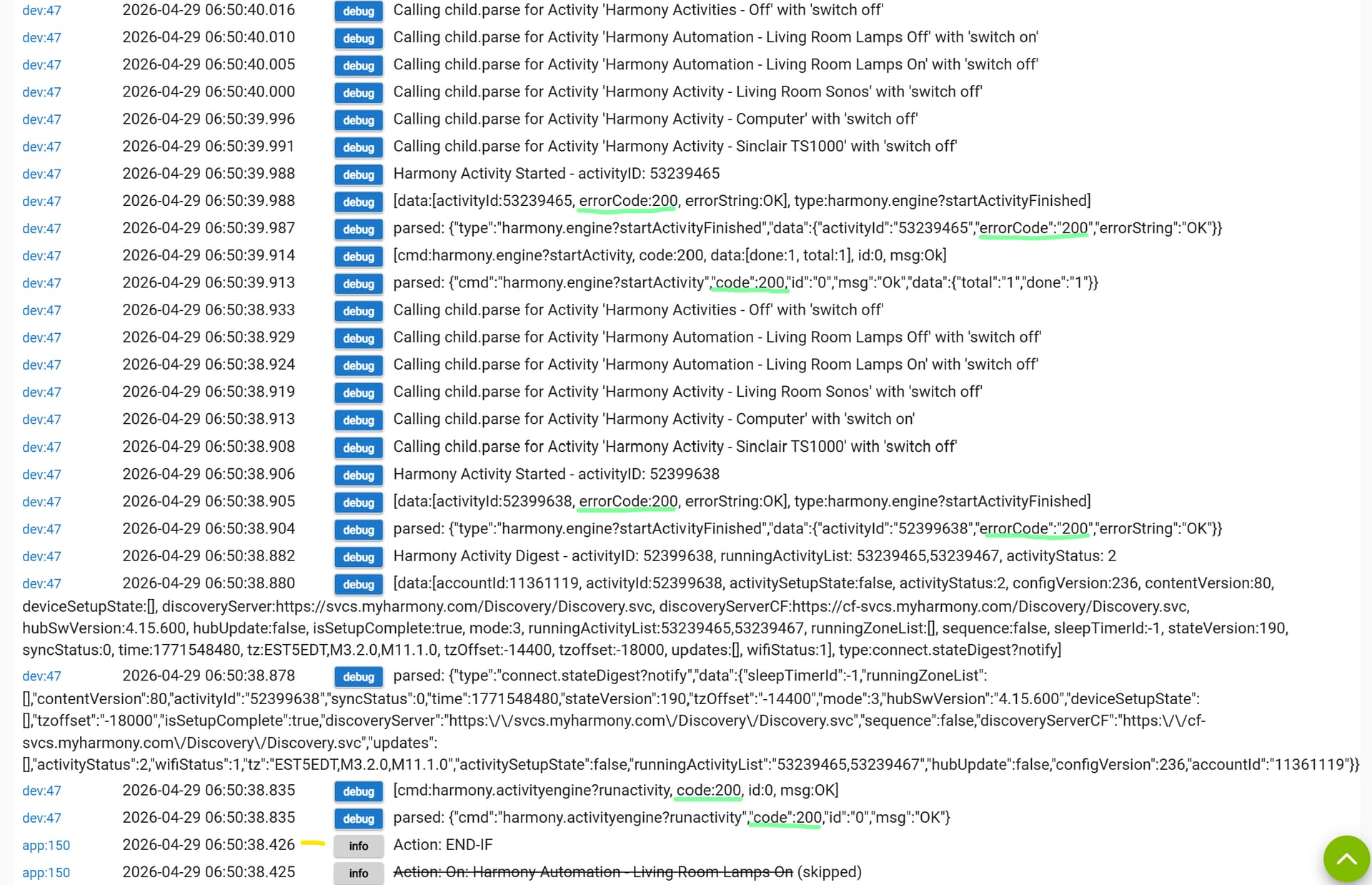
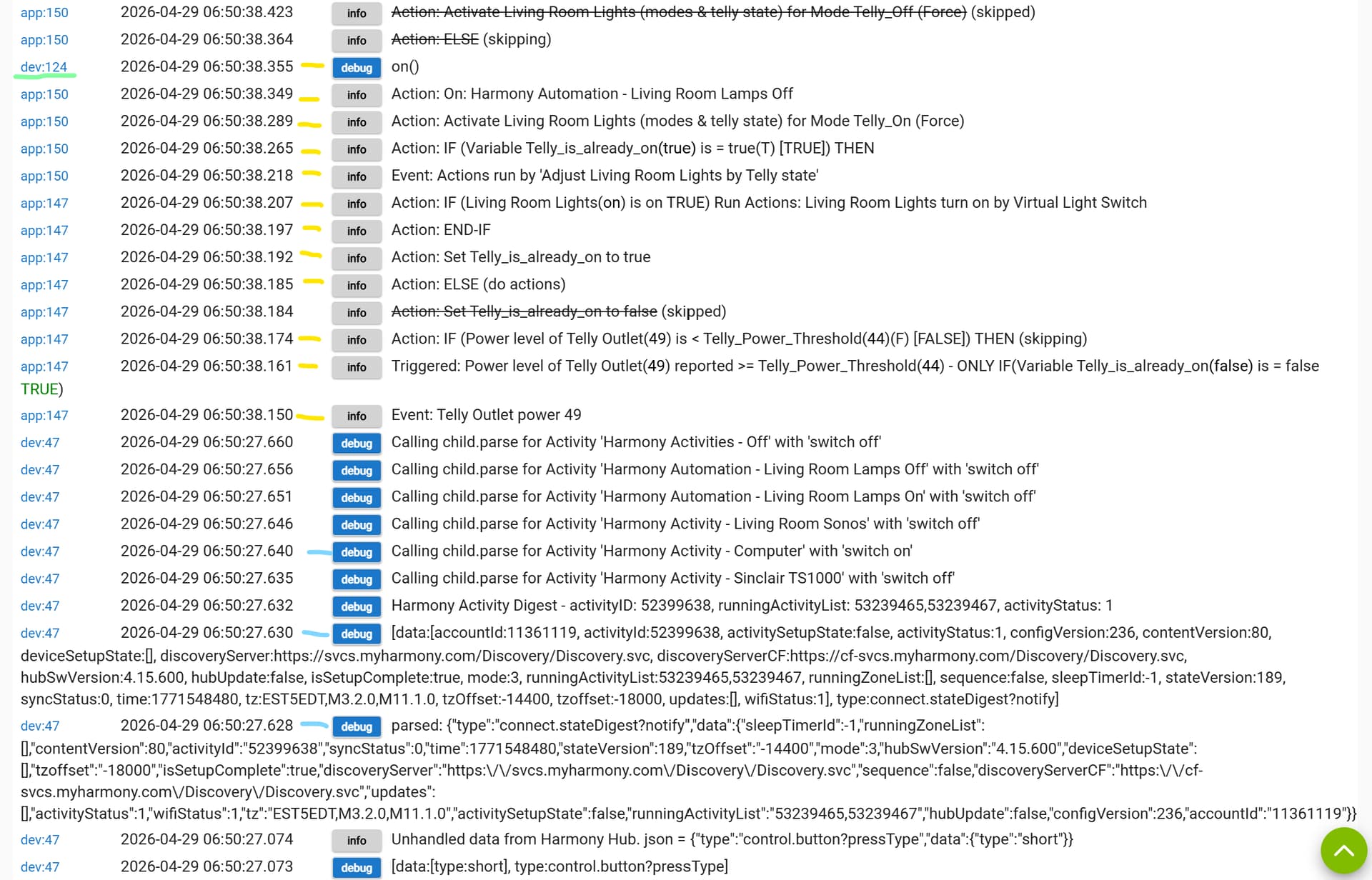
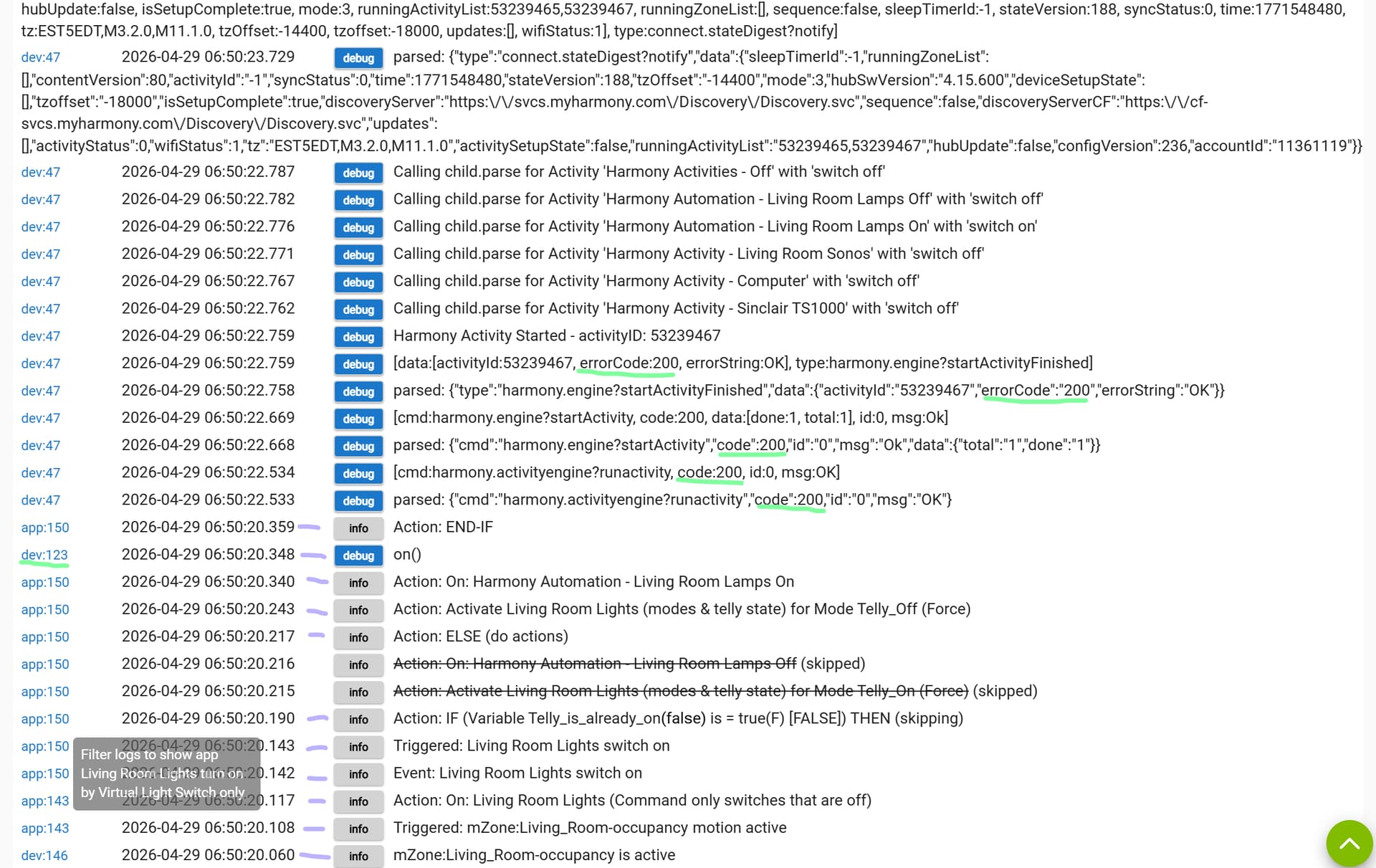
OK, I remembered to turn on logging this morning and gathered the following:
As you can see from the highlights, it's the same activities-pattern as my previous logs (enable logging, enter room (lilac ticks), lights come on (pale green underlining), turn on telly (light blue ticks) and power meter triggers automation (yellow ticks), lights turn off (pale green underlining)).
There is no unexpeceted "code:202" from last time, only "code:200". There are matching zigbee captures from the Harmony Hub and the lights respond as I wish.
I should clarify that this appears to have resumed working as of 2.5.0.123 and I have upgraded to 2.5.0.126 this morning, so hopefully it remains the case.
1 Like
Confirmed still working with 2.5.0.126
I have even been able to add the Logitech Lights Automation back into the Room Lighting App and remove reference in Rule Machine, making things more compact.
This appears to be resolved.
1 Like