I am a big fan of the Room Lighting App to keep various rooms and indicators at the correct lighting based on the mode, but with some overrides when something specific happens.
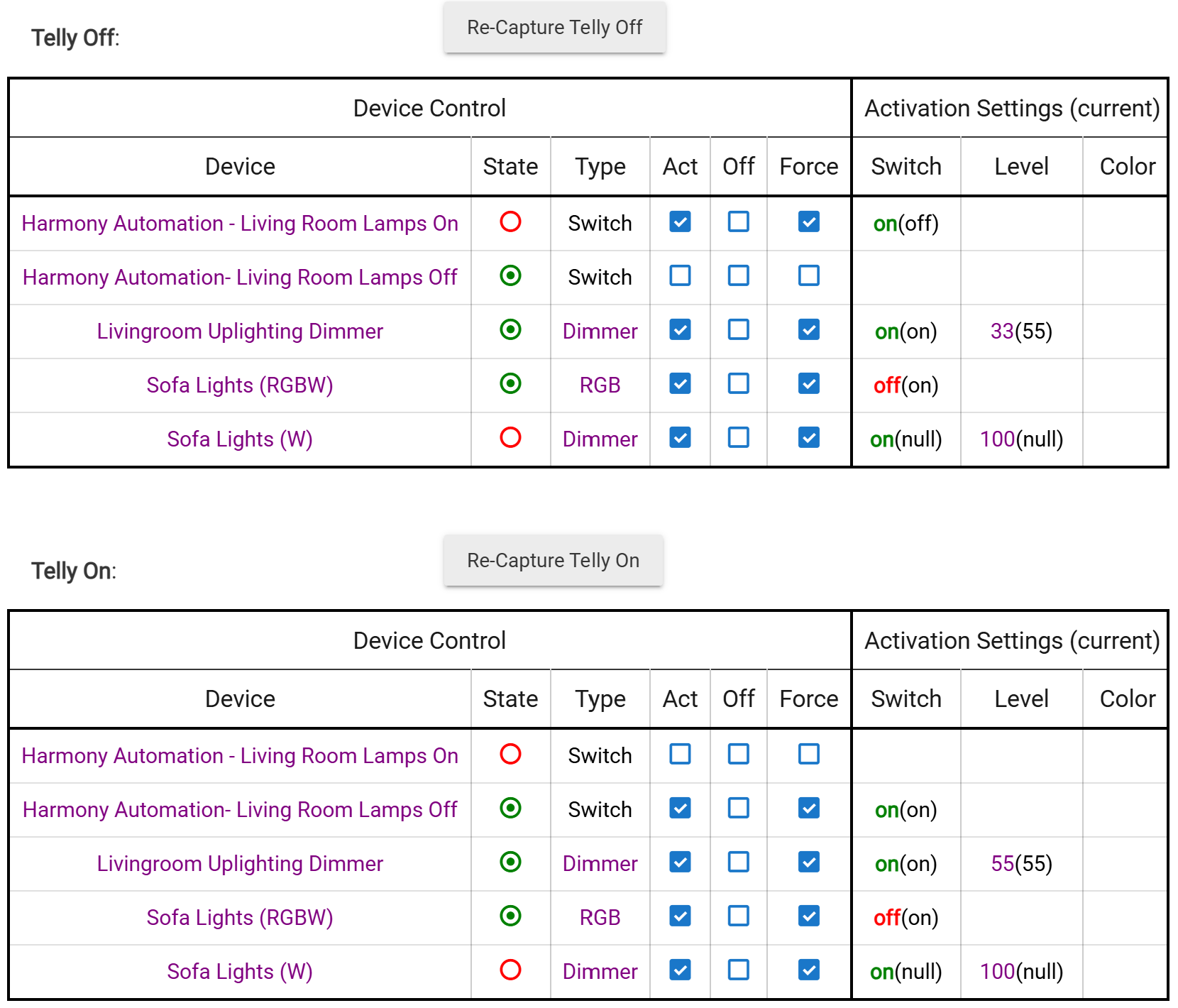
One instance is my living room where I have the lights react to modes but can be set to turn on in one of two states on command: when my telly (TV) is on or off.
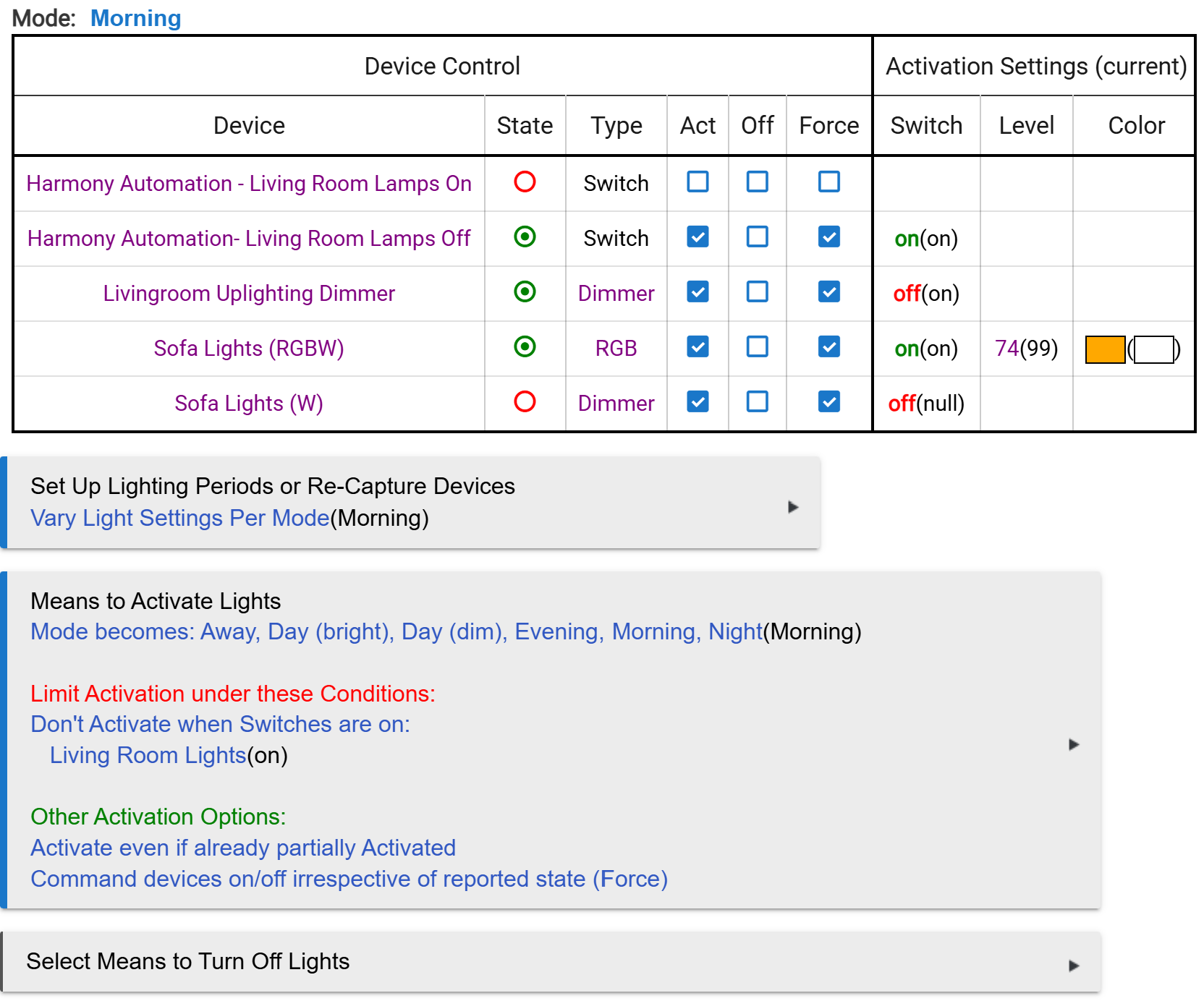
In the morning mode, the living room remains dark and the sofa lighting is coloured to indicate morning mode. When a motion sensor detects me moving, and the illumination is below a threshold and the telly is off, then the living room lights turn on to the 'Telly off' state. This involves some light strips, a dimmer and a command to my Logitech Harmony for certain bulbs it has associated (my first foray into home automation was with the Zigbee/Z-Wave extender to Harmony Hub).
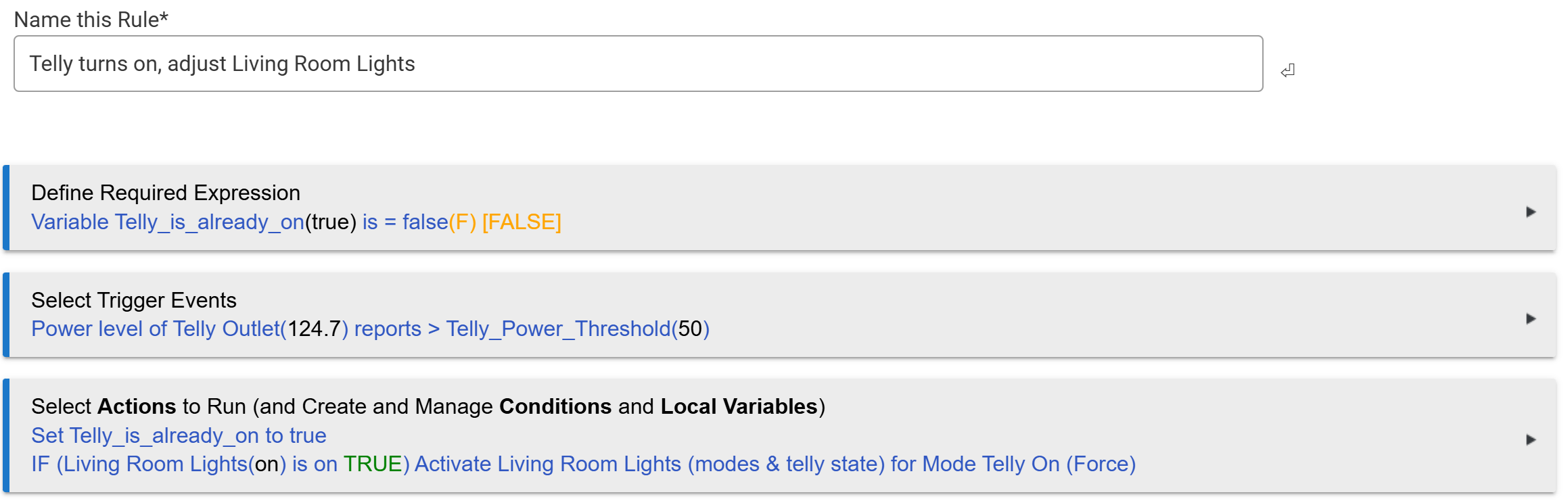
Then I turn my telly on and the rule I have set up confirms the change and forces the other telly-based lighting to change the brightness on certain lights and issue the command to turn off the Harmony Hub lights (to avoid reflections on the telly screen).
Here's where it goes wrong.
Up until recently, this worked as expected.
Just recently (and I am struggling to work out what caused it - but I haven't changed the rules or Room Lighting states in a very long time) the lights will change except the Harmony Hub lights won't turn off.
So, the system is changing my living room lights based on mode correctly; the system is turning the lights on correctly when the telly is off (including telling the Harmony Hub to turn on its lights); the system is mostly setting the correct lighting when the telly turns on but is failing to command the Harmony Hub to turn off its lights.
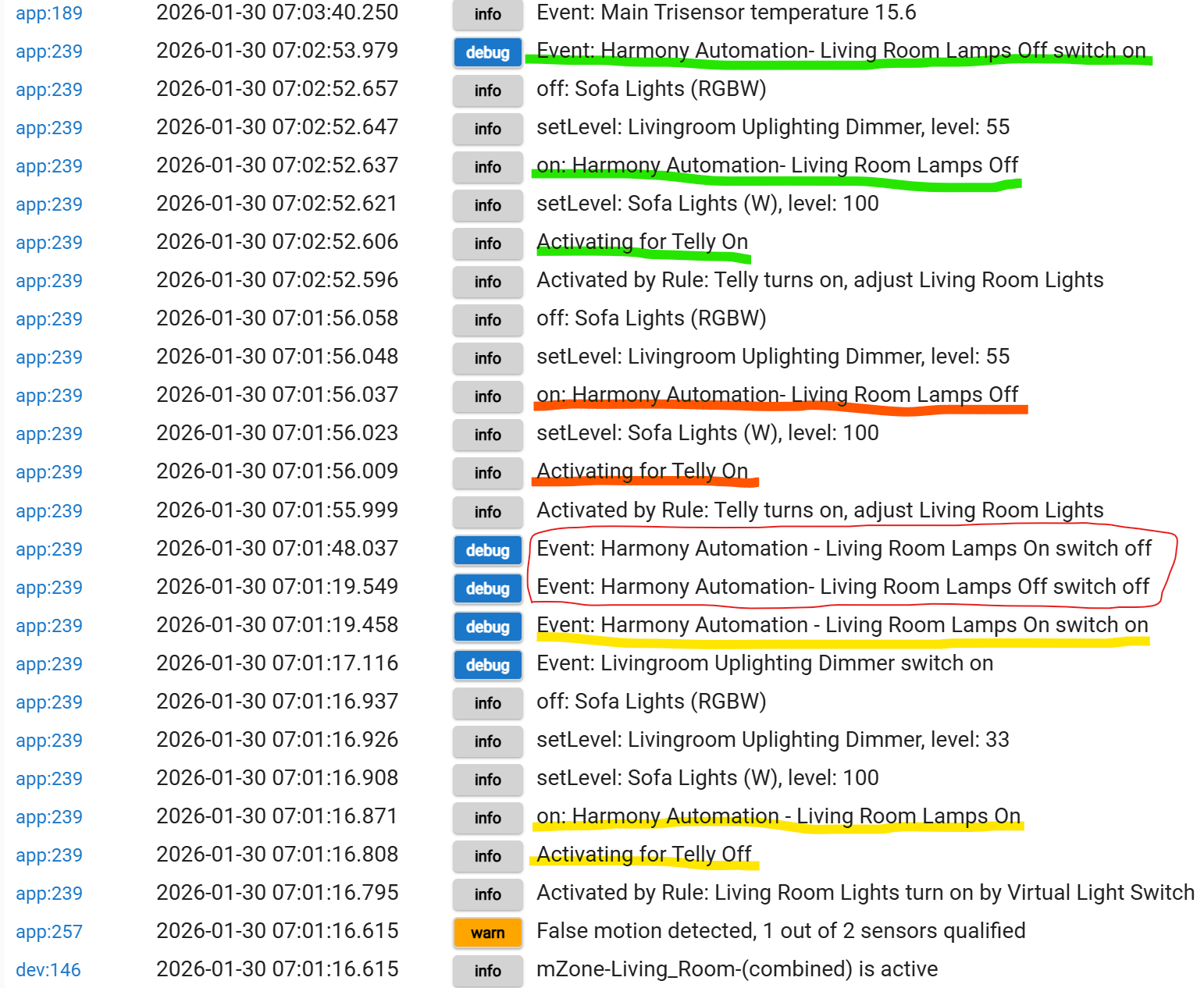
You can see a log below...
In yellow is the system seeing me enter the room in the morning with the room dim. It correctly sets the Room Lighting for the 'Telly Off' state and you can see the blue debug Harmony Automation to command lights on.
In orange, I turn on the telly and the system detects it, turning on the Harmony command to turn off the lights (that's the way Harmony works- you have to send commands to turn on alternate states, not turn off) but the actual command as a blue debug line does not appear.
In green, I open my laptop and log in to HE and run the rule for when the telly turns on. This not only sends the request but the matching blue debug line appears above it to show the command is issued. Indeed, the lighting now responds as I want.
I have circled in red two extra Harmony automation commands that I do not expect to see (they are not commanded anywhere).
So, to sum up my issue...
My HE correctly commands my Harmony Hub through the Devices, the Rules, and the Room Lighting app but fails to issue one command in one instance, requiring me to either flip a switch to force the state I want or log in to HE and manually run the rule to set the state.
It all used to work fine and there have been no updates to the Harmony drivers I installed (that I am aware of).
Is there something else going on?
Screenshots...
The Rule:
The Room Lighting conditions (including the overridden Morning mode):
The Room Lighting Settings for the Telly modes:
The Event Log marked up as described:
 Custom Apps and Drivers - Hubitat