I have a need for a knob. I've never had or needed one before, I relied on a tile slider but that isn't as useful in a multi-person environment I now find myself in.
I want to control level and CT for a group - Ideally a 'push' on the knob sets it to ... lets call it 'knob 1' and another push puts it into 'knob 2' - then dial up or down. Possible? 2 Knobs required?
Or you can check Tapo Dimmer (it is Matter device but works well with HE):
It will be an extra hardware (plug in dimmer) but it has a wireless knob which does exactly what you want. You can use a custom "Switch Bind" application to map all your lights together.
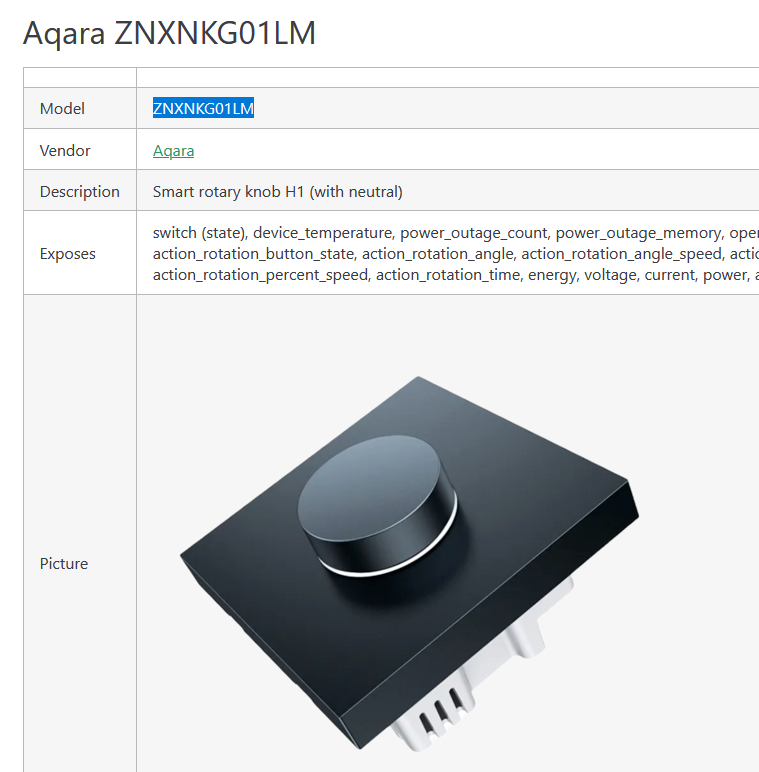
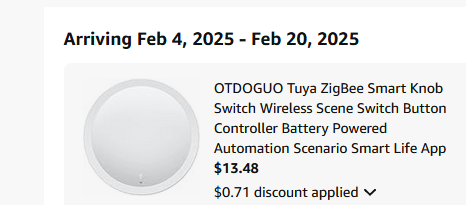
thank you for the idea. My world is pure zigbee, Really wanted just a knob without spending money to experiment! I've bit the bullet and bought this:
since it's tuya the dev docs are easy to find and i'll try and write a driver for it. wish me luck.
If that doesn't work out, I've had one of these for years. It's a little pricey, though. I do not use the rotary function. I picked it because is fits over an existing light switch which is exactly what I needed. It has a baked in driver but I have recently moved it to my Hue bridge.
Yes it did. I had it paired directly for a couple of years. I want to say first with a C4 but definitely a C7 and then on to a C8. I moved it over to the hue bridge as it started to act up with all of my zigbee radio reboot issues. Were you having issues pairing it or after the fact? There is a baked in driver specifically for it. I can move it back and test it when I get home.
It paired but I didn't get any debug messages when I pressed the button or turned the knob. I went through all kinds of troubleshooting. It's been probably a year, and plenty of software updates have happened so I should try again. Thanks for the offer - I'll let you know!
I'm very new to HE and also like the design of the tap dial..
Can you point me in the direction to find the correct driver or button setup?
I have button 5/6 push and hold programmed to dim down/up, but it only sends 2 commands..one on push and one on hold. Where is the option to resend the button command continuously?
Or is my approach wrong?
Tried cocohue, dim button controller from home, and the he own button controllers..
Thx in advance for any advice!
I don't have mine paired to HE directly, it is paired to a Z2M instance and I use Node RED for most of the automation with these devices, but still calling back to HE for some actions.
You might want to check if there is a release event recorded in HE. If there is you could try using this in your rule. You could trigger on the hold event, starting the process of dimming the lights, waiting until the release event is received (and probably some other timeout type fallback in case the release is not received for any reason).
So best way to check the button functionality is in the device settings?
Anyway I played a bit and the rotary button doesn't seem to send any release signal..only push and hold..
I regged the button through hue app, connected it through cocohue..will try direct connection to HE..maybe there's a difference?
What's interesting though.. I start to monitor the behavior of the system in the logs, and there are the push and hold events, but with parameters like hold time and also clicks I turned..this looks promising to me
Maybe there's a driver/possibility to work with these clicks, and not just have it behave like a simple switch?? For simple dim up/down with a button push, I would use a button..
I would like the button to work in step mode in small increments, where I could adjust the dim rate by the speed I turn the knob..slow turn=slow dim, fast turn=fast dim.
And I'm not only new to HE, but automation/smart/zigbee in general..also have no coding background;(
My impression after 1 week is that the dial/rotary knobs aren't easy to set up in a smart environment?!
Are there knobs that are known to work for this?
Also there seems to be a good amount of delay..I would say half a second, until the lights respond to button pushes..also on and off.. is this normal in zigbee environment? I checked that there are no delays iny apps..
There's a bit to unpack there... I would suggest setting up a new topic that is aimed at how best to use the Hue Tap Dial, that way you may get a few more people looking at it rather than under a more generic "recommendations" type topic. You can also link back to this conversation so you don't need to repeat everything, but I would suggest listing some of the key points about your setup.
Mostly yes.... More generally, for most devices, yes, looking at the Device Details page will allow you to see the commands available for you to call from automations you setup, the attributes (information) recorded about the device and review the types of events it generates. The main nuance to this can be that for some devices not all the commands are necessarily implemented by the driver, even though they appear on screen. While this doesn't happen very often, I would estimate it occurs more often in Community developed custom drivers compared to the built-in drivers provided by Hubitat.
Possibly, but on the whole I would not expect any significant difference in this case. There are some other devices (not necessarily Hue) that can have different capabilities developed in custom drivers compared to a built-in offering.
That is interesting to me as well... There were some limitations with what I could achieve with holding the buttons when I did the automations through HE, so this may help to make some of what I do more achievable.
Mostly what Robert and the HE dev's have produced in both Coco-Hue and the newer built-in integration will simply report the events as they come through, so there may not be a lot more they can do, based on what information they get from the device or the Hue bridge. That said, there's no harm in asking.
While Hubitat do a good job to simplify things for new users, and continue to work on this aspect of the platform, there is undoubtedly a lot for people to have to learn, particularly those without some of the background knowledge some of us have in the areas of networking and IT more generally. There are more lengthy past discussions on this topic around here and the common point that at least I try to make is the helpful and knowledgeable Community that you have at your disposal. You can often find someone to help get you through a problem or suggest an alternative.
This would take some more investigation on where the delay may be, including more information about how you have the devices paired, what drivers you are using and what automation app(s) you are using. This would likely be a good starting point for a new dedicated topic for your use of the tap dial device if you choose to set one up. The fact you are already looking through the logs and the device details page means you are on the right track in troubleshooting the issue, at least in terms of the areas you are looking.
 I would suggest setting up a new topic that is aimed at how best to use the Hue Tap Dial, that way you may get a few more people looking at it rather than under a more generic "recommendations" type topic. You can also link back to this conversation so you don't need to repeat everything, but I would suggest listing some of the key points about your setup.
