That's not bad. I’m certainly onboard at that price.
I told him about this forum and said that if the quality is good, and it works with the hub, that I thought it could lead to more sales. I asked for a discount and he accommodated (just a couple of dollars off each item). I ordered the switch and 3 bulbs, and I think the shipping is $10 flat rate, so that is competitive too.
I will report back here in a bit over a couple of weeks when I am back and have it installed.
3 Likes
Hi everyone - just wondering what everyone is using for Zigbee repeaters? I believe the HE only supports a max of 30 devices without one.
Ikea
2 Likes
Ikea and Samsung, but can't really offer any detailed review on how effective they are.
1 Like
Yes, Samsung outlets also (if you can find any these days!) unless you have xiaomi sensors then my experience is that this will cause dropout issues.
1 Like
I use the Ikea outlet and my zigbee system has been rock solid for about a year now.
1 Like
I'm thinking I might use the Ikea outlet to power the hub, and then see how that goes in terms of range/capacity for the zigbee network - any issues with that approach?
My only concern with that would be that you are possibly too close to the hub with your repeater (assuming you’re using the 1 metre cable that came with the hub). Now, the following may not be of any issue at all but I would be concerned with the repeater potentially interfering with the hub, being that close. Also, with being that close, the repeater wouldn’t have much of an RSSI advantage over the hub so the edge devices may still chose to connect to the hub rather than to the repeater.
If I had done it (and I’m assuming here that the hub is centrally located in the house), I would have put a ring of repeaters around the hub, say around 2-3 meters away from the hub. One to the north, one to the west, one to the south, one to the east and one each above and below the hub if your house is multi level. That would be ideal. However, if your hub is not centrally located or you only have the one repeater, then try putting your repeater 2-3 meters away from the hub in the direction of the Zigbee device that is furthest away from the hub.
The HE supports 32 directly connected Zigbee devices (as Zigbee has a coordinator limit of 32), so plugging an Ikea repeater in as the power for the hub would immediately create a stronger point for further devices to mesh against. Yes the RSSI could very well be similar, but the mesh created would be stronger as the 33rd device can connect with the repeater and the network continue to grow/expand etc. I'm just curious what others have actually done and what they've found works/doesn't work.
Yes, you are correct in that you will be able to increase the amount of devices connected to HE by adding another repeater. Just bear in mind what I touched on in my previous post, especially regarding the interference.
I haven’t seen anything about minimum distances between the HE hub and other Zigbee radios or between the IKEA repeaters and other Zigbee radios, but I’ve seen other brands recommending a minimum of 1 metre (well, 3 feet to be exact) between their Zigbee device and other Zigbee radios. It’s something to keep in mind at least.
I used to have a Zigbee in-wall switch in a flush box and a Zigbee battery powered dimmer switch right on top of it. They didn’t like being that close to each other (granted, this is extremely close). The battery was drained in just a week.
Having said all that, you will most likely be fine as long as you don’t have your repeater right on top of the HE hub. 
Just also be careful with the control of the IKEA outlet. You don’t want to be powering off the HE hub while it’s still running by turning off the power to the outlet. The HE database is quite prone to corruption if the hub is not turned off gracefully from the hub.
Hey mate, how did you go with it? I bought a couple but they kept tripping so I was told to install a 'bypass dimmer' which didn't quite do the trick either.
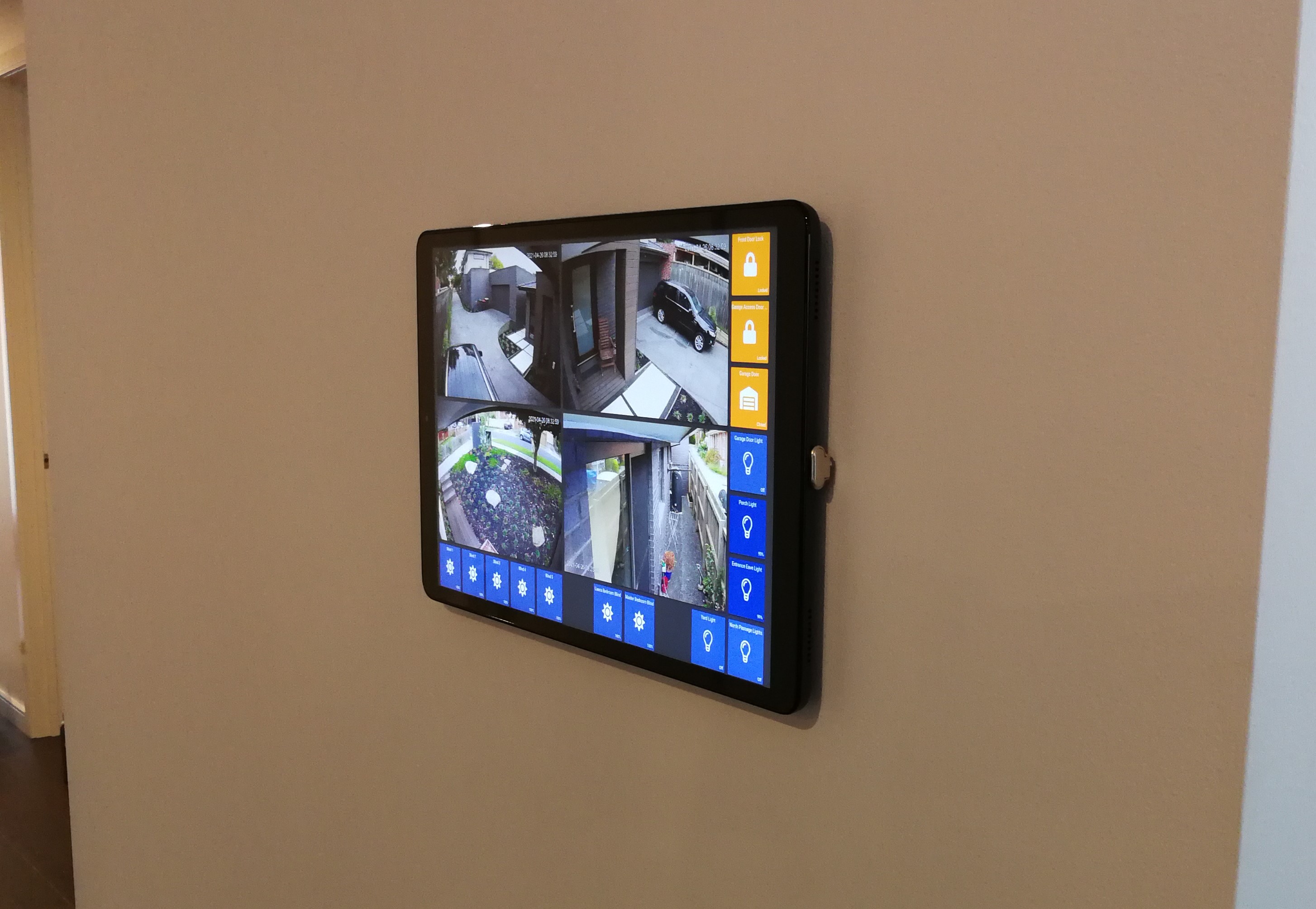
Does anyone know of any decent wall mount cases for Samsung Tablets other than the VidaBox ones?
I was told to install a bypass on my light switches as well because they thought the load was too low. Rather than buying bypass devices, I increased the load by putting 3x 60W incandescent bulbs on the circuit. The lights still flickered after that so I asked them what the minimum load is to not have to use a bypass (since 180W is a fairly substansive load). They never replied to that. I have since returned all my Makegood light switches and dimmers. It would appear they use the “buy a bypass” as a Hail Mary for any issues these light switches have. 
I shared my feedback on their lights as well which were very disappointing, link below:
1 Like
@saxnix Hey mate, do these require neutral wire? I had a look at the item description but there was no mention of that sort?
I am assuming this is the one you're talking about?
If you don't need to keep the screen permanently on, I think velcro + ribbon USB cable is a much more slimline/neater and ~$250 cheaper solution:

2 Likes
Got a link to that particular cable - the ones I searched for have an larger and ugly PCB based connector. Thanks!
Yes, that's the one I ordered. I don't know about the neutral. I am travelling at the moment and don't pick it up until Monday. I can let you know then, or you could give them a buzz and see what they say about it??