I purchased a Honeywell T6 Pro TH6320ZW2007 Thermostat to replace my very much beloved Nest Thermostart Gen 1 which was deprecated on October 25 and all my wonderful automations for it went down the tubes. I bought the Honeywell and was really quite unimpressed by the display and installation and just about everything else. I was unable to get it to pair with Hubitat because there are no Zwave menus. I bought this because I want and need 100% local control. Does anyone own one of these can could you help me pair it?
I have been using the xxxxx2003 model for years and it's been solid.
I only have those instruction so they may not help.
I look at mine just now and it was just Menu |Z-Wave Setup| Include or exclude.
I am only 5 meters away from my hub so that may be the issue (although it shouldn't be) bas I know locks can sometimes be distance dependant.
Thanks. Mine is closer. I just seem to be missing the Zwave menu pairing option. By the way, is there any way to get the display for this thermostat on longer? I go so used to just walking up to my nest and having it turn on when I was close to it.
look for brightness. Set it above 0. What that means it's light level during inactivity. 0 means turn off when it is inactive.
I have not seen a brightness. Under the equipment menu is it says it is battery. Honeywell support told me if I put batteries in for power failover that it will show battery.
Are you sure you have a functioning C wire at the thermostat? The display turning off is another sign it's on battery power.
I can't remember if you pair it without the batteries and add the batteries later, or if it's if it's paired with power, but it may matter. Being on battery shouldn't stop you from pairing, though, I don't think. Are you positive you got the ZW model?
2 Likes
I installed the T6 pro replacing a nest. At first I included it with batteries so I could play around with it at my desk to get acquainted. It did not repeat and the background light could not be set to stay on. Then when ready, I re-included after it was wired in. The HVAC powers it and idle brightness shows up in the installer menu ISU 1401). The notes for that state that it only is available when powered.
@croweflight Thanks for that info. I have the ISU 1401 brightness set up to 5. The issue seems to be that the thermostat display shuts off in about 3 seconds. I had read where it is advised when powering off the 24v that it is best to have batteries as a backup. The reason being that in the event of a power loss on the mains, the batteries take over. What's your perspective on that and do you think that mains only is viable?
I left the batteries in mine on the hope that it would not loose its settings if the power failed. I don't know if they settings are stored in NVRAM or not so just in case the settings are not. Beyond that keeping the thermostat powered seemed moot to me. If the Line is off so is the HVAC and everything else for that matter. I don't have a UPS big enough for the HVAC. 9500 watt generator I can plug into the house. But then the thermostat is again powered along with the HVAC.
I liked the Next device. But now that I got up to speed on the Honeywell and have it dialed in and scheduled with Hubitat it works fine. I miss the light coming on when I walked by and will miss path light once the nest protects age out.
You can long hold menu to get to device setup, or short press menu. In the short press menu, you should have Zwave setup on like the third page.
You can also just factory reset it, that is also in the menus.
You can also check into using the community driver.
I have gone to both the long press menu and also used the advanced driver. The only setting that seems to be related to the display is the brightness which defaults to zero. The information that I have found indicates that setting can be maxed at 5 which is indicated to allow for the display to remain lit for 45 seconds. Even with that setting, the thermostat display turns off after three seconds. It sounds to me that removing the backup batteries might be my next approach to getting some longevity on the display. Since the automation works great, my web browser is my goto for any thermostat settings.
I tested my T6 Pro, which is the same one you listed, my lamp lights for 45 seconds. It is powered though. Do you have the installer sheet to look up the settings? The guide states that on battery the screen illuminates for 8 seconds.
@croweflight I am assuming that means that you have no batteries installed in your T6 Pro at all. I guess that means that it rides through power failures without any issues?
I do have the batteries installed. And it stays on if the power goes out and knows it is on battery. But without power to the HVAC, it does not do anything useful. Are you sure you have 24V powering your thermostat?
Ok, pilot error. I just noticed that my GROUND wire was one connector down.
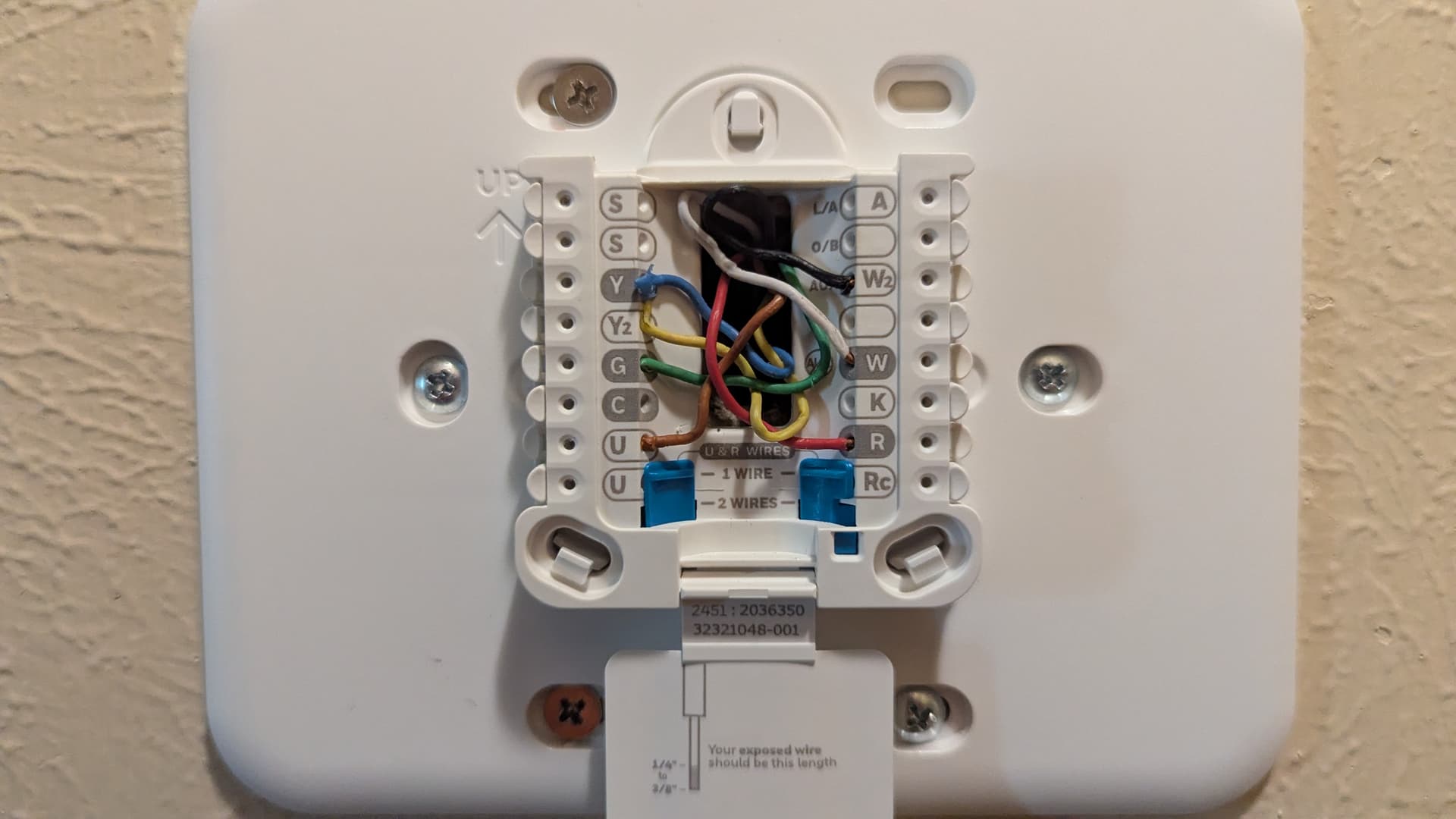
Seems that red wire needs the brown ground wire to be in that "C" ground plug.
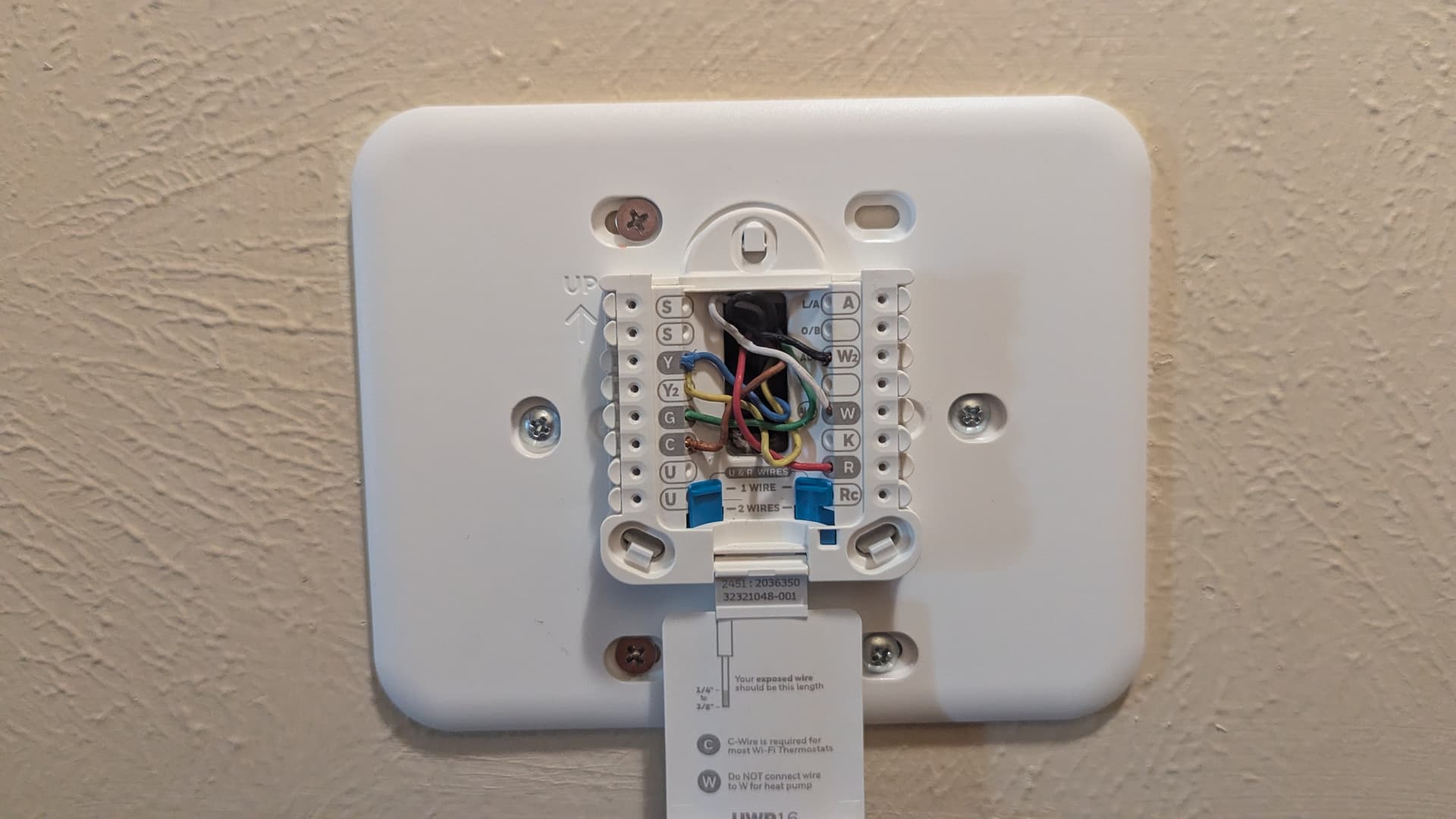
I hate when that happens! Thanks to all the great folks here.
1 Like
Great when a vexing problem gets solved. BTW, a friend recently changed the Honeywell in his house to this same model. His wiring wall plate was the same. All he changed was the adapter plate and snapped his T6 Pro down on it. Wiring matched Wuhoo!
I'd double-check that all those wires each land at those same terminals on the furnace's thermostat terminal board too.
Lots of folks just wire their stats up and never consider that those wiring connections are only half the story -- verifying the other end is equally important.
1 Like

