The C/F only works with the thermostats but gives false reading the app says my garage temp is 3c but it's really at 23c also the weather has not change it still in F I can only put in a zip code and if i put in my latitude and longitude nothing shows.
Can you elaborate on false reading? Where are you located? (If you don’t mind sharing) I may need to adjust some settings on the Weather App API.
Quick announcement: currently testing with the Fan + Switch combo switches, so if you see any irregularities with your fan devices please allow for a moment until this bug is resolved.
Thank you.
Hestia v1.5.6 - International Weather, Fan+Light Combos, and More
Hey everyone, v1.5.6 is live. Hard refresh (Ctrl+Shift+R) to pick it up.
International Weather (Open-Meteo)
The weather module has been completely rebuilt. The previous US-only stack (NWS + ZIP code) has been replaced with Open-Meteo -- a free, international weather API that requires no API key.
- City search replaces ZIP code -- Settings now has a "City or Location" field. Type a city name, pick from proximity-ranked results showing city, state/region, and country.
- Works worldwide -- weather data is available for any location, not just US ZIP codes.
- Day/night forecasts restored -- forecast now shows half-day periods (Tonight, Tomorrow, Tomorrow Night, etc.) instead of just daily summaries.
- Precipitation probability -- rain/snow chance shown with a raindrop icon when above 20%.
- Dark theme icon fix -- weather SVGs now properly visible on all dark themes.
Fan + Light Combo Devices
For those with combo switches like the Inovelli Blue that control both a fan and a light from one device -- you can now link the light side through Settings.
- Dedicated fan switches (GE, Zooz, etc.) remain plain fans. No auto-splitting.
- On any fan in Settings > Devices, click "+ Add light control" to link the light side as a Dimmer or Switch.
- The linked light appears in Dimmers or Switches with a "Linked from fan" label.
- Managed entirely from the Fans section -- no duplication.
Temperature Unit Toggle
Three display modes: Fahrenheit, Celsius (label only), and Celsius (converted from F). Applied across the entire dashboard -- home screen, climate card, room views, ribbon, sidebar, and Athena voice context.
Settings location: Settings > Thermostats > Temperature Display Unit
Auto-Hide Empty Categories
If you don't have fans, blinds, or thermostats, those cards and nav items are now hidden automatically. No configuration needed -- the UI adapts based on your device inventory.
Bug Fixes
- Theme contrast -- all 5 themes updated to meet WCAG AA contrast ratios
- Security as default room -- Artemis now appears in the Default Room dropdown when enabled
- Config sync -- reverted to hub-is-truth model to prevent stale configs from overwriting local changes
As always, feedback and bug reports are welcome. Let me know if anything looks off after the update.
Minor bug. Newly created rooms show on left (and in list of rooms in settings) after alphabetical list of existing rooms.
Do you mean if you created rooms A, B, F, G and then add room C, it adds to A, B, F, G, C and doesn’t sort?
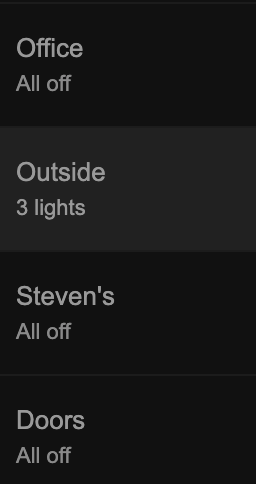
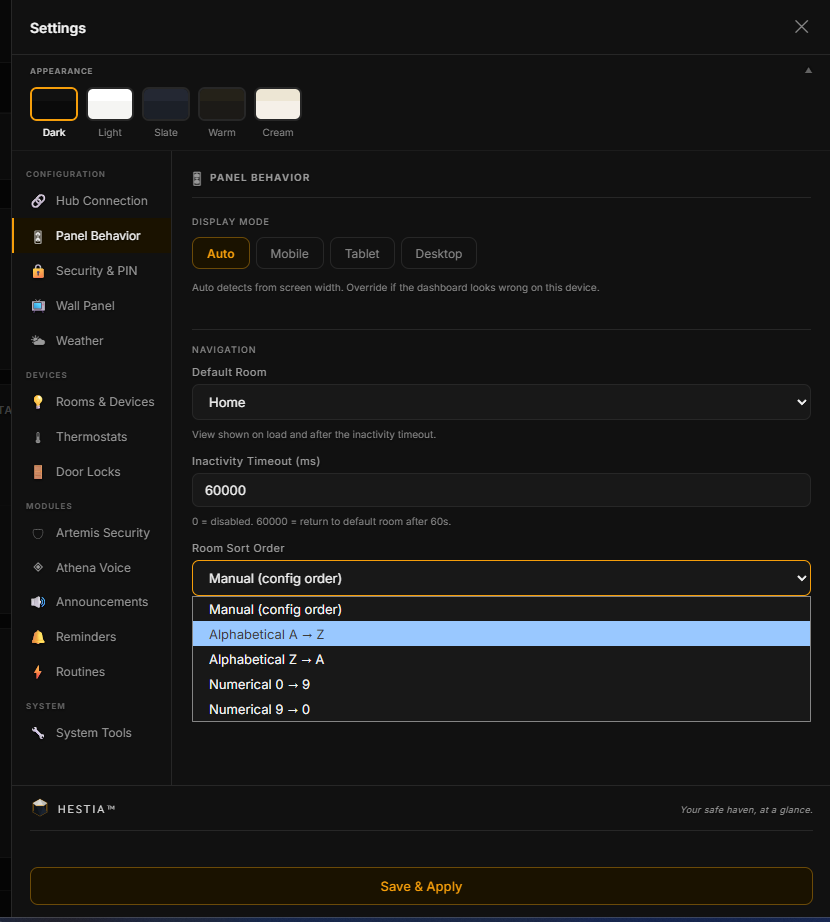
Perfect! Much appreciated!
Few items for feedback:
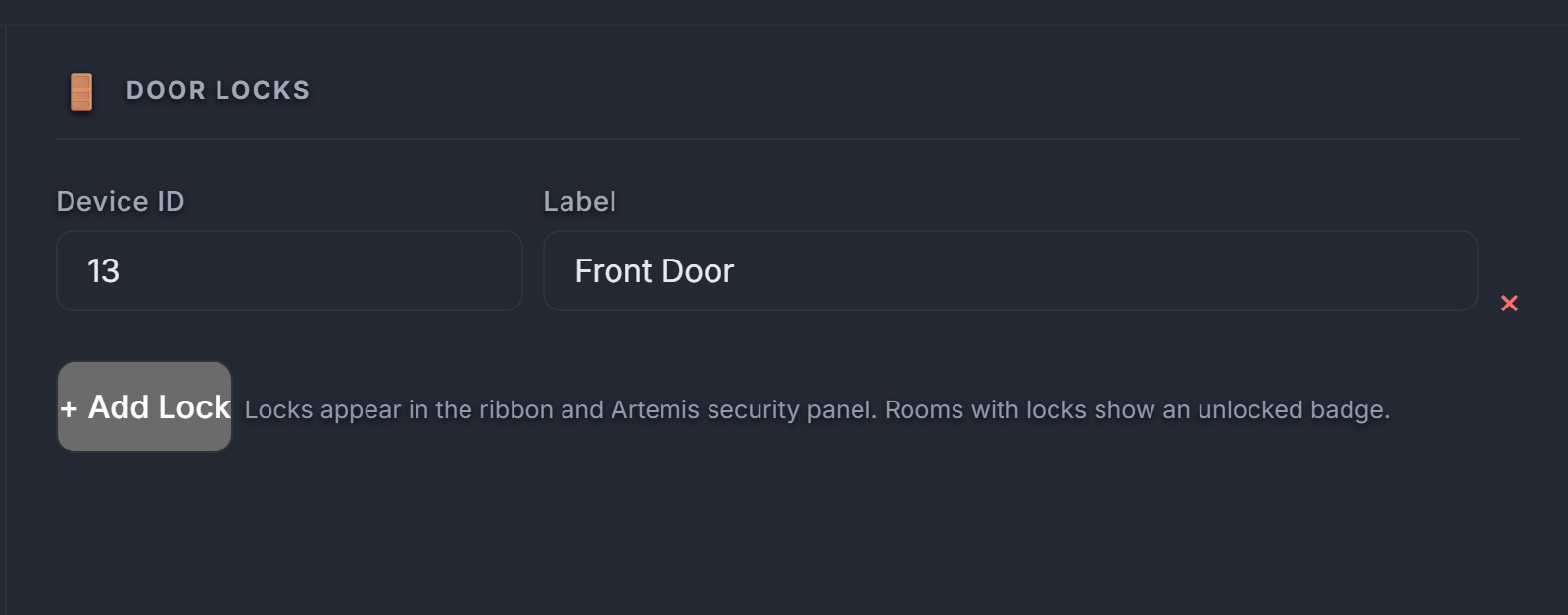
1- Second Lock Missing – My second lock is not showing up in the application. The device exists in Hubitat Maker API and is functioning properly, but it is not being displayed.
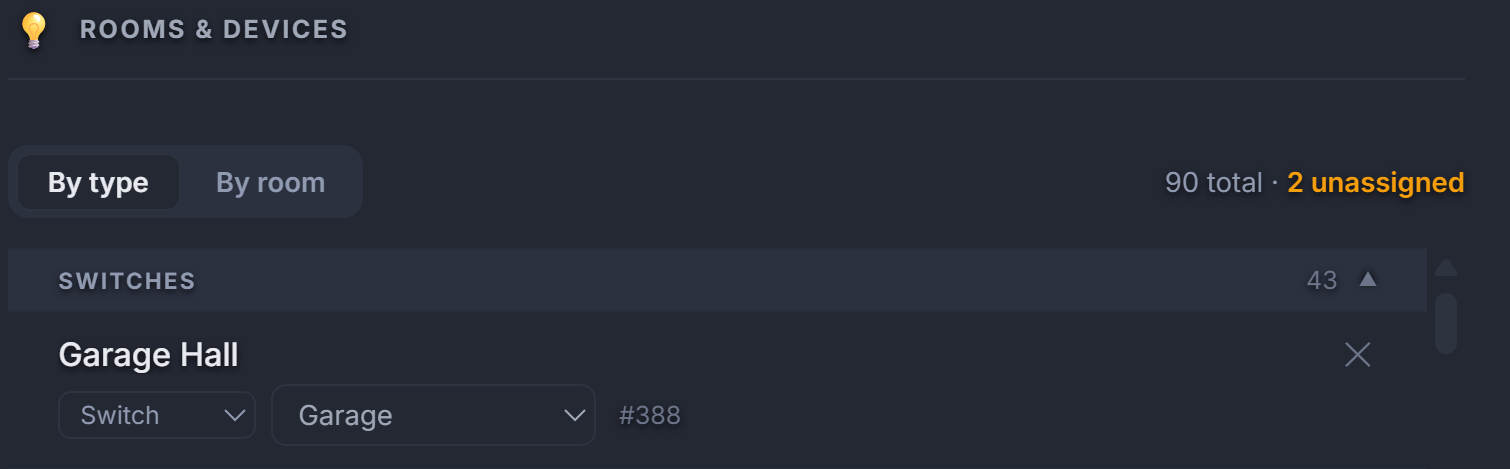
2- Unassigned Device Warning – The application still indicates that I have unassigned devices. However, after reviewing all device lists, I am unable to find any devices that are actually unassigned. There may be a device detection or assignment status issue causing a false warning.
3- Home View – It would be useful to allow users to hide tiles or sections they do not want displayed on the Home View. It would also be helpful to allow tiles to be rearranged so users can prioritize the information most important to them.
4- Device Controls – Consider condensing the device control cards. The current layout consumes a lot of horizontal space. Individual tiles or a 2-3 column layout for devices may provide a cleaner and more efficient view.
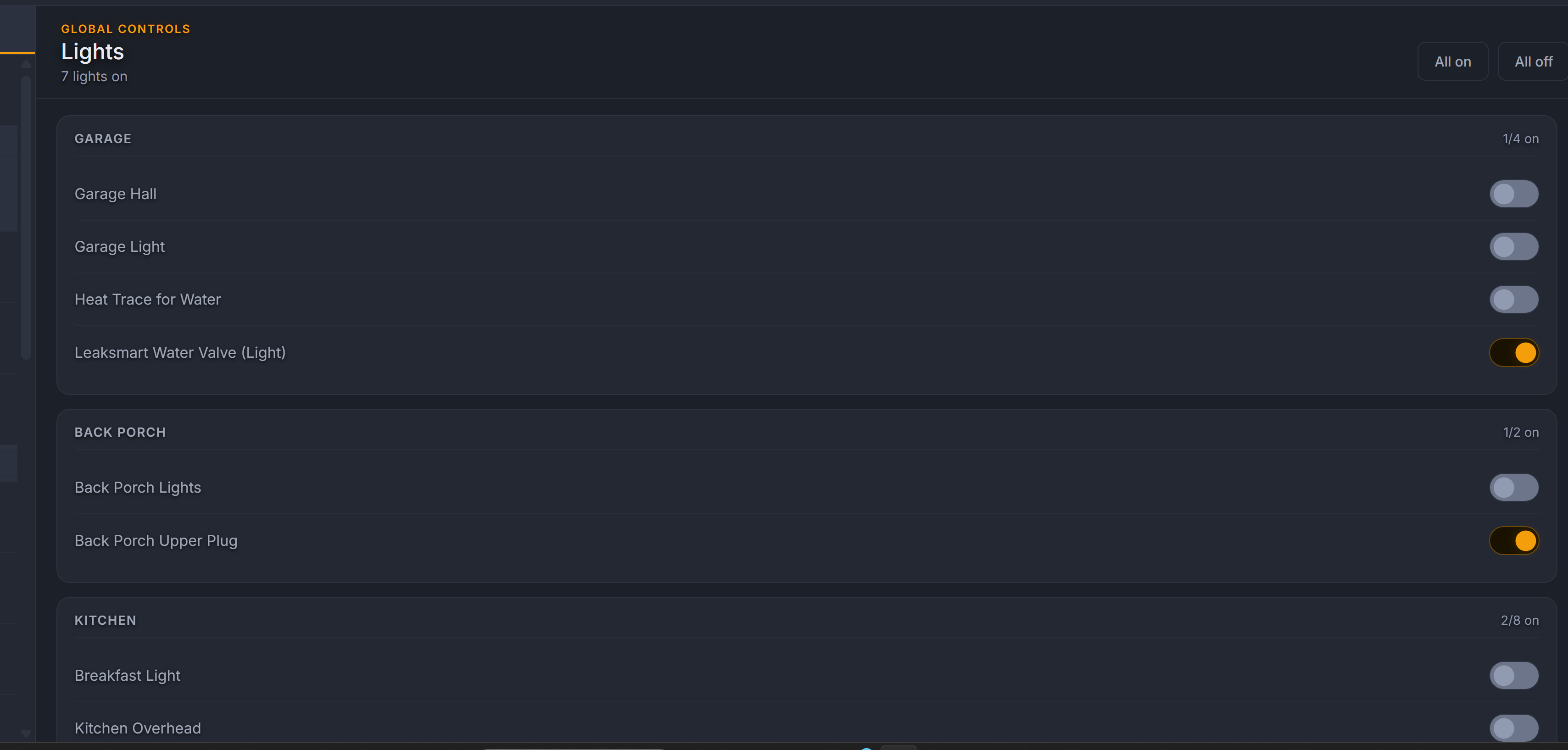
5- Force Refresh Option – Add a Force Refresh button within Settings. Many users will not remember to use Ctrl+Shift+R after an update. When the app displays an "Update Available" notification, direct users to Settings where they can perform a Force Refresh.
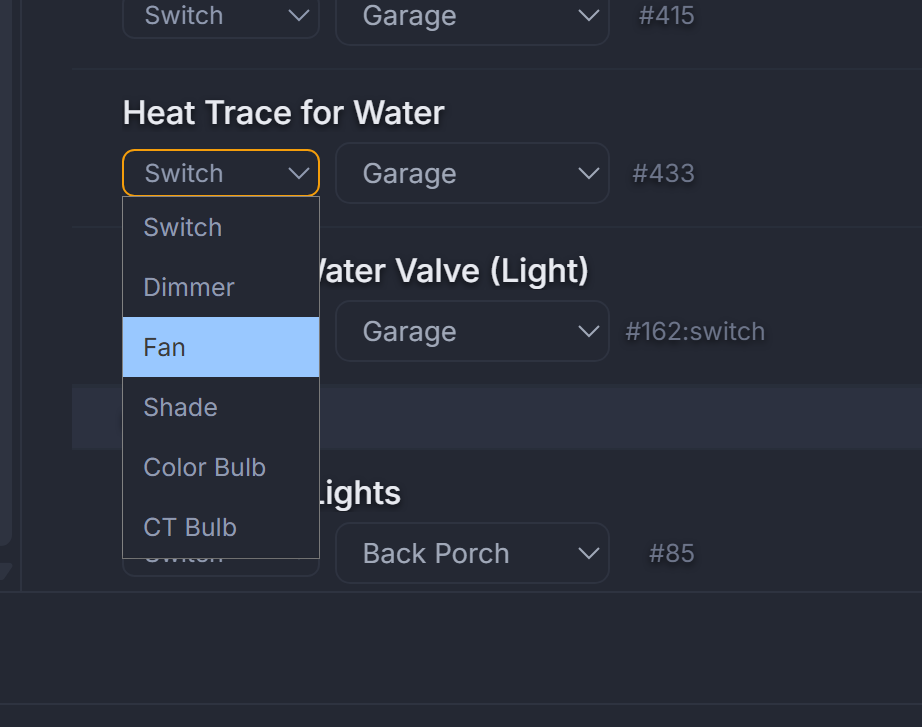
6- Device Type Dropdown – The current device type dropdown is somewhat limiting. For example, one of my devices is a valve, but it is identified as a switch. I also have several receptacles that cannot be properly reassigned because the available options are too restrictive. Expanding the available device types would give users more flexibility when the app does not automatically detect the correct device classification. I have mentioned this in previous feedback as well.
What lock brand are you using?
Schlage- both locks
Hey @JdThomas24, thanks for the detailed feedback! Just pushed an update that addresses the first two items:
-
Missing second lock - Found and fixed. Schlage locks (and others that report ContactSensor alongside Lock) were being silently skipped during auto-discovery. The dashboard saw the ContactSensor capability
and classified them as security sensors before it ever checked for the Lock capability. Your second lock should now appear automatically on the next refresh. If it doesn't show up right away, try the "Scan
for new devices" button in Settings. -
False unassigned device warnings - Also fixed. There was a gap in the Settings device list where certain device types were counted toward the "unassigned" badge but never actually displayed in the list,
making the warning impossible to resolve. Those devices now appear in a visible Unassigned section so you can assign or dismiss them.
Both fixes are live now -- just refresh your dashboard.
-
Home view customization - The home screen is intentionally designed as a fixed-layout overview that reflects your actual device inventory. Keeping it consistent across all users is core to how Hestia
works, so we won't be adding hide/rearrange options there. -
Device card layout - Same reasoning here. The single-column card layout is deliberate for readability across desktop, tablet, and wall panels. A denser grid would compromise the touch-friendly design.
-
Force refresh - On desktop and tablet browsers, the native browser refresh (F5 or pull-down) already does this. We may add a pull-to-refresh gesture for mobile in a future update, but a dedicated button
would be redundant with what the browser already provides. -
Device type dropdown - The type picker maps to the control types Hestia actually renders (switches, dimmers, fans, shades, etc.). Adding valve or receptacle as separate types would require new control UIs
for each. For now, valves and receptacles that report Switch capability will work correctly as switches since they share the same on/off control model.
Hi, all is working very well. I did run into one issue with the overhead garage door not being found in Hestia from maker api the driver is for the zooz zen17 relay my door is on relay one the driver i believe makes a child device that I named (Garage Overhead Door). Its does pick up the relay if the name is not changed from (Zooz Zen17 Universal Relay - Relay 1 on John & Kim's House Garage) to Garage Overhead Door. The app doesnt seem to recognize Garage Overhead Door.
Hey there,
Can you try with your garage door again? We implemented logic in the backend to identify relay switches with the word garage in the name as garage door openers and not regular switches.
Let me know if that works.
Thanks!
Thanks, so I think Hestia is picking up both my overhead Garage door sensor and the Overhead Garage door only under doors, if i open the door it shows up in security both overhead garage door and overhead garage door sensor show open. But I do not have the option to control the garage overhead door (Open or close) as a toggle switch it doesn't show up in the list of devices to set it as a switch. Is it a naming issue making it think its just a door? Maybe I change the name to Garage Overhead Door Opener?
Still waiting on a reply??
If you're responding to/asking me, then yes. There's been no response posted here yet.
Sorry everyone, I’ve been a bit tired and took a breather. Taking a look at your inquiries now.