Hestia™ — Your safe haven, at a glance.
A Smart Home Dashboard for Hubitat Elevation
Hey Hubitat community 
I've been building a new dashboard for Hubitat and after several months of development I'm ready to share where things stand. It's called Hestia, named after the Greek goddess of the hearth — and it now includes Artemis™, a full security module built right in.
What is Hestia?
Hestia is a fast, elegant smart home dashboard built specifically for Hubitat Elevation. It lives as a single HTML file served directly from your hub. No cloud, no external server, no subscription, no extra hardware required.
It works on everything: wall tablets, iPads, desktops, laptops, and phones. One file, one install, every screen. The goal is a dashboard that looks great on a wall, loads instantly, and just works — without spending an afternoon configuring it.
What Hestia is not
Hestia is intentionally opinionated. It's designed to be plug-and-play, not a blank canvas. If you're looking for deep customization, custom tiles, or pixel-level control over your layout, Hestia is probably not the right fit. Tools like Hubitat Dashboard or SharpTools handle that well.
Hestia supports the devices most homes actually have: switches, dimmers, color bulbs, fans, window blinds, thermostats, and locks. Scenes and routines are outside scope for now.
If your setup is mostly standard devices and you want something that looks polished on day one, Hestia is built for you.
Features
Device control
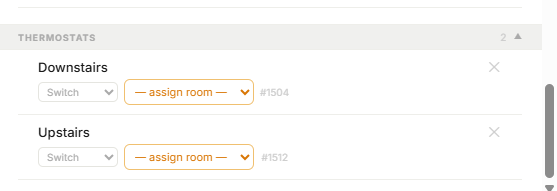
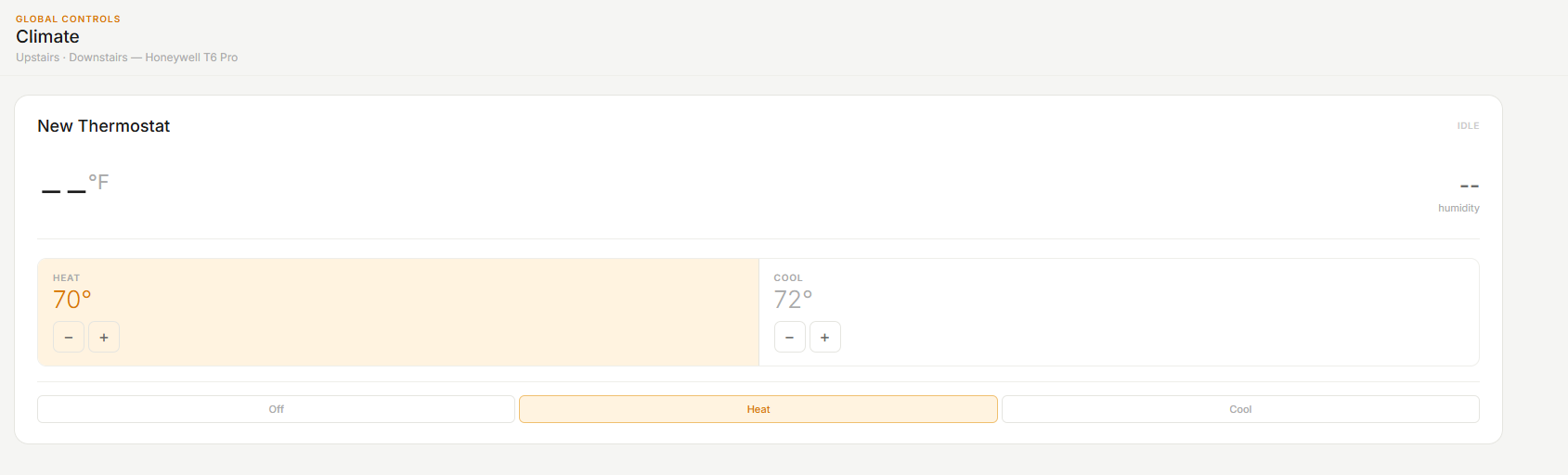
- Switches, dimmers, color bulbs (CT + full RGB), fans, window blinds/shades, thermostats, locks
- Real-time updates via WebSocket — changes appear within a second
- Bulk controls per room and globally
Smart layout
- Automatically adapts to your screen size — desktop, tablet, or mobile
- Manual display mode override per device, stored locally
- Inactivity timeout returns to your default room
Configuration
- Four-step setup wizard on first run
- All settings stored on your hub — open on any new device and your config is already there, no re-entry required
- Optional 6-digit settings PIN
Weather
- National Weather Service integration, no API key required
- ZIP code lookup with city name display
- 4-period forecast
Themes — five built-in, independent per device
- Dark · Light · Slate · Warm · Cream
PWA ready
- Install to home screen on any device for a full-screen app experience
Artemis™ Security Module (v1.2.0)
Artemis brings full HSM integration and Ring sensor support directly into Hestia.
What it does:
- Arms and disarms HSM from the dashboard — Home, Away, Disarm — with PIN protection and SHA-512 hashing
- Bidirectional sync — arm from your Ring app, an Alexa routine, or a keypad and Hestia reflects it immediately via WebSocket
- Supports all Ring-compatible sensors: door and window contacts, motion detectors, smoke/CO alarms, water/freeze sensors, glass break sensors
Zone awareness:
- Sensors are assigned to your Hestia rooms in Settings → Artemis Security
- The sidebar merges security state into room entries — "Living room · 2 lights · 1 open" when a window is open, without navigating to the Security panel
- Motion auto-clears after 30 seconds, mirroring Ring's inactivity window
- Security panel groups sensors by type (Doors, Windows, Motion) — triggered sensors expand inline with sensor name and room label
Armed status indicators:
- Topbar pill shows "Armed · Home" or "Armed · Away" on desktop and tablet when the system is armed
- Home tab displays the Artemis mode card above the device grid when armed
- Works on desktop, tablet, and mobile
HSM detection:
- If HSM isn't configured, Artemis still monitors all your sensors and shows a clear prompt explaining how to enable arm/disarm
- HSM is checked on every sync cycle — the UI updates automatically when you install and configure it
Artemis requires Hubitat Safety Monitor for arm/disarm. Sensor monitoring works independently of HSM.
Install
Via Hubitat Package Manager
HPM submission is in progress. Once approved, install will be a single click from within HPM.
Manual install (takes about 2 minutes)
- In Hubitat → Apps Code → New App → paste the Groovy source → Save
- Enable OAuth on the app in Apps Code
- Apps → Add User App → Hestia Dashboard → Done
- Click Fetch Latest Dashboard from GitHub
- Open the dashboard URL shown on the app page
On any subsequent device (tablet, phone), no setup is needed — credentials and config load automatically from the hub.
Requirements
- Hubitat Elevation C-7, C-8, or C-8 Pro
- Maker API app installed and enabled on your hub
- Any browser on your local network
- Hubitat Safety Monitor (optional — required only for Artemis arm/disarm)
How it works
Maker API (built into Hubitat) — controls your devices. You connect this during the setup wizard.
Hestia Dashboard app (the Groovy file) — serves the dashboard HTML from your hub's File Manager and stores your configuration. Auto-discovered by the dashboard so you never re-enter credentials on a second device.
Demo
→ Live interactive demo: click around, try all five themes, control devices
GitHub
Everything is open on GitHub: dashboard source, Groovy app, build pipeline, package manifest.
→ github.com/h4ven88/hestia-dashboard
License: CC BY-NC 4.0 — free for personal use.
Known limitations
- Dashboard URL contains your hub's local IP address. This is a Hubitat ecosystem constraint.
hubitat.localworks as a clean bookmark on most networks. - Full RGB color bulb testing is ongoing (CT bulbs fully confirmed)
Roadmap
| Phase | Feature | Status |
|---|---|---|
| 1–3 | Core dashboard — desktop, tablet, mobile |  Complete Complete |
| 4 | Artemis™ security module — HSM, Ring sensors, zone awareness | Complete |
| 5 | HPM packaging |  Pending Approval Pending Approval |
| 6 | Athena — AI agent |  Planned Planned |
Feedback
I'd love to know what you think. If you have time, please submit this one-question survey.
→ Leave feedback here (takes 2 minutes)
Or just reply below — all feedback welcome.