Not at the moment, but I'll work on a fix for the next review.
How are you liking it so far? Did you try the mobile version?
Not at the moment, but I'll work on a fix for the next review.
How are you liking it so far? Did you try the mobile version?
 v1.2.0 is out — introducing Artemis™
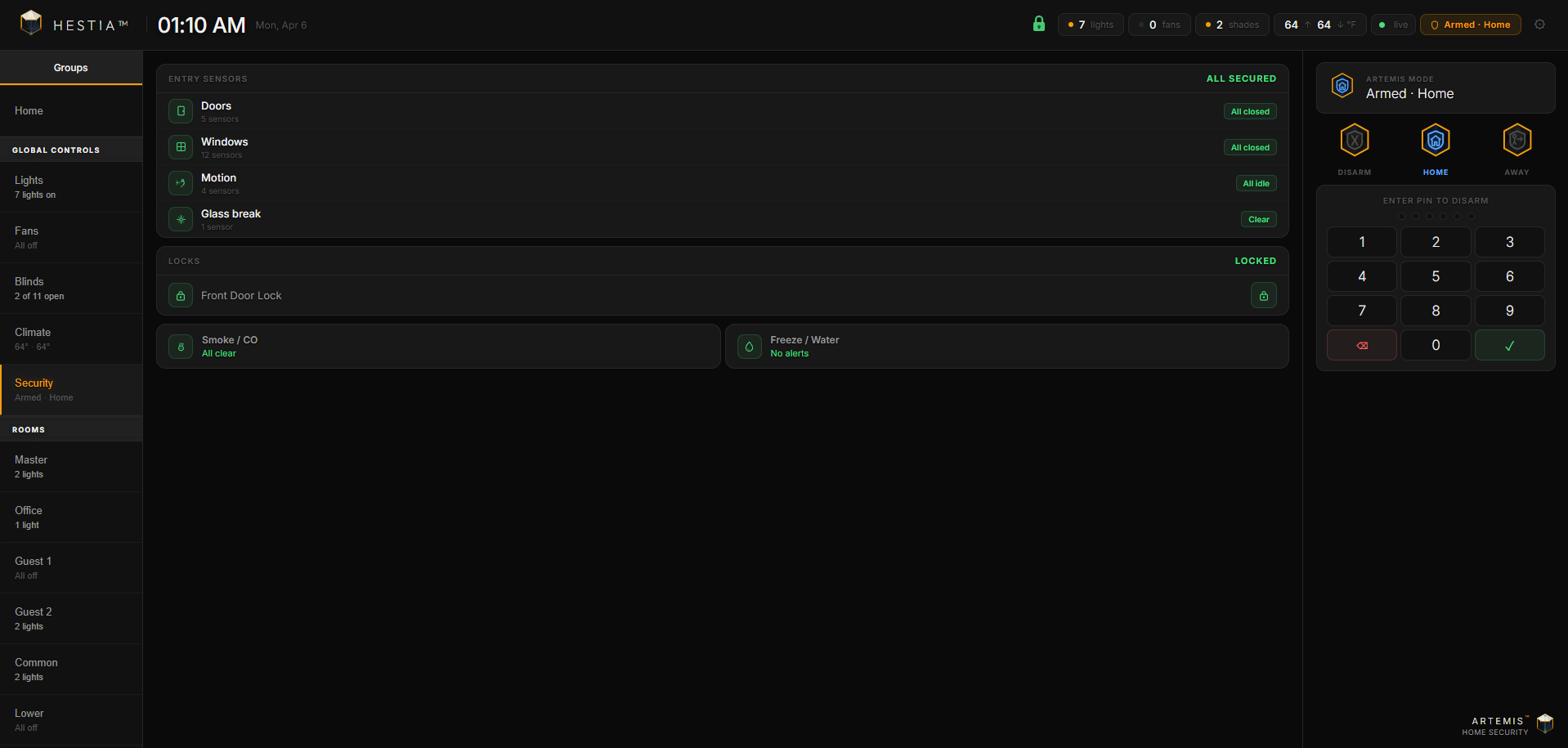
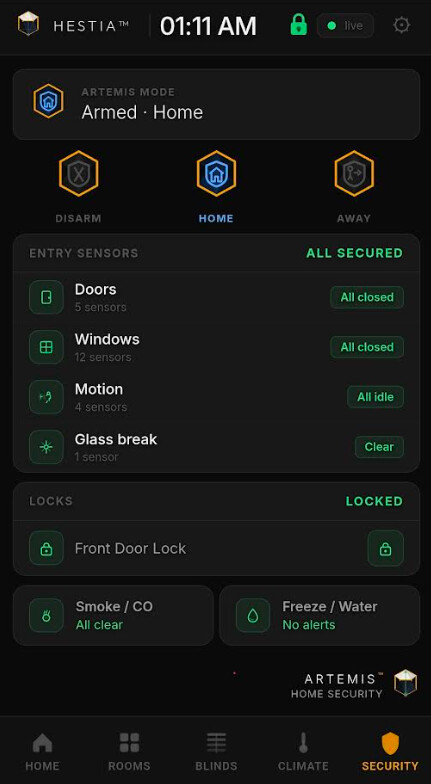
Big update today. v1.2.0 ships the Artemis™ security module, which brings full HSM integration and Ring sensor support directly into Hestia.
HSM integration
Ring and Hubitat-compatible sensors
Zone awareness
Armed status indicators
HSM detection
Open the Hestia app on your hub and click Fetch Latest Dashboard from GitHub, or it will auto-update at the next scheduled fetch (5am, 1pm, or 9pm).
Full release notes: Release Hestia v1.2.0 · h4ven88/hestia-dashboard · GitHub
Note for new users: Artemis requires Hubitat Safety Monitor for arm/disarm. Sensor monitoring works independently of HSM.
v1.4.0 is out — Athena™ Voice Assistant (Beta) + hestari.comTwo big announcements with this release.
Hestia now has a permanent home on the web at hestari.com. Once you've installed the Hestia companion app and Maker API on your hub, open hestari.com in any browser, enter your hub credentials, and you're up and running — no file downloads, no hub uploads, always the latest version.
First-time users: You still need to install Maker API and the Hestia companion app on your Hubitat hub before using hestari.com. The setup wizard will walk you through connecting to your hub — but Maker API must be enabled with your devices selected first. See the Quick Start guide for step-by-step instructions.
Your hub stays local. Hestari.com is just the dashboard UI served from Cloudflare's CDN — all device communication still happens directly between your browser and your hub on your local network. No cloud relay, no account required, no data leaves your home.
Wall panel setup made easy: Open Settings → Wall Panel to generate a ready-to-copy kiosk URL with your hub credentials baked in. Paste it into Fully Kiosk's Start URL field, restart, and the dashboard boots with your full config — no wizard, no import file, no localStorage dependency.
You can still run Hestia locally from your hub at http://[hub-ip]/local/index.html if you prefer. Both paths are fully supported.
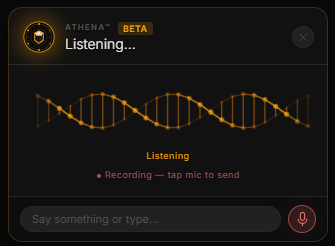
v1.4.0 introduces Athena, a built-in voice assistant powered by Claude AI with Google Cloud speech and voice. Talk to your dashboard — control lights, fans, locks, thermostats, and more with natural language. No additional hardware required.
Beta notice: Tap-to-activate voice commands work reliably across all browsers. Hands-free wake word detection ("Athena") is functional but still being refined — expect occasional false triggers. Full hands-free mode is the focus of the next update.
What Athena can do
Why Athena?
How it works
What you need
Cross-origin config sync The companion Groovy app now includes CORS headers on all API endpoints. The dashboard at hestari.com can sync config with your local hub directly.
Hub config seeding When a configured device connects to the companion app and finds no saved config on the hub, it automatically pushes its config. Other devices on the network pull it and skip onboarding.
Reliability improvements
sk-ant-)You can also use OpenAI (ChatGPT) if you prefer — Athena supports both. Use your OpenAI API key and select the GPT model in Settings.
Both API keys are stored locally in your browser and synced to your hub via the companion app. They are never sent to Hestari or any third party — all communication goes directly from your browser to Anthropic and Google's APIs.
The dashboard auto-updates from GitHub via Cloudflare Pages. If you're on v1.3.0 or earlier, update HestiaDashboard.groovy to v1.4.0 in Apps Code — this adds CORS headers needed for config sync.
Full release notes: Release v1.4.0
Installed via HPM
Added CORS to Maker API
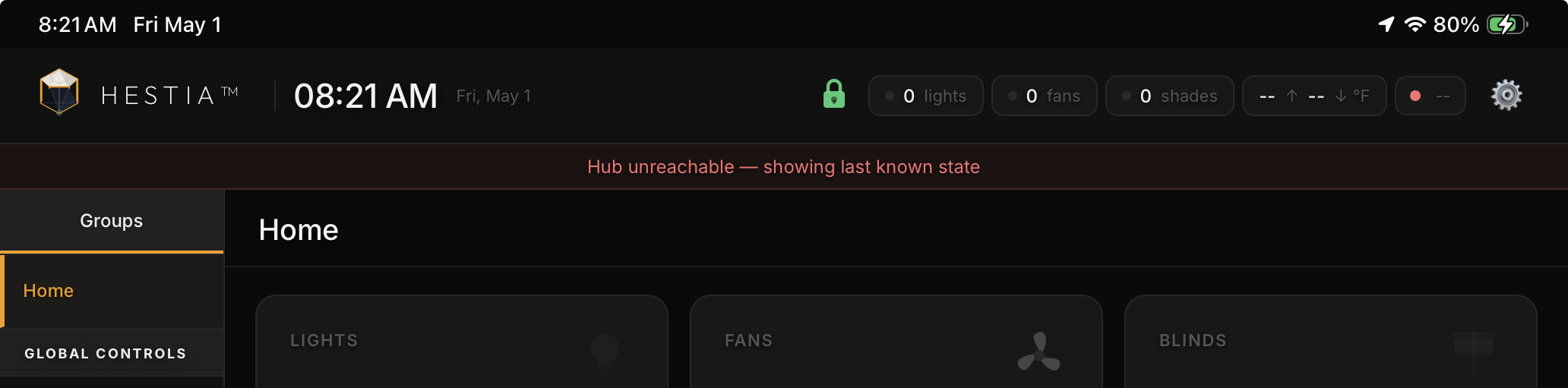
When I do “Test connection” at Hestari.com I get
X Load Failed
Double checked app ID and token
I can access Maker via browser successfully using same IP, id, and token.
Any hints? @Haven
Is it demonstrating the same error if you use the local link directly on the app page?
Blue link, same.
Red link gives 404 error
Thanks, remove the image from your post so that it doesn't expose your Hub IP Address.
I'll look into it and get back to you shortly.
Token file: {"appId":"2258","token":"0c9888a1-046a-43f2-b5cc-7d312xxxxsss","hubIp":"192.16x.x.xxx","version":"1.3.1","makerApiAppId":"","makerApiToken":""}
Config file fhas the 4 characters; null
No “index.html” file.
@TArman - there was a stale file that needed updating. Can you retry installing the app and setting up?
Thank you for testing!
Hi i get this error after my maker api info is entered ✗ Could not reach hub — check URL and network but can access my hub using my hub ip in web search.
The issue found was that the App wasn't generating the actual dashboard file in your config. Can you please:
It should now auto-install the dashboard and allow you to setup via the wizard. Make sure you have Maker API enabled with CORS headers permitted as well as to not disrupt functionality.
For CORS Hosts copy and paste this onto the address:
https://hestari.com, https://www.hestari.com
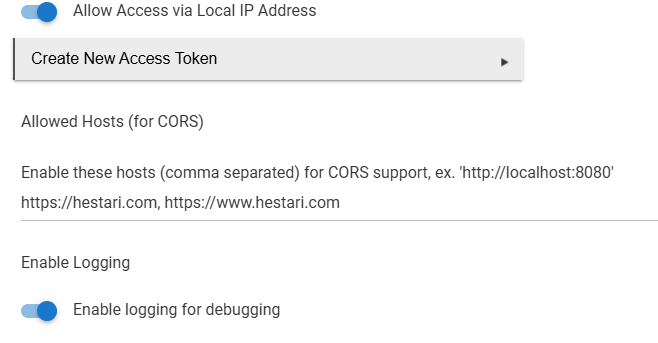
Then if you want the security features to work, make sure you also permit the HSM management on the Maker API app.
Let me know how it goes.
Thanks for testing!
@Haven is there a way to remove unused sensors from showing?
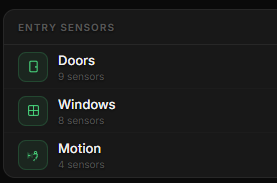
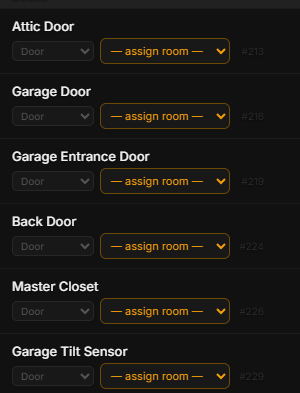
I only have 3 door sensors and this shows 9 along with the window and motion sensors which I do not have.
Lastly, can I also remove the Smoke/CO and Freeze/Water sections?
Thanks.
I was doing some testing with this dashboard earlier. I found that my DNS blocking was preventing the Hestari page from loading. I had to whitelist the domain in my NextDNS settings. Might want to check that if you have any type of DNS or ad blocking, etc. setup.
OK. I just realized I misread your post/question. I thought you were saying the Hestari page wasn't loading at all.
Thank you that worked.
Are you still experiencing hub connection issues still?
Yes. Index.html works, so I exported json, started Hestari.com and imported json successfully,
But still same error as above.
Just patched the file, can you go to the app, refresh and then try again?