I'm back on the lastest build and there was a few errors in the logs but not the bad swarm from yesterday.
Govee replied but soon after my ticket was created the problem went away.
I think the API support is limited covers their @55.
Govee:
Thank you for reaching out to Govee Support.
The H6008 bulbs do not currently support the LAN API, which may cause delays or failures when integrating with third-party platforms like Hubitat. The bulbs are designed to work primarily through the Govee app, and API support is limited. To assist you further, please provide details such as your network environment, firmware version of the bulbs, and any specific error messages from your Hubitat logs. This information will help us investigate the issue more effectively.
What is the driver the device is using that generated this error and was it set to use the Cloud API or the LAN ApI.
Yea.. not a great answer. Their Cloud API provides a list of what it can do when we get your list of devices. That is how we get the capabilities. that varies between devices. Perhaps they are thinking of the legacy Cloud API, but we use the new developer Cloud API.
The kicker is that this wasn't a issue with their integration not doing a specific task either it was about doing anything. There api was very erratic last night. It is much better today, but i am still seeing some API Calls taking over 10 seconds. I am considering adding a attribute to track their response time. Then i can graph it and show them better when it goes to crud.
The API Looks like it is in a much better state this morning..
I had a few log entries over 10 seconds this morning around 7:30am eastern -5 utc
Prior to that there were a occasional log entries up until 1:22am eastern -5 utc
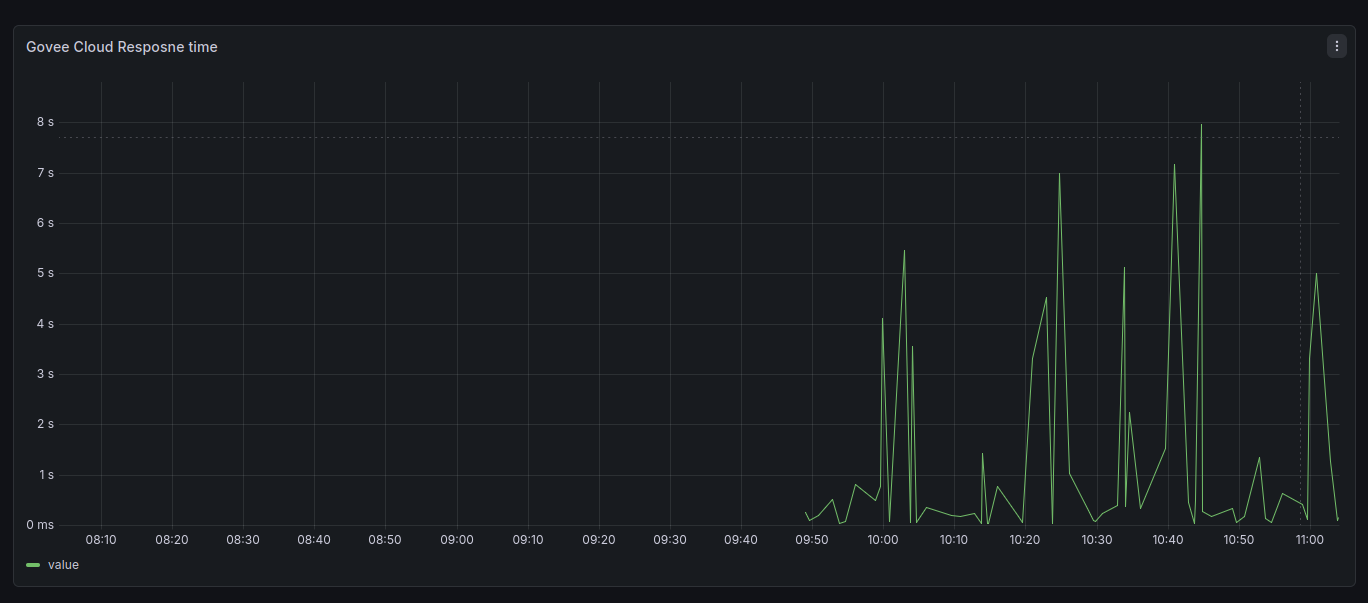
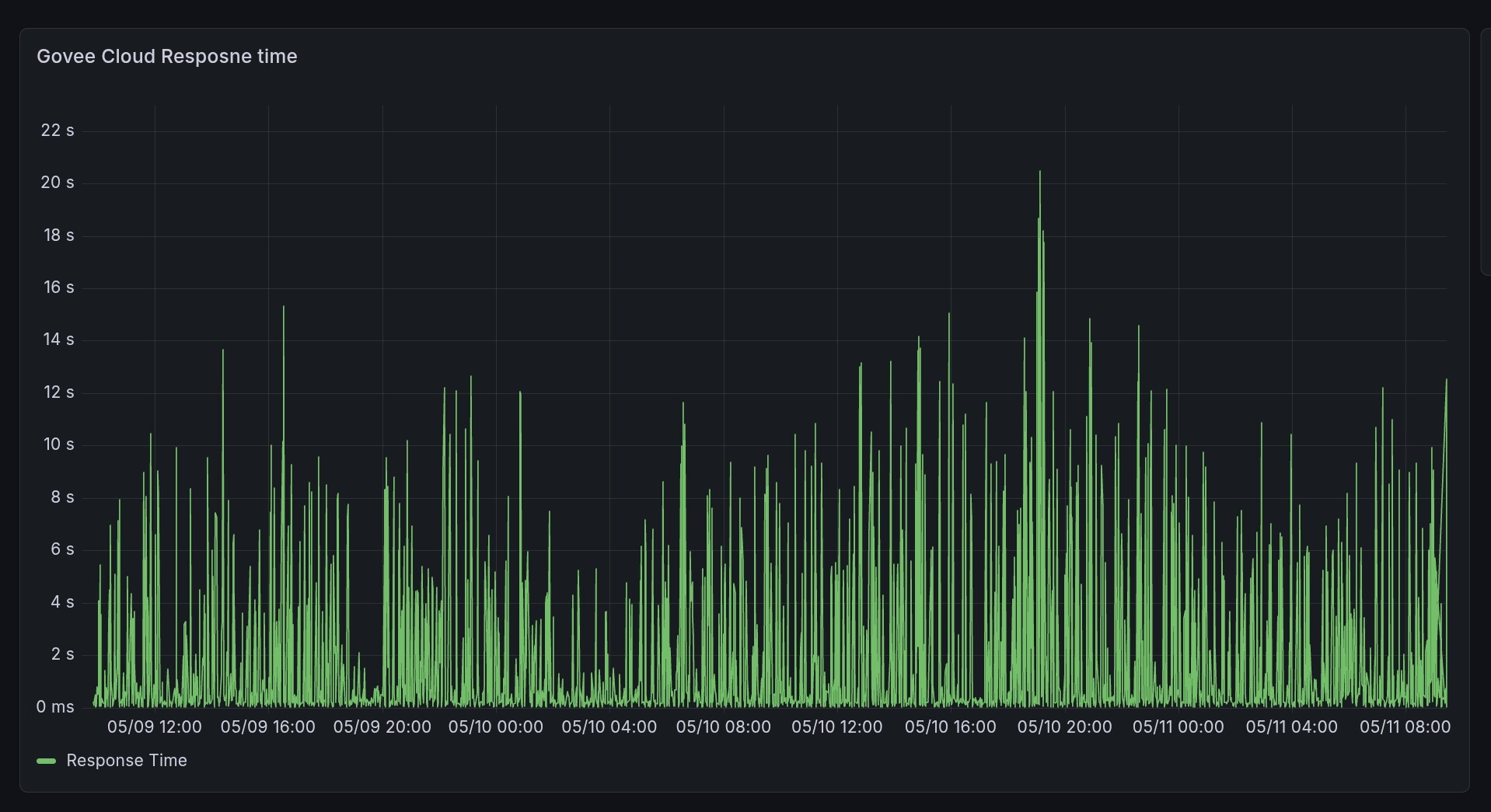
I have adjusted some code to take the information used to generate the log entries and post cloud response times to the "Govee Device Manager" device. I have been collecting that info for the last few hours. Here is the graph so far this morning since i have started to collect it. All are below 10 seconds which explains the lack of log entries.
Yea it was a rough end of week for their API. So glad only one of my devices right now requires the API because there is no LAN interface for it but darn it's the lights behind the bedroom TV and had to get out of bed and push the off button on it after turning off the TV and the lights stayed on. Let's say I broke the WAF factor with that.
I just went through all the drivers all of them have the scheduled task set to disable in the code already. I did find where in the "Govee Device Manager" driver it appears i had the wrong preference to be updated. That has been fixed. You can run a HPM Repair to get that fix.
The drivers should be automatically disabled debug logging after 30 min.
I have updated the beta code again to include the stats enhancements mentioned above.
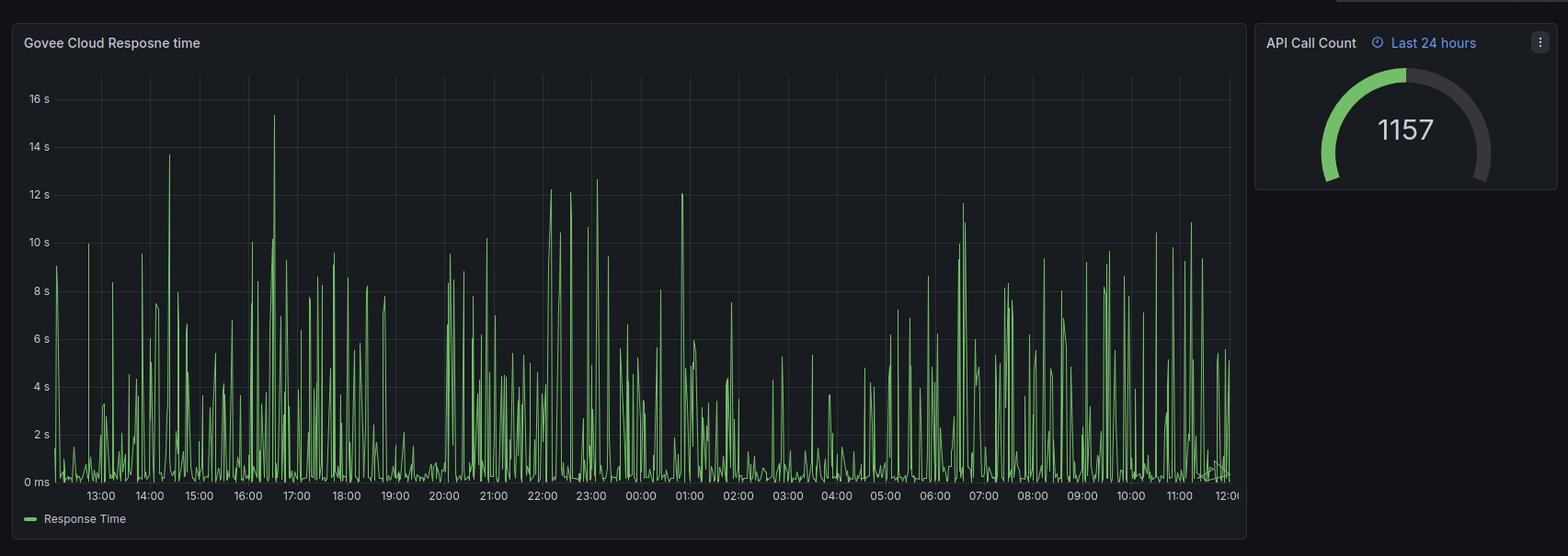
A usage of these stats are as show below. You can see the Cloud API Response times and a count of the Cloud API Calls. This isn't anything fancy just some basic data, but it could be useful under certain circumstances.
Are the Govee devices setup to use Cloud or Lan API for control?
Do you have any messages in your live logging around that activity from the Govee devices?
Depending how how the load is being calculated, and how many devices are involved it is possible the recent issues could cause load to be elevated based on wait states. That doesn't inherently mean there is a problem though.
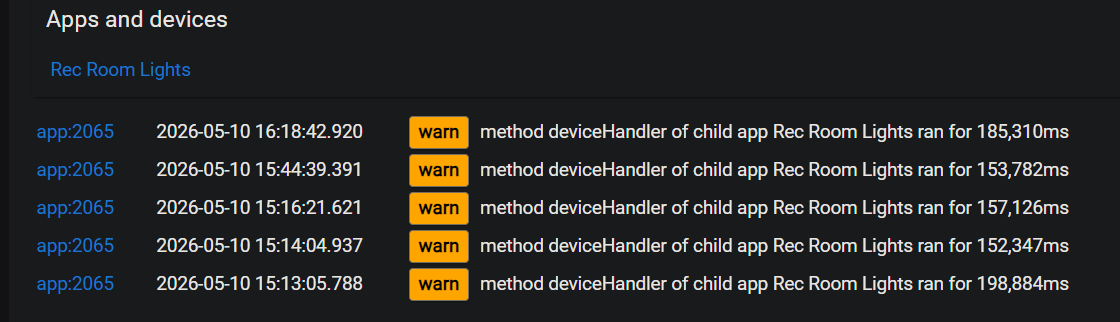
Some of the logging provided a few posts up by @kauf1326 even point to errors with connection pool which is at a level lower then my drivers.
I am not sure why your piston would be having a problem, but if you can provide live logging from the Govee studd during that same time i can possibly make some theories about why it may have happened if the Govee devices so any issues.
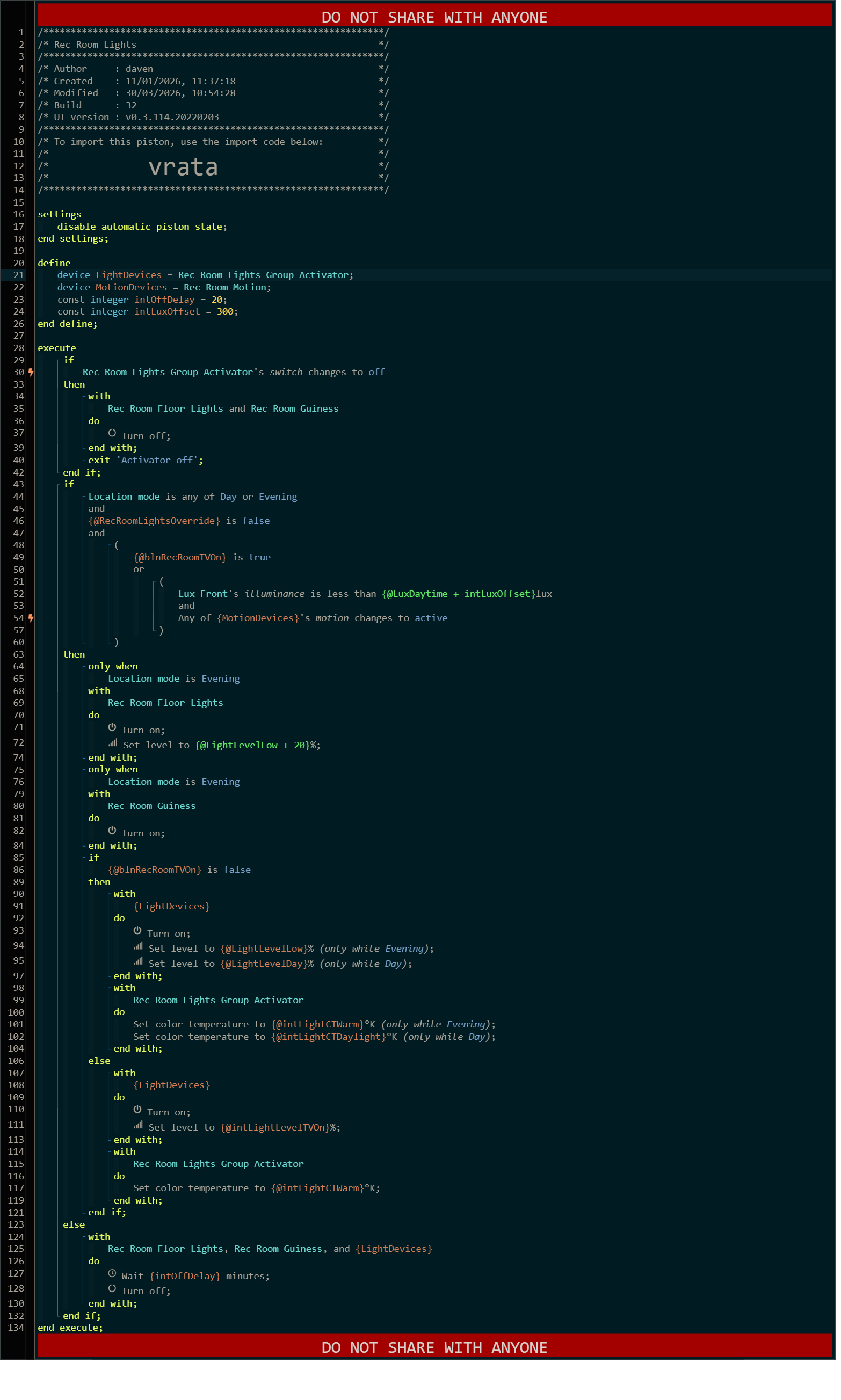
It's a simple piston. I bought 4 Wifi bulbs for testing at X-mas; they are Cloud only.
They are controlled by a Room Lighting actuator for on/off and colour.
No real load as there are only 4 bulbs. I did note that I could control the bulbs with their app so it was their api/network at fault.
There are other ZW lights and Mode dependencies so it looks messy.
The piston really didn't have any problems, it issues the commands properly they just kept failing or timing out. The logs, I think, just use the last app number as a generalised reference for reporting.
WebCore checks the state of each device when it optimises the commands so it would have received nonsense every time it ran; hanging on timeouts etc.
If it happens again I'll turn on Debug in the integration.
That logging info doesn't mean anything to me thogh. I can't do anything with it, and i can't be certain it even belongs in this discussion because that doesn't show me anything about how the Govee Devices are working. Please refrain from posting logging info without supported Govee Device/app log entries related to it. It isn't that i don't want to see it, but i don't want to confuse stuff here with none govee related things that can't be associated. It could be, but we have no way to no that it is.
On top of that i am still talking with Govee about their API Performance issues. It is still occuring just not as bad as it was a few days ago. Hopefully their engineering team will get on it now that the weekend is over. This is my graph of the API Response times over the last 48 hours. I only use about 1.1k of my 10k ratelimit so other folks may have busier graph if they have more devices that are on the cloud API.
Sorry, I get that. It was just an off-side that it was something on my end most likely.
I did want to know the process for graphing the response time.
Logging options are not related to timing so where do you capture the response time?
There is an avgTime in the device manager, is this what you monitor?
Graphing depends on what you have setup and how far you want to go with it.
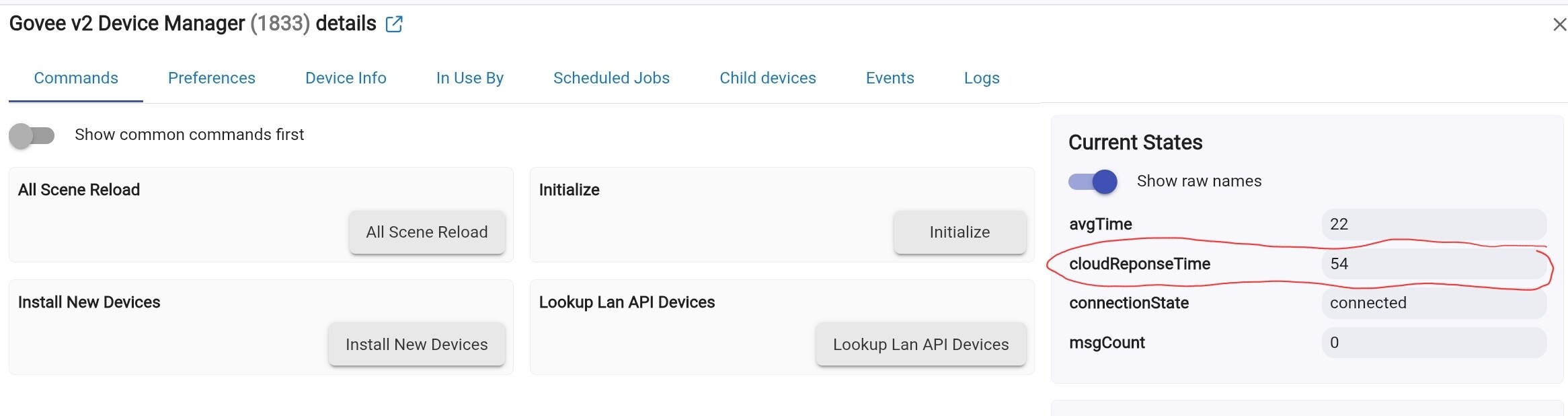
First the information is in the Govee Device Manager if you are using the latest beta code posted yesterday. The current Sate is cloudResponseTime as shown in the below screenshot
Once that is appearing you can use any of a variety of Graphing options though some will be more preciese then others. I use InfluxDB and Grafana which can be a bit more complicated to use, but is allot more very flexiable. Below is a thread I started to discuss the potential options. In includes information to each app to help you get started.
Unfotunately i think the only viable option for this particular graph is the Influxdb/Grafana stack because it is a custom attribute.
Seems that I don't have the newest version as I don' t have that state. Hmmm
I have beta selected in HPM for Govee but this is whats in the code:
2.1.9 Enhancements to Scene management to function from flat files
Was hoping the new graphing on the home page would work but it's pretty generic ATM.
I'll look to a deeper graphing solution and search back here for the beta code link.
Yea. the built in stuff would be limited to standard device capabilities. Just go back into HPM and try to upgrade again. You may want to try to do a HPM Repair on the integration to ensure it downloads the latest code.