Govee Integration V2

The logs are showing the same thing. The retry logic is running its course and then is reseting the device so you can submit new commands. That is expected behavior so a device doesn't get stuck in a pending change state indefinitely.

I think you are spot on that the problem is with those specific devices. Something about them is failing to talk back to the hub. I kind of wonder if they got a firmware update recently

I think i would start with looking at the state values on the Govee V2 Device Manager device. It is heavily involved with the multicast communication recieved from all Govee Lan API enabled devices. Scroll down and look at the state value "LanAPIDevices". Each device that is enabled for LAN API should have a entery in that state value. The key is the MAC Adress of the device and then It has values for sku, ip address, and last reaponse sent to the Govee V2 Device Manager. The last response timestamp shouldn't be more then 1 or 2 increments of the device scan interval setting behind current time at most. If the device is busy it may be much closer to current time. It the device isn't there at all, or way behind then the device is simply not talking to the hub/multicast socket.

If the device isn't talking to the multicast socket then check and make sure the device is on wifi. I suspect that since you could toggle the LAN API on it probably is, but check it. You may need to turn off bluetooth on your phone for a bit to verify the device is controllable that way.

Then try cutting power to the device completely for 30 seconds to a min so the controller fully reboots. See if that fixes it. I have a light bar device thay started having issues and started needing this treatment. The final solution was to pull back the device scan frequency on the Govee V2 Device manager from 30 seconds to 5 min.

Lastly reset the wifi on the device and set it back up and re enable Lan API.

If all of that doesn't do it i hate to say i would probably reach out to Govee at that point. None of what i suggested above is on the Hubitat side. The fact you have other devices working with LAN API points means the Govee integration stuff is working fine. Let me know how all that goes.

To prevent to much fall out you could switch back to the cloud API temporarily until you have time to work this LAN API if needed.

1 Like

I'll do what you advise and I'll report back if I dont end up 6 feet under first lol..

Thanks

So, I tried to turn logging on the Govee v2 Device Manager off to remove the clutter.

However, I still get a bunch of parse messages every minute--and I guessing they are due to the "scan rate" setting.

I wish those messages would go away when logging is off.

But, I'm also trying to figure out what it's doing that requires scanning the LAN every minute.

I give my devices a fixed IP address when they relate to home automation, etc. So, it should be a very rare case (months to years rare) when I add a new device--and I'll be opening the device manager so it should force whatever scanning needs to happen at that time.

What am I missing? What is the downside of maxing that scan rate out?

Thanks!

The device scan is simply for device discovery. If you wanted to max it out, the only impact would be if you added new devices they wouldn't show up to enable local lan control for a while until thd next scan. You could always manually trigger the scan from the device manager.

This process also controlls updating the IP associated with the device. So it is possible if you don't have a iip assigned you could loose access for a bit until the new ip is discovered.

You may have other stuff talking to the multicast socket. I know i get a bunch of scan messages from Home Assistant.

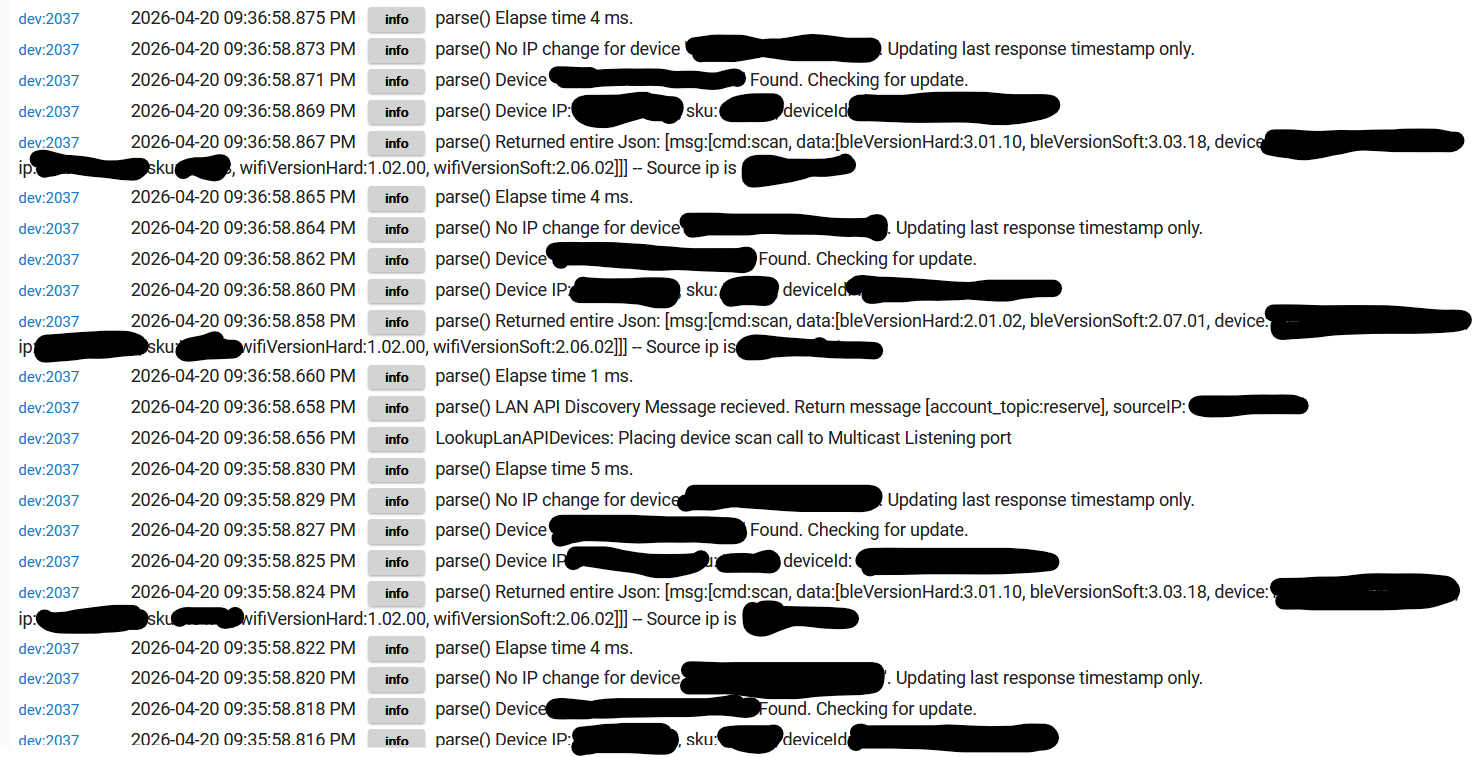
If debug log is turned off for the Govee Device Manager that should limit the messages i think. If you post what you are seeing i will check to see why they are ahowing up.

1 Like

Yea. All of thay indicates Debug loging is turned on for the Govee v2 Device Manager. Can you confirm debug logging is turned off.

If it is you may want to update the integration or perform a repair of it in HPM id you dont have the option for a upgrade.

I swear I had that off. And that I turned it to 59 minutes.

But, just now I looked and it was back to all logging and 1 minute.

I've got 2 hubs meshed and I think I changed it on the secondary one, not the primary one. 8 got it both places now.

Sorry for the confusion.

No worries, just glad we figured it out.

1 Like

I added a new Govee lightstrip today--and there seems to be a bit of wonkiness

For some reason, when I enter a hex RGB value into a Room Lighting (RL) table that corresponds to what I see being sent to another, identical Govee device that I added long ago (I see the values via debug logging), RL often magically changes the hex value to another one (close, but a few numbers off on the various colors). It's really odd, because the Room Lighting app accepted and saved those Hex values before and now it won't save the exact same values!

Also, I regularly see the Level value NOT being updated on the device. The RGB value has a corresponding "level" number, which shows up in the Room Lighting table--but when the scene is activated, the level doesn't get updated (neither on the device nor in the RL table). Given some of the conversions being done to map Hubitat's colors to what Govee wants, it seems like it's possible that your driver isn't bothering to calculate the proper level, perhaps?

It has to do with all of the conversions going on. It is something i have discussions with Hubitat staff multiple times about.

The first thing to understand is that Govee functions with RGB while Hubitat functions on a HSL with L being on a 0-100 scale. The 0 to 100 scale is important because it means that it isn't hard to pick a color in any other method and not have it match. You loose allot of color precision with the way Hubitat does it.

What makes this worse is that Hubitat allows you to use the other scales. So it is very easy to use any app/tool in Hubitat that allows another scale and simply select a color that can't be displayed.

Because i am converting everything to RGB no matter how you select it this makes it harder. It is very possible with all of the conversions to put in one color with the NON HSL color picker and end up with something a few shades off once the conversions are done and return data is presented back. I set the color based on the data returned no matter what is submitted. So what you are shown on the driver is what Govee actually set and converted back to the HSL scale minus the L part :P.

I would suggest only using the HSL color picker option in the apps if you need to ensure the values always match. The HSL Value that is fully supported by Hubitat should always match up, though there is still a chance for change because of rounding to come into play.

As far as brightness goes it is a bit complicated. RGB doesn't really have a brightness value per se. The brightness is simply represented by how much of each RGB are in the value. When my drivers change to any color no matter what you expect the brightness to be, it will set the brightness value in Hubitat to 100%. This gives at least a decent representation of the brightness value. If it wasn't done this way what you end up with is a % of a %. Think of it like this, if you use a color value that should have 5% brightness and then set the brightness in hubitat it is 5% of that. That is darn near off. That is ironically the exact situation that we discovered this issue. This was also a issue with the Hubitat Govee Built in integration as well, and i believe the implemented the same solution.

I hope that explains everything. I know it is a pain, but i have brought this up allot with the Hubitat staff. The problem is at this point it is a very difficult thing to change/fix

If your device supports MATTER you could try that. I believe MATTER devices have a better time dealing with this situation since both Hubitat and Govee are having to follow the MATTER standard. That is likely trading one problem for another though as MATTER can still be a bit flacky

1 Like

But, from what I'm reading and seeing, the "Level" would be the highest of the "RGB" values divided by 255 then multiplied by 100 and rounded to the nearest whole number:

def brightness = Math.round(([r, g, b].max() / 255.0) * 100)

If the driver returned that number as the "level", I think that would make it match what the RL table shows as the "target" value.

Thoughts?

Sorry it is taking so long for this response, i wanted to make sure i had it right. It had been a while since i dug into this.

The problem isn't the calculation actually, but the fact Brightness and RGB are handled separately on the Govee Side. I already have the calculated value if it made sense to use it.

You can kind of see this in the logs if you turn on Debug Logging for the device involved. Here is a test i did a little while ago with a device on the LAN API.


In the log data you can see that i set the light to essentially a dim red color.
This is the point where it is converted from HSB that the hub always uses to the RGB for Govee.
image
This is when the code is executed to submit the command. You can see three command submitted. It starts with submitting the commands to change the color. As expected no brightness value submitted. The LAN API command actually calls for both the RGB collor and Colortemp to be included with one of them zero'd out. Then a call for the Device status call to validate the change took place.

This logging block is the driver processing the returned data for what changed from the device.

The specific entry i would highlight would be

This entry shows what the device returned from the devstatus call. As you can see Brightness and the RGB array are returned along with onOff values. Color temp is 0 which means color temp is not used.

If you do not set the brightness as part of the color change the value of the brightness wouldn't change on the Govee device from the previous device state value prior to the RGB color being submitted. So in the example provided above Brightness would of stayed at 20%. The resulting brightness of the device would of been 20%(previous brightness) of 28% or 5.6%. If i had sent the brightness value that was selected instead setting it to 100% it would of been only slightly better at 28% of 28% or 7.84.

No matter how you look at it though Govee handles the brightness and RGB color seperately even though the RGB value in a way has a brightness value associated with it.

It is pretty much the same thing with the Cloud API. It calculates the RGB value differently into a single number, but the result is the same. Brightness is handled seperately and you have the ability to compound the reduction in brightness if you don't set it to 100% from Hubitat.

Another way to look at this is to set the color value from Hubitat and then look at it from Govee Home App. You can set the value to a low brightness RGB value in Hubitat and the brightness in Govee does not change. This all makes sense when you look at how the Govee Home app works, but adds confusion for external platforms.

If you want to test this all out yourself without the Integration setting the value to 100% when setting the color make these changes to the library code.

Change line 58 in Govee_Cloud_RGB library file for Cloud API devices.
image

Change line 213 in Govee_LAN_API library file for the LAN API Devices
image

Just be aware that changes it for everything and not just one device.

Oh wow! Thanks for all that!

So, my question then is more a matter of what the driver returns to the Hubitat device itself--not what gets sent to the Govee device. Clearly, the device needs the "100% level" to be sent so things render properly.

But, is it possible to then use the calculated brightness (from the RGB values) on the Hubitat Device end (so that shows up as the "level" on the Hubitat)? Or would that break more than it helps?

Maybe it doesn't matter--I was just asking because it's odd when I have a room lighting set to an RGB value that the RL app shows as (say) 50% brightness--when it gets activated, the colors get set properly, but the level shows 100% instead.

This is what I'm wondering about:

It "matches" the color--but the level shows as being off.

Thoughts? Maybe it is irrelevant... It just seemed odd.

Thanks so much!!

The question is what do you want hubitat to tell you about what is happening with the device. Hubitat isn't the system of record for the Govee Device state. It is a consumer. I could set the brightness in hubitat to what would be calculated. The problem comes when the devices does a poll to the Cloud API, or calls the devstatus command when using LAN API. both of those would return 100%. So at best the post of the device state with the calculated brightness value would be momentary. To prevent that would mean never getting device status from the device/Cloud API

Actually what may be happening is conflicting level commands. You may have RL submitting the brightness to 50% and then the driver is submitting it to 100. I would suggest setting those to 100% to prevent that potential conflict. You don't really want 50%, you really want 100%

Honestly the retry logic makes this even more complicated as well. What should happen in that case is one of the two commands would get submitted while the other would get aborted as the device is already in the middle of a brightness change. :man_facepalming:

I will keep thinking about it. The problem as i see it though is something is always going to be out of sync.

A cool effect of this condition though is that if you want dimmer colors then normally possible with the Govee App , it is possible with Hubitat and this compounding method of dimming. You just have to be a ware of the best way to accomplish the very dim colors you want.

Actually, it appears Hubitat calculates the dim level from the rgb value.

I think you handle the retries yourself in the driver, so Hubitat's don't apply here. But, it could impact the RL app showing "activated".

But that's why I was asking. You've been in the trenches with this stuff and understand it (and it's quirks) easy better than me.

I'm just learning about it from your comments :grinning:

I have got an idea about a way to make this work the way you are asking. Simply put it is treating setting level/brightness different depending on color mode. As things typically are when you fix one thing a few others pop up in its place so working through them as they come up.
I have a method figured out for populating the current state attribute for level from RGB or device brightness from the API Post data. I also had to make adjustments to the way the setcolor and setLevel works. Now working through the retry logic to see if i can get that figured out. I also need to find some way to stil ensure the device Brightness is 100% when initially set to a color and RGB Mode.

The con to this change is brightness from the Govee device would not match level in hubutat when in RGB color mode. As such the Govee Home App wouldn't match either. Basically the brightness value is ignored when the device is in RGB state in Hubitat.

To address this i am thinking of creating a new goveeBrightness attribute to hold that value. I am debating on if a command should be created to adjust that value when in RGB mode to maintain parity with what is currently possible

I still need to validate how this change will work on the occasions where the device is neither CT or RGB mode. This relates to states like LightEffects. I think the way i did it will be fine for that.

Another problem is this is potentially breaking for some folks that use the compunding dimming to get very low levels on govee devices. I need to test that out to see how impactful that will be.

Since this will be a somewhat wide spread change i will likely push current beta code to release before moving this change to beta for folks to try.

1 Like

To prep the code discussed above with @rob9 i have moved the current Beta release to production.

Changes 2.2.8

The new stable release code has a few enhancements.

  1. Adjustments were made to put the Govee Integration V2 app into the Integrations menu on hubitat. It will now show up there instead of the generic Apps Section
  2. Transaction time logging was put behind Debug logging to reduce overall logging generated by devices. This should dramatically reduce logging from the integration
  3. Added a potential fix for a problem that causes polling to fail

Beta 2.2.9

Update Purpose: For a long time we have set brightness to 100% when setting a color. This is because of how RGB color scale in a way includes Brightness in it's value and you could get compounded dimming if it was not set to 100% during color selection. Allot more explanation above when between me and @rob9. This can cause problems with some apps not seeing the brightness correctly. This change will fix that.

To facilitate this though we needed to provide a method to manage brightness outside of Hubitat Level. For that reason we now have a Govee Brightness value. This should always match what is in the Govee Home app for brightness on the device. These two values together will help control the brightness of the device when the device is in RGB Mode. When setting a Effect and CT Govee Brightness and Level should match and be considered the same.

It should be noted that this is potentially a breaking change so I would like user feedback

New attribute to track Govee Brightness value
New comand setGoveeBrightness

FYI >>> I found a bug in HPM related to how the bata check update function works. Looks like it has been in a for a couple versions and somehow i missed it when doing the checks of my code changes for HPM. Csteel has posted a hotfix to the github and you can get the update by performing a repair on HPM. Then the beta retrieve process will work correctly.

1 Like

A couple days ago I noticed my Govee Cloud API response time started slowing. As of right now, I cannot control any of my Govee devices (API Cloud or local LAN) that are connected to my Hubitat C-8 Pro controller. When I open the Govee Integration V2 app and push the standard device setup button, I get an "Unexpected Error - read time out" My V2 log page shows "Timeout waiting for connection from pool on line 624 (method poll)." I also get warnings of " getDeviceState() Cloud API call time 1 min 50 s 791 ms . Full Command Process time 1 min 50 s 798 ms."

  • I've rebooted and did a shutdown but neither made a difference.
  • I reloaded to a previously known good backup and no change - same issues.
  • I thought maybe my API Key expired and I updated it and still nothing. Actually, I'm not sure the new Key was accepted because after entering it, I never got an acknowledgment that the key was valid.
  • All device firmware are up to date (per the Govee App).
  • My Hub is running the latest 2.5.0.xxx release.
  • I am up to date on all apps including Gove Integration V2.
  • Govee devices are working fine in the Govee App.

I'm sure it's something simple I'm missing. My system has been very stable using the V2 app for awhile now.

All help appreciated.

This looks like the Govee API juat started having issues. Are you able to switch to the LAN API?

Please ope. A support case with Govee support.

The Govee home app is likely hsing Bluetooth to control the device which explains why it is working.

1 Like

I opened a support case with Govee.

All of my LAN API devices show "command submitted" but they are not actually responding to my on/off commands.

My Cloud API devices do not show command submitted (just pending).

None of my Govee devices are responding through Hubitat.
