What driver is the device using?
Being a child device shouldn't have any impact on that.
What driver is the device using?
Being a child device shouldn't have any impact on that.
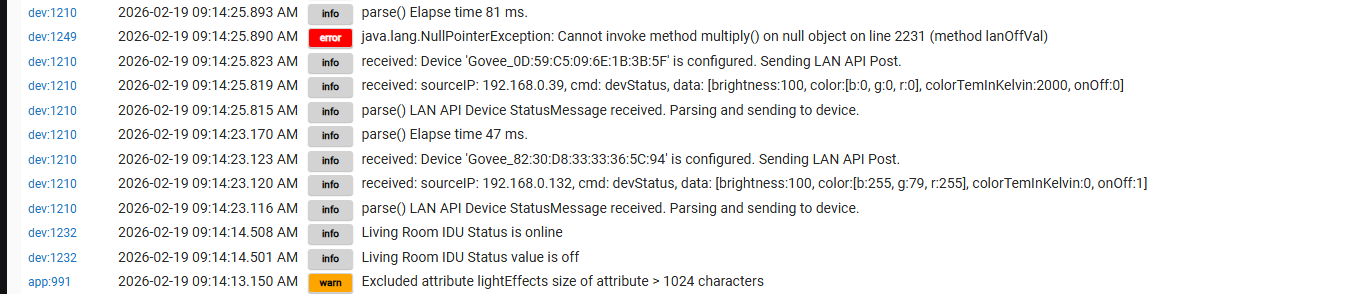
I updated to the latest code recently and I realized that my lights were not turning off when they were supposed to. I looked into it this morning and when I selected off through the device page in Hubitat, I would get a response of "unable to turn off. API Busy pending Off" This occurred on 5 of my Govee light devices. I rebooted the Hubitat and was then able to control the devices once again through Hubitat. However, I am getting an error from each device as shown below: I just wanted to make sure there is not some other issue that is occuring.
Both lights are using "Govee v2 Color Lights 3 driver" and they are not showing up in any automation options.
Can you provide a screenshot showing what you mean. I just confirmed in my setup which uses button controller the devices with that driver appear fine.
I will take a look at the code for that part of the driver.
I restarted my Hubitat and now can select the devices in routines. Thanks!
I think i found what is causing this issue. To work around it you could open the device preferences a simply click save. That was a recent change identified with the retry reset logic being to aggressive. It looks like the device you are getting the error from doesn't have those values set and i missed including the code for it to be null safe.
I will get the code posted in a bit, but the temp work around is just to set the value by saving the preferences.
My lights again failed to turn off last night and the log message was "unable to turn off. API Busy pendingOff". I went to preferences and hit the save on all the devices. I was then able to turn them off.
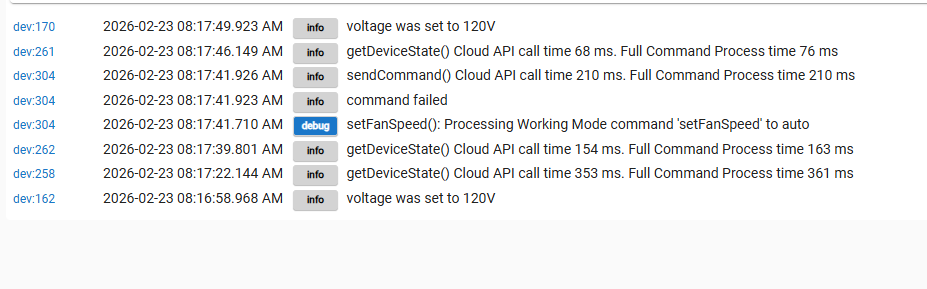
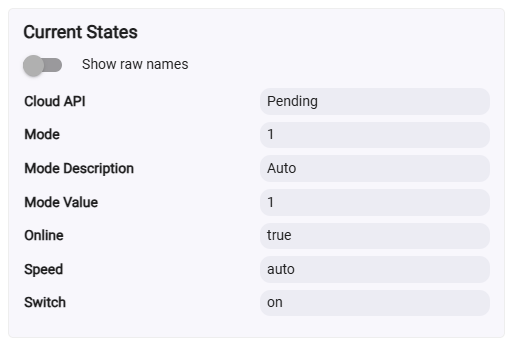
Sorry for the slow reply, I ended up out of town unexpectedly. The only thing that does not work is the Auto setting from the fan speed drop down. It looks like it applies in the UI but fails. All the other settings work fine using the H712C driver. The Auto Mode button does work fine.
The Turbo Button works but it is not an option in the drop down. Perhaps that is by design since that isn't a normal fan speed?
No problem I was in the same boat with a family emergency.
Ok that is all good to hear. Keep using the H712C driver. I will dig into why auto isn't working from the drop down as expected and post a udpate to that driver when i get it fixed.
I believe you are spot on with this thought. When possible i try to stick to the standard Capabilities options in hubitat and turbo isn't one of them. For that reason i pulled it out to it's own option. You should be able to activate it in RM and Button manager as a "actuator" if you want to use that command.
No worries - the actuator is fine. It is actually doing everything I need already, just wanted to speak up when I noticed it.
If I can do anything to help just let me know.
Your integration is great - Thanks 1000%
I just pushed a update to the beta install if you have it enabled. The udpates are as follows
We will give this some time to bake and i will promot to stable in a little while.
I was gonna give this a shot but I realize I have no idea how to get the Beta version. Can you point me the right direction? I am installed currently via HPM
To enable beta version go into HPM, Open the "Package Manager Settings" Menu. You will see a option to toggle that "When Updating Install Pre-Release versions" turn it on. You should see a few moments later a option to select what app/packages you want to install Beta/Early Access code. Open the drop down and select "Govee Integration V2"
You can see what is in my setup below.
I saw the toggle but didnt notice the list I had to make the app selection in... guess I should have read the screen more carfully... 
The update seems to work correctly. Using the H712C driver, I tested all the modes in the drop down including Auto and it seems to work fine. I even flipped to and from all of them in lots of different orders and no issues.
Thanks!!!
I worked with csteel to add that to HPM either 1 or two versions ago. Prior to that change when you turned on beta it was active for everything you had intsalled via HPM.
Thoughts on why my new (outdoor neon rope light) is getting these errors?
It seems to be related to LAN API control being on, perhaps. It also isn't properly returning the "current" status (at least not the color) when that's enabled. I guess I need to try it without the LAN API (but, I would like it to function if the internet is down  ).
).
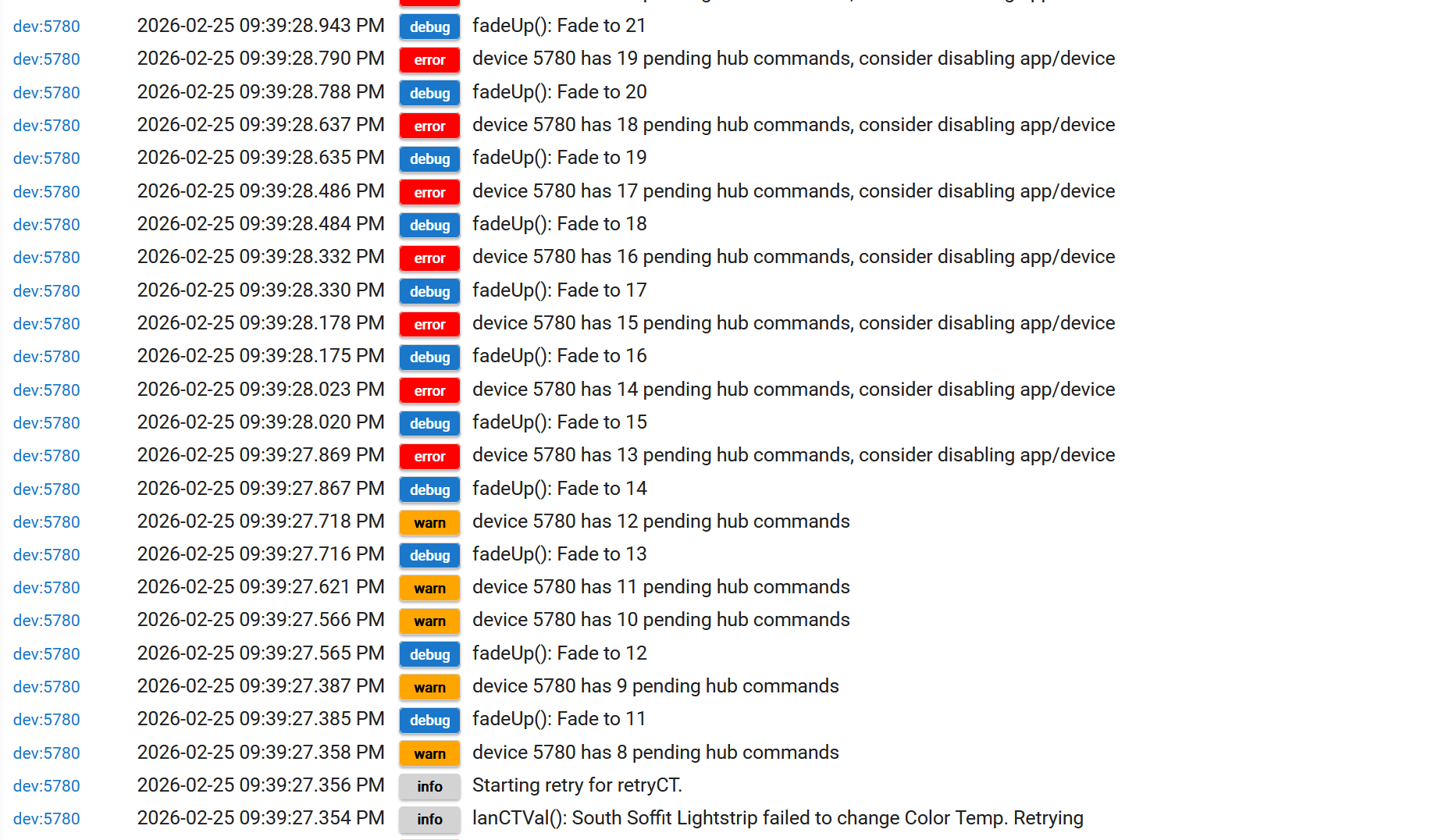
Lets start by a clear understanding of what that image shows. It shows that you had many commands being submited to the device back to back with little time in between. There are a few ways this can happen. The fadeUp is certainly one of them. This can also be done just by regular access as well if you try to do someing in fast succession.
Based on the image what catches my atttention is the "fadeUp" routine was being executed. This functions outside of the retry logic and it's guardrails. When you do a fade which is simply changing brightness over time it can be very intensive on the device based on the size of the interval change and the frequency of changes being sent. There is a calculation that takes the amount of time and devides it by the change in brightness, and if that calculation puts a changes more frequent then 2 seconds it will likely cause those pending hub commands. It looks like it was trying to change the fade in single % values and each increment is aprox 140ms. That will deffinately cause a problem. I would suggest practicing alot of caution when performing fades. I don't use it myself unless the transition is over several minutes.
Can you eloborate on this a bit for me. It certainly should if everything is working ok. I do see where your device went into a retry state tough. It may be important to understand what exactly you were tring to do that created this condition.
If you click on the refresh button to trigger a poll does it update the state then?
Hey thanks!
That reminded me of something from when I did other Govee lightstrip.
The default fade when on LAN control was 1% at a time. I had to change that to 20% to reduce the insanity.
I'd spaced that out but think that will fix that issue.
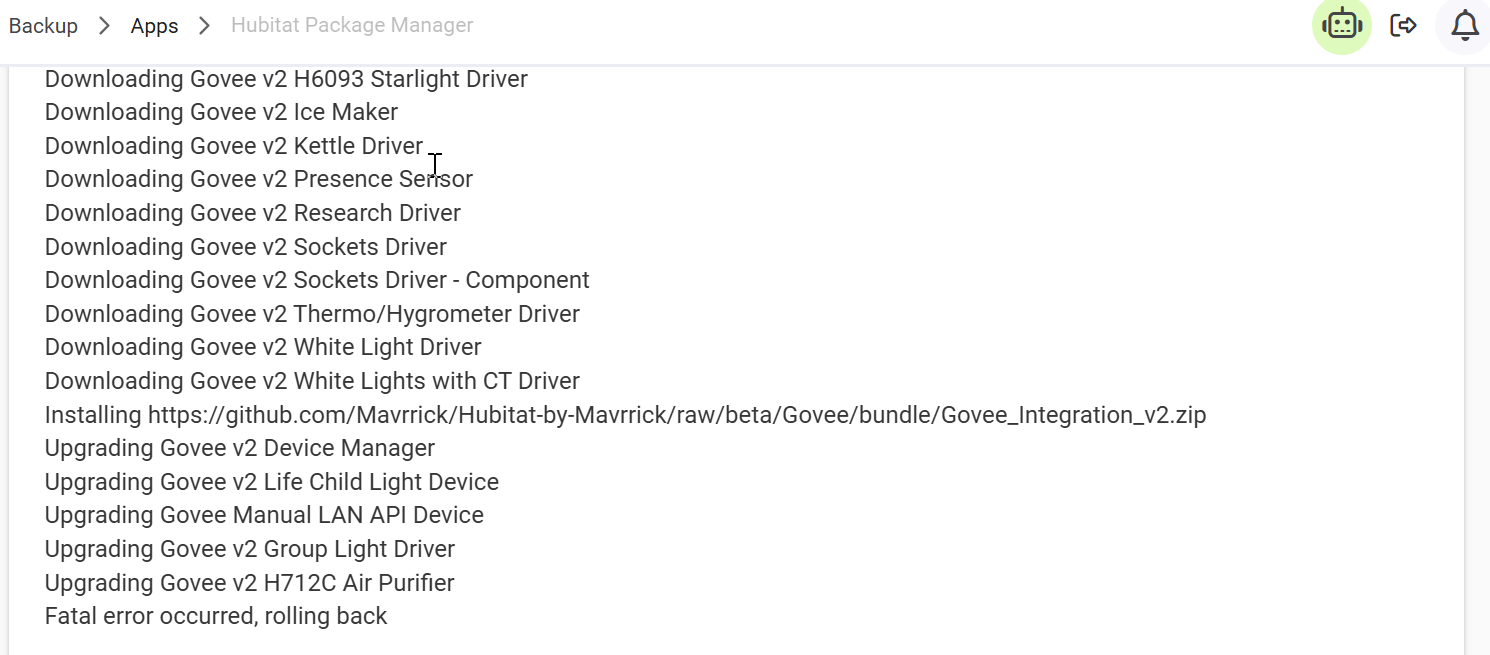
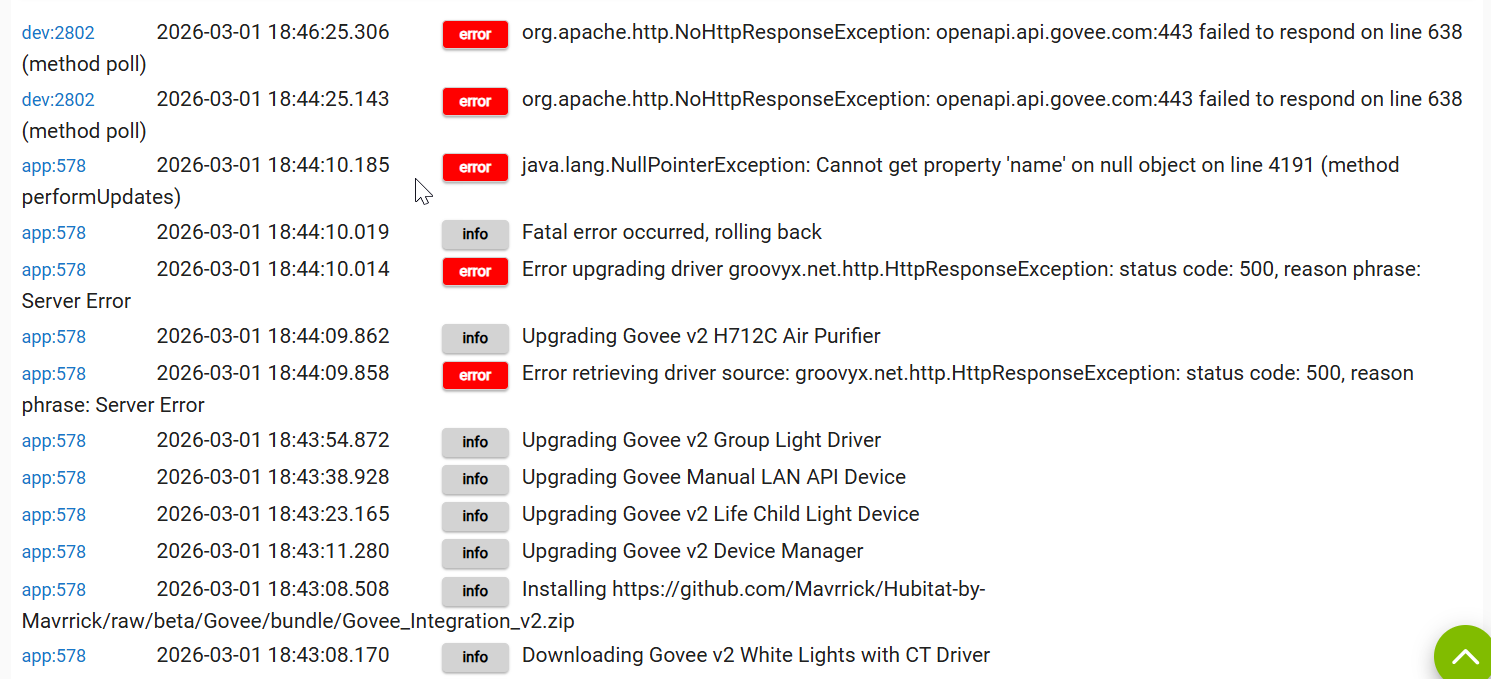
Hello... I can't seem to update Govee V2 from HPM...I keep getting this same error and rollback... I've tried a few things including a repair in HPM and no go... Any Ideas?
Is that still occuring. The last two entries in your logs are interesting. That would indicate a network connectivity issue. Is it working now if you try it?
Download the Hubitat app