Thanks for taking a look at this. I can just do a backup and delete the device and start again; that's why I only bought 4, to test.
I have a C8Pro running the latest beta. I installed these devices from your integration after monitoring the thread for a while to determine stability, most of the bugs solved by other testers.
Mouse over the WARN and it's Govee v2 Device Manager
Curious if I have a Prefs wrong?
Is MQTT supposed to be enabled? This had me wondering MQTT device DNI null
EDIT: Yup, disconnected without it Enabled.
app:20572026-02-07 12:16:58.862
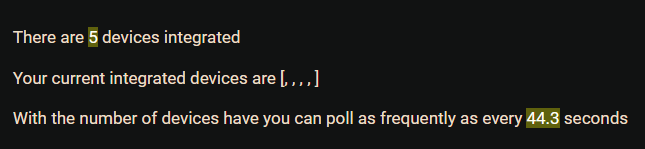
goveeDevAdd() Children DNI [Govee_v2_Device_Manager, Govee_60:C1:98:17:3C:E0:9A:56, Govee_65:A3:98:17:3C:F6:FC:44, Govee_0B:9A:5C:E7:53:17:C4:32, Govee_5B:E0:98:17:3C:E0:6F:FA] MQTT device DNI null
Is that for the warn message. "The '[namespace:Mavrrick, TypeName:Govee v2 Color Lights Driver' driver failed? That would make sense actually.
If it is for the first one that starts with "keyFormatlsValid()-API Key 'null' ....", i don't know I have never seen that error before and that isn't a method in my code. Plus that still wouldn't explain the null value next to the dev: in the log. I would need help from Hubitat staff to look at that then.
The MQTT part of the Govee Device manager is for devices that use MQTT to get certain mesages back from the Govee Cloud like some Humidifiers, Dehumidifers, Air Purifiers, Ice Makers, and perhaps a few other Govee Life Devices. If all you have are bulbs you can turn that off and it won't hurt anything if you want to.
The only thing i would suggest is to change the device label instead of the device name. See if that helps things I really can't find anything else in your setup the way you have described it.
That is actually a bad line in the logging. That doesn't mean anything. I will clean it up in a future release.
Reguardless of MQTT connection state being connected or disconnected it shouldn't impact any Govee Light Devices. I keep my MQTT connection state turned off on all but my production hub and lights work fine.
Ok things are weird.
I deleted and added the devices, all came back no null this time.
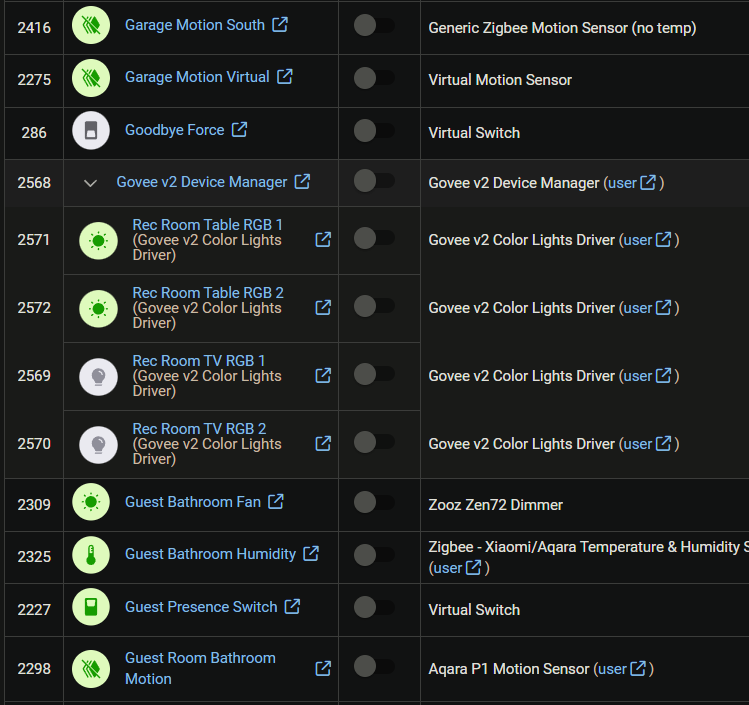
I removed the Device Label name as I always do because I don't like duplicate typing in the Device list.
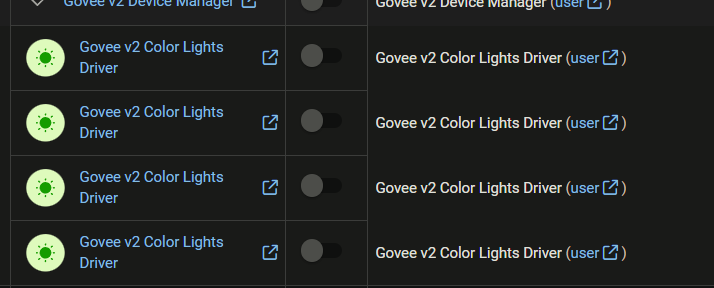
It wiped out the names in the HE app and put ,,,, there.
I'll delete again and NOT change the Device Labels.
Ok, so first what you mention above after your last reset all sounds like expected results. So that is good.
When I setup the install process i tried to follow what was typical on the Hubitat platform. On my main hub most of the devices appear to have the device name the same as the driver name. Then the Label is used for the identification for everything on the hub. The Govee Integration follows that same methodology. That is why the Govee Integration had the Device Name populated the way it does and uses the Device Lable with the name from the Govee API that is set it the Govee Home App.
That said the DeviceLabel not being populated should be okay, just some information may not display properly. I could work on a enhancement to use the device name instead of the label if the label is missing though.
It's no big deal now that we know what causes that issue; maybe for the next person who does what I do.
As you can see, with 200+ devices in the list I prefer to have the Label field blank other wise it's a lot of text on the page.
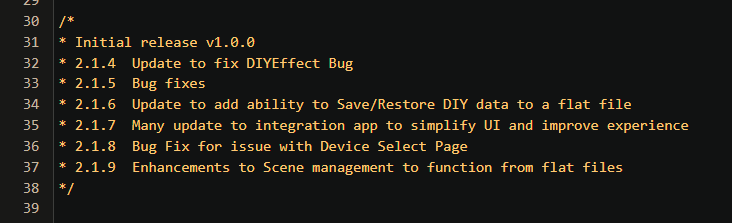
Since you are already using the beta code go ahead and refresh it to the latest beta. I added some code that should fix the issue with the label missing . Let me know if that works for you.
I will need to take another look at the why the devices are being submited to be created when they are already added, The good thing is that doesn't have any negative impact on anything, just generates that warning in the logs.
Installed and changed one device; got a null.
Maybe the new code might take a bit to refresh and become active?
Can't really tell is this is the updated beta or it's in the zip?
I did a full Repair just to make sure.
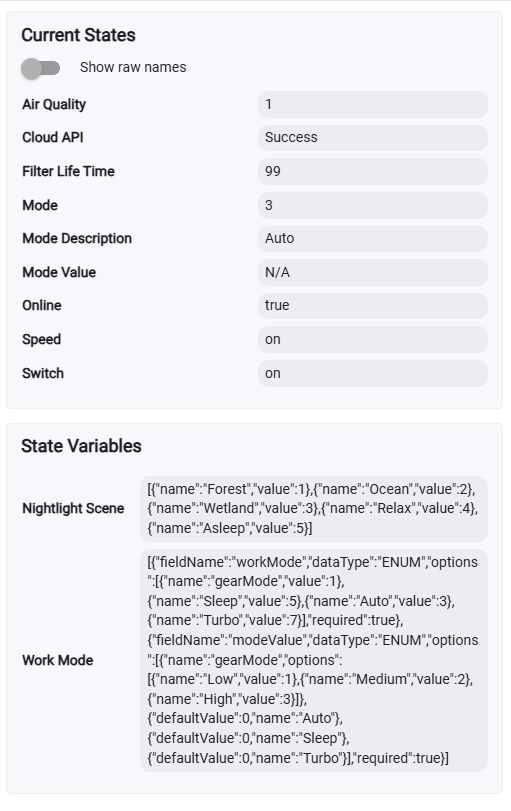
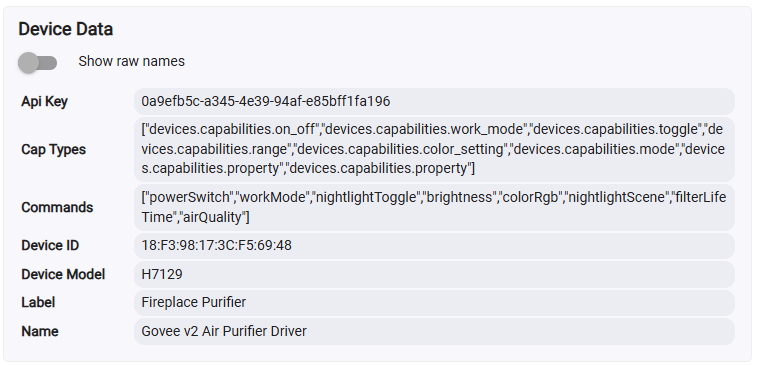
Hello, I just got a pair of Govee Air Purifiers model H7129. If I use the "Govee V2 Air Purifier" driver I can get everything to work except this unit has a mode called Turbo which is not exposed in the driver.
If I switch it to one of the more specific Air Purifier drivers (H712C) all the fan mode functions work except Auto. It appears to set and the screen shows auto in the Mode Description field but it does not acutally change. Of course there is also no turbo avalible. The night light works fine.
Below is the info that shows up when using the more generic "Govee V2 Air Purifier" driver
For what I am doing I can live with what it does but if you want to add this model I am happy to get you whatever else might be needed.
Thanks - and the Govee integration is excelent and I have a ton of stuff using it. Been rock solid for me. Its much appriciated.
Life is a bit complicated at the moment. When i get some downtime i will work on a device specific driver. It looks like a few things are unique to that device. I need some time to refresh my memory of the driver code for air purifier devices. Once i get started it shouldn't take to long. I will post it to a beta driver first.
One thing that may help me make sure we dont miss anything would be to turn on Debug logging and then click on refresh. Then post what is generated by the refresh call. Then i can review what is returned to make sure it is all getting processed and posted to tbe device attributes. I already see a few things that are new being returned on the air purifier device.
I spent some time reviewing the code and it looks like the H712C driver is likely the best one for the device already. What exactly wasn't working. Can you provide me logs that show if there were any errors that took place when you were using that code. As the released driver is right now to use the turbo fan speed you nee to click on the turbo mode button I have made changes in my dev environment to add it to the fan speed droop down, is that were the main problem is. I look forward to hearing you.
I seem to be missing something fundamental with the Govee v2 integration; I am trying to use a button controller (Lutron Pico) to turn a Govee light strip on/off/color change/dim but can't seem to find anything on how to get to the strip. The strip is installed as a sub-device to "Govee v2 Device Manager" but doesn't show up in button controller 5.1 or the rule machine as dimmable or switchable light. How can I change parameters and turn the strip on?