Device Label Convention vs Dashboards: Field label vs name request

I've read several of the threads on device naming, and have settled on a device labeling convention which I enter in the Device Label field. The challenge is I need shorter device labels for my dashboards.

A simple solution seems to be to allow us to select, on the device list, if we want to sort on device name or device label (or allow both). Currently, if you use the device label, that is the default field on which you can sort, and device name becomes a sort of sub-description.

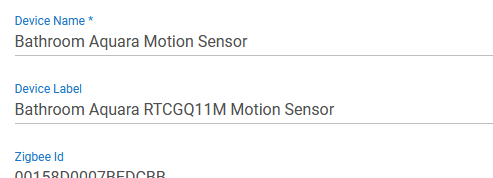
Currently:
Device Name field includes the mfg and the device model number, which I want available if I need to look up something about the device (how to re-pair, batteries, parameters, etc). I'm fine adding more data to that field if I could sort on that field. But since I use device labels, I can't.
Device Label field convention = Type-Capability-Location-Sub Location. For most devices I only need 2 or 3 of these. For example, Dimmer describes both the device type and capability. Some rooms only have one of a device type, so "Dimmer-Laundry" is sufficient. Other rooms have multiples of the same device, so get a description as "Shades-LR-North."

This naming convention works VERY well when managing devices from the laptop and writing rules - I have sufficient data in the label field to select a specific device, and I can sort by device type, which is how I think of the devices.

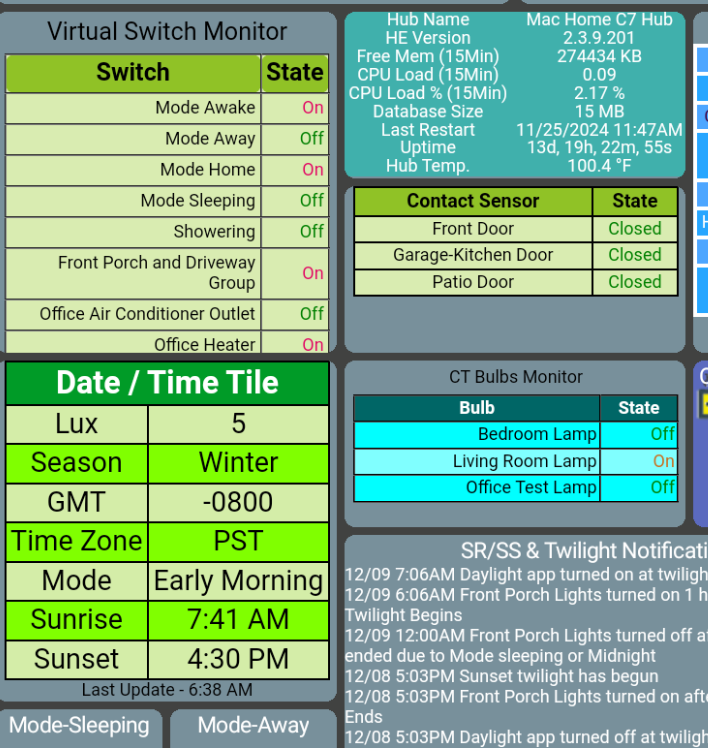
However, this does not work on a phone dashboard because the text is cut off. The dashboard has icons, which already communicate the type of device, so the label on the dashboard icon really only needs a location and sometimes sub/location.

How do others resolve for this? Is there a way to separate the device label text on the dashboards from the device label text on the device list?

Ideally, HE would give us separate fields, but since we don't have that, any good ideas?
This is usually available down under the Data section, but if not you can add it using [RELEASE] Custom Device Note App and keep it out of the device label.

Make the label your friendly device name.
Add any extra info you want to the "Name"

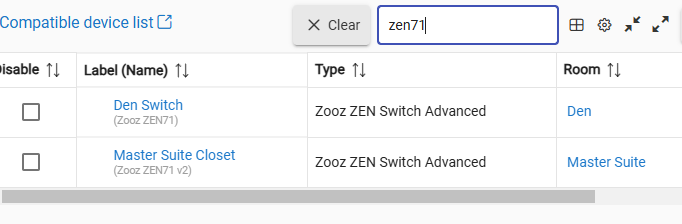
Use search instead of sort to find the devices you want.

image

2 Likes

...hmmm...might be doable. Just wish these two fields could be sorted separately...

I use custom CSS for my phone dashboards to name the tiles whatever I want. Works great and makes it nice when using the same device for separate tiles listing temp, humidity, lux, etc. There are several examples in this thread (which I'm sure you've seen).

3 Likes

This is a great topic - I bounced around over the years - initially just confused with name and label. After getting a handle on it over time, I integrated to Alexa. That added another layer of problem. Finally when you add in dashboards it worsens still. So really 4 names!
And my working answer is just that. 4 name sets.
Each set has its purpose, so I manage it host level.
I like the room, manufacturer, model and type for Label. Then I shorten some for the Name
image
I find my devices easily when working in HE. I tried rooms in HE but it is... bizarre... so I stopped trying that and keep it in the name and label.
Alexa devices don't do well with room names and HE rooms is ignored so I manage Alexa names AND groups. I use the name that comes across on discovery, remove the room and shorten as needed.


FInally dashboard tiles, thankfully @jpage4500 allows a well done name - it takes a default as well as let you modify to your needs.

HE is sound as a basis, but inflexible imho for extending in this area. I've read about multiproperty users having issues, unable to differentiate source hubs and some other things but I'm sure HE will address that if it hasn't already.

2 Likes

Interesting - I read this, and decided to try. This does not work in EZ dashboard. It probably works in the legacy dashboard, but far too involved for me to consider as a solution. I agree it probably CAN be done in legacy DB, but it is not the way I SHOULD do it.

2 Likes

At this point, @jtp10181 's solution is probably the best option from among those presented. However, I won't start changing Device Labels until I solve this:

When do start changing, my logic is as per below. Please tell me if I got something wrong.

  1. Device Name vs Label: Name should be the technical data, label should be the user friendly data that I want in a dashboard, because dashboards populate with the data in label (unless label is blank in which case they populate with the data in name)

  2. Device Name should include all the technical info, ideally in set format, because it is a separate field, so maybe someday we can sort by it, and if I use a set format, when that day comes I will be ready...

  • I'm going to start including battery type in this field; I've tried to use Custom Device Note App, but it does not work the way I would want a Custom Device Note to work. As far as I can tell, instead of creating an instance for battery, and then filling it in on the details page of each app (which is a feature I would love to have - I'd create fields for battery, mfg, model number, date purchased, where purchased, cost, reset instructions, misc notes, etc), with the Custom Device Notes app I have to create an instance for each battery type, and then populate that from the app. I don't see what advantage that gives me beyond battery type in the name field.
  1. Device Label should also be in a set format so dashboard users experience is consistent. Label should also not contain anything that HomeKit or other integrations will reject, such as certain characters (such as @). Since dashboard icons provide information regarding the device type, and text labels are cut off in dashboards, the first few characters should be used for data that ID the device beyond the device type icon, and beyond the specific room (if you use room labels on Dashboards, which I do on some/don't on others), as needed to differentiate the device from all others. This works for dashboards, but essentially makes the Label sort feature on the device page useless. The only real way to manage devices on the device page would then become the filter as per @jtp10181 's post. So frustrating.
  • Feature Requests:
  1. Let us select whether to sort on Device Name or Device Label (or let us sort on BOTH)
  2. Let us change the text description that appears on EZ Dashboard tile. Being able to select different text depending on which dashboard I'm working on would be great.
  3. Give us added user defined fields in Device Details.

Can you clarify why this works? For me, the Device Label field is what shows up everywhere; the only place I see Device Name is on the device details page, and it does not even sort by that...so it seems the opposite would be more beneficial...

Yes, this is what I wish the default EZ Dashboard would allow....could solve alot of this.

I can give you a little hint that something sort of like this is in the current in the 2.4.0 beta, and it is searchable (but not sortable).

Good to know. Stuff like this makes signing up for Beta tempting, but then I remember that I'm just hobbling along here compared to the skills of others, so I don't need to add even more variables to what could go wrong...

1 Like

This topic was automatically closed 365 days after the last reply. New replies are no longer allowed.