Curtain Robots are Fun 😀

I just added a couple of Zemismart Curtain Robots to my bedroom curtains, and I have to say it is probably the most "fun" and useful device I have added to Hubitat since adding my Roborock Vacuums.

My SO bought some new curtains for the Bedroom over xmas, and as soon as I realized she bought the kind with the large rings for the roman rod, I just had to add the robots. Before, we had curtains hung on the rod through a top seam, and those do not work with the curtain robots.

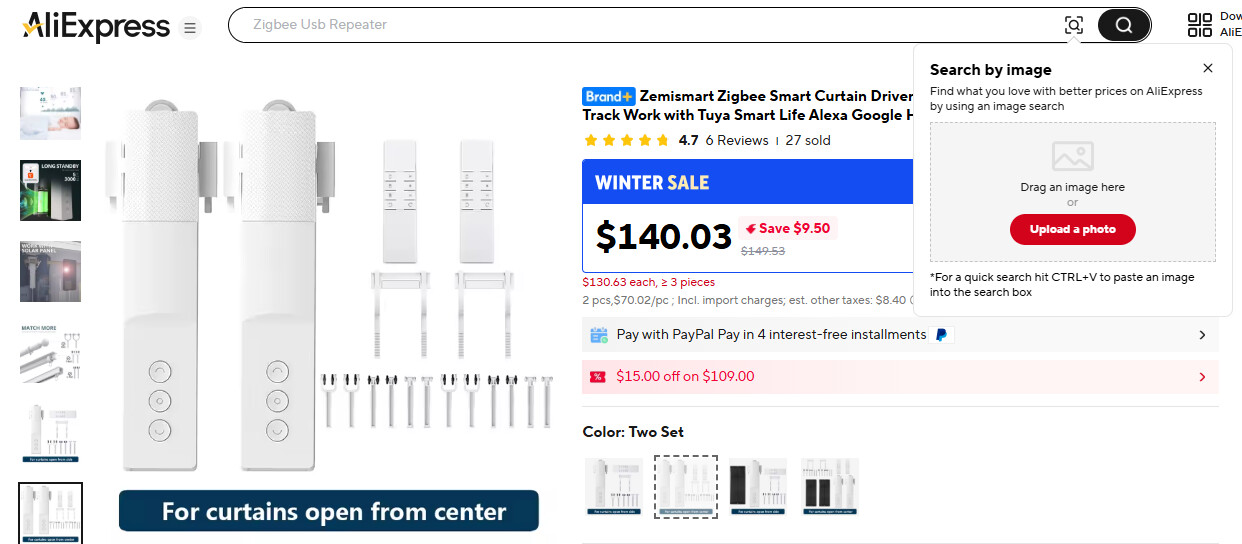
I got a set of Zemismart robots from Ali Express for about $130, not too bad of a deal. I got them set-up and I found that having to send commands to two distinct devices every time was a bit of a pain, so I wrote a quick app to combine them both together into a single virtual curtain device that controls both robots together.

I also added a Tuya Scene Knob next to the window for physical control. Turning the knob left or right steps the curtains open or closed. Push will open if closed, and close if open. Doubletap will stop position change while opening/closing, and Held will open the curtains half-way.

I also added the curtains to my bedroom scenes, so they open with Morning scene and close with Evening scene at sunset, as well as close with Nap scene. Alexa apparently has problems with the windowShade capability, as the curtains don't respond to open/close on the shared device. They do respond to on/off, so I just made routines for "Open the curtains" and "Close the curtains" that flips the switch instead, to have Alexa voice control.

Anyone else using the Zemismart curtain robots? How has the battery life been treating you?

These are the apps/drivers I wrote for my robots, if interested
Scene Knob Blind Controller
Dual Curtain Controller (the parent app creates the child device when installed)

3 Likes

Sounds like a nice win! :slight_smile: Have a favorite beverage on us. :wink:

I have the Switchbot version but I second the curtain robots are fun. I have them installed in the Living Room with a Third Reality button and that along with a couple other devices have been my best. The curtains and blinds were never opened but now they are opened every day.

I am using 5 Switchbot Curtain V3 (started with v1) robots. 100% local control via HA. All automations are driven by light sensors. Of course, manual control exist but almost never used.

1 Like

ADULT beverage?

1 Like

I have the Zemismart variety, they are good and integrate well. Probably my wife's favourite (or moans the least about) smart device. I bought a pair but unfortunately one battery depletes 50% faster than the other one. The battery still lasts quite a while though, luck of the draw I suppose.

I'm planning on adding a light sensor in the window this summer, to close the curtains when the sun is shining directly in the windows. Right now my Ecowitt light sensor in the yard is used for changing scenes to Morning and Evening which also trigger the curtains.

1 Like

Oh, I certainly had a beer once I got them setup and working! :beer:

1 Like

I have 5 windows/balcony doors equiped with Switchbot Curtain Robots. All they are facing West. But in order to get things right (and get very high WAF) each window has its own light sensor plus one general Ecowitt Light Sensor. Only this way I was able to create a very relible Curtain Control RM rules. Originally I thought one light sensor will do the job but it did not work as it was desired.

1 Like

Do you have the light sensor placed inside the window looking outside? I like these ideas.

Yes, this is exactly a case.

Ecowitt inside the windows as well?

I figured I would need to play around with that this summer to get it working right. The window faces south, but depending on sun position, for part of the afternoon the window is shaded by trees. So it only needs to close the curtains when the window is not shaded by trees, and I guess I could also have them open back up when it is shaded.

I also have a Third Reality Night Light in the bedroom, and I'm not using the Lux sensor for anything right now, so maybe I can couple with that to also use ambient light in the room, instead of just what is coming directly in the window.

Nothing I can really play around with right now in the middle of winter due to sun position.

1 Like

Of course not.
Ecowith is mounted outside the apartment on a balcony rail.

1 Like

In my case there are many high rize buldings across the channel. This creates a very dynamic lighting patterns which are very different for each window. Sun is on my side after about 1:30pm. All Curtain Automations starts as soon as Ecowitt Light Sensor reports a huge jump in lighting and than induvidual sensors are controlling curtains (I am not messing up with partial Curtain Positions, just fully open/close do the job).

This way it will be interference whith Curtain Open/Close status. I.e. light reporting will depend not only the outside lighting but on a Curtain Position as well. That why all my light sensors are facing outside but not shaded by curtains.

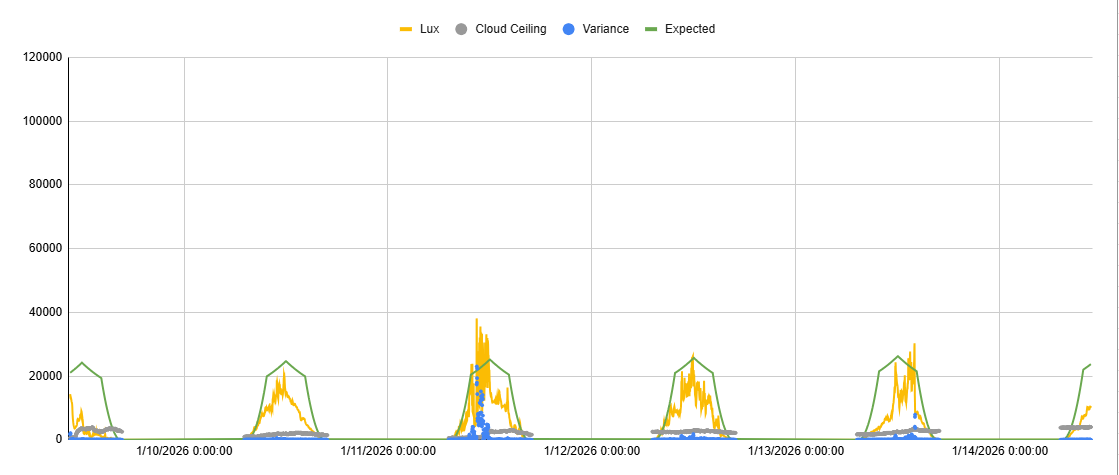
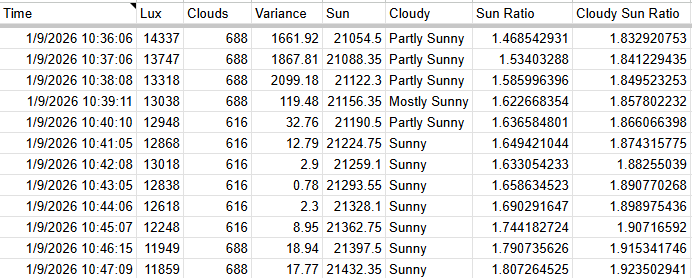
Yeah, good point. I'm thinking about this app I wrote that determines if it is cloudy or sunny out based on my Ecowitt sensor. It is more complicated than you would think, as to know if it is cloudy or not, you have to know what the "expected" lux reading would be on a sunny day for the time of day and time of year.

I developed some equations that use minutes since sunrise, and minutes until sunset, to make that calculation. I use a "noon illuminance" value that is slightly changed every day to get what illuminance should be at noon on that day. I plotted max illumination for most of a year, and then I was able to use a trendline to see how much lux actually changes per day at noon, and I use that number to adjust the equations.

I would love to find one equation that would produce the parabola of sun lux for the day based on one equation, but that eludes me. I currently I use three equations, one for the small rise at the beginning and end of the day, one for the rise towards and away from noon, and another for the top of the parabola at mid-day and noon, using the noon illuminance value for that day.

Anyway, I think using the expected sunny day lux value from that app could help in figuring the brightness level threshold to cross for closing the curtains, in addition to using a sensor in the window just to check if it the sun is not behind trees.

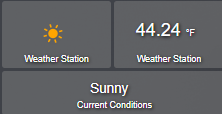
Note: I determine partly sunny based on lux variance over a 10 minute period, and the use of ratios. Then I take the most common of the last five sun conditions as the current condition, which goes on the dashbaord.

image

How are you finding both the aesthetics and battery life? Those are the two things I worry about here to make the plunge.

The motors are invisible behind the curtains. That is partly why I liked the Zemismart, they are tall and thin motors, and they don't bulge out behind the curtains.

I googled battery life, looks like 6 months to a year on a charge. They come with long charging cables, and they could be left plugged in all the time, since the cables would be hidden behind the curtains.

Edit: I also found they are much quieter than expected. I can barely hear them, even with both going at the same time.

I am using a simple Threshold Values for each Light Sensor. These Threshlods were experimentally determined by just few itterations. Timeouts (also determined experimentally) are used to filter out passing clouds. I am trying to be as simple as possible. And so far this works very well (2-3 years already in use).

Somebody worked on something like this and posted about it here in the last few years...can't remember the details. I'll do a little digging in my notes to see if what I think remember is real. :wink: