I'm looking for a virtual time device.
Not wanting to hard code a value into anything, I'd like the ability to place a stop, stop timer on a dashboard.
Much like a virtual T-stat for temp, I'd like the variably do it by time. Maybe set a count down timer as well.
tia
Not sure I understand what you’re asking for.
A virtual clock? A countdown timer? A stopwatch?
Can you elaborate by describing the use case(s) you have in mind?
1 Like
Something to put on a dashboard.
Varable clock to begin an event, and variable clock to stop an event.
Easy to change times by a user, that reoccurs every day, or for a set number of days Sun-Sat.
For example, turn a bedroom fan outlet on at 9pm, off 7am.
Tasmota timer events is another example.
Thanks.
Some drivers that may be of interest could be an old one of mine and @jshimota 's:
Not just a dashboard display option/tile.
I was looking for a virtual device driver, that can also go on a dashboard
This is an example of an automation.
You are envisioning a dashboard tile that can control the on/off times of a device based on input start and end times?
1 Like
Still confused (still working on consuming the minimum morning coffee requirement) what function is this driver to perform outside of a dashboard display?
2 Likes
Looking in the HPM and filtering on timers, there are no device drivers clock events.
Fixed time automations are easy to do. What about something for people that work swing shifts? Erratic schedules.
I'm looking for a device driver thats time based. Think of a virtual T-stat, that is linked to a temp sensor. I'm looking for a device linked to time of day.
Yes. A driver that controls a device, based on a time window.
Something easy to adjust on a dashboard.
That might need some work compared to the native offerings.... I don't expect that to be something easy to do, but it may be worth double checking options for manipulating date variables. If nothing native exists, I (someone else  ) could look at setting something up using a date selector.
I use Sonoff Basic devices right now, but those are wifi based.
They're flashed with Tasmota firmware.
Heres a screen shot of their timer options, as a point of referance.

The main issue I see is that this isn’t a driver that you’re describing. Hubitat automations control devices based on time windows, not drivers.
For something like what you’re describing, you could probably do this with rule machine and a virtual device that can accept variables as an input on a dashboard? Although that wouldn’t get you control over days of the week like what your last screenshot shows.
A custom app in groovy might also do something like this.
But a driver on its own probably can’t.
4 Likes
In Hubitat, a time window is not a driver. It is a condition for an automation. You could do what @marktheknife suggested.
There is an alternative approach if you are an iOS user - something similar might also be possible on Android.
- Create your automation on Rule Machine, and create a virtual switch to function as trigger.
- Export the virtual switch to Apple Home.
- Setup a time-dependent automation in Apple Home to flips the virtual switch from off to on (or vice-versa) to trigger the automation.
2 Likes
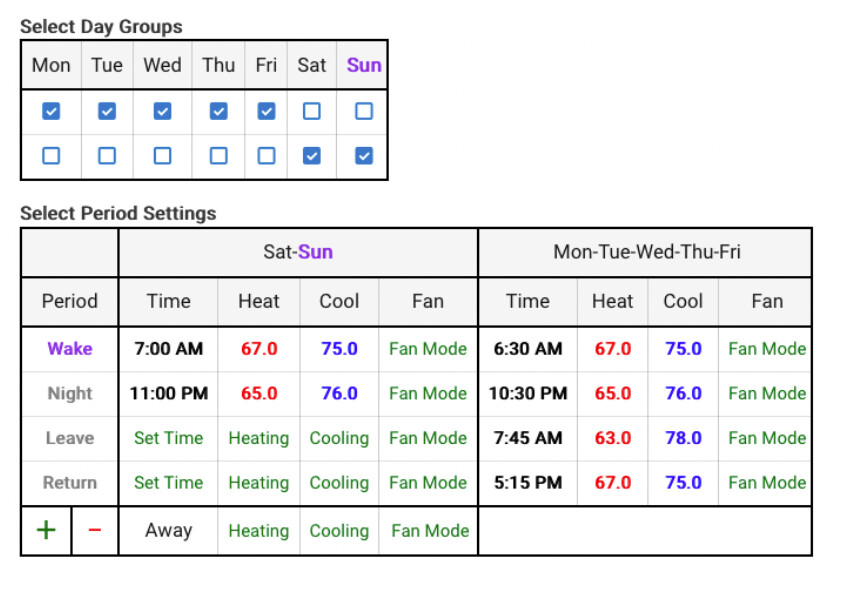
I think the closest thing that I have seen in the Hubitat system to what the OP is requesting is Hubitat's Thermostat Scheduler App. While not directly applicable, it does demonstrate similar functionality, although not on a Dashboard.
1 Like
@bptworld did a countdown "kitchen timer" driver, which could provide part of the required feature...
4 Likes
Like I previously mentioned, changing rule manager parameters, webcore time, etc requires more knowledge then other house members can manage.
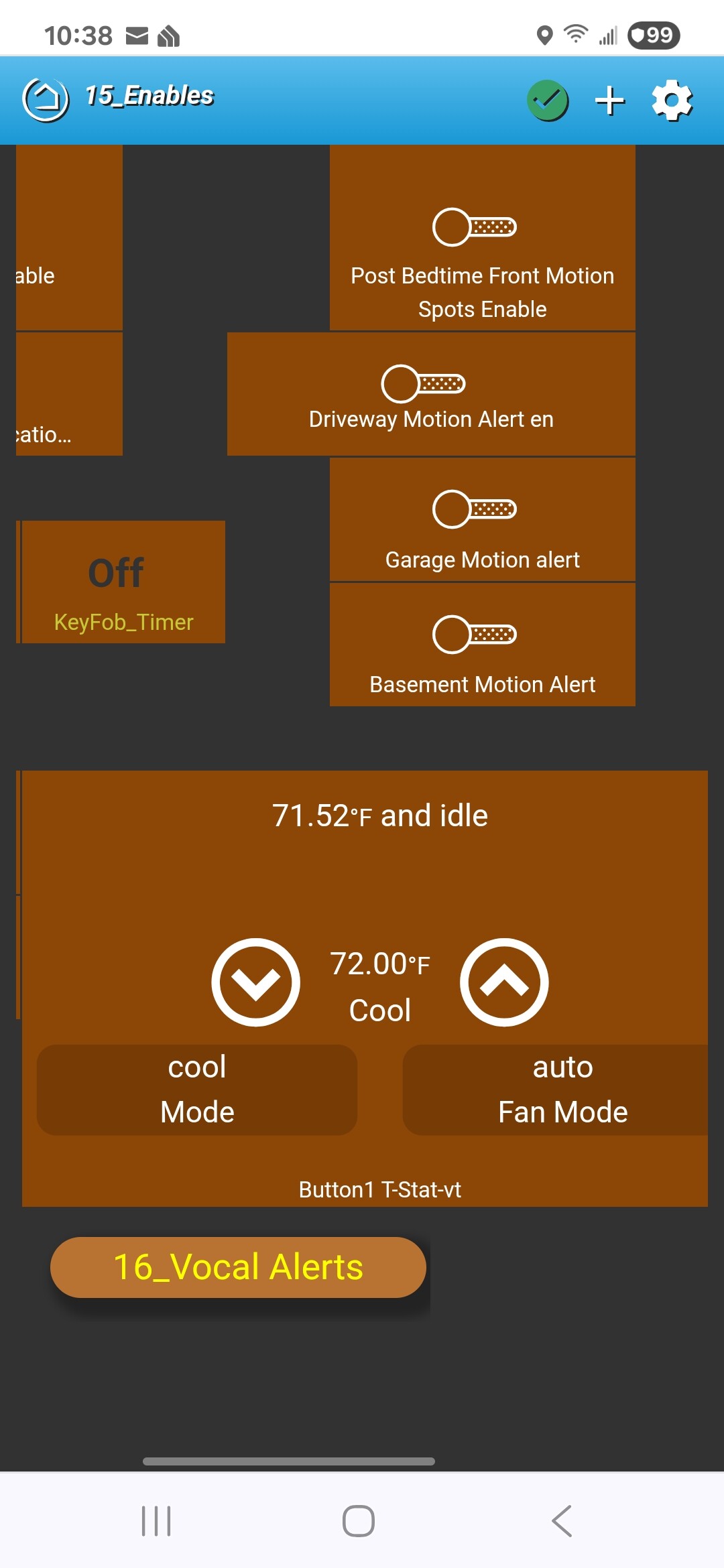
A virtual t-stat is easy for someone to set heat, cool, fan conditions. Arrow up down sets the temps. A virtual device is created. Temp sensor(s) are defined, and a controled device is entered. Easy peezy.
Same type device for time should be easy, conseptually.
I would say that an "easy" option is not currently available... but certainly possible.... now we just wait for someone to step forward...
1 Like
No. It isn’t. If your family uses iOS, consider the solution I suggested. They will not have to fiddle with rules or any other Hubitat automation.
The only knowledge required is how to control a switch in the Apple Home app.
We don't use Apple devices. Google home has the ability, but thats all web based.

