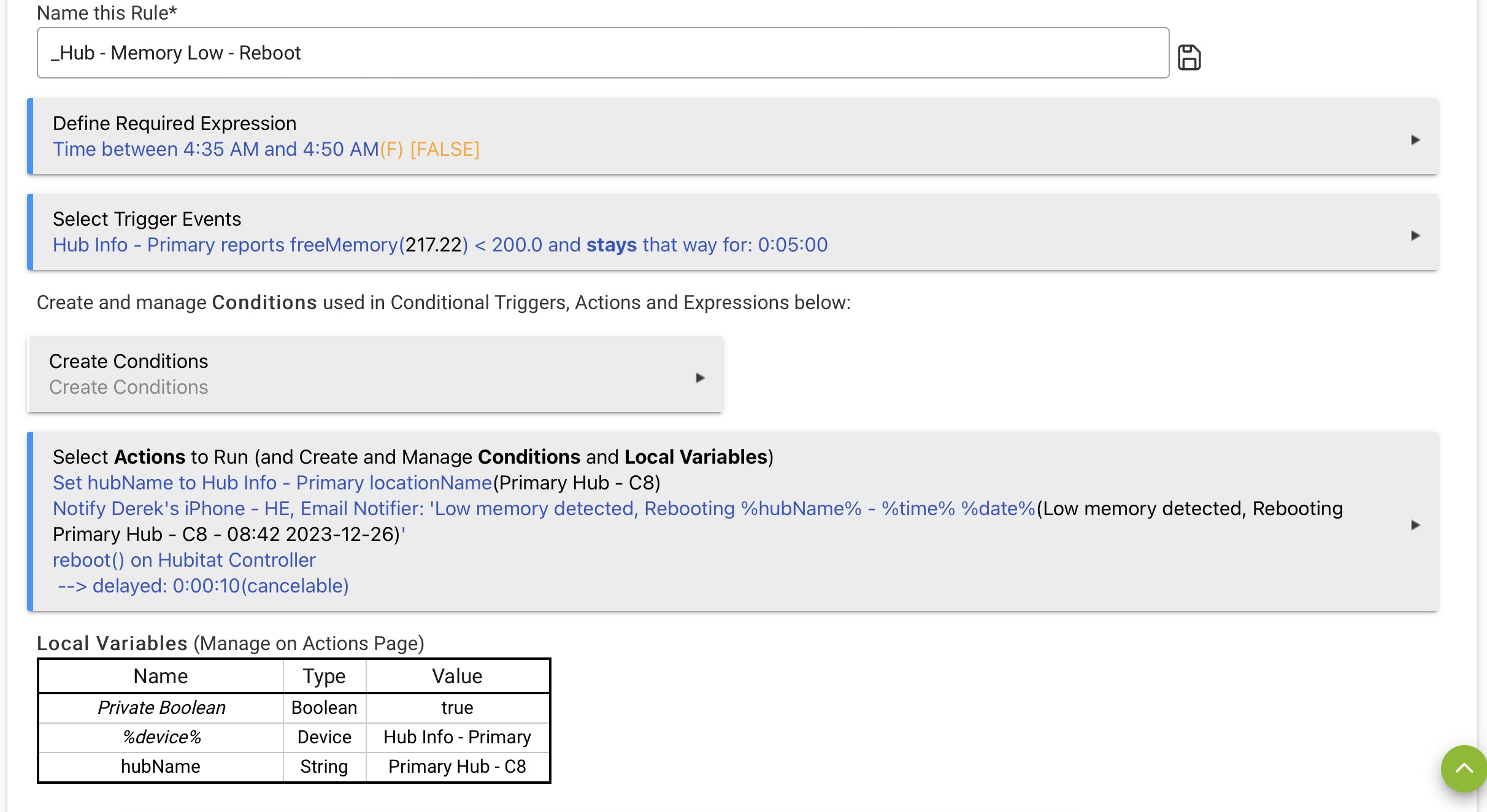
Ok, ok, you've guilted me into simplifying my rule. 
3 Likes
Happened again to my C8 running 2.3.7.140.
@bravenel , do you have any idea when the update with the new location events is coming out?
Before the New Year?
Thanks.


You are correct!
I will edit my comment.
Thanks!
Just be aware that an important side effect of scheduled reboots is to hide whatever issues build up over time. Fine if that's how you prefer to manage it, but to me it would be weird if the HE platform itself encouraged you to do so.
I asked @bravenel for exposing the location event to RM because the hub already creates it and generates an alert when memory gets below a certain threshold (I believe it's 80 MB) and the message for that alert asks you to reboot "as soon as possible". I have at least one hub I can go weeks between admin interface logins and would likely miss that alert - notifications for my phone will help.
I've heard many such reports and even believed so myself at one point. I keep having to remind myself that correlation is not causation. I prefer to track hub uptime and not worry so much about free OS memory (especially with 2.3.7.x). I also try to track down what is slowing down when things do slow down (e.g. I use a few hub variables now to track select app timings).
1 Like
I'd just like to note that the topic is about cloud backup failures.
1 Like
You're right. Sorry about that.
1 Like
Oops. Me too.
I’m in IT, there’s no such thing as a computer that doesn’t need an occasional restart. Some systems have bigger memory leaks than others.
I even reboot my Linux servers once a month to ensure they stay healthy. AIUI, Hubitat runs on Java which is a memory hog to start with - in fact Google “Java memory leak” and you’ll see it’s an extremely common issue (it’s also why iPhones need half the amount of ram as Android’s).
The Hubitat team have improved things greatly in the last year - as a result I get weeks of uptime between reboots, instead of a few days.

/OTP
my mikrotik cloud core router has stayed up over 6 months with no reboots and ill effects.. but that seems to be an outlyer..
2 Likes
Proper managed network gear is definitely much more reliable than average. That said, it needs to be. 
1 Like
Came on here to see if I could find a solution to an issue I've had for the last two weeks. I have my coffee maker come on at 0430 and half the time over the last two weeks the C-8 hub has been nonresponsive. I logged in to see both backups that were to be made ay 0301 wasn't done and I have an alert they weren't made. I have no control over anything on the dashboard. Nothing has changed with my setup and have been using it for years. Recently I bought the C-8 and have had most problems with it compared to the previous ones. I check daily for updates and do them immediately. Usually, a reboot fixes this but it's awful having to wait another 30 minutes to get your coffee when it has worked so well for so long.
I've always had the hub setup with a static ip address with my router. This is hit-and-miss as some mornings it works fine. Any clues?
This thread was started by @bobbyD , from the @support_team so maybe he can chime in here as well.
They're trying to track down an issue where Z-Wave crashes after a Cloud Backup. Your issues sound like they fit in. Are you using Z-Wave? Do you have Cloud Backup?
This issue has been going on for a while, but I guess it's hard to pin down. Problematic, since it's a paid feature, but...a radio crash without backup would take a long to time to restore.
A reboot, I've found, is not enough. You have to do a controlled shutdown, wait a minute or so, and re-power. This restarts the radios, which a reboot apparently doesn't.
I've set my old C-7 to power cycle the hub automatically when Z-Wave stops working, but my rule needs to wait a half a hour before it triggers. With a 3:15 backup time, this didn't help when this old guy got up at 3:30 the night before last, and the bathroom lights didn't come on.
2 Likes
Hey, I just noticed that there's a new update, 141.
The release notes say that it has the new location events.
Thanks, @bravenel !
2 Likes
Thanks velvetfoot for the info. Yes, using z-wave and cloud backup is performed every morning at 0301. I'll start doing a controlled shutdown. I didn't know that about the radios. Nothing worse than getting up at 0500 and having to wait another 30 minutes for coffee. I appreciate it.
1 Like
@bravenel , a question:
When using "cloudBackup" as a trigger, "cloudBackup" means it didn't work, correct? Similar to zwaveCrashed? For this guy, something like "cloudBackupFailed would be more descriptive, but maybe that's too many characters. 
edit: Now that I look at it, what's with all the sunrise, sunriseTime, etc? What does that mean when using them as Triggers?
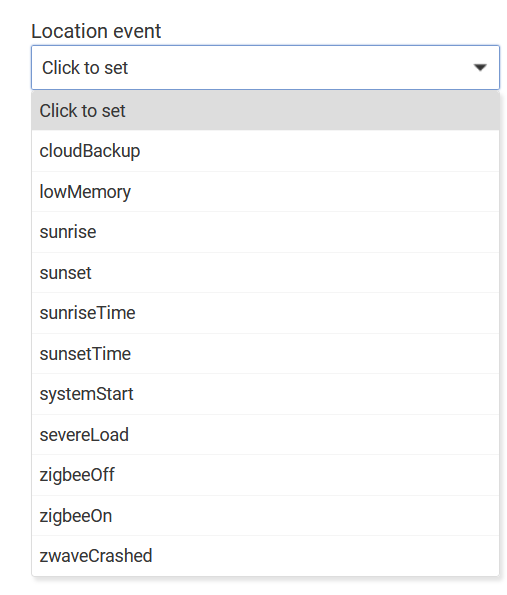
I would assume that cloudbackup has a failed trigger as well as a successful trigger.
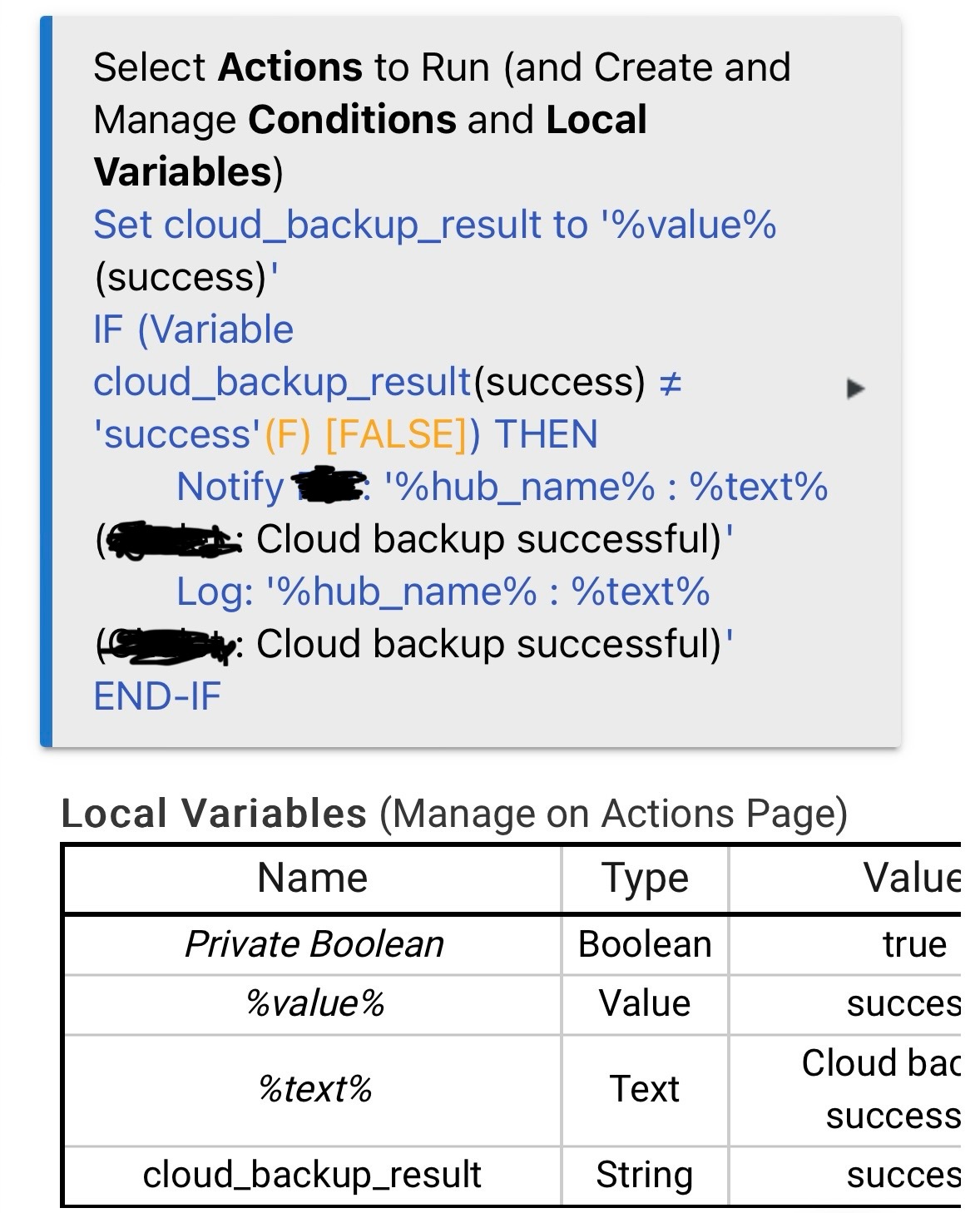
So, how would you do the trigger for a failed cloud backup?
edit: Create a hub variable and make it equal to the cloudBackup value? Or maybe a local variable?
Exactly what I did. What is likely confusing you is that “display values” is turned on and the last cloud backup was successful.
So to be clear : trigger on location event cloudBackup (which will trigger whether successful or not) then in actions copy what I did up there
Those are actions, not the trigger.
1 Like