Stupid question. If I think my C-7 hub is having performance issues, and want to check the resource consumption, both globally and by application, how might I go about doing that?
I've seen people post graphs and charts, but I can't find such things. Are they native, or must I add some 3rd partly application, the name of which I haven't guessed yet?
There are some basic tools in the Logs tab. You should have App Stats and Device Stats in there. I turn on all columns within those to get a better picture of what is going on. They aren't in graph mode however.
Others use standalone programs to do the graphing. I don't use any of those so I can't make a recommendation there.
Okay, that sounds promising--thank you for the recomendation!
Can you help a fool out, a little more? I installed Hub Information Driver, and created an associated device, as directed in the documentation. So far so good.
Then I installed Quick Chart. According to HPM, it exists with its child applications. However, I see no way to access it through the GUI. No entry in "apps" and "devices", not option to add directly to a dashboard...
Where is it?
A QuickCharts virtual device? Alright, I'll make one of those too.
Okay, so I now have eight new things on the hub:
Hub Information Driver
Hub Information virtual device
Quick Chart application
Quick Chart Child application
Quick Chart Data Collector Child
Quick Chart driver
Quick Chart virtual device
Blank dashboard, intended for Quick Chart
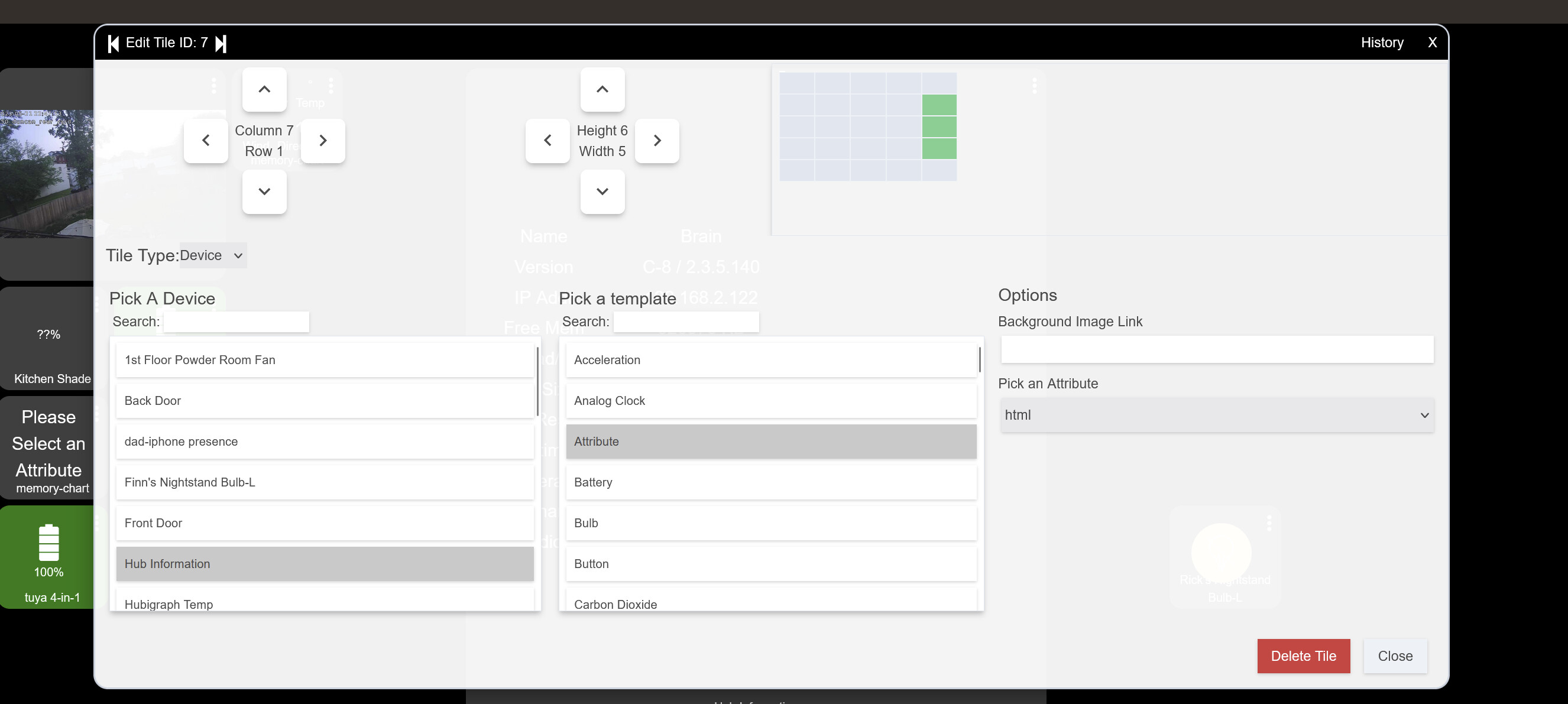
But how in the name of humanity do I bolt this whole mess together? What exactly could I add to the dashboard in order to utilize Quick Chart, to finally see system resource utilization?
Expose the chart and the hub information virtual device to a dashboard then add the buttons to the dashboard using the HTML attribute available in each device.