Please provide your hub model (C7, C8, etc.) and its platform version from Settings>Hub Details.
Check out the following post for help troubleshooting problems and gathering details that will help others to identify and solve the problem you are experiencing: ‼ READ FIRST - Before Posting in Get Help
c8 pro.. change my network config..
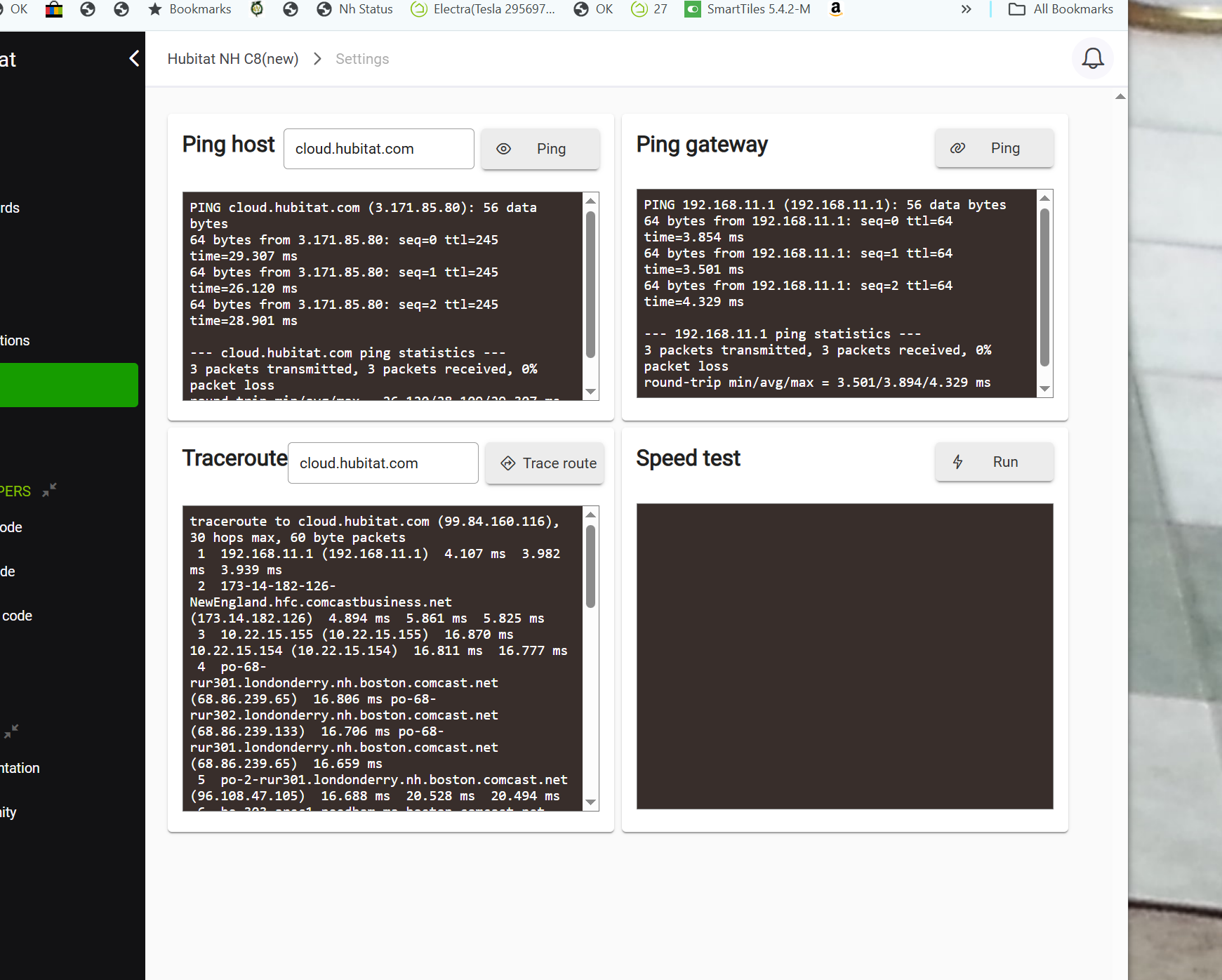
i can ping and tracert to cloud.hubitat.com
and other could based apps are working like honeywell and ecowitt. port forwarding etc.. do i need to forward some ports.. never did before i put the hubitat cloud in my white list just for shits and giggles but again all outgoing is not blocked..
any ideas.
@bobbyd
That reply from cloud.hubitat.com is normal. See this recent thread. LINK
Are you experiencing any problems, other than this message?
Edit: No port forwarding is required. Remote access is based upon your hub establishing the initial connection to Hubitat.com. This allows the connections from the Hubitat server to return through your router without opening a port.
its working again.. must have been some network issues between there and here only in the incoming direction.
off course murphys law just when i was changing things and testing..
basically replacing my inner router that maps only one of my static ips to a private network.. i needed one that had a 2.5g and 10gport as i have 10g local net on nas etc and am upgrading my internet to 1.5 gig so the older router with only 1g port no longer sufficed..
what a pain to put about 150 static leases back in the router..
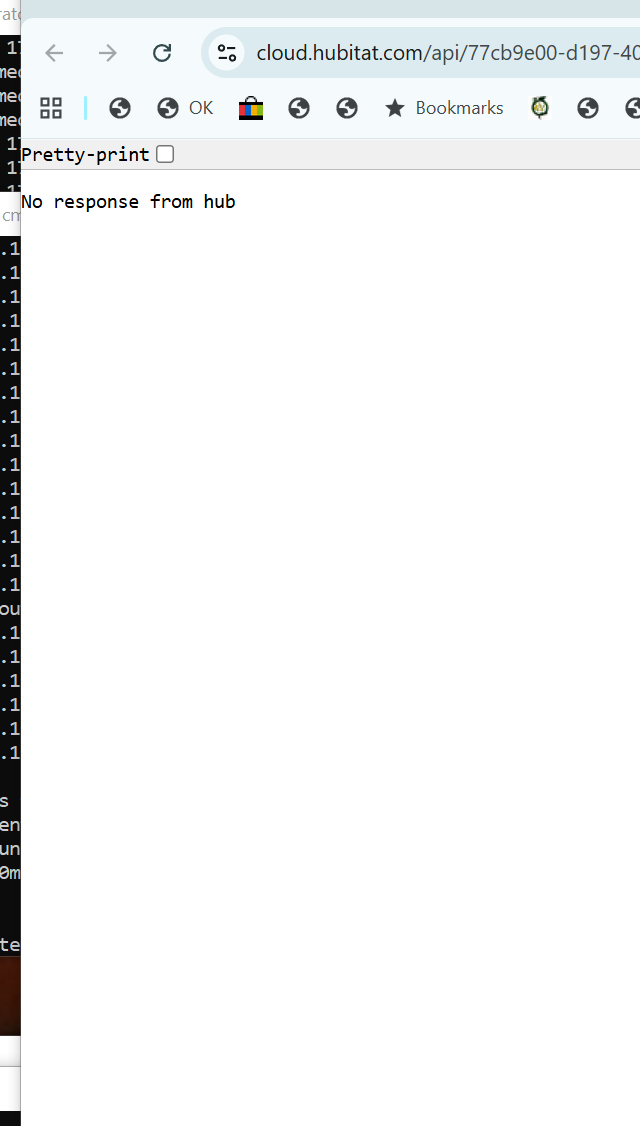
and =thats not normal.. io was not getting forbidden if you look closer i was getting the cannot connect message
now i just need to re-get openvpn working on the replacement inner router.
Sorry, I missed the difference until you pointed it out.
But since your ping testing (from the hub) showed that you had access to Hubitat.com, I'm curious about what problem you were experiencing that caused you to perform these tests.
1 Like
the cloud dashboards were not connecting when not on my local net .. i use those for most admin and checking when not home.. i dont use the app at all.
for more advanced issues i vpn in and use the local web connection.
i wonder if the cloud timed out as the mac address of my default gatway (the single public ip is changed inthe new router) and it needed time to reset
?
It sounds like a complicated setup, but this is my theory.
Your hub occasionally connects to Hubitat.com. You can get an estimate of how frequently this connection occurs, by logging into my.hubitat.com, and noting the last check-in time. This periodic connection creates the "established connection" which is what allows the Hubitat.com to send data back without requiring port forwarding.
If you replaced your public facing router, and the public IP changed, then that established connection would be broken until your hub made it's next "check-in connection".
Keep in mind, I am not stating ALL this is true, it's just my theory, but it does explain what you experienced. Hopefully someone from Hubitat can deny or confirm.
ya public ip was the same. but the mac associated with that changed.
thanks for the my hubitat link but i dont see where the check in time is?
found it under hub details.. how often is it supposed to check in.. just did a cloud backup and it worked..
I don't think the MAC change played any part.
As I said, when a device on your LAN I initiates a connection to a server on the Internet, the reply from the server is allowed to pass through the router without port forwarding or firewall rules being created. A practical example of this is your web browser. You can connect to any web site in the world, and see the data being returned, without any configuration of the router.
Since you changed your router after the hub had last checked-in, your new router would not have been aware of an established connection, and it would have blocked the incoming request to access your dashboard. Even though your router had the same public IP.
I don't know how often a check-in occurs, but I have seen intervals from minutes to several hours.
PS Your network sounds quite elaborate, so I assume you understand networking fairly well. I apologize if I am saying things that you already know.
Edit: I still can't explain the error message on your browser. Perhaps just a coincidence. What message do you get now?
1 Like
thanks .. not sure that is the issue but kinda makes sense the internal router has the firewall disabled as i have an elaborate firewall on the outside router that actually handles the bridging. (cant route as comcast gives you static ips with the default gateway in the same subnet).
so ya it was probably keeping tracking of the outgoing connection from the hub and when i rebooted that it did not refresh immediately..
no errors now all working fine.. and i have gotten my openvpn also working on the new internal router.
thanks again
next time it happens i will test the hypothesis by temporarily removing the firewall on the outside router and see if the cloud web connects immediately.
however, i did reboot the hub so you would think it would re-initiate the cloud connection immediately but it did not for over an hour or two.. me thinks it still was some sort of routing issue between the cloud and me.