When connecting to cloud.hubitat.com I get the message forbidden. I no longer have remote admin or cloud download working.

Try deactivating your VPN, maybe?
(EDIT: Nope, that's not the issue.)
What is "cloud download"?
For Remote Admin, the correct way to access is to go to https://my.hubitat.com, navigate to Registered Hubs, and select the Go to Remote Admin button under your desired hub (or go to My Hubitat right away to make it a bit faster). There's no reason you should have to go to cloud.hubitat.com directly for anything.
I have been trying to access for five hours. Everything worked until I tried to upgrade last night from C7 to C8 Pro. I asked for a warranty return because the Pro8 light would only stay blue. Now my old C7 will not connect. When I connect through my.hubitat.com I get the following error. All 43 devices work fine on LAN, but I lost control of web-based devices and access to remote admin.
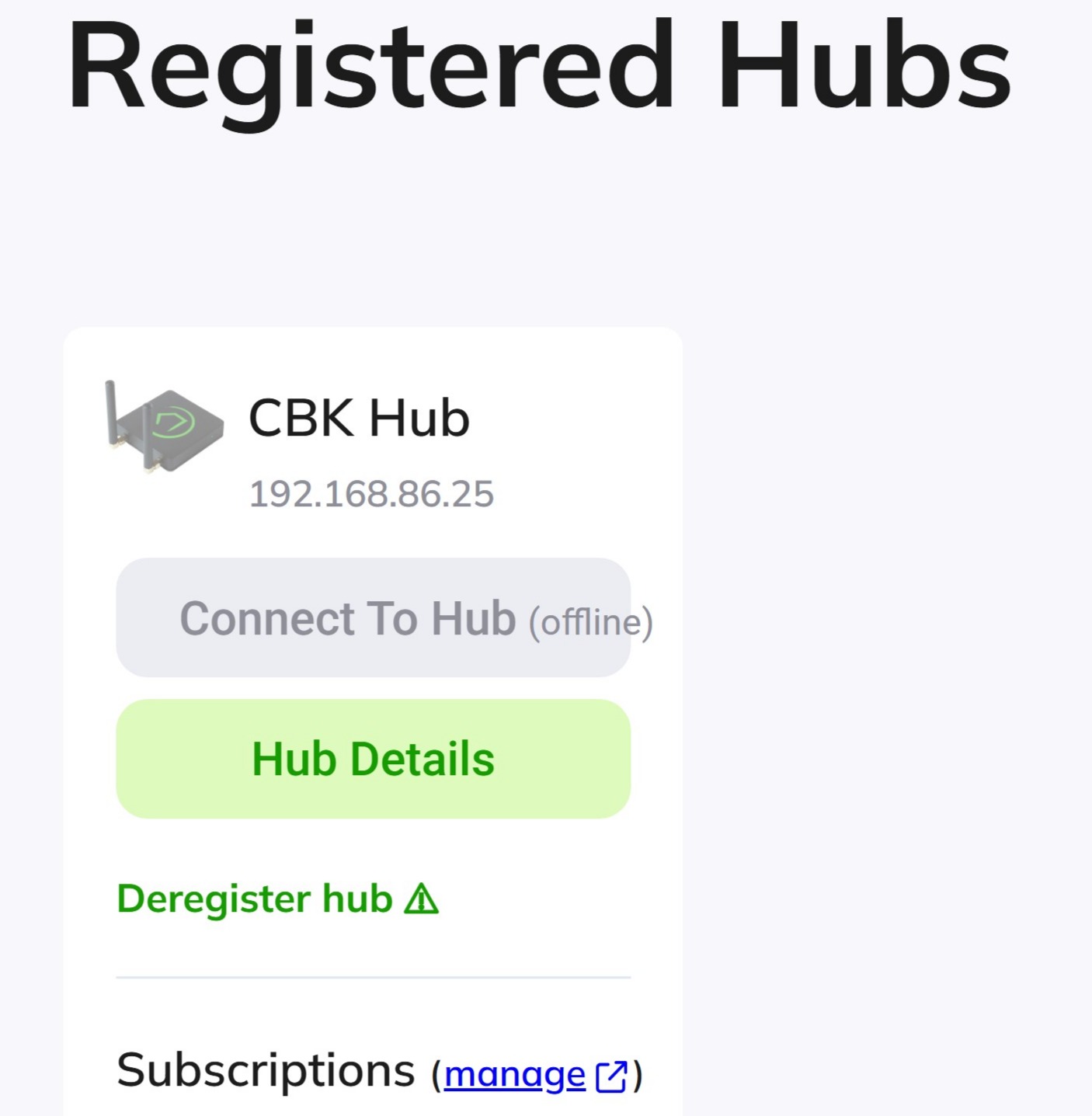
To be clear, you can access it over your regular LAN without problems? Remote Admin isn't going to work if it can't reach the Internet, but if it can reach your LAN, there's hope. But it's unrelated to accessing cloud.hubitat.com from a web browser yourself.
I'd try a network reset (using the instructions in that link) on your hub as the first troubleshooting step -- assuming you don't have any unusual home network (mis)configuration, like two devices online with the same IP address; firewalls, guest networks, vLANs, or other things that might block traffic; or anything else that could be causing this. If you do, I'd start there first.
I did a complete Google NEST router and mesh point network reset, but still no luck. Can access on LAN, but the Hubitat C7 still says offline.
Did you do a network reset on your hub?
That “forbidden” message is normal. I checked your C8, and as you mentioned, it initially connected and appeared to work. During the setup process, the hub attempted to update to the latest version, but it looks like the update failed, preventing the platform from starting (the blue light indicates this).
It’s possible that your router’s firewall is blocking the hub’s access to the cloud, which could also explain why your C7 isn’t connecting. I recommend checking your router’s firewall logs or temporarily lowering the protection level to see if that allows the C7 to reconnect.
If you’re able to get the C7 connected to the cloud, please plug in the C8 again and let me know. The C8 Pro should work properly once it can reach the cloud and access the Diagnostic Tool.
2 Likes
I don't recognize what app you were using in your screen capture, but I get the same message when I try to connect with a web browser. So I don't think that error has any relevance.
Go to your Hub settings and select Network Settings. In the top right corner, select Network Test.
Try to ping 3.164.92.2. If it is successful you have access out of your network.
Now try to ping my.hubitat.com. If it fails to ping it would indicate you have a DNS server problem.
If the first test fails, we will continue with some "traceroute" testing.
Both pings worked fine even after I once again factory reset my router.
That shows that you do not have any issues reaching my.hubitat.com.
When you visit my.hubitat.com with a web browser, click on "hub details" and make note of the "last-checkin time"
I don't know if it would mean anything, but since the title of your thread is "issue connecting to cloud.hubitat.com", then perhaps you could try pinging that as well.
No problem pinning cloud.hubitat.com. Last time it shows connection was 10/20/2025, 10:28:41 AM.
It should be noted that I tried to setup my new C8 Pro and all it does is display a blue light not matter if by wireless or ether net cable. It flashed green during reboot for a second than remains blue.
Can you clarify what your current problem is? You have mentioned problems with a C7 and a C8. It would probably be best to troubleshoot each one in an individual thread to avoid confusion.
Your most recent check-in time shows you don't have a network issue.
In your first post you said the problem was "no remote admin or cloud download" Have you subscribed to Remote Admin? Does "no cloud download" mean you are not getting firmware updates or does it mean something entirely different?
I have successfully migrated from C3 to C7 and have decided to proceed with another migration to C8 Pro. During the migration process, the C8 Pro did not operate as expected. It displays a solid blue light; therefore, I am awaiting a warranty return. In the meantime, I have reconnected my C7, which does not permit access to internet-based links to the hub such as Alexa, iAqualink, Ambient Weather, Yale, DakBoard, Schlage, and remote administration subscription that I have purchased from Hubitat.
Can you access your dashboards remotely from the phone app?
If that works, your issue is strictly a subscription issue and not a networking issue.
It might also help us troubleshoot if we know what you meant by" Cloud downloads". Is that Alexa, Schlage, etc.?
Connect to my.hubitat.com with a web browser.
Click on "hub details" for the C7 hub.
Under the section "hub information" verify that your subscription is active.
I can not access my dashboards remotely. My Hubitat links to Alexa, door locks, and iAqualink no longer work. I can not control these connected devices locally though Hubitat.
Although an active subscription is not required for some of these cloud based devices, it would be useful to confirm that it is active.
Instructions were given in the last post.
But since your Last Check-in time is recent, I'm not sure if this is a network issue or not.