Hardware Version C-8 Pro
Platform Version 2.4.3.137
I had been using my 2 C-5's without an issue for years. I've had a C8 and C8 Pro on the shelf for some time, whilst I built up the courage to migrate. After reading people's success stories I finally transferred my C-5's to the new hubs. Everything seemed to go smoothly until I noticed automations not working or delayed, devices not responding and general inconsistency in what had been a rock solid system.
I have a pretty small system, compared to many in this community. 138 devices, 67 of which come via Hubmesh. I have only 8 Zigbee and 4 Z Wave devices. Most use built in drivers. I have a handful of apps running which are mainly basic lighting automations.
After reading as much as I could find in this forum I started troubleshooting. It turns out both my new hubs were experiencing problems, with no apparent obvious reason. I'll focus on just the C-8 Pro for this post.
In the logs, under hub events, was a continuous cycle of reboots due to critically low memory.
I then tried the following:
Winding back the platform version - no change.
Doing a local backup and restore (several times) - no change.
Disabling the few apps I have running - no change.
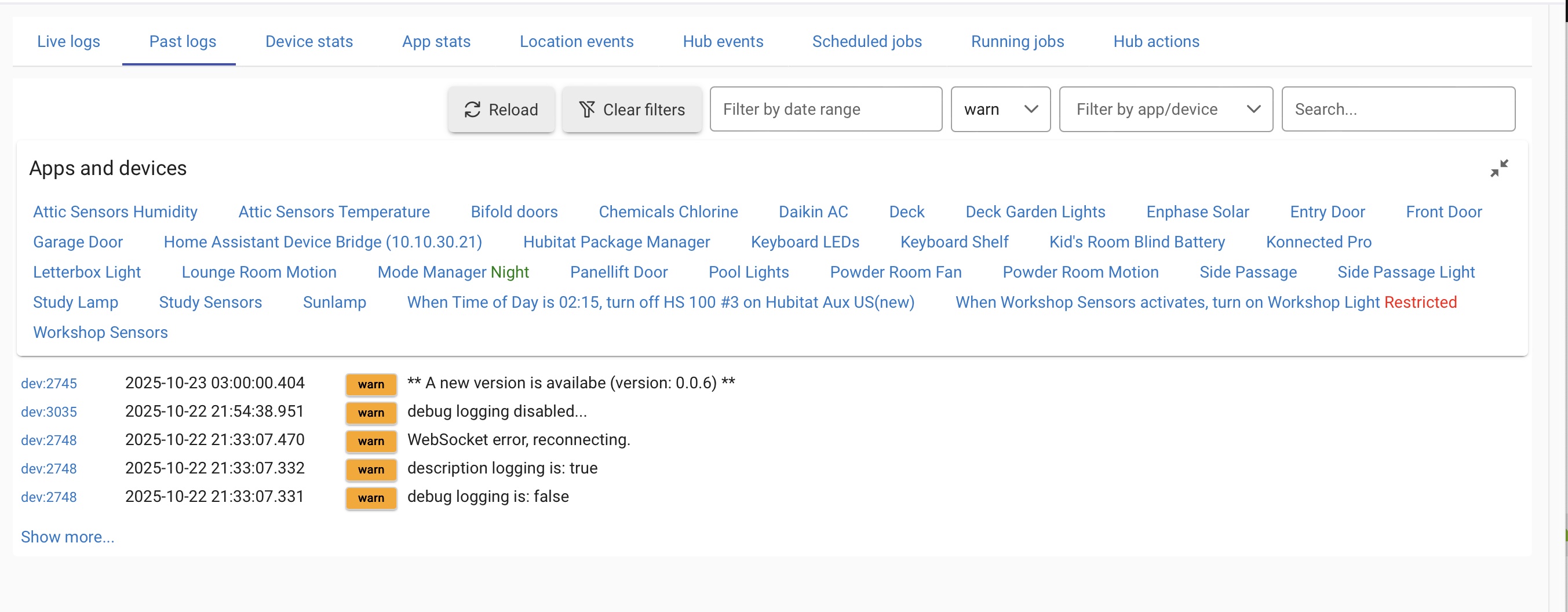
Disabling any device which produced a Warning in the logs - no change
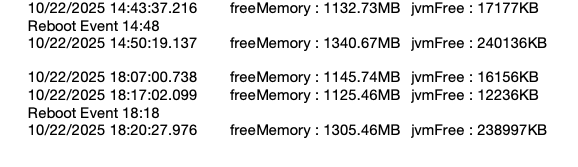
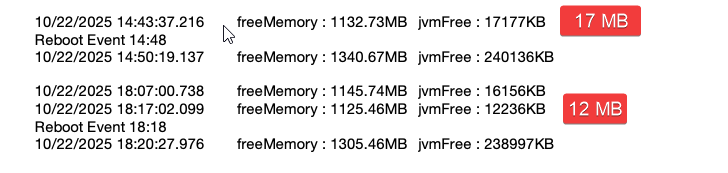
I then installed Hub Information Drive V3 and started recording main and jvm memory. I have snipped some readings from the device events and pasted them together in the shot below to show what my memory is detected pre and post a couple of reboot events.
All I can see is that jvm drops considerably over time, whilst main memory is fairly constant. I cannot find anywhere the minimum memory figure java needs to operate correctly.
Does anyone know anything else I can try? Or perhaps have experienced something similar?
Thanks.
Please provide your hub model (C7, C8, etc.) and its platform version from Settings>Hub Details.
Check out the following post for help troubleshooting problems and gathering details that will help others to identify and solve the problem you are experiencing: ‼ READ FIRST - Before Posting in Get Help
As far as my devices goes, they are mainly wifi or ethernet. As per my previous post, 68 of these devices are via hub mesh, so my other hub is responsible for handling the drivers for those. They are (including those on the other hub):
14 Shelly wifi switches using the built in driver and one Shelly EM using a community driver.
A Konnected Pro Alarm Panel with 12 devices connected (using Konnected provided drivers).
An Ecowitt PWS using community drivers
Enphase Solar system using community drivers
3 TP Link Kasa outlets using built in integration
2 LIFX bulbs using built in integration.
2 Hubduino custom devices connected via WiFi and using community drivers
The rest are virtual devices used for rules etc.
I will definitely install Watchtower and report back with findings.
Watchtower may not even chart the JVM Free, not sure. If it has that option set it up. It looks like that is the problem based on the prior info you provided.
You could try doing a Reboot > Advanced > Rebuild Database. Sometime that will fix random strange issues.
I suspect it might be something with the Shelly integration since that is relatively new. If you want to verify you could disable the app and all the devices temporarily and see if it helps.
I have done a database rebuild a couple of times to no avail.
Rather use the Shelly integration I use the Hubitat built in drivers and add devices manually. I have found more success doing it that way. The Shelly integration seems a bit "unfinished".
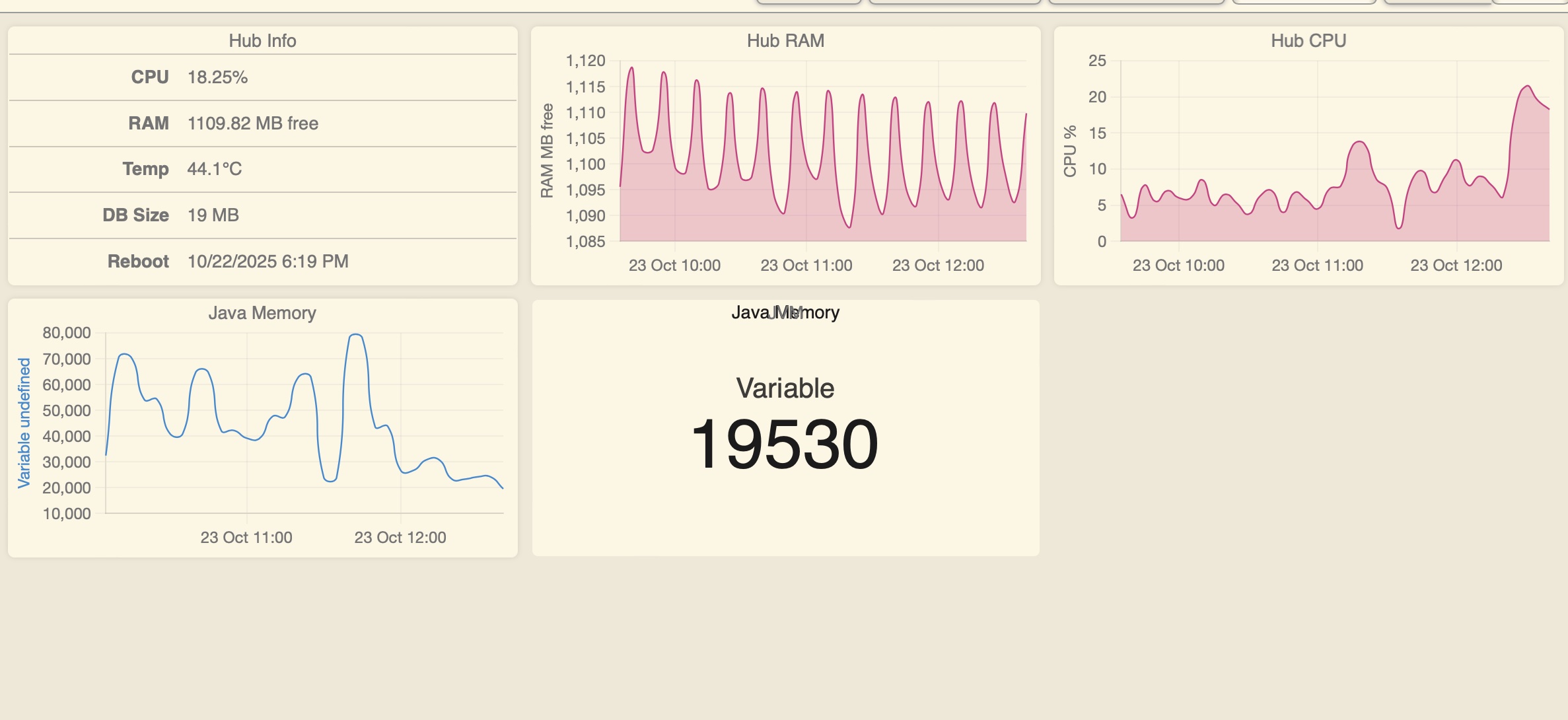
Hub Information V3 tracks total and remaining Java memory. I found a way to track JVM memory through Watchtower by creating a hub variable using the jvmFree attribute. By creating a rule which updated the variable each time the attribute changed, I then created a device from the variable which I monitor in Watchtower. The result is:
It looks like the CPU is spiking a little bit also right at the same time the mem tanks, not terrible but higher than your normal level. Might be some process going out of control in the back end sucking up all the JVM resources. We will have to wait for staff to check it out, they will probably need to review your engineering logs.
This is first time I’ve had a problem that would require staff to become involved. Normally I research in the forums posts and find an answer. Is there a process I need to follow to get Hubitat staff to look at my engineering logs?
I'm still waiting to hear from Hubitat support but in the meantime I've started some troubleshooting using one of my original C-5's. I did a hard reset then turned off Z Wave and Zigbee. I then installed Hub information V3 driver and Watchtower. Using the same hub variable and rule I used for the C-8 and C-8 Pro I created a dashboard to monitor the C-5 Java and OS memory and compare it to the others. I left the C-5 overnight and checked what my memory was doing. With only the Info device, Watchtower and one rule running memory stayed solidly high. 560 mb free OS and 200 mb Java.
I then duplicated the devices from my less populated hub, the C-8. I used built drivers for 15 Shelly devices, built in integrations for two LIFX bulbs and three Kasa plugs.
I used the Konnected release driver for the Konnected Pro board.
All in all, when done I had 59 devices listed and one rule running .
When I checked the following morning, you guessed it, the C-5 had rebooted three times overnight with critically low memory.
I have reset the C-5 again and am adding the devices one integration at a time to see if I can isolate the culprit(s)
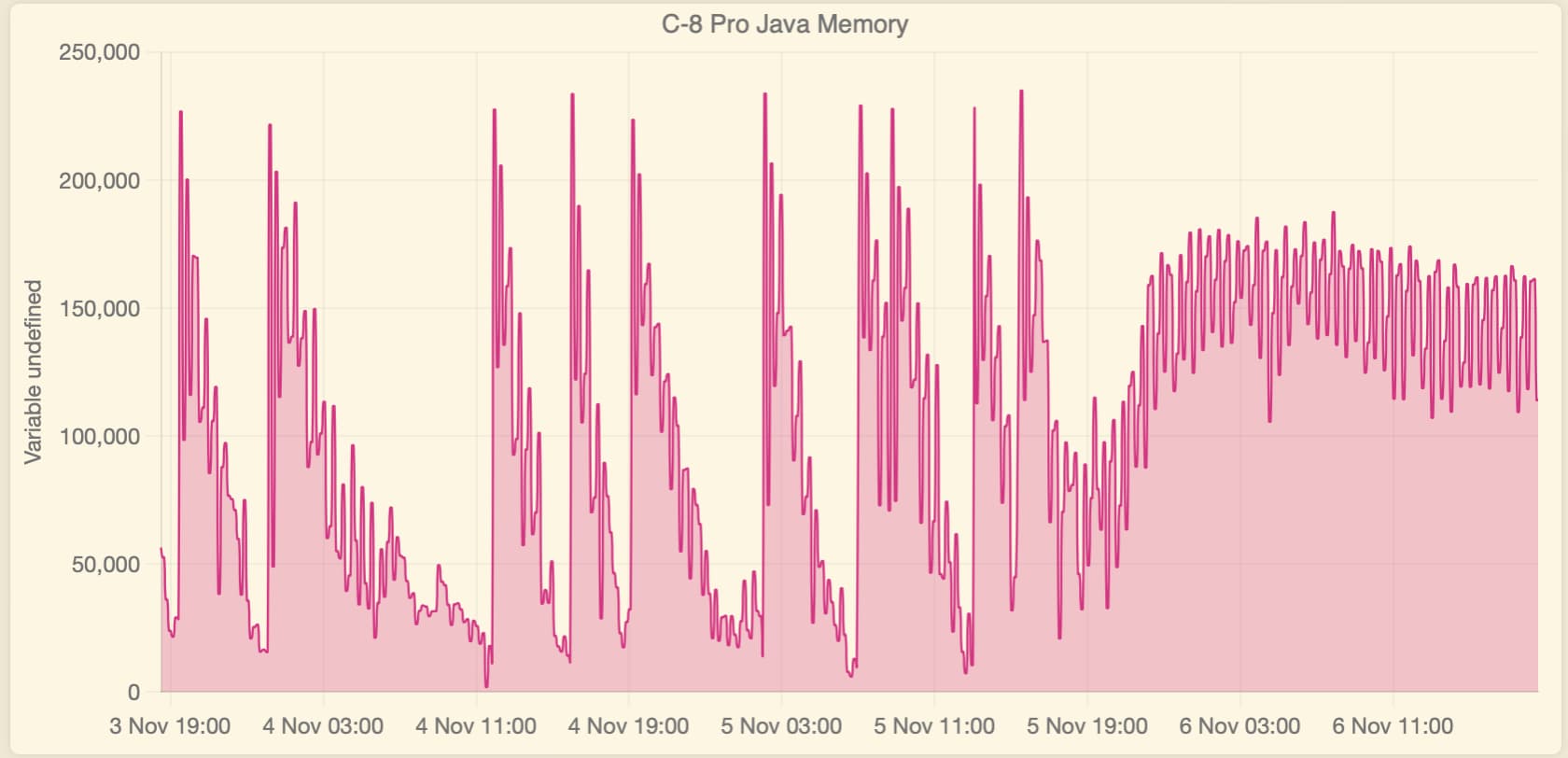
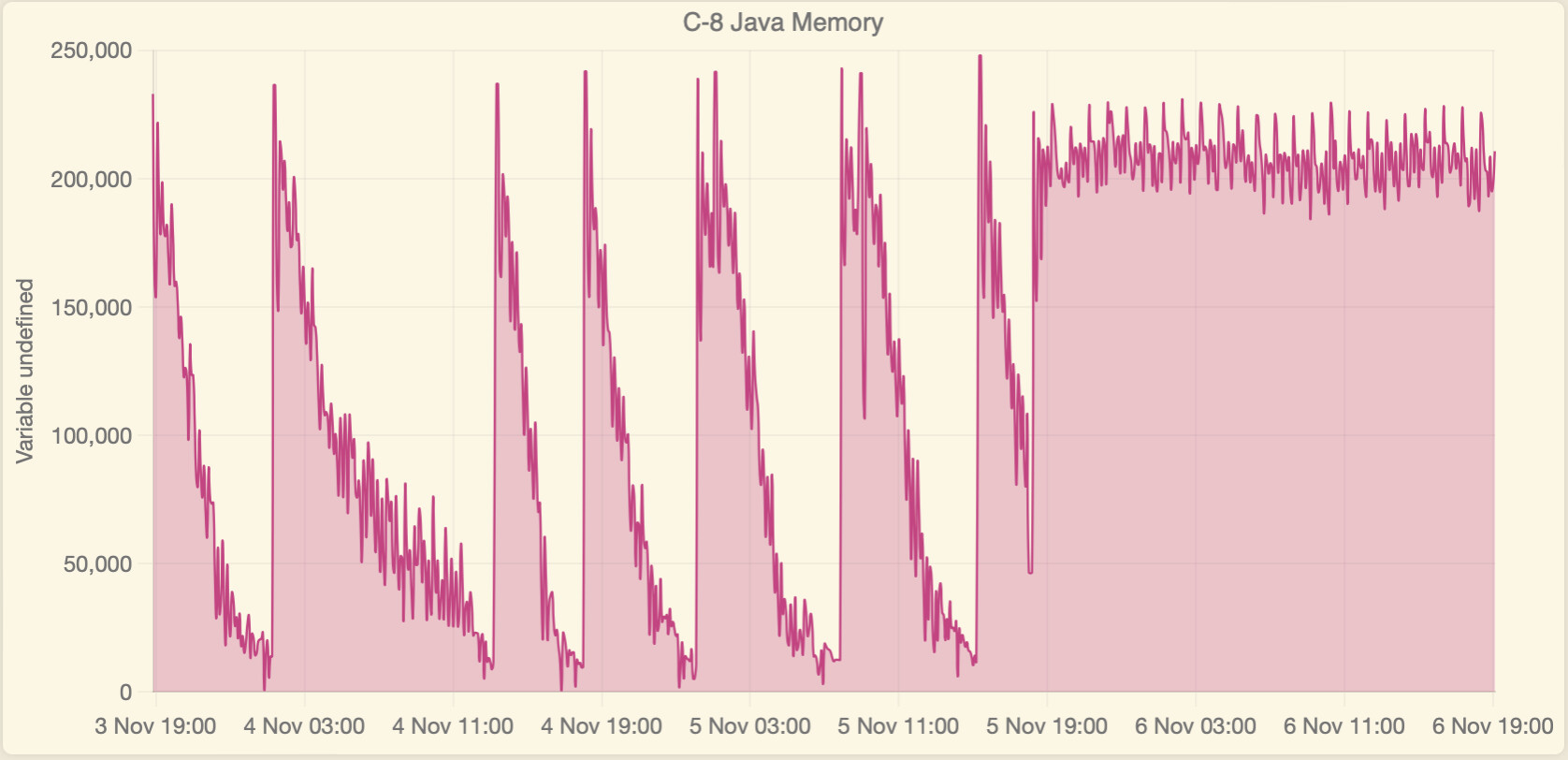
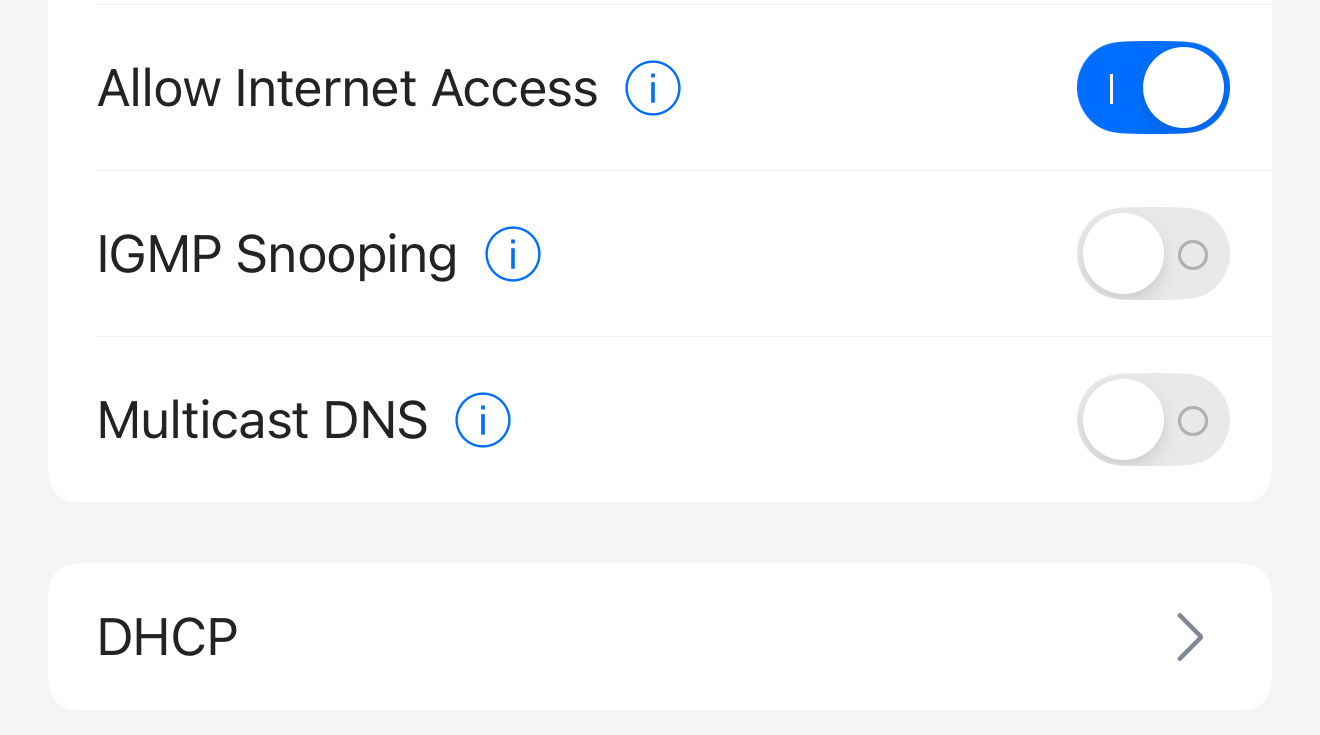
So I think I may have found the culprit! It wasn't a hub issue or a device problem. After observing all three of my hubs, including my "control" C-5 with just one device, rebooting every few hours for days, I started looking at my Unifi network. I seemed to remember an old post by a Developer that said the hubs would crash if their network stack was flooded. There was also some reference across other posts about mDNS being an issue. One of the Unifi network updates added an mDNS Proxy Gateway setting. All my IoT devices are on a dedicated VLAN with firewall rules to prevent inter VLAN traffic. I noticed the my Default, Cameras and IoT networks were enabled for the proxy Gateway. In desperation I removed the Cameras and IoT network from the mDNS proxy settings. For good measure I turned off mDNS in the IoT Network. Immediately Java memory across all three hubs stabilised then climbed. So far I've had 26 hours without a single reboot.
(You can see on the graphs the exact time I turned off the mDNS settings.)
In addition my LIFX bulbs which I thought were malfunctioning (I even replaced one) stopped continuously disconnecting and reconnecting to the network. All my hub mesh enable/disable messages went away AND my Synology Surveillance Station setup stopped having random camera drop outs! Phew.
I don't know what the mDNS proxy Gateway is meant to do but all it did for me was screw up my whole household.
I've since setup my "control" hub on a dedicated test network. I'll reenable mDNS on that network and see what happens.
Both the C-8 and C-8 Pro rebooted within 2 hours due critically low memory. Disabled MDNS again, everything stable. Maybe someone with more knowledge of the network interface can work out what causes this issue.