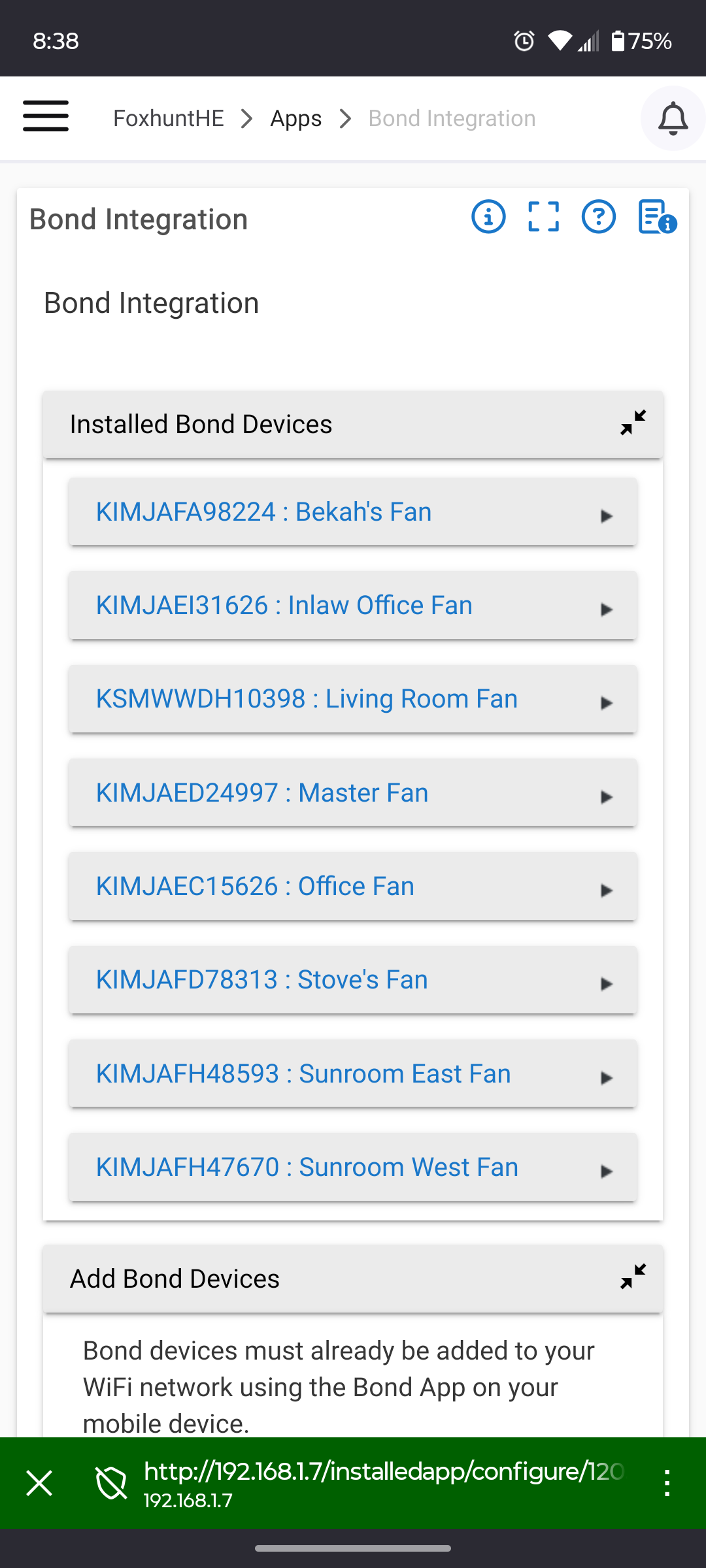
Confirming that I have 8 "smart by Bond" fans integrated with Hubitat, My bond hub/controller has been disconnected for years and is no longer in my possession.
If you intend to control a standard fan with RF remote, then you would need the additional Bond device to interface.
User error, or a local networking problem. Not sure how this app does discovery, if its mDNS that could be getting blocked. Hub and Fans could be on different LAN segments, etc...
I do have network segmentation (fans are on an IoT network, HE is wired on my main network) but I do have mDNS turned on between my main network and IoT
Confirmed, network segmentation was the issue and mDNS is not sufficient to overcome it. When I moved a fan over to my main network it became available in HE. Thanks all!
Some of the apps do some sort of TCP/IP discovery and only search the LAN segment the hub is on with a /24 mask. They assume everyone has a basic flat network .
So either your mDNS reflector is not working as expected, or the integration is using a limited IP search. I don't know what it uses to search exactly.
mDNS is working as expected for HomeKit so I suspect the issue is with how the HE is discovering devices. Anyone from Hubitat who can comment on that? I’d rather not have my IoT devices on my main network.
I have a basic flat network myself, not worth the hassle to try and isolate everything IMO. I have a "IoT" Wi-Fi SSID I could isolate but have left is on the main LAN. The only thing isolated is a guest network used for actual guests.
Consider the following scenario, in which the mere act of allowing someone to use your Wi-Fi network could lead to a Kimwolf botnet infection. In this example, a friend or family member comes to stay with you for a few days, and you grant them access to your Wi-Fi without knowing that their mobile phone is infected with an app that turns the device into a residential proxy node. At that point, your home’s public IP address will show up for rent at the website of some residential proxy provider.
Miscreants like those behind Kimwolf then use residential proxy services online to access that proxy node on your IP, tunnel back through it and into your local area network (LAN), and automatically scan the internal network for devices with Android Debug Bridge mode turned on.
By the time your guest has packed up their things, said their goodbyes and disconnected from your Wi-Fi, you now have two devices on your local network — a digital photo frame and an unsanctioned Android TV box — that are infected with Kimwolf. You may have never intended for these devices to be exposed to the larger Internet, and yet there you are.
Thanks, interesting stuff to catch up on. Never had any generic TV boxes in the house (we're an Nvidia home), I'm the only one even aware of ADB and never leave it turned on on any of my devices. Synthient also says I'm clean (for now). I did consider getting one of those generic boxes years back, glad I didn't bite!
I’ve moved the HE over to the IoT network (never really considered that you can move an individual port on my switch over) so I think that will be a workable solution for me to keep the stuff I trust less isolated. Thanks again everyone for your help and support!
I also have a "Smart by Bond" fan connected to Hubitat native Bond application without going through the Bond Bridge.
I also originally had it on an SSID that did not have intranet access so took me a minute to figure out the issue, change that and get it working.
My solution was to put the fan on my intranet, but then at the router level block it from accessing the internet. I know just enough about this to get into ALOT of trouble, but my logic is the fan does not need to "phone home" and I can control it remotely via Hubitat if needed.
The reason I ended up using the native Bond app for this but not for any of my other Bond devices is that
The native app does not allow you to delete devices. Once you add them, delete is just not there...so it is difficult
The non-native community app does not have the above limitation (you can delete and rename devices) but it will only pull in device from one "hub" - so either from a "Smart by Bond" device or from a Bond Bridge. So I paired a bunch of RF frequency devices to the Bond Bridge, then pulled them into the community Bond app for the functionality.
Due to the user app only allowing one "hub" type device, I pulled the "Smart by Bond" devices into the native app.
It's been plodding along running for a few years now, no issues.
FYI I have a driver where you can selectively delete child devices which I used to work around this problem. It is made for Zwave but some of the features can work on anything: [RELEASE] Z-Wave Universal Device Scanner
Although it would be trivial for the integration to implement this in the app itself... seems like it is pretty much abandoned at this point.
Agreed on both points, and thank you for making those points.
There is even a post around here where a Hubitat staff person responded stating something to the effect of it was an error and would be corrected the next time the app is updated. The app has never been updated. So disappointing.
I love my Hubitat, but I so wish these types of issues would get addressed/resolved...
 .
.
