I use, and contribute to wunderground also. While I like the locality, I also know that the personal station network are not calibrated, and looking at the wind directions in my area, many aren't even pointed in the correct direction. So, +1 for convenience and locality. But, I would not necessarily say that the local reporting is all that accurate unless you are talking in a very general sense.
I like windy primarily because it integrates with my garmins and is endorsed by the world meteorological association. It was specifically designed for sailing and outdoor enthusiasts.
@jpage4500 Great app Joe, One problem I'm having is that it seems to be using internet connection server location. This sucks for VPN users. Is there a way to change it to use GPS instead?
Also, is their no way to integrate this into your dashboard? I don't remember how many years I've been using Hubitat, but long long ago I just gave up on having weather on my dashboard.
It actually does both today. When the app first launches it prompts for location permission but at the same time does a fallback in case it's not granted. But, it won't re-check with GPS after you grant permission so that's something I'll fix. However, next time you open the app it'll already have location permission and it'll use that instead. So it should only be a problem on the first launch (for both mobile apps - desktop doesn't use GPS)
For the weather tile/data - there's already several weather sources/apps on Hubitat and HD+ just tries to support them by displaying.
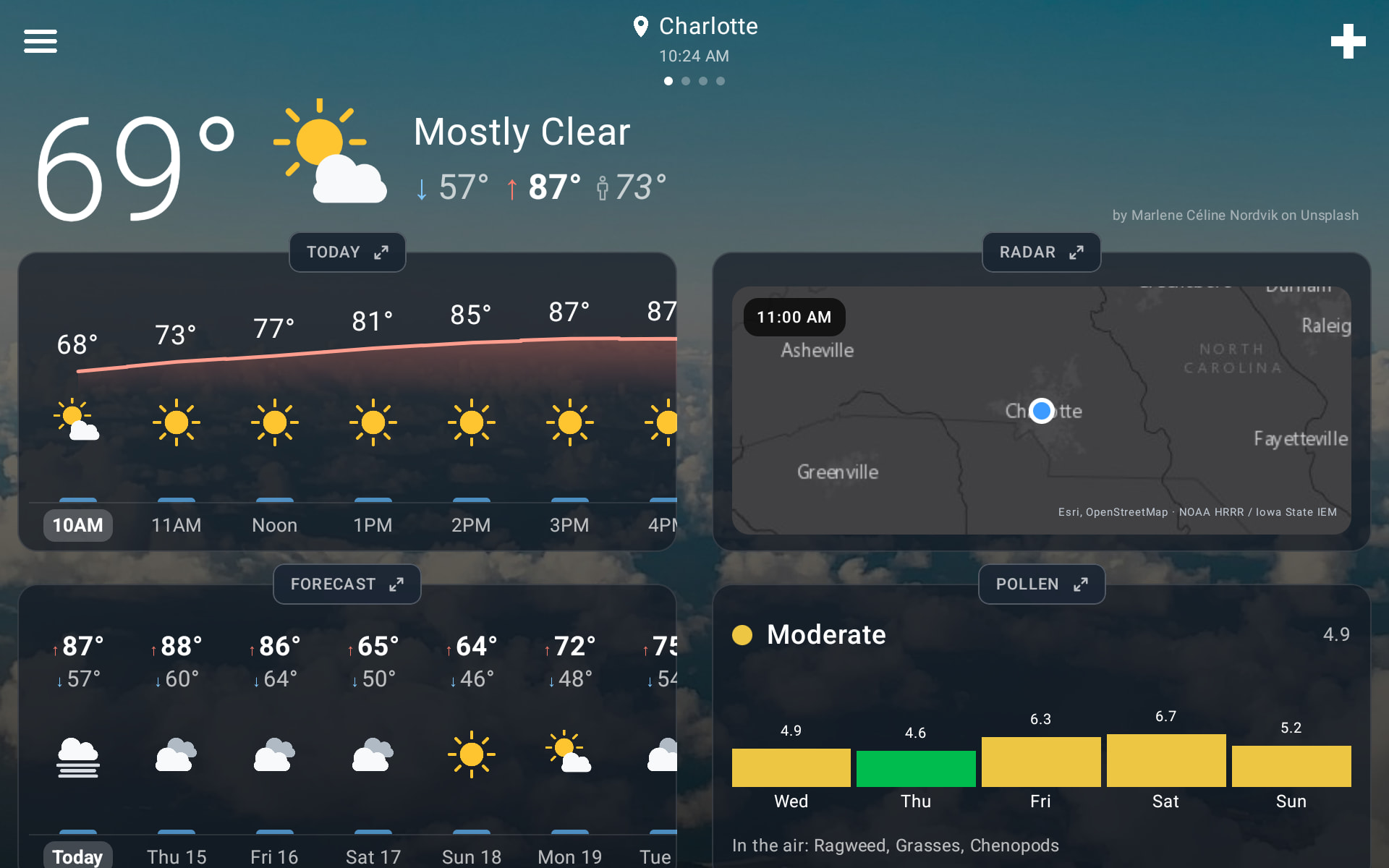
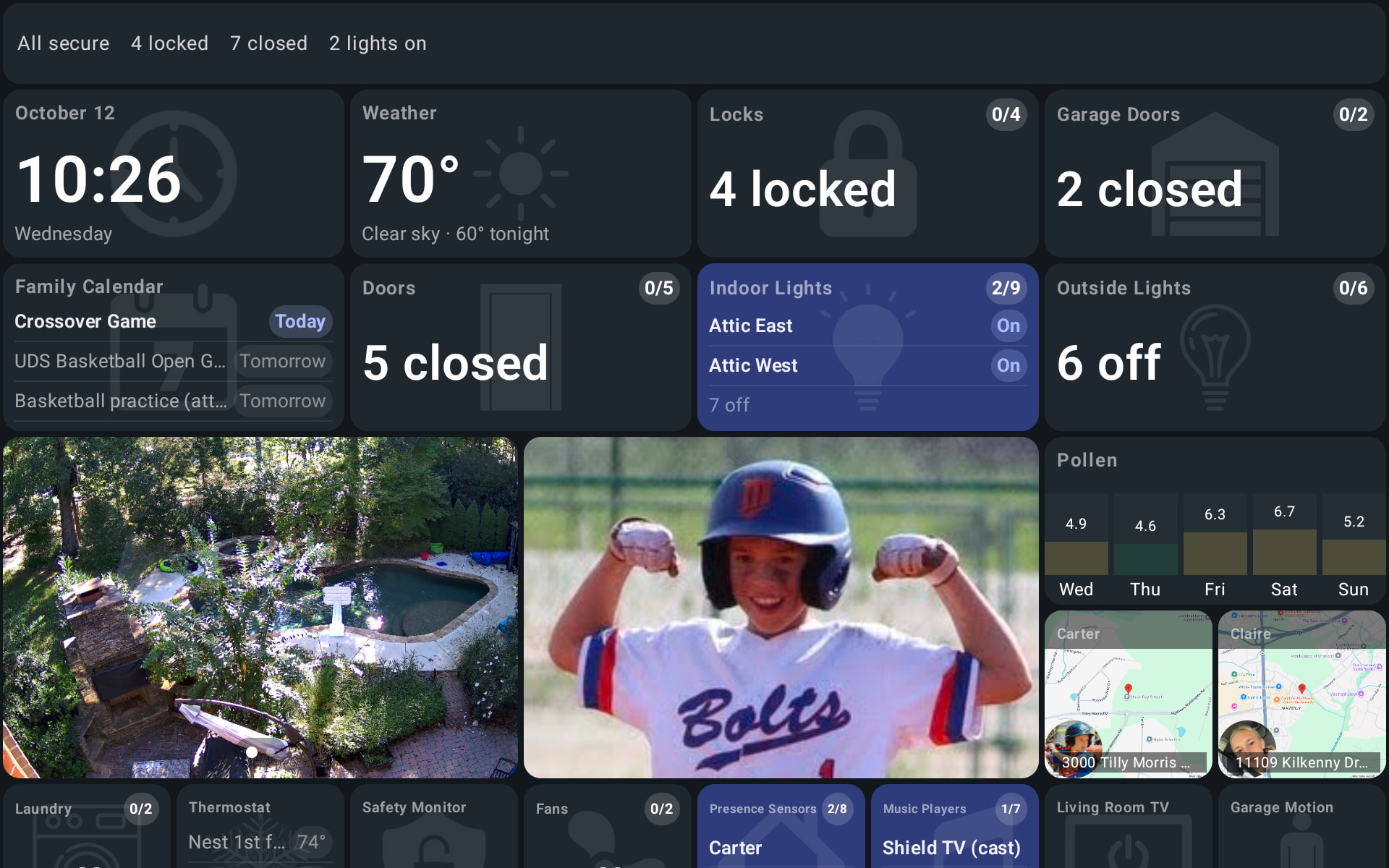
This app isn't intended to be tied to anyone owning a Hubitat at all. It's meant for anyone who wants an always on weather dashboard - separate from any other smart home devices. I personally have both on my wall - I bought (2) 10" tablets ($50 each) and stacked them on top of each other exactly like the images below. It's overkill for most people but looks great and works perfectly for me
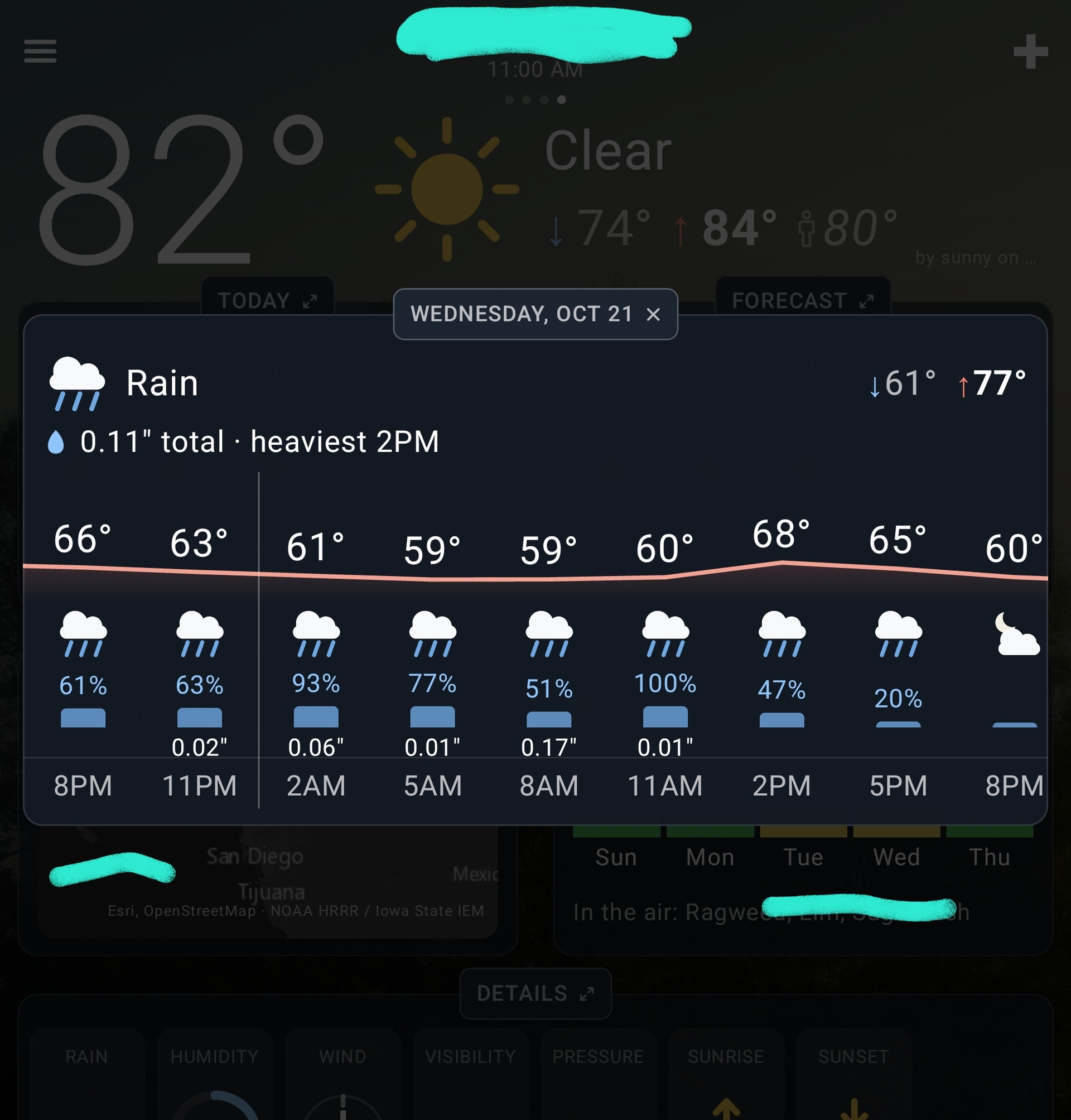
Rain amounts now appear throughout: in the status line, the Details popup, and by the hour when you tap a day or the Today card
Status line moves into the header when the cards are up, instead of overlapping it
Tap a card's title to open its popup, and the popup's title to close it
Details: the rain chart now labels its start, middle and end times
Pollen: the forecast refreshes through the day, and no longer shows days-old numbers
Desktop: drag with the mouse to switch between locations
This one is mostly about rain totals.
The status line now shows how much rain is expected today, or how much has fallen so far once it's started. It also stays visible when the cards are expanded now - it moves up into the header instead of disappearing. For the hour-by-hour amounts, tap a day in the forecast or the title of the Today card.
NOTE: technically this was deployed a week ago but I wanted to wait to give it time to be on the app stores
Blanks are on purpose for hours with less than 0.01" (a high chance of rain but only a trace of actual rain, which OpenWeatherMap reports a lot). But your screenshot also showed a real bug: on OpenWeatherMap the amounts were shifted one column early, so your 100% hour showed 0.01" while the 51% hour next to it showed 0.17". That's fixed for the next update. Thanks for the screenshot!