version 1.0.1374
- Glance mode, a second dashboard with bigger text and a layout built to fit your screen
- Status tile says what needs your attention
- Group tiles collect lights, locks, doors, rooms, etc
- New Radar tile - easier to configure and customize
- Customize multi-button devices
- Set text color and a fixed text size per tile
- Mode and Safety Monitor changes show instantly
- Dashboard appears seconds sooner on a cold start
This is actually only a small fraction of the changes in this version. I wanted to try and keep it condensed. But, there's a lot more fixes and changes behind the scenes... which of course, when there's so many changes there's plenty of possibilities of things breaking. I've been running this for a few weeks now on my always on tablets so I think it's solid.
Glance Mode
The biggest change by far is Glance mode - something you have to enable in Menu -> Themes. It's not a theme but that seemed like a good place to put it. When you put it into Glance mode the app will try to build a new dashboard that fits the screen.
There's a fewer customization options in this mode as it's meant to have a simple, consistent UI throughout. That said, there's still quite a few things that can be changed.
There's 2 Glance specific tile types that - a status tile which shows important information and a group tile which is similar to a folder but instead of holding specific devices it groups device types and/or rooms.. such as all outdoor lights.
There's only 3 basic colors used - dark when nothing to see, blue when a medium priority device is 'on' (light, fan) and a orange color when a higher priority device is on (door, lock). The basic idea is to draw attention to the important things as a 'glance'.
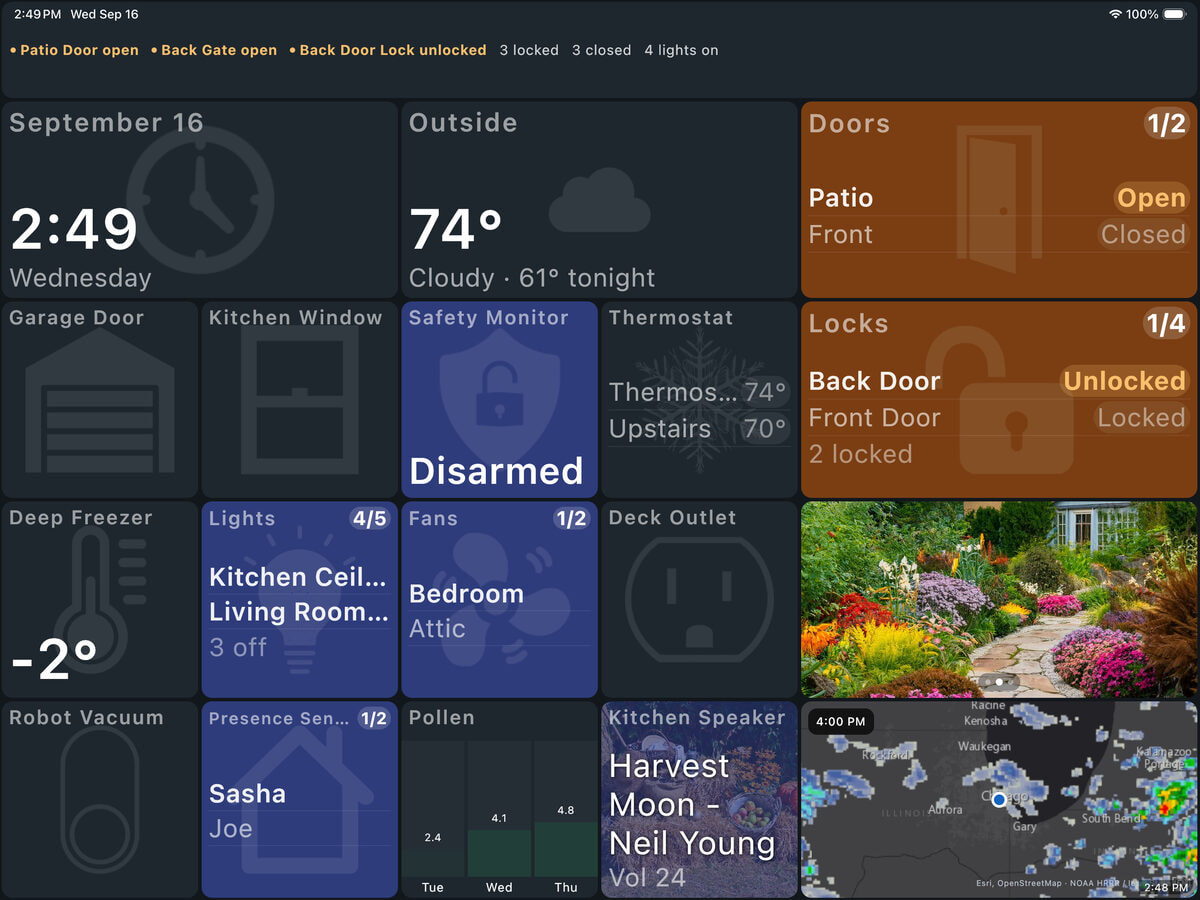
Anyway, it's still being tweaked but I've been using it for a few weeks now and I really prefer it to the old ('classic') mode. If you want to try this, first make a backup of your existing config - ideally to the Hub if possible (a good idea generally). Changing to Glance mode will not lose any of your current theme customizations but they just won't display. However, better to be safe and do a backup regardless.
New Radar Tile
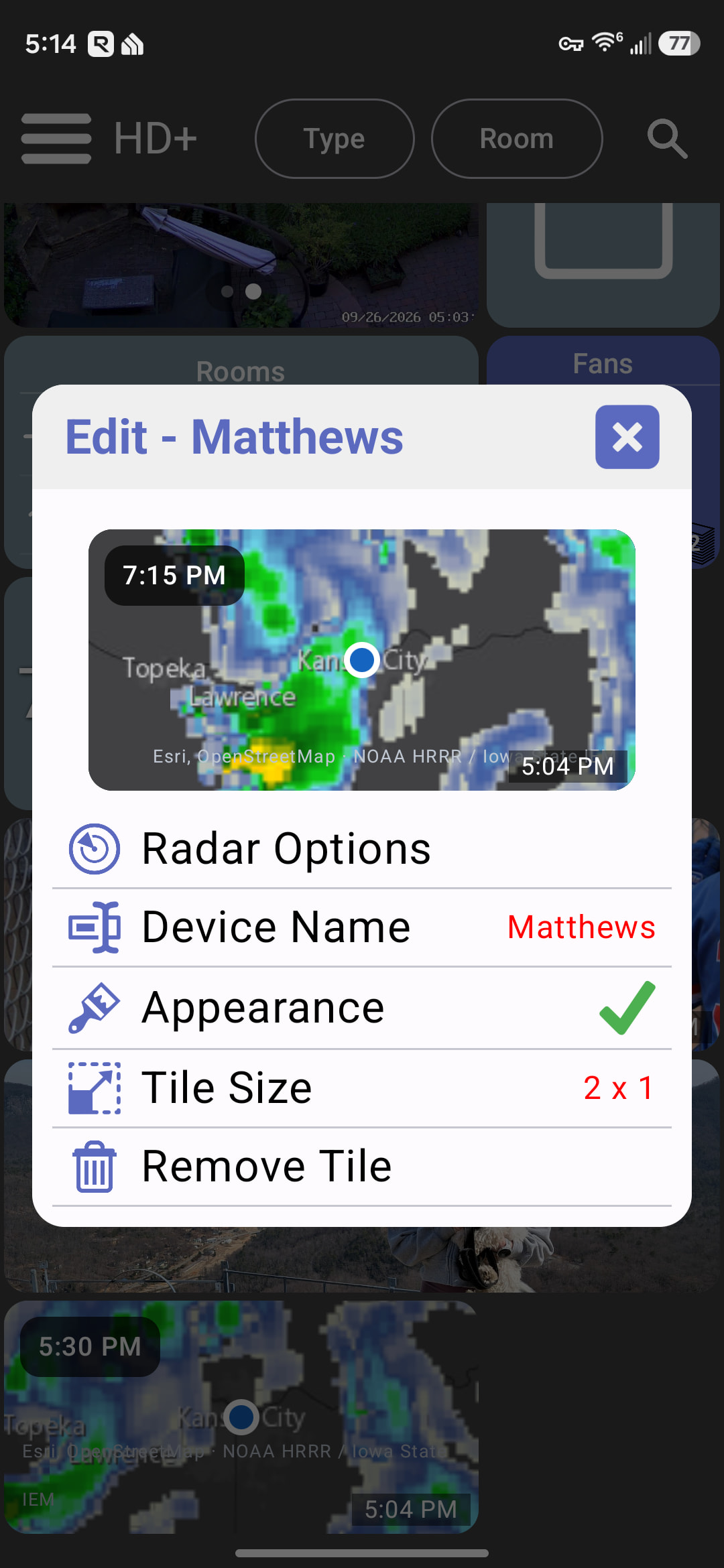
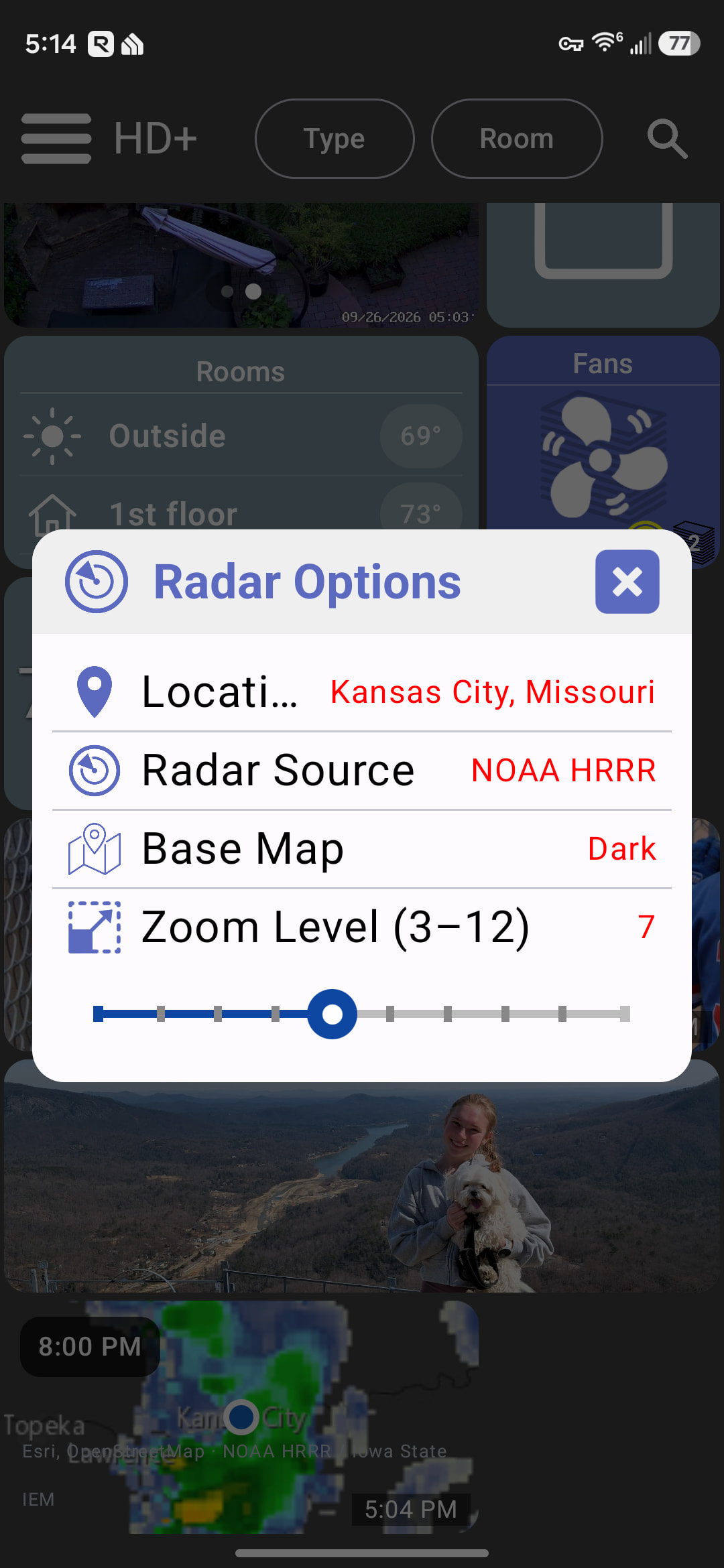
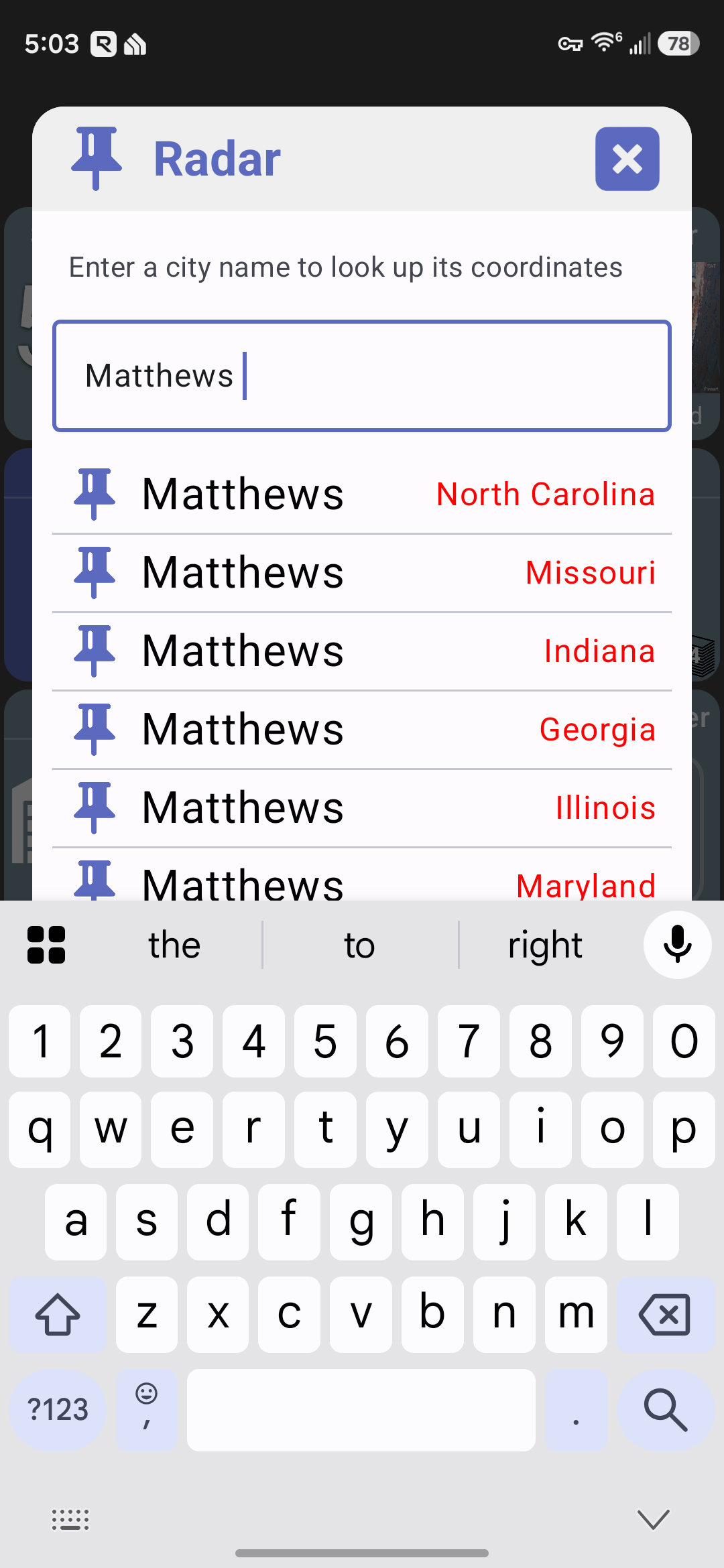
I'm using a new Radar source - NOAA. I used this in my new Weather Dashboard+ app and ported the logic over here. It's better IMO than the old weather.com source. You can still switch back but this new source has much more customization.
There's a LOT more...
TILES & EDITING
• Media Selector fills the tile with the picture and rotates feeds
• Name or hide the buttons on multi-button devices
• Tap Brightness or Volume to type an exact value
• Long text wraps instead of shrinking
• Long-press any setting to see what it does
• Set text color and a fixed text size per tile
• Add Tile lists tiles A–Z and shows devices not on the dashboard yet
• Export your dashboard config to a file you name
FIXES & PERFORMANCE
• Repeating calendar events now appear
• Tiles no longer vanish after the hub restarts
• Mode and Safety Monitor changes show instantly
• Dashboard appears seconds sooner on a cold start
• Android: fixed freezes after hours on a busy calendar
• macOS: fixed hangs at launch and the minimize button
As usual, let me know if any new issues come up. I'll probably wait to push these changes to the production iOS and Android apps for a few weeks if you want to switch