Its just a app to find open ports. But it did see 8080, I am starting to think tat there is something maybe wrong with this device. Although I can add it to HA without issue, again after attempting to connect to 8080 from my phone it just rebooted itself. 
You can add to HA after flashing the custom bin? I haven't tried but I wouldn't think that would be right.
Flash it again but show me the file that your selecting.
No, I have to factory reset it with holding the button before adding again, but its the only proof I have that the device is ok, well at least by HA that is.
I've been using the hubvoice-sat-2026.03.23.1-factory.bin file for flashing.
oh okay, these devices are almost bulletproof. I loaded some pretty bad code on it and was able to bring it back to life, lol. Let me do some testing tomorrow and get back to you.
Thanks for trying, I've been dying for some input!
1 Like
No worries mate, just in case as I was using the laptops USB, I did disconnect and connect via a standard USB plug, also deactivated windows firewall and AV protection when connected to it as a router. Still the same, but willing to try whatever's needed 
1 Like
New version in HPM and Dropbox.
HPM:
- Added whisper mode to the driver
- Minor changes
Dropbox: Be sure to replace your exe and upload the new firmware to your HA PE satellites.
- Added a Whisper Mode
- Now supports the Future Proof Home Satellite-1
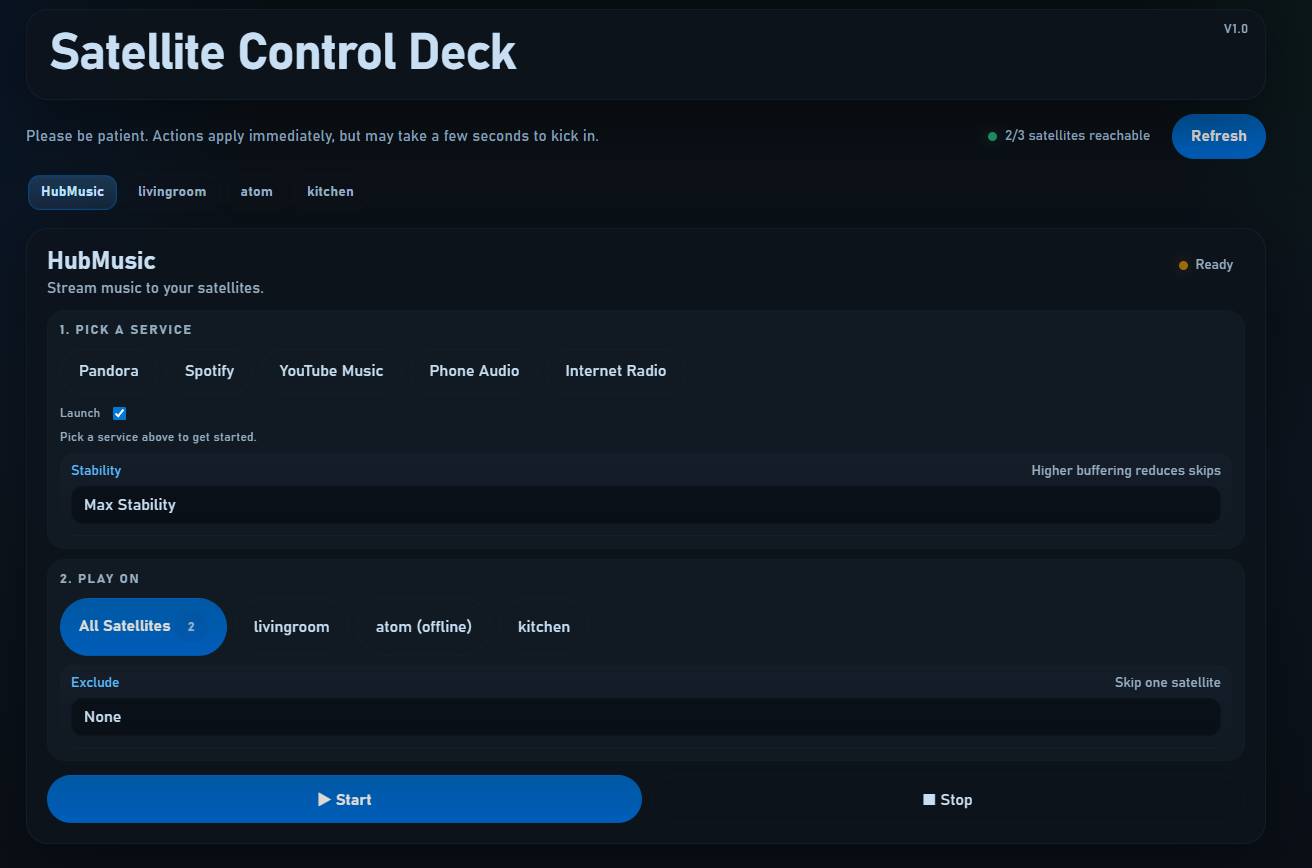
- Now includes a full Satellite Control Deck - HubMusic
- Play music on one or all Satellites, perfectly synced
- Lots of options
Also, updated the instructions
3 Likes
Massive update.
HPM - Updated to .10
- Updated HubVoice TTS Driver
- Added new HubVoice Controller Driver
Dropbox: hubvoice-sat-2026.03.31.6-release.zip
- Download new zip file
- Unzip to C:\HubVoiceSat
- Double Click HubVoiceSatSetup.exe
-
- Be patient, takes a bit to open
- Enter in your information
- Click 'Save'
New Stuff!
- Added DNLA support - stream music from your Android phone
- Added AirPlay support - stream music from your iPhone
- Added Bass/Treble control to each speaker
- Ability to Pair two speakers for Stereo sound
- Tied many actions into Hubitat
- Added more instructions for FPH Satellites
@Royski , were you able to get this version up and running?
Sadly not mate. Which is very odd. If I use the HA method of updating, I can update the firmware and get the option to connect to a WiFi. Using the factory bin, I don’t get that option and if I try to connect to that WiFi I can’t open IP+port.
I followed through the HA install steps and can use the device in HA without issue, but would much rather it be on HE
Update...
Hubvoice beta-011 - HPM
- updated instructions on Flasher the HA Voice Assistant PE
Flashing the HA Voice Assistant PE for the First Time
- Plug the Home Assistant Voice Preview Edition into your Windows PC with a USB data cable.
- Open your c:\HubVoiceSat and open-usb-flash-page.bat, or go to https://web.esphome.io/.
- Click Connect.
- Pick the HA PE serial/USB device from the browser prompt.
- If the page asks, allow USB access.
- Choose Install.
- When it asks for a file, be SURE to use the correct one:
-- HA Volice Satellite PE - select hubvoice-sat-xxxxx-factory.bin. - Wait for the flash to finish and let the device reboot.
- Now click the '3 vertical dots'
- Select 'Configure Wi-Fi'- Enter in your Wi-Fi credentials- It'll spin and come back with 'Provisioned!'
- Now click 'Visit Device' and enter in your WiFi Setup SSID/Password, to make sure that it's saved.
- You can now close the esphome page.
HubVoiceSat - Dropbox
- copy all files to c:\HubVoiceSat
- Flash HA PE following the new instructions
Please post here and let me know if it worked or not!
This is realy great, Only seen it last night but think i have set up the basic with the windows app as well.
does it pull though the associated rooms or does it search just by name?
1 Like
Thanks,
Satellites should be room aware, as long as you have all your devices assigned (including the satellite) to rooms in Hubitat. The HubVoiceMini (Windows Text Input) is not because no device is created in Hubitat.
Let me know how it goes!
@Royski , I'm waiting impatiently, lol. You're not doing real work or important family time instead...are you!? 


I hadn’t seen the new reply. I’ll get onto that as soon as I can
1 Like
@bptworld, he shoots, he scores!!!
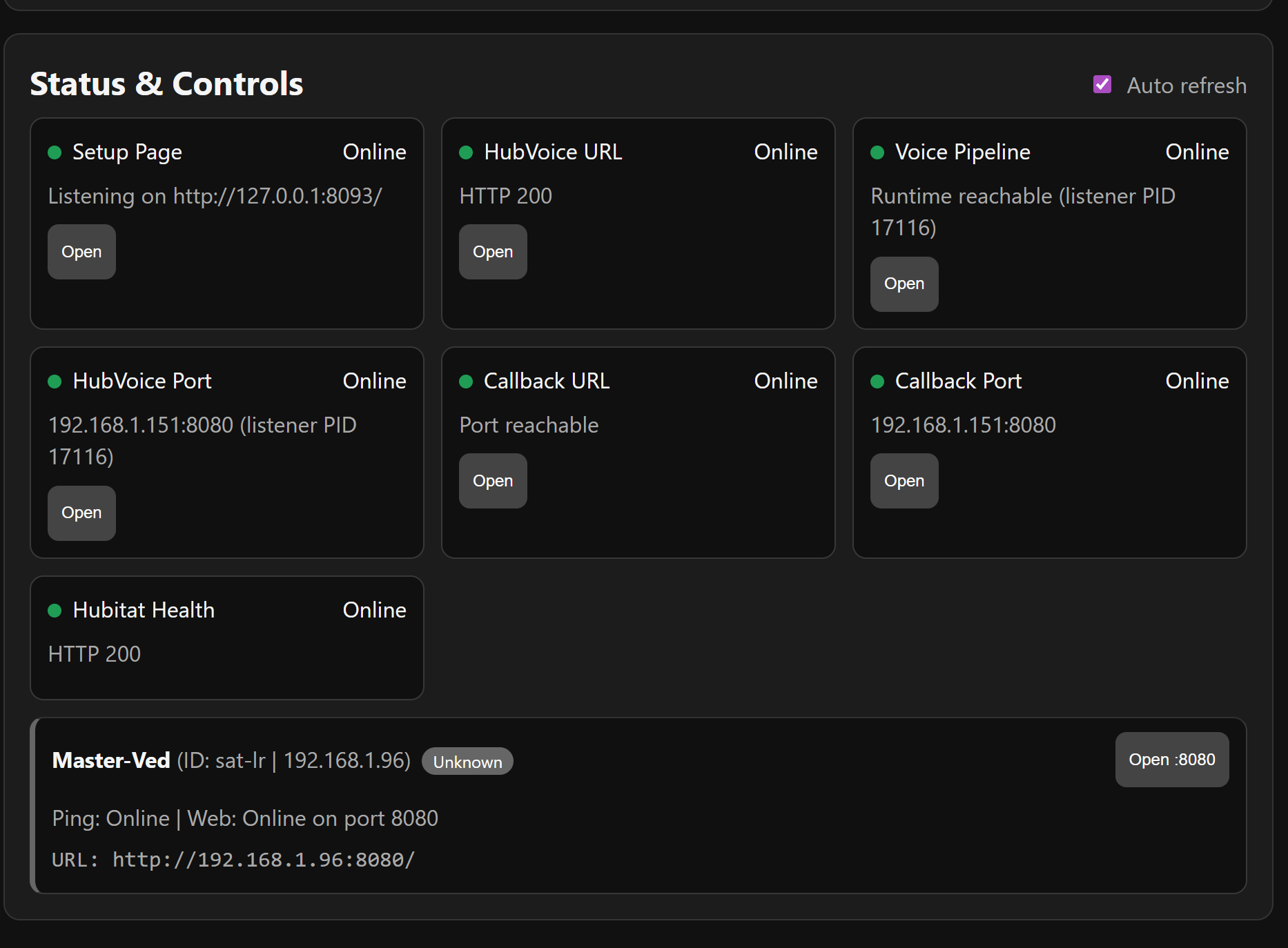
But I am getting this when trying any voice command.
| 00:42:30 | [W] | [component:462] | debug cleared Warning flag |
|---|---|---|---|
| 00:42:42 | [E] | [voice_assistant:548] | No API client connected |
| 00:43:00 | [E] | [voice_assistant:548] | No API client connected |
But awesome work!!!
So close!
Can you show me the top portion of that page?
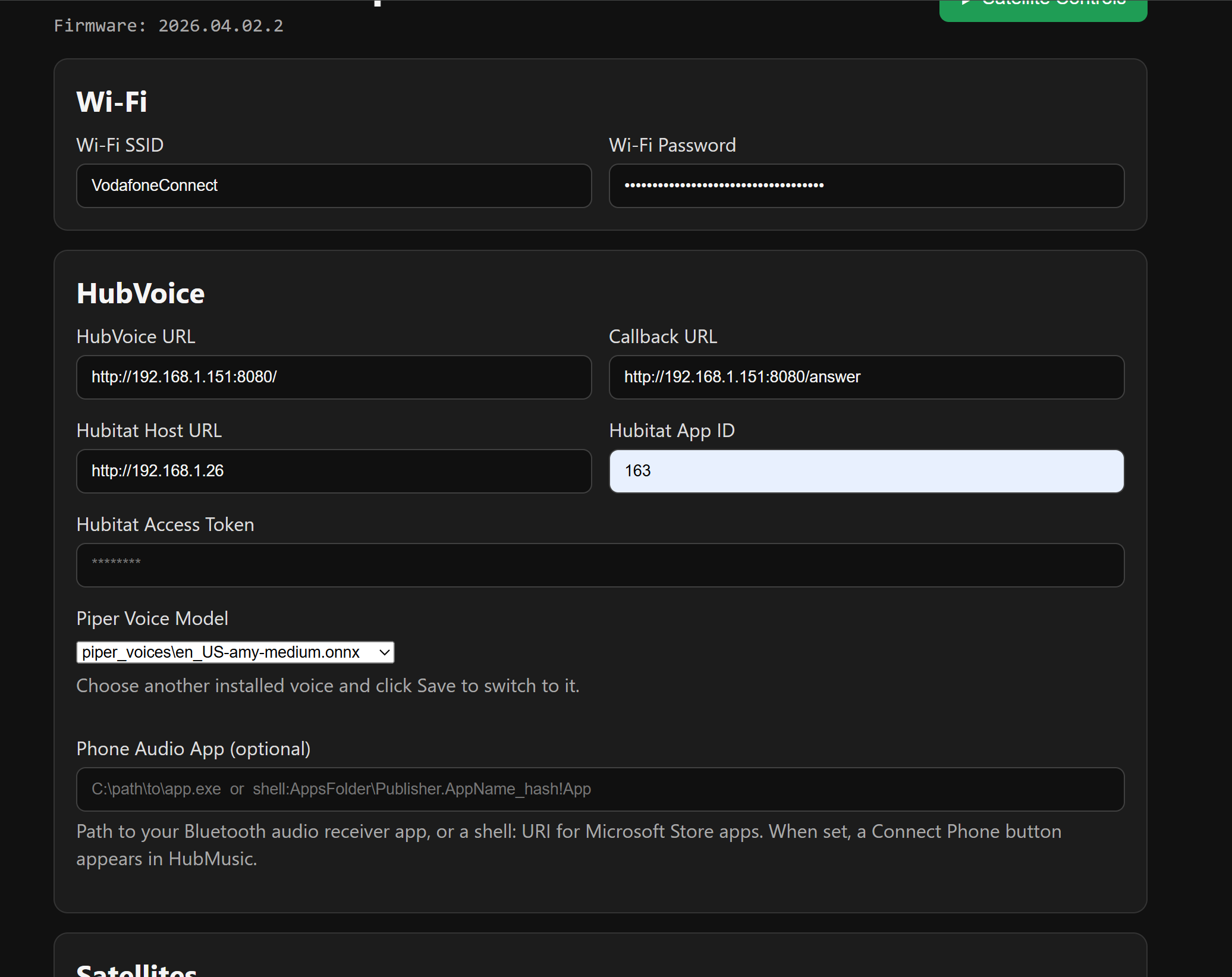
need one more ... the Satellites box
Also, question. Did you give the satellite a Reserved IP? So it never changes. Do me a favor and make sure the IP in the satellite box matches the current IP of the satellite.
Whats the preferred hardware for this?
I'm only looking for a better way to turn lights on or off by voice.
I'm not interested in alarms, timers, airplay etc.
For the AI fallback, is chatgpt or Claude options?
An always on Windows PC and at least one satellite.
Right now it works with two types of satellites:
Home Assistant Voice Preview Edition - Small budget friendly, works well. comes 100% assembled and ready to go - just have to flash it.
Future Proof Homes Satellite-1 - Much bigger, real speakers, better microphones, better noise cancelling, better, better, better! Comes as a kit. No soldering (unless you want to) but up next on their to-do list is a pre-assembled unit.
Bottom line: HA PE works well but the FPH Sat-1 is amazing.
I can look into it. That's on the software side, so it's much easier to change/add stuff.

