ok I'll try that. thanks
We have an update now on github, ver 2.3.1. Changes include:
-A button to toggle Advanced and Basic modes. This thing is getting a little crazy so if you just want times and days and not all the crazy features; triggers, motion, pauses, actions, etc.. then they can be hid by toggling to Basic mode.
-Improved/added more push notification choices. Notify per device now and 3 options. AdvMode only
-Action #3: Manual On, Auto turn off. If a device is turned on manually then use a timed off. So if you flick a switch ON and in the table have 10min set up for that device it will turn auto off in 10min.
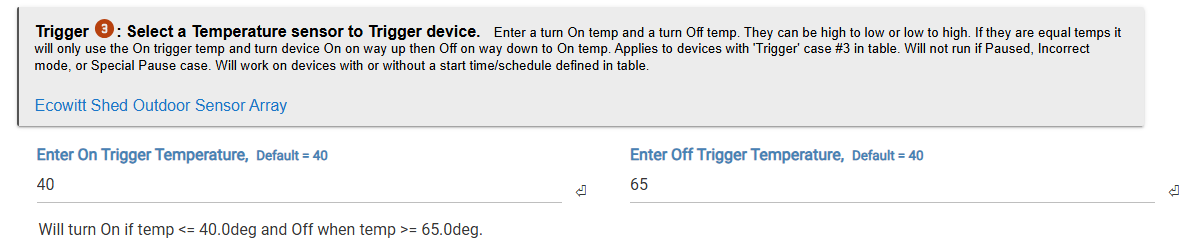
-Trigger #3: Temperature sensor trigger is now a range. So you can have a device turn on at one temperature and off at another. For cooling and heating situations. Or just on.
Adv/Basic toggle

..........................
Temp trigger
............................
Actions #3

..........................
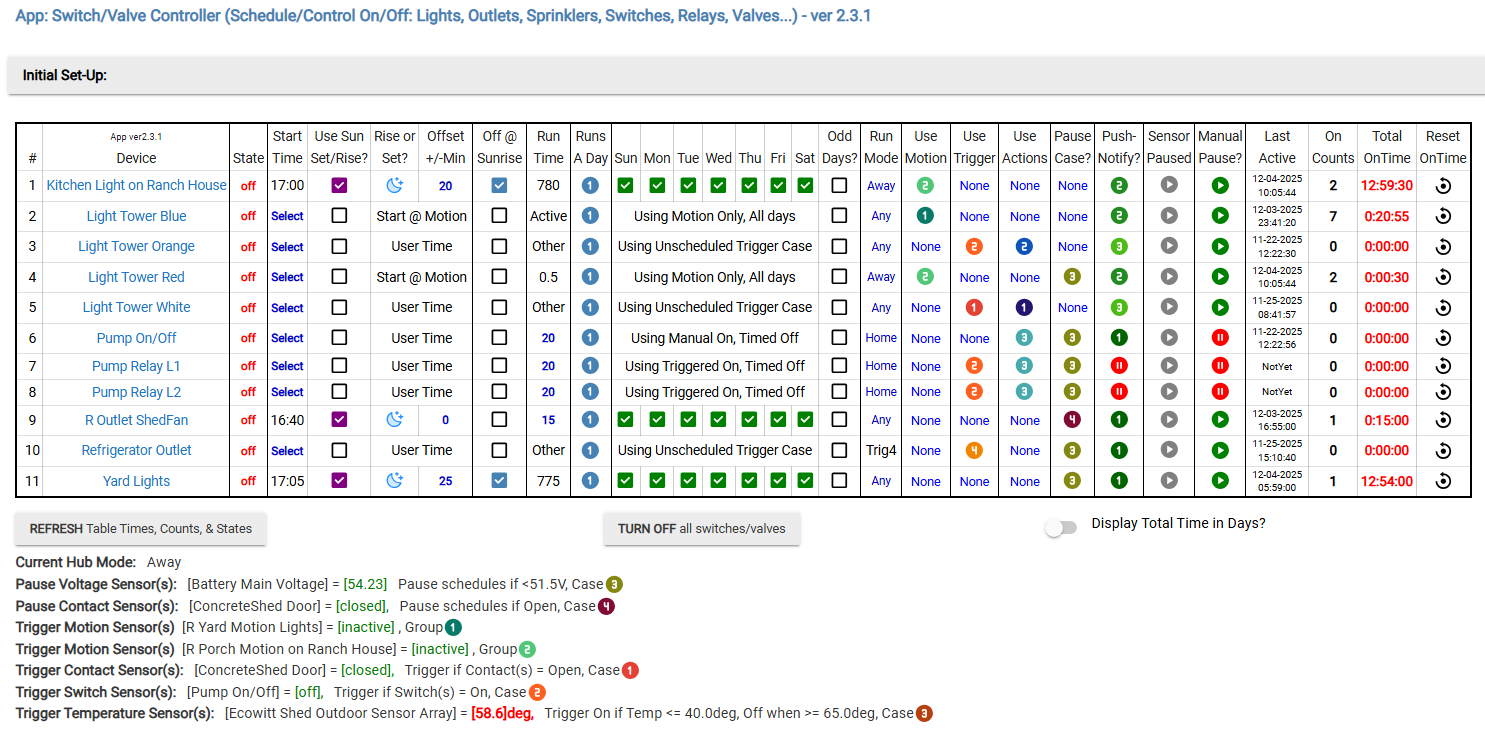
Table example with Advanced mode On:
.........................
Mocked example in Basic Mode (not all filled out)

Hi, love the scheduler app. I am using on Hubitat
I have 2 quick questions, I am using for scheduling sprinklers -
- If I want to trigger say 4 sprinkler valves to start at 5 am and each run for say 20 minutes and then when S1 finishes S2 starts and when it finsihes S3 starts etc. do I need to set the start time for each sprinkler, wait run time and then set new time for Sprinkler 2 etc or can I start S1 and it will then run all sprinklers for the set time?
Simply can you set a start time and run intervals?
You can set up each sprinkler on its own row and turn on/off times can be what ever you want. Doesn't need to be sequential.
got it thanks
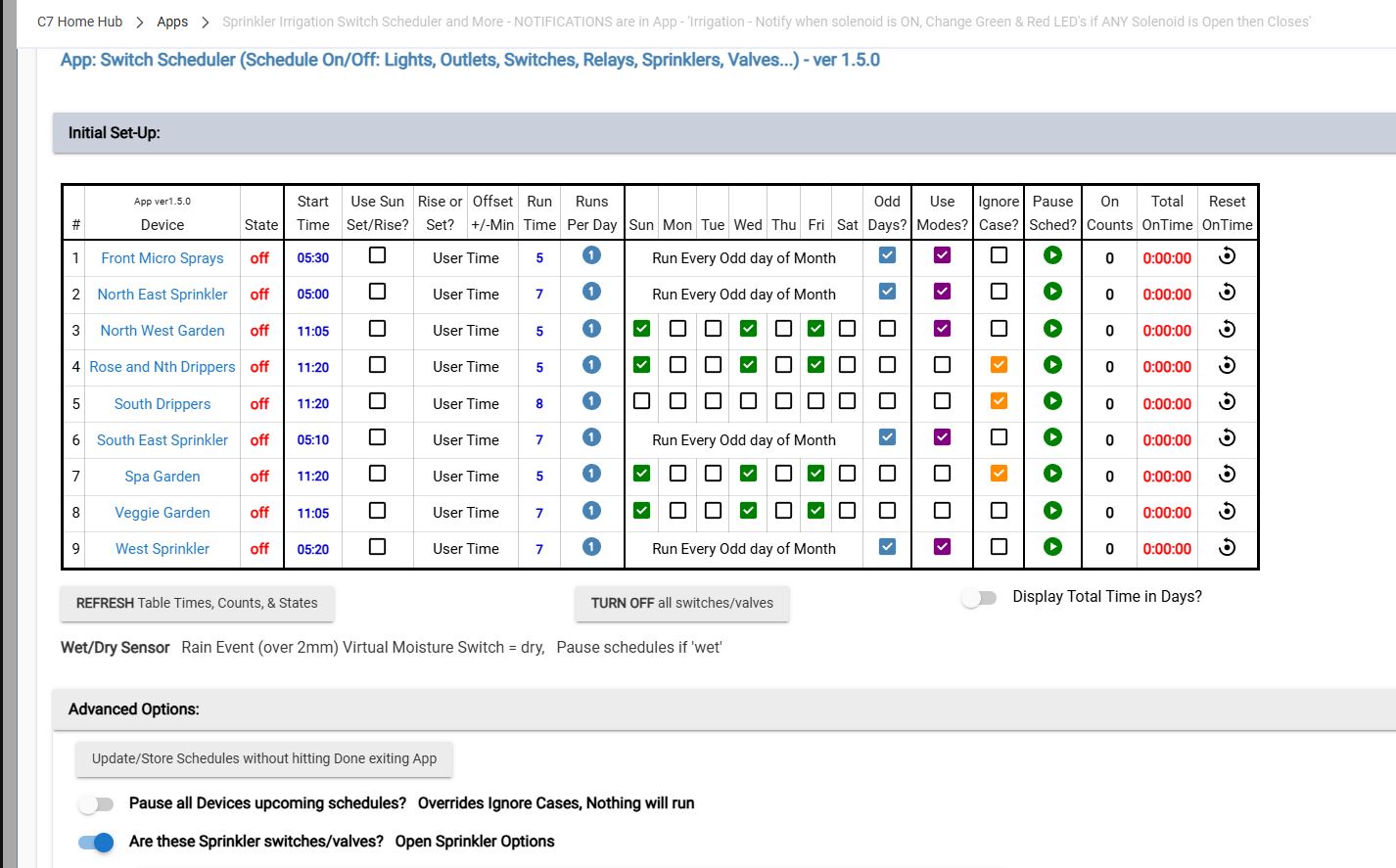
@kampto thanks for adding irrigation to this app. I’m using it and it’s working as expected however I use a Mode to restrict when sprinklers turn on i.e. when I’m away on Holidays I have my lawn sprinklers set to irrifgate on Odd days as you can see in the screen shot they are set to start 10 minutes apart, however only the 5am & the 5.30am ones are activating. I’ve reset all the ‘Time On’ so I can make sure. Then I looked in each individual device & only the ones set for 5 & 5.30am showed activity today. See the attached screen shot of the setup. I’m going to change so they are spread out by 30 minutes to see if thats what the problem is. All the other times work, even when overlapping.
Further to this, I added 30 minutes to each start time for these sprinklers & still onlt the 1st & last with the mode restrction worked. I have since thought that maybe the 2 sprinklers that aren’t working in this Mode might not be working when strted with an App, so I made an App to start those for , run each for 2 minutes, turn off, wait 20 seconds, then start the next one. They are ran for 2 minutrs & shut off as per the App. So I think there must be something in the code here not quite right?? Hope you can help
Can you download the latest version? Unfortunately a lot has change since yours(over a year ago) so you might have to set schedules back up after loading latest
Didn’t think about that. Is it included in HPM?
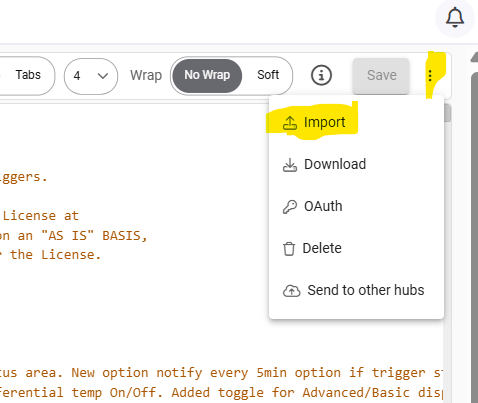
Its not on HPM but its super easy. Go to Apps Code menu / Open the App code in question / Click here and import / Save app code
THanks I’ve done that. I’ve had to turn Advanced features Off & On to get the new ones to show, which are now all blank. I’ve been able to reset the Mode ones I won’t. But none of the other options seem to be active, I only want to re-select Pause Case. I have unselected them all & closed the app several times, but no luck. Any ideas?
Hmm, maybe open a new instance of the latest app and start building from scratch?
You need to keep the advanced feature on to set pause case, just leave all the other stuff none. Then set up the specific pause feature in menu below
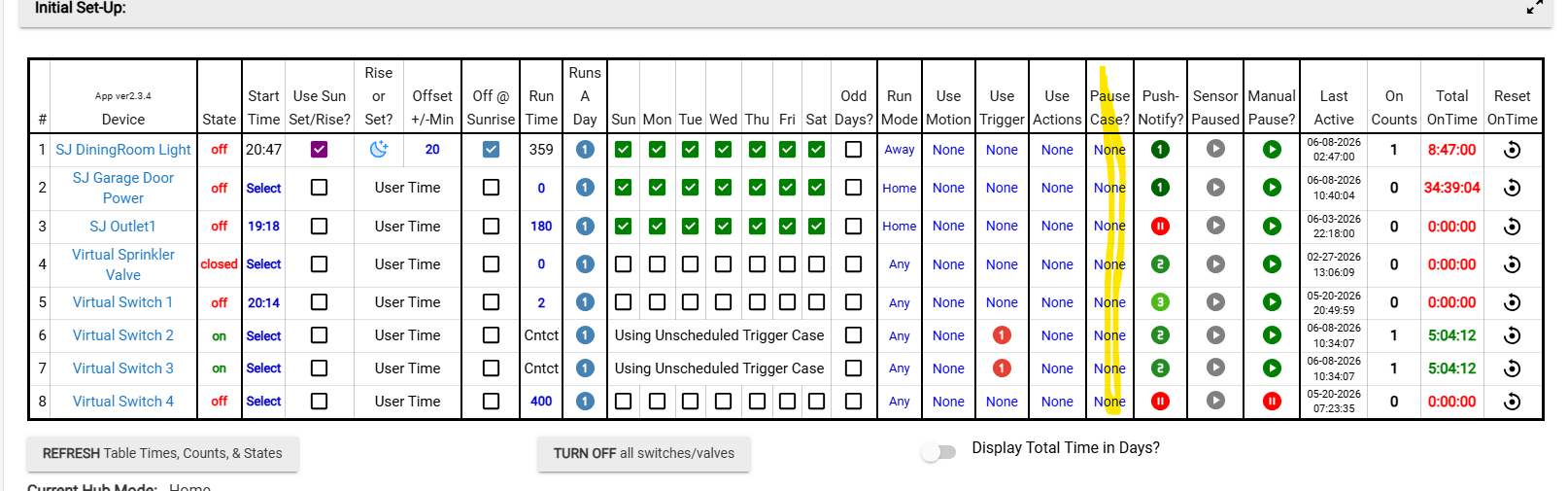
OK I’ll try that, I can see when I hover over it it say ’Check box to have this device use the special schedule pause case’ but if I click on it nothing happens
Also I have selected one device to only work in a certain mode, I want to unselect it. There’s no option to select no Mode, so It’s staying with a mode selected
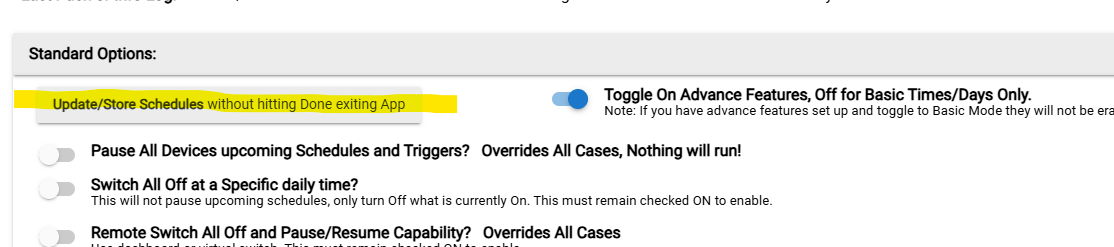
OK, thanks, I’ll have to do it tomorrow as I’m out overnight.. How do I open another instance of the App. When I open it, it’s the same one??
Go here and select the Switch scheduler app, give it a different name. Delete the old one by opening it on the apps page and delete. Or delete old one first, then add new one.
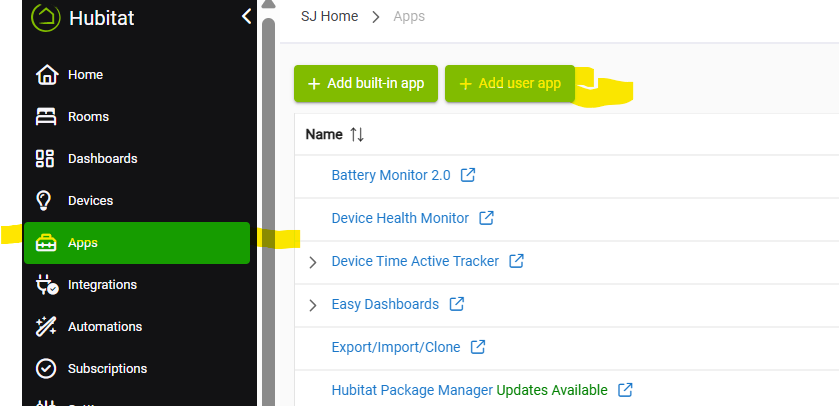
Thanks for you’re help with this, I’ve set it up again. Next time you do an update can you add so that you can select no Mode in case you set one in error, I can’t see that there’s a way to currently do that. I just checked & Pause Case can be change back to Null.
My old Irrigation Controller had 2 x flow sensors, which would send a waring if the flow of water through it was too hign or low so a waring could be sent & automatically shut off the open valves, higher flow would indicate a burst pipe. It was a 24v system, my new one in Hubitat is via Konected WiFi boards, so thos old Flow Vlaves don’t work so I’ve got some 12v ones which I’m goi to try to get to work. If I can get them to work I’ll have to see how I get that to work with this?
The default mode is “Any” which is populated by the app when first installed. Which means use Any mode. But if you change it you cant get back to “Any” because the app artificially created it. In the app usage notes it explains how to get back to “Any” mode. You need to create “Any”, Hub settings / Modes, and add new mode 'Any'

What device do the flow sensors show up as on Hubitat, Contacts? Im sure there’s a way to get it to work.
OK, I’ll ceate an Any mode. Yes they do show as a contact. However, I will have to use a counter to count the litres used. So a seperate Automation to do the calculations, then if it’s outside the parameters it can use the manual isolation switch in this App to turn it off & send a notification on whats happened. What do you think?
Are you using a counter variable or contact state to turn off? Right now the “Contact” in triggers can only turn ON some thing if a threshold is met. I can add an option to turn “Off” instead if needed.
Give it a shot and let me know if some tweeks are needed
1 Like
Hi, just an update. I’ve been mucking around with the additional automation to shut off the App for a few days now. I’ve been using Google Gemini, which has been a great help. Although after cretating the automamtion & it saying it was perfect, I’ve found after running the irrigation that many, many tweaks have been required with Google Gemini’s assistance. Using the Switch to turn off all the irrigation settings when the flow is either too low or too high is working, so I think on your side it’s all good. I have some more testing to do before I definately confirm that though. Thanks I’ll let you know.