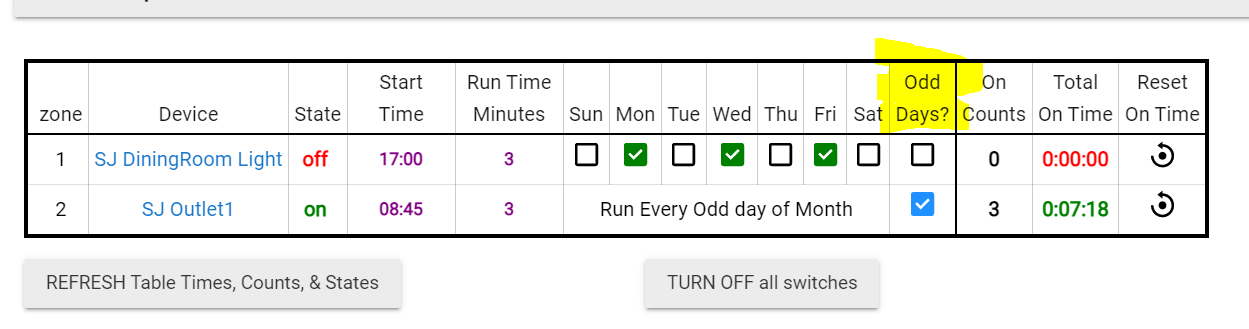
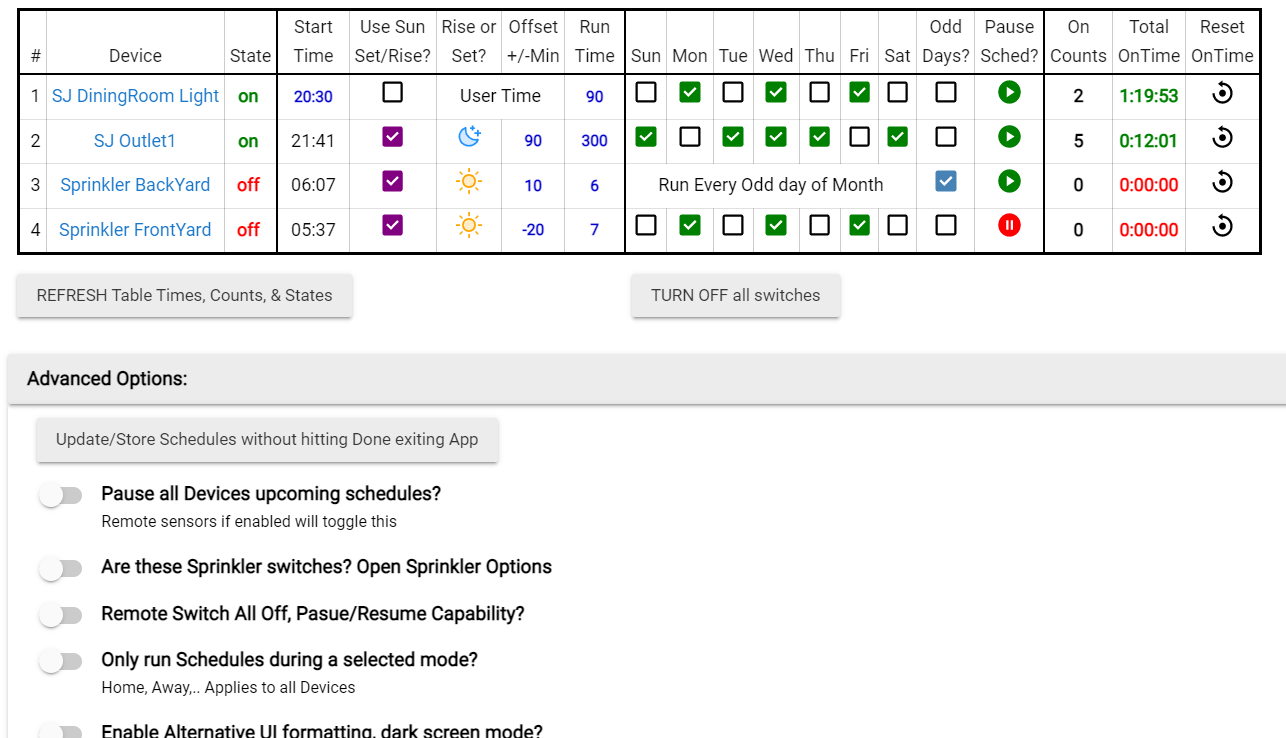
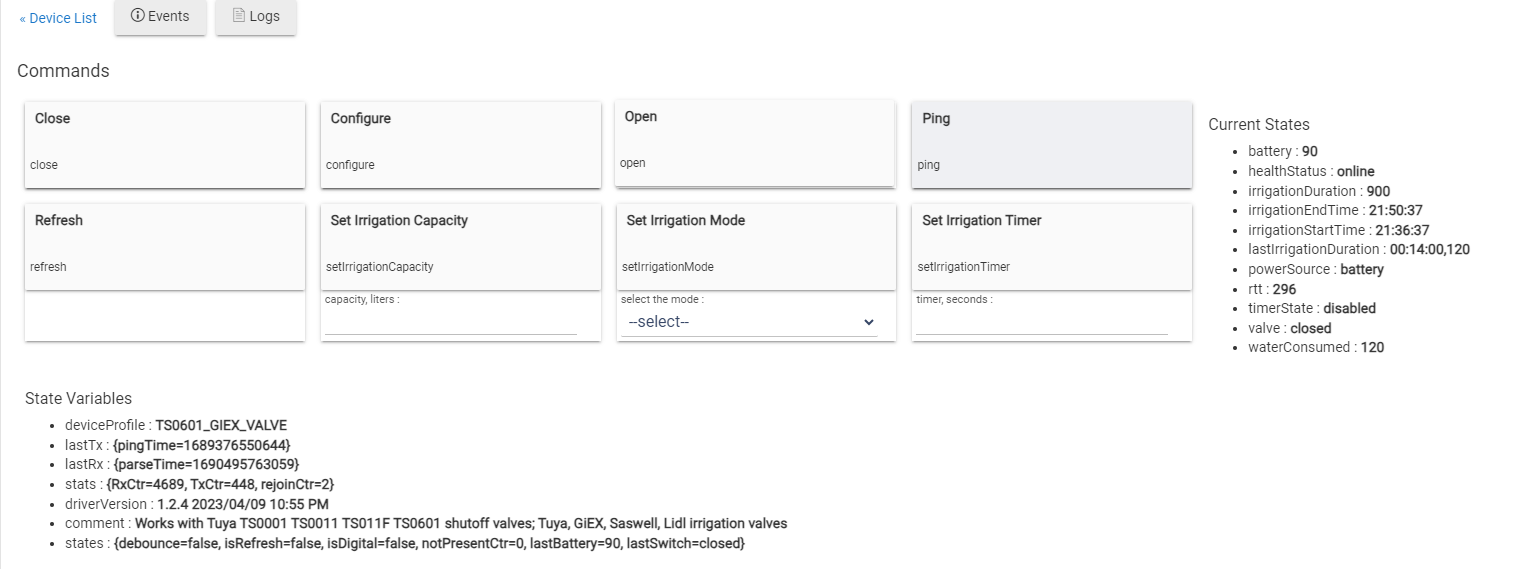
This app is for scheduling switches and/or valves but can be used for a lot more. Can add as many switches/valves as you want including; Lights, Night Lights, Outlets, Switches, Sprinklers, Relays, etc... Device must have switch or valve capability.
--Schedule and Turn On/Off switches or valves for a run duration per selected days or every odd days.
--Schedule by sunrise/sunset with +/- time offset option.
--Schedule Off at sunrise with +/- time offset option.
--Option to Remote pause and turn off schedule thru a switch or dashboard switch if needed.
--Manually Pause a single switch/valve schedule only.
--Monitors total Switch On and Valve Open time and counts. Optional auto reset stats timer.
--Can mix lighting switches and valves in same table.
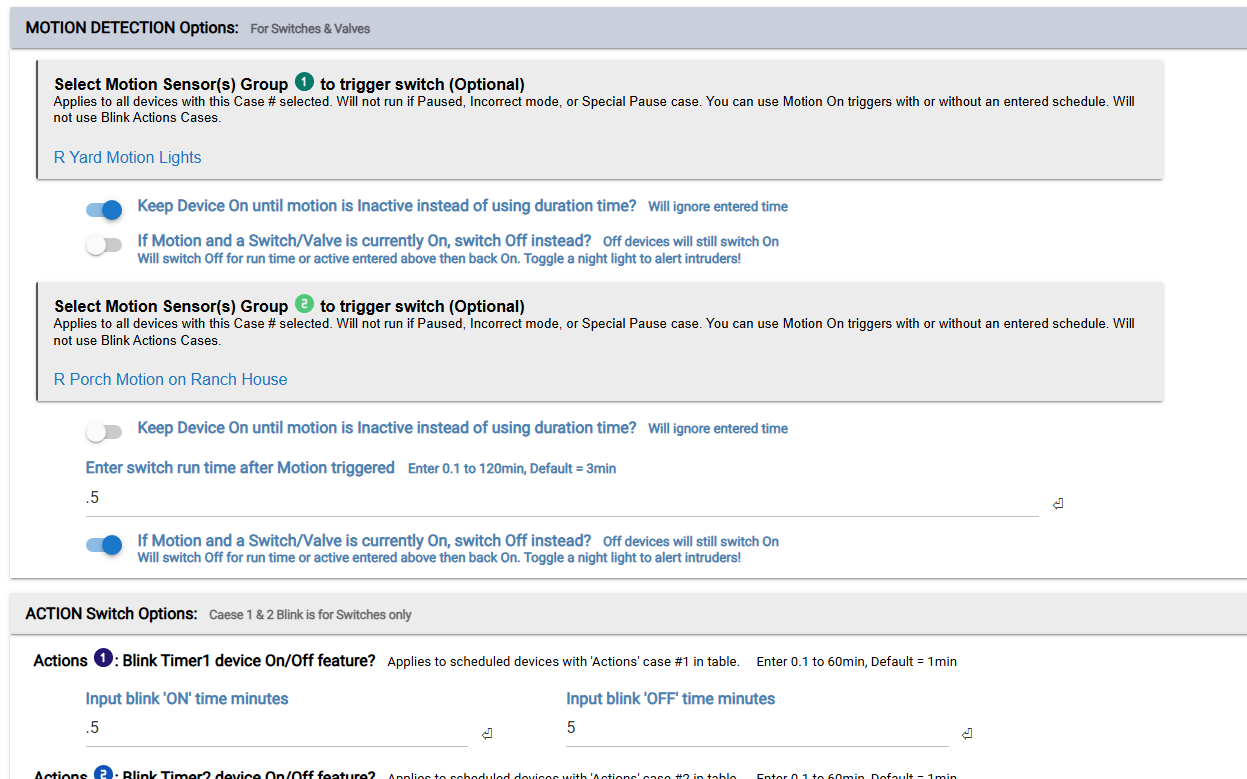
--Option Motion detection to activate switches with or with out existing schedules.
--Trigger cases to activate device using temp, contacts, switches, mode change, etc..
--Actions like blinking lights.
--Actions like Manual turn on and Auto off timer.
--Ability to combine Actions and Triggers for same device
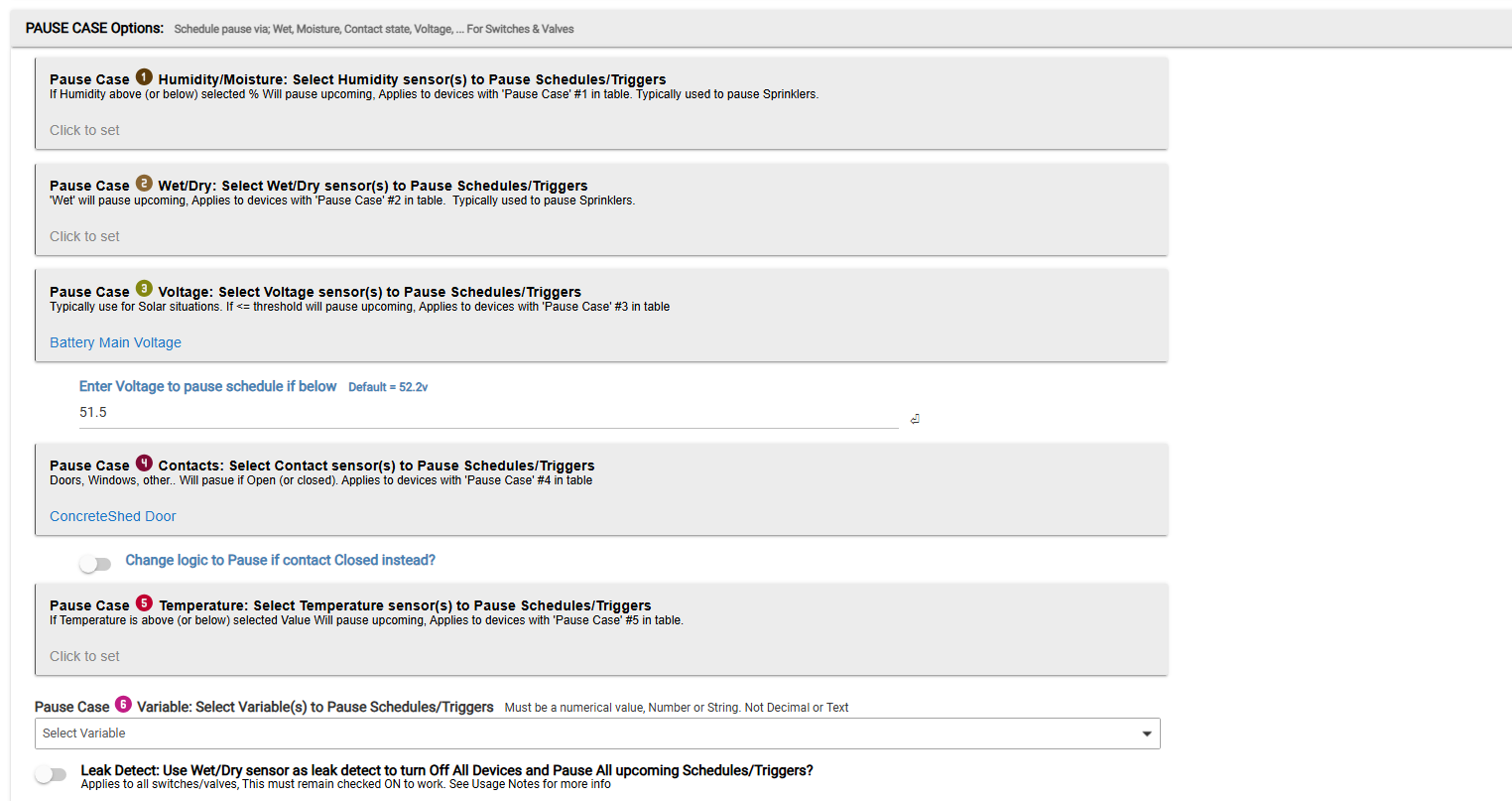
--Pause cases to stop a device from activation; moisture, contacts, voltage, temp, etc..
--Option add a mode to only run switch or valve during that mode. Like if you have a night light you want to run when only 'Away'.
--Option for specified devices to ignore certain pause cases (Wet, etc..). Example: if you have sprinklers with a Moisture sensor and don't want that pausing your inside lights.
--Option to use a leak detector if 'wet' shut all switches/valves Off.
--Option to shut all devices Off at a specified time daily
--Option to get push notifications for selected events per device. 3 different Notify maps.
--Option Use moisture or wet/dry sensor for sprinklers to pause schedules. Set moisture threshold.
--Option to toggle between Basic and Advanced features mode.
--A detailed instructions section
Example app pages:
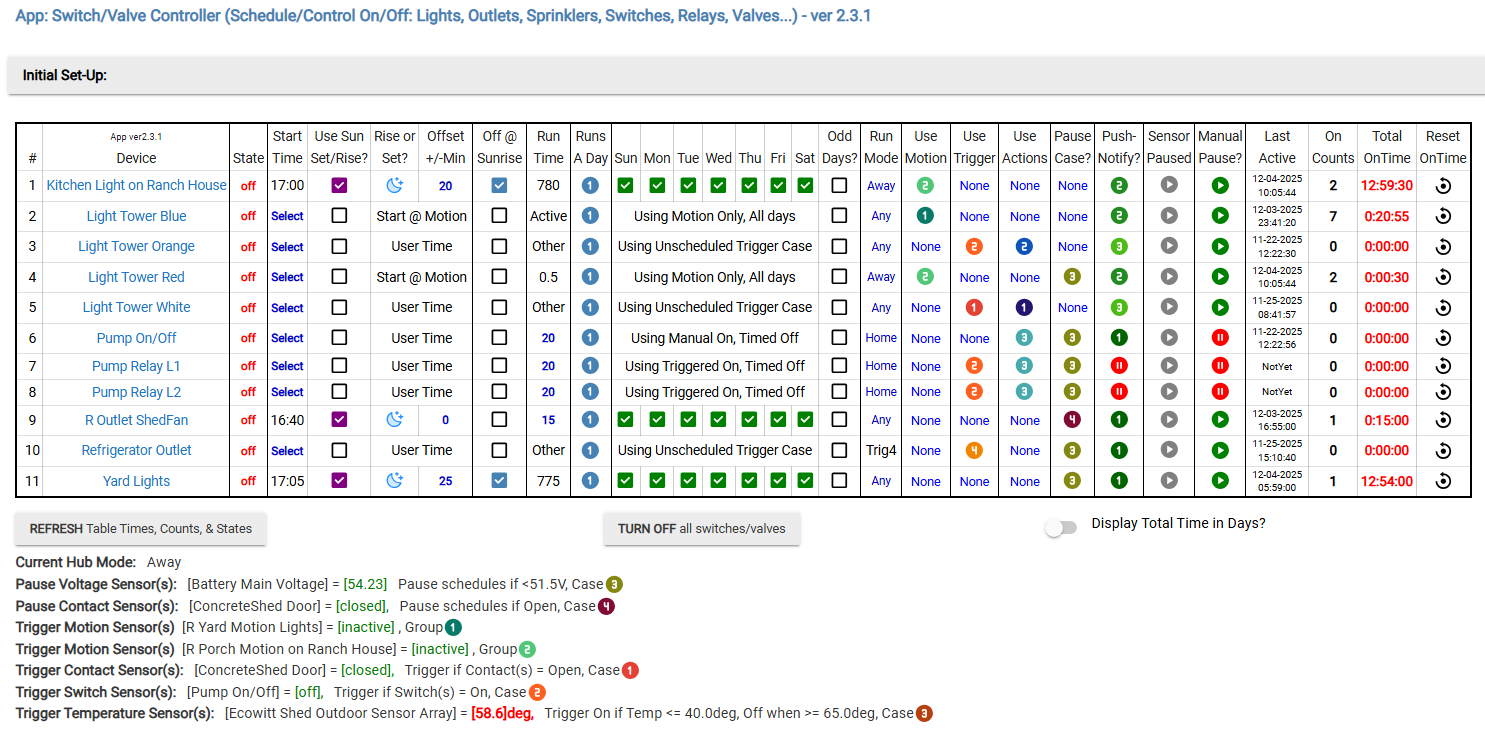
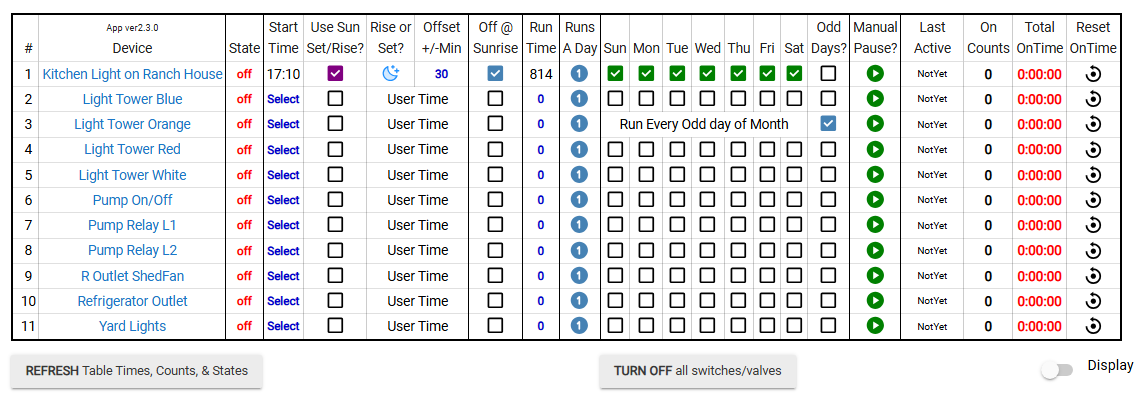
Example Table in advanced mode:
Example Table in Basic Mode (not all filled out):
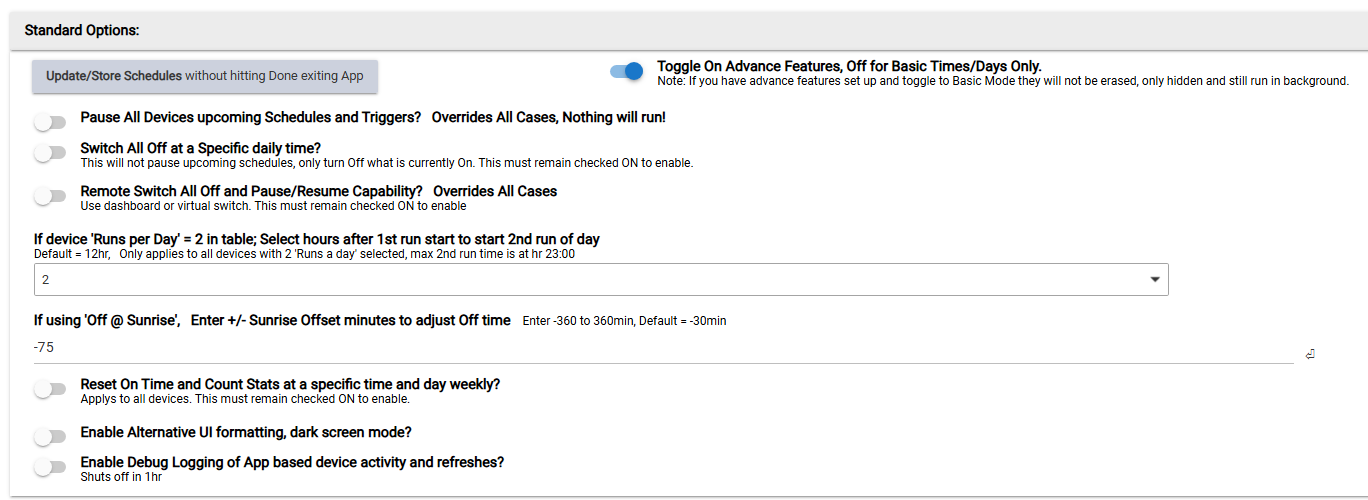
Standard Options:
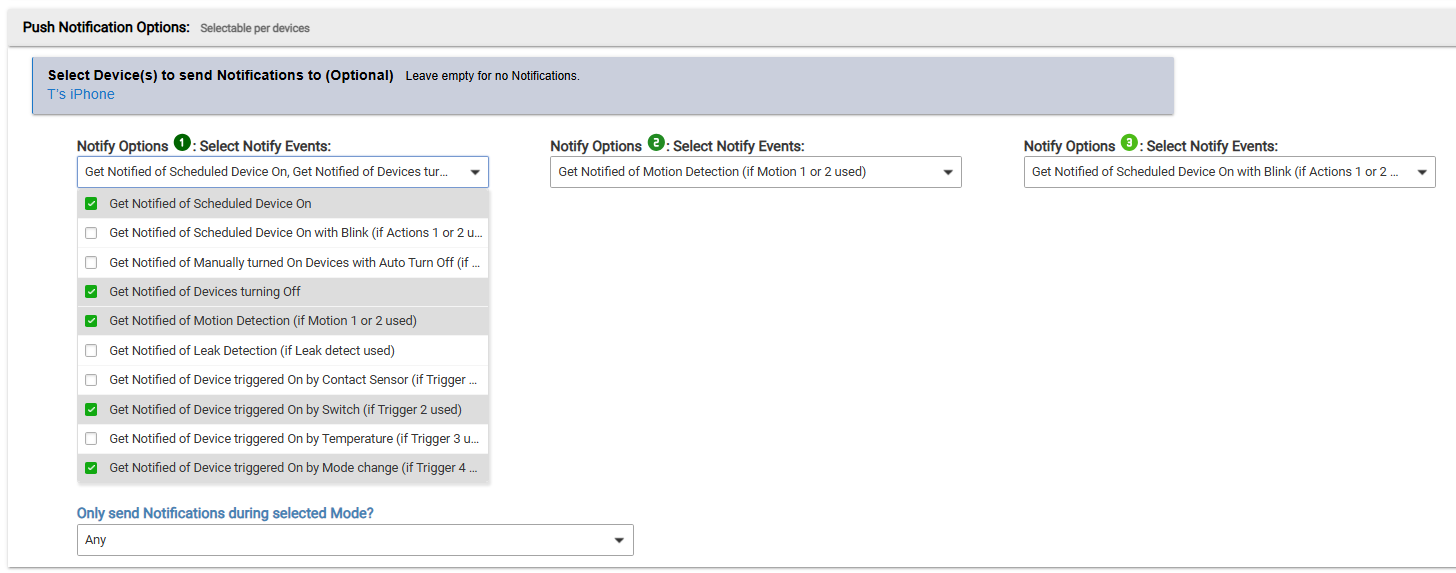
Notification Options:
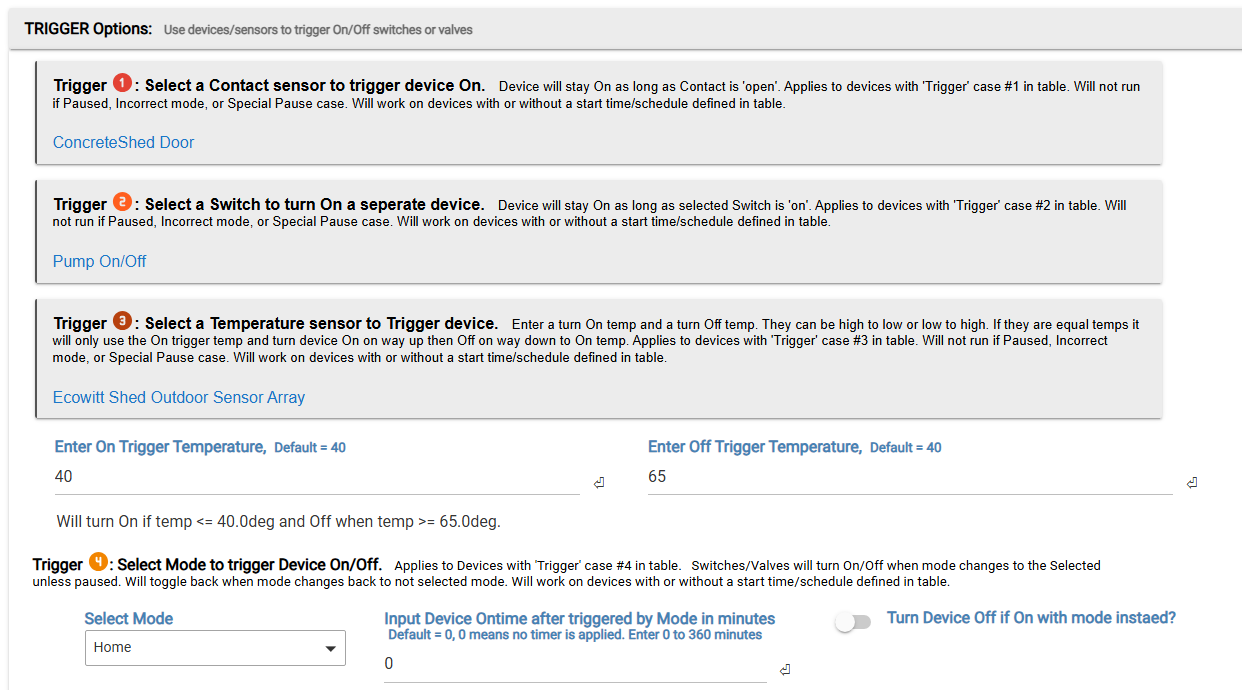
Available Triggers:
Motion and Action cases
Available Pause cases:
App code can be found here: Hubitat/Apps at main · kampto/Hubitat · GitHub
1st: To add to your Hub, go to Developers menu / Apps code / +New App. Copy and paste all code from github page, Save.
2nd: To open and configure: Go to 'Apps page' and '+add user App', add the app and configure, Name it, hit done. Can add multiple Switch Scheduler Apps with different purposes, just give different names.
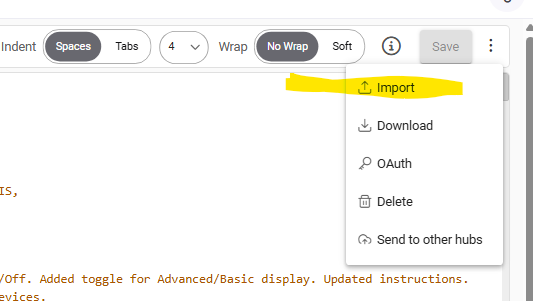
To download latest version if you already have the app, go to the Apps code page and hit 'import', then save.
Will entertain adding extra features upon request if possible.