Pace yourself - there are more exciting products in the pipeline 
2 Likes
Congrats!
I have the same problem. I bought my first unifi switch less than 2 months ago, and now I have 5 Flex-minis, 1 Flex, and 4 US-8s (of both types). Now I've got my eye on some Early access stuff. Arrrgggghhhh!
When I add in all the cameras, the cloud Key and the Access Points, it seems really bad.
But, but, that doorbell...one more piece...
Lol.
Love the stuff. Hands down the best networking gear for the home that I've ever owned.
S.
1 Like
Yeah, I bought 3 of them so far... maybe one more?
I signed up for the "early access" thing, but can't seem to see anything...
If your on the store page, login and the EA stuff will show up.
1 Like
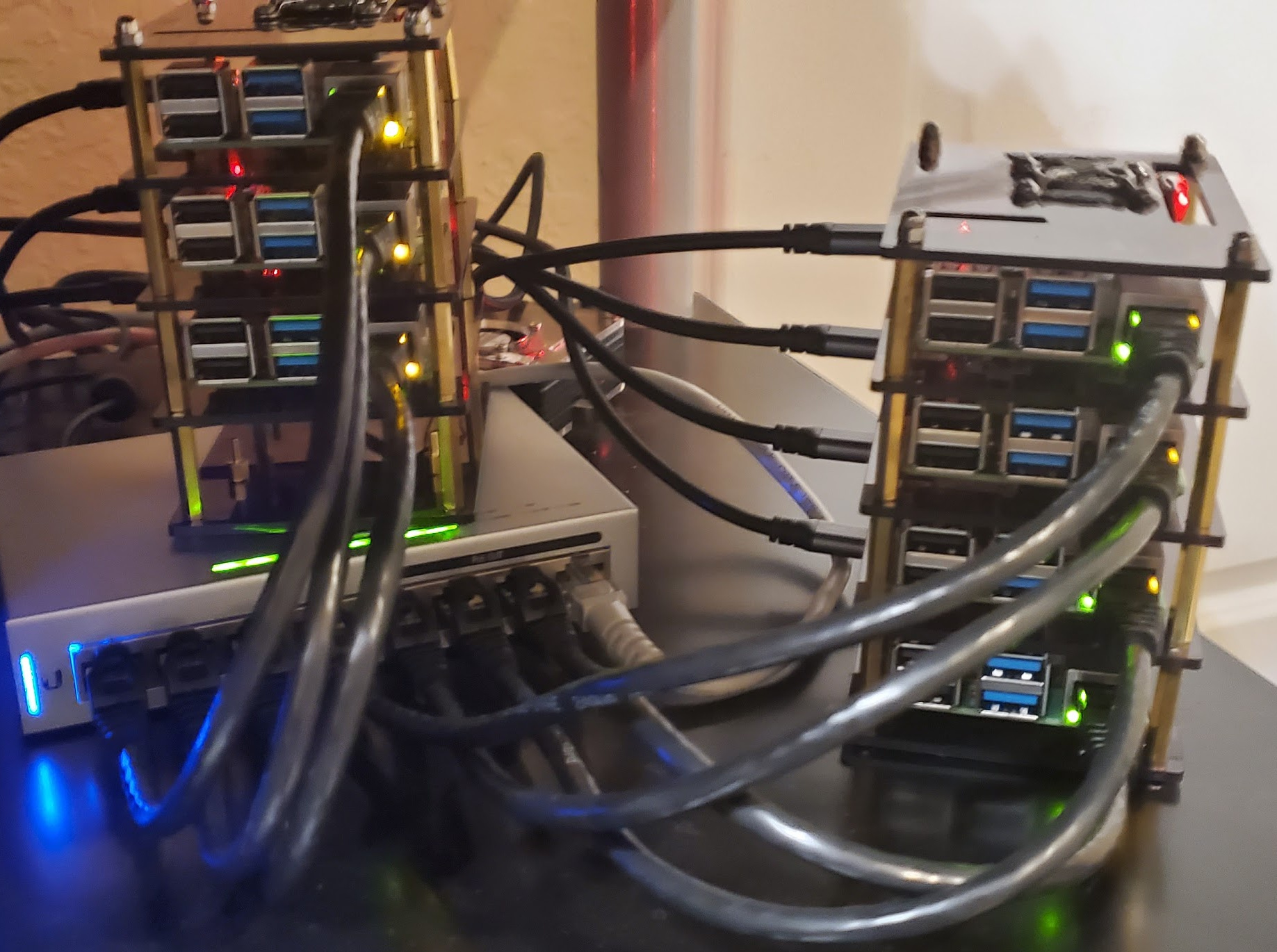
I bought yet another US-8-60W for my 7 node rpi 4 cluster I'm playing with.
(no, I didn't power the rpi via POE, couldn't find a cluster case that would fit the POE hat + fan)
4 Likes
Really? Looking through the EA store I don't see much of anything that gets me excited. Did you have something specific in mind?
There is basically zero new wireless APs or multi-gig switches (that aren't top of rack) coming any time soon, and that is where I think there is some of the most potential benefit.  I already have over a dozen devices in my house that support Wifi6, yet no Wifi6 APs any time soon from Ubuiquiti.
(Disclaimer: I don't use, not am I interested in, any of the UniFi Access, Protect, or Video products - just APs and switches)
The only thing I saw that was interesting (that's on your list) is the new 16 Port Switch. But that's only of interest (I suppose) if you're interested it being PoE+ (802.3at) instead of the older 802.3af, and you want it in a small enough form factor to go into a structured wiring cabinet...and it's a bit odd too. Essentially they updated the case to the new Flex Mini style, added 8 ports to a US-8-60W, changed to 802.3at, which allows up to 30 Watts power delivery per port, but left the input power at 60W and made the PSU internal, presumably hardcapping the 8 PoE ports to a total of 60 watts.
So...that makes one wonder if they solved the crazy heat production of the US-8-60W by going to an internal AC->DC PSU and a more efficient DC converter...
But if you're using 19" rackmount stuff...yeah, nothing new.
S.
Pretty! But wow do those ethernet cables look like Hoses in that picture. They look HUGE. LOL
I keep thinking about stacking all the pi's I have in the pi Box of Shame, into a cluster, but I can't think of anything to use it for, so the new pi acquisitions just get thrown in on top of the old pi's. Poor little buggers.
S.
The UDM Pro is finally available and in stock in the Canada store!
I had ordered one from the US store during the early access but they cancelled my order before it shipped since it would be leaving the country.
1 Like
Yeah, I think that was the most interesting of all of them. I might buy that for structured wiring panels.
The US-8-Lite doesn't seem to have any advantages over the US-8-60W (to me anyway). I guess it is a few $ cheaper, and if they made it cooler that would be welcome...
Agreed. I wanted short cables, so just ordered a multipack off of Amazon. Not thrilled with them - they are thick and stiff as heck.
Exactly my need!
FWIW, I really like these from MonoPrice: https://www.monoprice.com/product?p_id=13544
I use the SlimRun everyplace, although I move to more standard larger wire sized CAT-5 or CAT-6 CMR for my long camera runs, and for in wall appliations, just because the tiny AWG probably doesn't do a great job of passing 48VDC over distance without a lot of voltage/current drop.
I've also used their MicroSlimRun stuff (https://www.monoprice.com/product?p_id=34256) in some embedded applications at work, and found it really nice in short run, tightly constrained spaces...so I'm thinking in certain parts of my Structured Wiring Cabinets, they might be useful.
These are new, and might find an interesting place in my home: https://www.monoprice.com/product?p_id=34660
S.
PS GACK that looks like a sales pitch...it's not. I think there are other sources (possibly Newark or Digikey for similar small diameter patch cables).
1 Like
Finally caved and bought a UDM pro (but can't set it up until I get home next month) likely going to add 2-4 protect g4-pro cameras.
Which hard drive works best? (is WD purple fine or should they be WD red pro)
Saw some review sites from last year claim some drives caused some lag or has this been fixed with firmware updates?
Also looking to record 3-4 weeks of 4k video what size should I get?
thanks
2 Likes
Eyeing one too.
I’m using Purple - 14 tb - stores about 35 days - 12 cameras (G4 pros plus doorbell)
1 Like
@Bago thanks
how did you get the doorbell I didn't think it was out yet?
how do you like it?
Can you get it to work with Hubitat?
Got it through early access. Nice camera. Still a work in progress as a doorbell. Not bad, just different. Other than RTSP, no it doesn’t work with HE.
2 Likes
Sorry to re-kindle an oldish thread. I recently ditched my eero v2 system for a unifi setup including:
Dream Machine Pro
US-24
x2 Flex Mini
x2 UAP FlexHD
I have experienced some issues with getting things working smoothly most of which related to placement of the FlexHDs in my home. I believe I have finally got that resolved and now am battling with my Harmony Hubs having issues with staying connected to the network reliably. Has anyone else found some "best practices" for doing so?
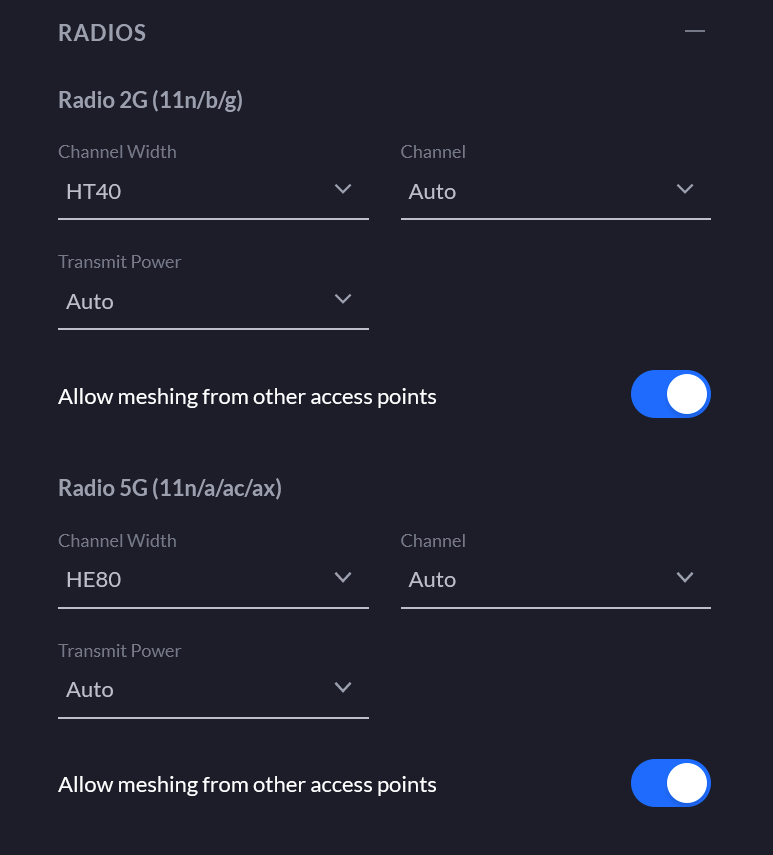
At this point, I'm only broadcasting a single 2G SSID which covers the whole home with -65db or better RSSI. The harmony hubs just seem to randomly disconnect and reconnect without any obvious reason. I do live in a townhouse style complex so there are several other WiFi networks nearby but channel 1 seems to be far better than channel 11 (I don't use 6 as I use Zigbee channel 20 and want to avoid interference).
I feel like there may be some setting that I'm missing in the UDMP or UAP that may be causing this? I am running the latest stable firmware on the UAP and the latest RC on the UDM Pro. All of my home devices are on the same network so I don't feel like this should be so difficult.
On my eero system the harmony hubs ran flawlessly.
Thanks in advance!
Is your “Auto Optimize” setting enabled in the controller? I couldn’t tell you what it does but I remember turning it off when troubleshooting my new Unifi setup and it solved some of the problems I was having
Yes, auto-optimize is off.