You’re really running 40MHz on 2G? Unless you have a very specific use case, you should check that
1 Like
There are FAR too many WiFi networks close to mine to be able to use 40Mhz bandwidth on my 2G network. Obviously 80Mhz on the 5G network wouldn't have any impact on the harmony hubs as they are 2G only. My WiFi experience scores are in the high 90's and signal strength is showing very high, but the disconnects are still occurring.
@halfrican.ak did you say you’re exclusively on Channel 11 with 4 APs? I think it’s customary to run staggered with 1,6 and 11. Try that?
Only one 2G SSID on channel 1. 11 is being used by my SonosNet and I don't use 6 to avoid interference with HE on zigbee channel 20
FWIW, my Harmony hub seems to stay on the Unifi just fine. I'm using older hardware though, with a UAP AC HD on the floor with the Harmony.
I didn't do anything special, but I think i have each UAP on a different channel (I have 3), and I think my Sonos are riding my WiFi, not their own network.
S.
I use channels 1, 6, and 11 for my Unifi Access Points. I use Zigbee channel 20 and have no problems whatsoever with interference. I use a 2.4 GHz Radio Channel Width of HT20, and transmit power of MEDIUM.
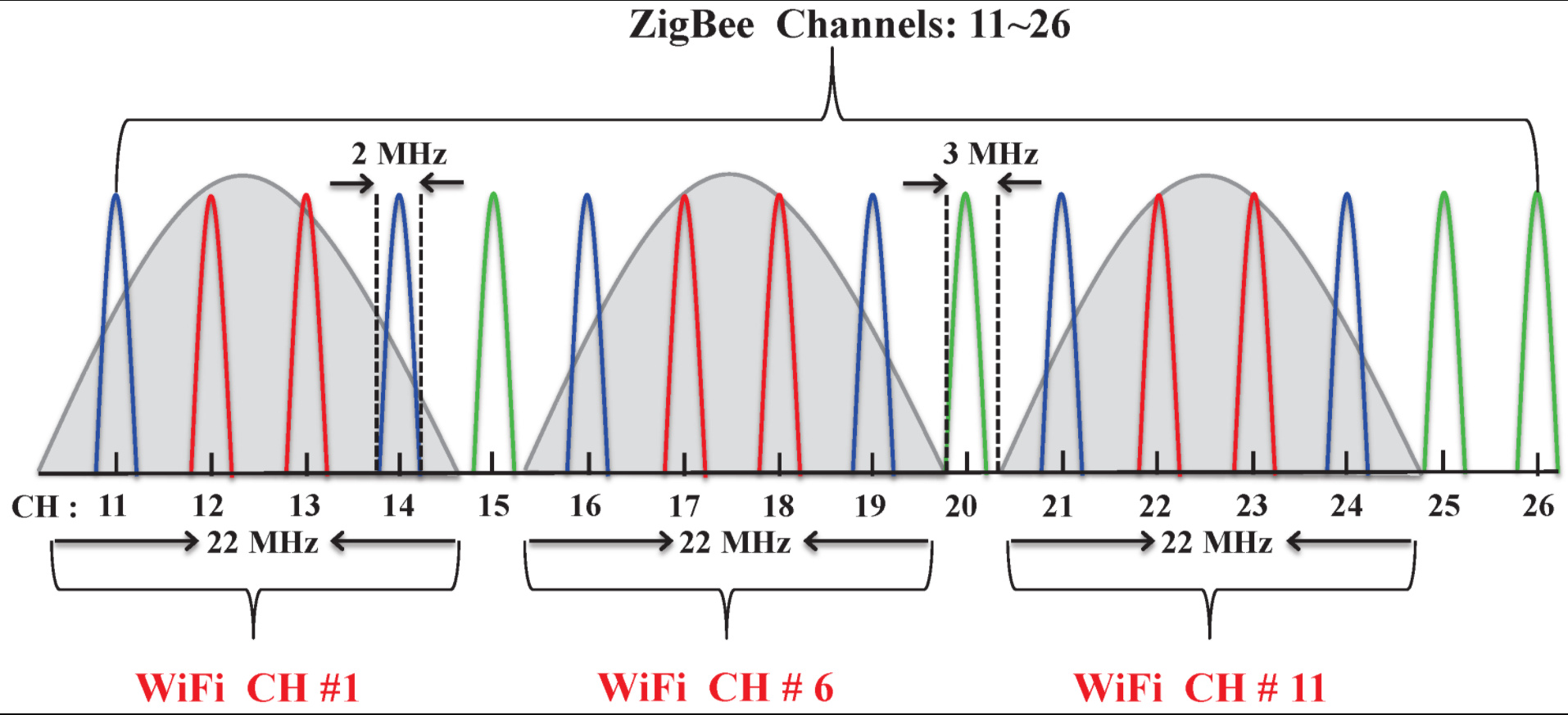
1 Like
Ah, maybe I'll try moving to channel 6 then, and see if that helps
If you have multiple APs using the same 2.4GHz channel, that can lead to interference between the two APs. I wonder if that might negatively impacts clients as well?
Hm, I'm not sure. In my case, I only have a single 2g channel as I didn't need the extra coverage on 2g from my 2nd AP.
Ahhh, so you only have the 2.4Ghz radio enabled on one of your access points? That definitely simplifies things.
Yep, I was noticing too much bouncing from one AP to another from stationary devices (harmony hubs, nest protects) so I disabled one to prevent it since the coverage isn't an issue even on low power.
1 Like