Yeah, that was the first thing I tried before reaching out. I'll give it another shot, hoping for better luck this time. Since I got rid of those Z-Wave ghosts, maybe it'll work.
Just to confirm - they were removed via using the "Refresh" and "Remove" button (that appears after the Refresh) on the Z-Wave Details page, correct?
I always do a full shut down/pull power/wait 30s/restart after clearing up ghost so the radio gets a full restart (rebooting the hub will not reboot the radios). Suggest you do that.
1 Like
So I reset all the devices reboot the unit and I'm still having the same issues I'm thinking that the Z wave radio it's not good, And I power down the device for a few minutes after removing the ghost
While those ghosts are there you may continue to have problems. Are you on Zwave JS or ZIp gateway?
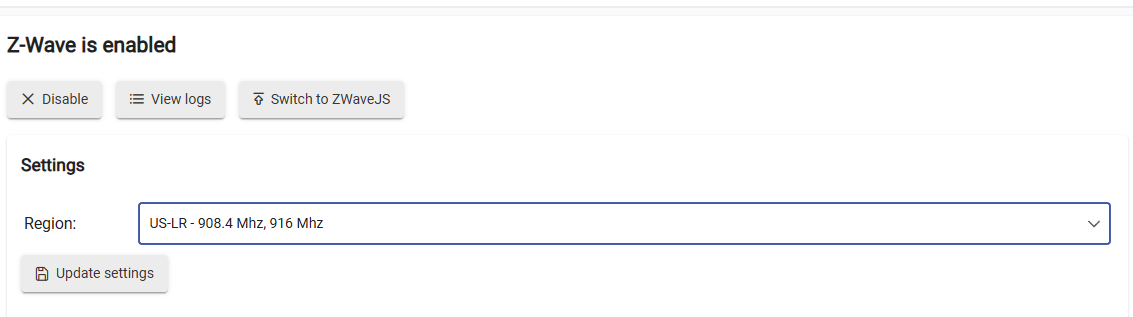
How is hub being powered? and all of this below. Having the stats from the details page after hub has been running for a little bit will help.
Also when you reverted version did you ever load a cloud backup? (If you did not, I am NOT suggesting that you should)
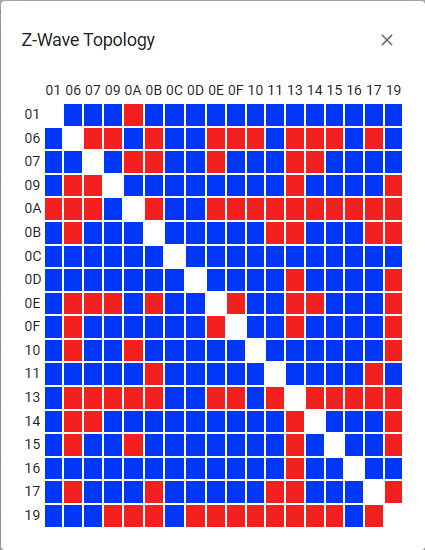
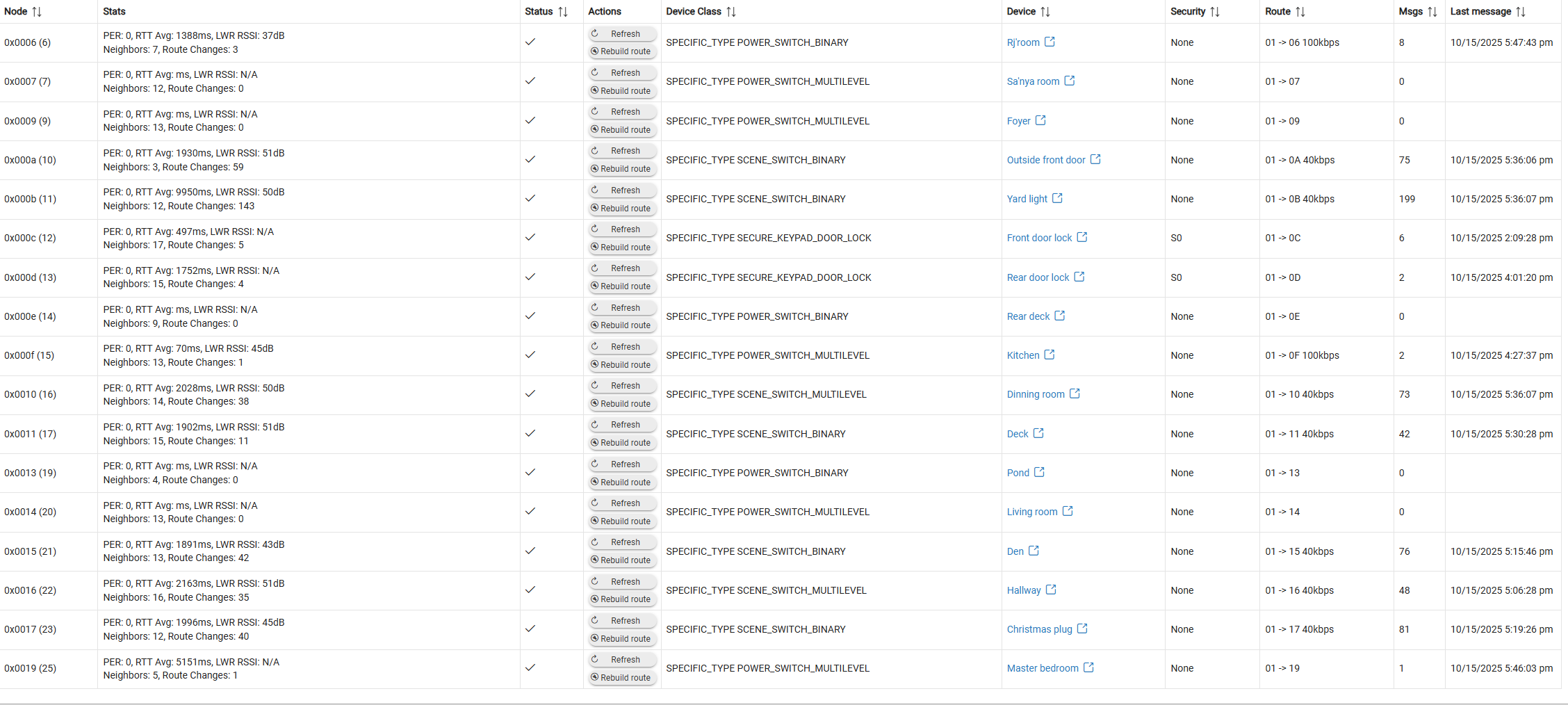
The power cycle of all devices was at 5:45 this morning and ten minutes after I power cycled the hub
Supplied power block
Are all those devices with no messages functional?
What brand and model are those other switches? What are you doing with them that they have such a huge message count? Do they have power reporting or something?
What is killing the mesh is all those route changes. The devices are struggling to communicate with the hub. One problem device might be bogging everything down though, causing the route changes.
They are all Leviton switches, and they are all functional they were working yesterday for some reason today they have no message. If you look at the posts from yesterday, all the devices have messages. All the Z wave devices are not responding, which are all light switches and door locks
(2) Schlage BE468/BE469 Lock
(4) Leviton DZ6HD Z-Wave Dimmer
(8) Z-Wave Switch
How do I know which device is causing the issue they're all functioning
Why does your Yard Light have 199 messages in 12 hours? Do you have automations turning it on and off constantly? Or were you testing it?? Or refreshing it constantly?
When they stop responding if you shut the hub down and unplug it for 30 seconds and plug it back in do they start working again after it boots up?
1 Like
I have a routine that runs on that light, and yes, it works for a few minutes, and then everything shuts down
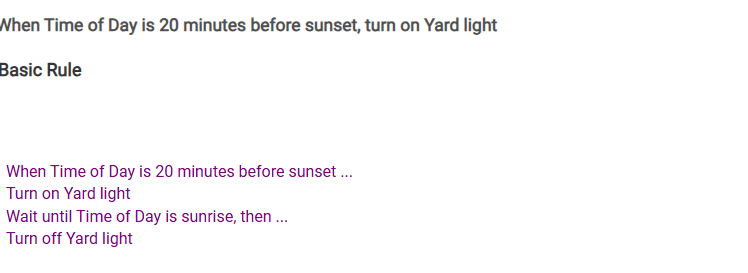
That should not cause 199 messages in 12 hours?
Go to Settings > Command Retry. Is that enabled for a bunch of stuff?
Would be best to Disable All while troubleshooting.
You probably have a device that is going haywire. It can be hard to determine which device it is exactly.
If you have any older GE/Jasco switches that is a good place to start, they have a known failure mode where they spam out garbage and will crash the mesh/radio.
Otherwise, the failing device may fail to work when you press the switch physically, so checking them all by hand might help.
Possibly just power cycling the device might fix it. Turning off/on some breakers one room at a time would reboot the devices and may help.
1 Like
Okay so I just finished isolating each device at the same waiting 2 minutes rebooting the hub, for each device and I'm still having the same issue
Not sure what you mean? Can you explain more.
1 Like
So I did what you said I went to my panel I shut off every breaker one by one wild rebooting the unit to see which one was causing the issue I went through all of them and I'm still having the same problem
You might have to take a couple devices offline at a time, reboot the hub and then see how things work. This would be to try and narrow down which device might be causing the problem.
I am still wondering how your Yard light had 199 messages in 12 hours. Maybe that is the problem device?

