I have noticed that some of my Z-wave devices do not seem to be updating on the hub and I am not able to send commands to them.
Two examples are my thermostat and my door lock.
When I look at the dashboard for my thermostat, it says it is in heat mode but the actual display on the thermostat says cool mode. I am not able to make changes from the hubitat web interface.
With my door lock, it is not displaying correctly in hubitat whether it is locked or unlocked. Currently it is unlocked but Hubitat shows it as locked and I am not able to send commands to it to lock/unlock.
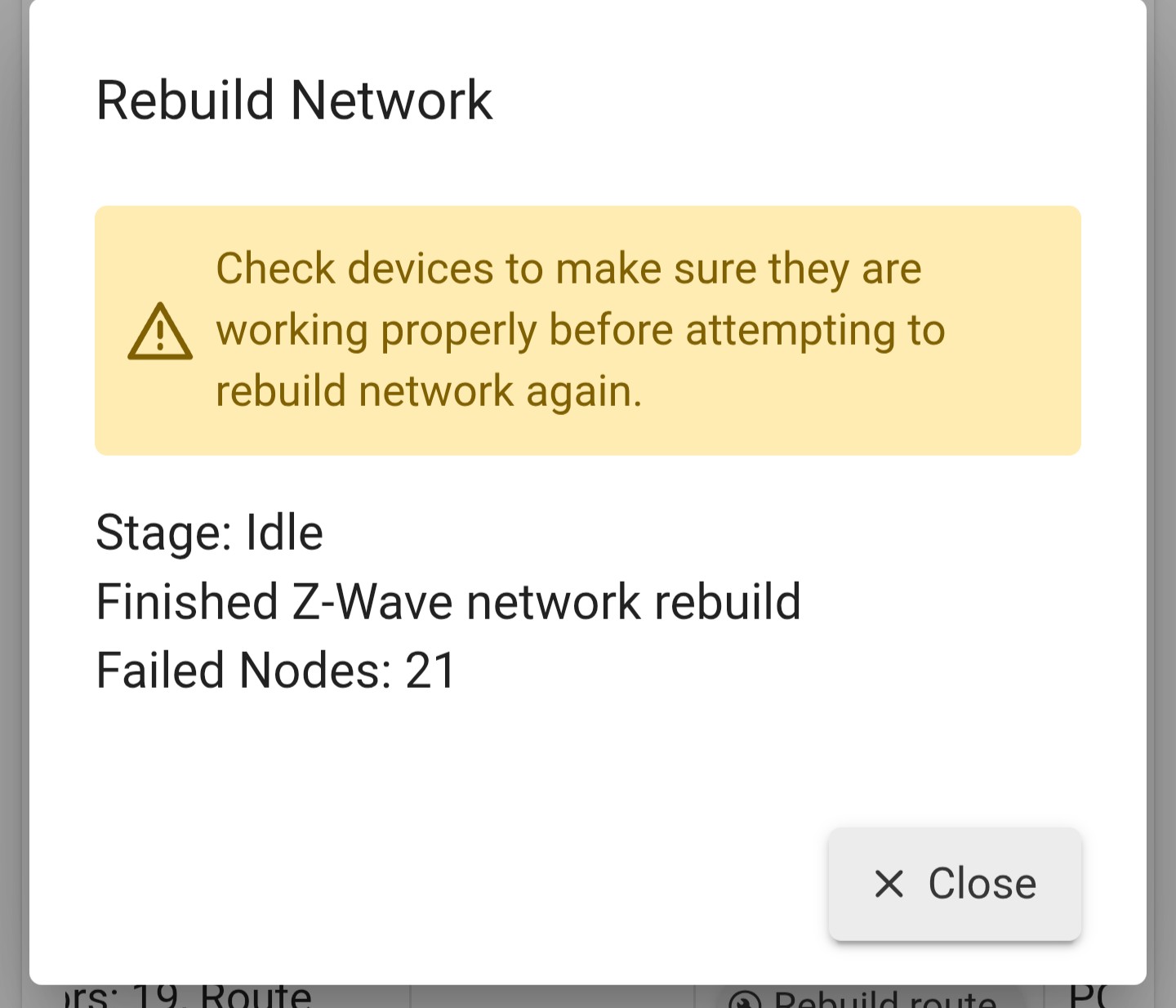
I tried doing a Z-wave rebuild and after completion, it showed 11 devices completed and 11 devices failed.
Is there a best method to get these devices connected and working again? Thanks.
First - DO NOT do anything drastic yet, such as excluding or resetting the devices, or resetting or deleting anything on hub. Zwave devices hang onto their paired network info, so they will still be paired to the hub, you just need to get them talking to each other again.
Reboot the devices by pulling batteries, leave powered off for at least 10 seconds. Also could try fresh batteries, even if they were not reporting they were dead yet, it can often be misleading.
If you manually lock or unlock the door does it report to the hub? Just trying to see if communications is working.
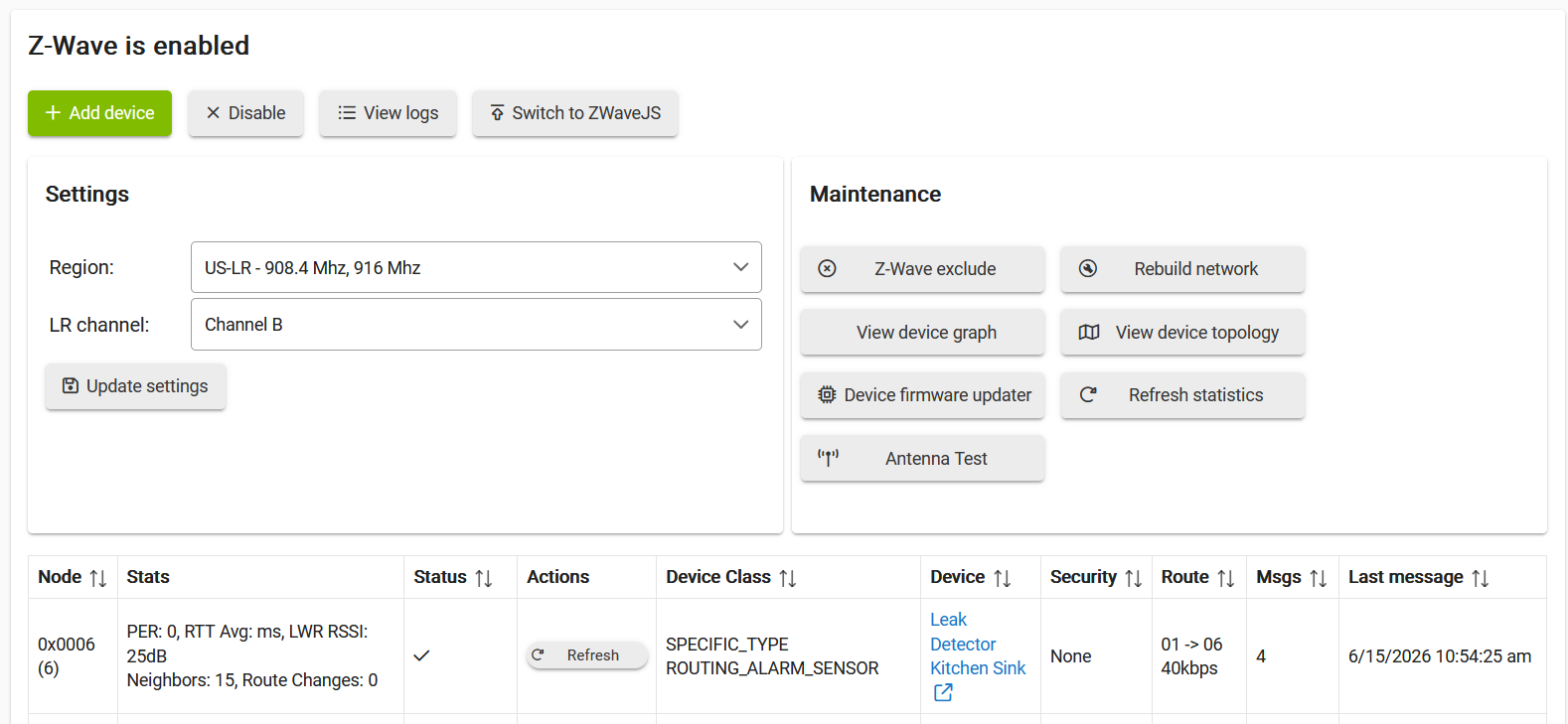
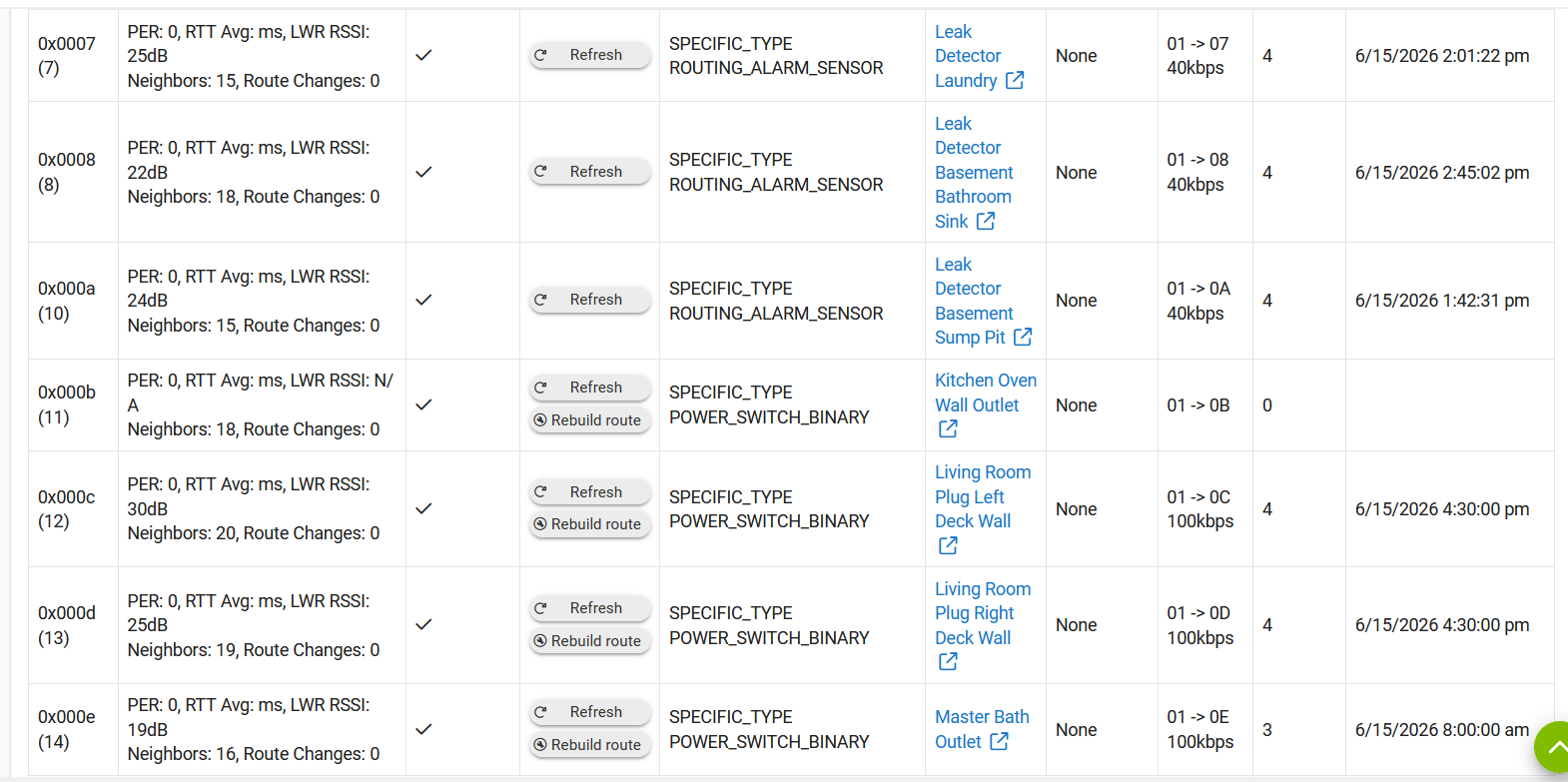
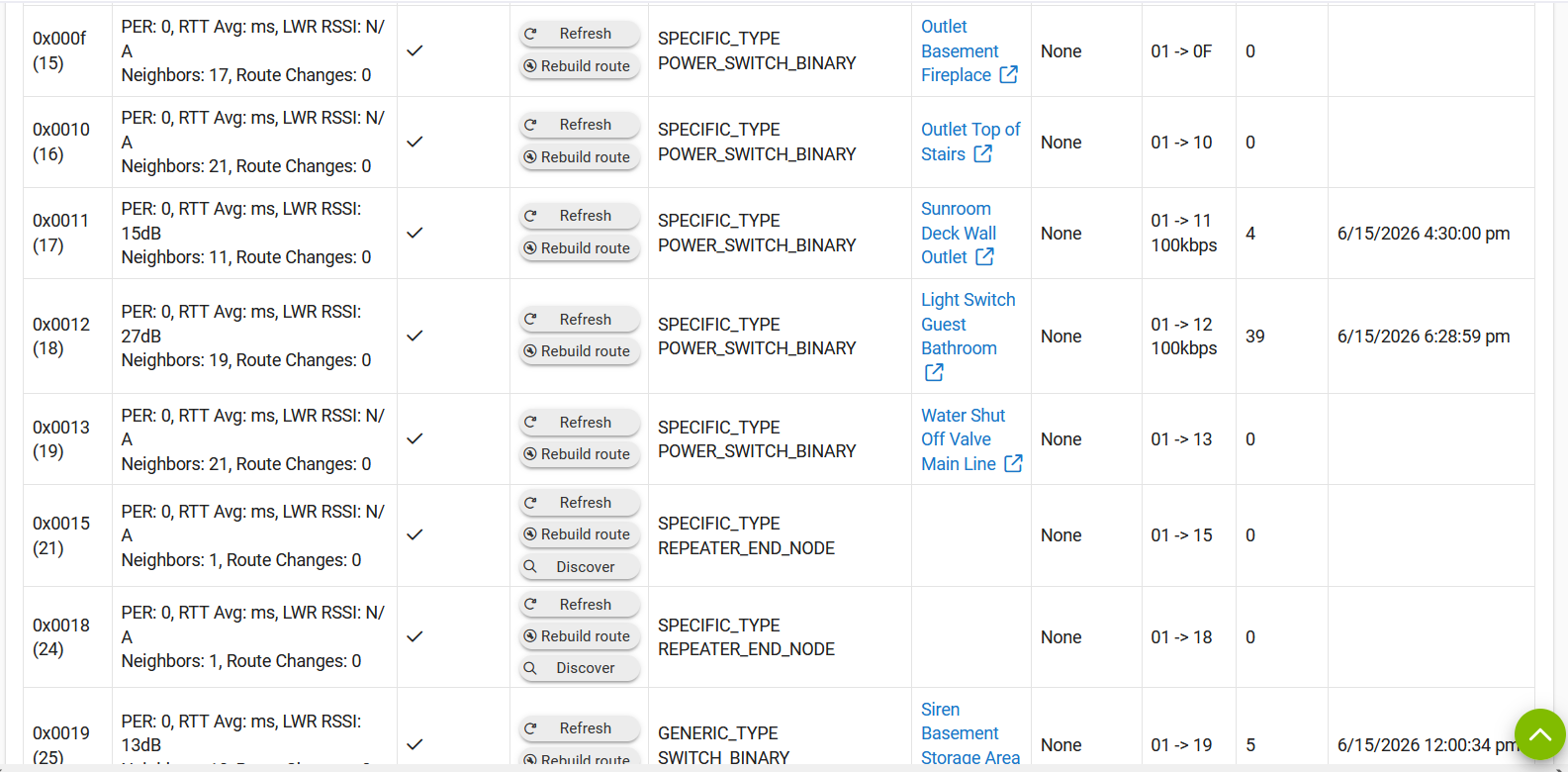
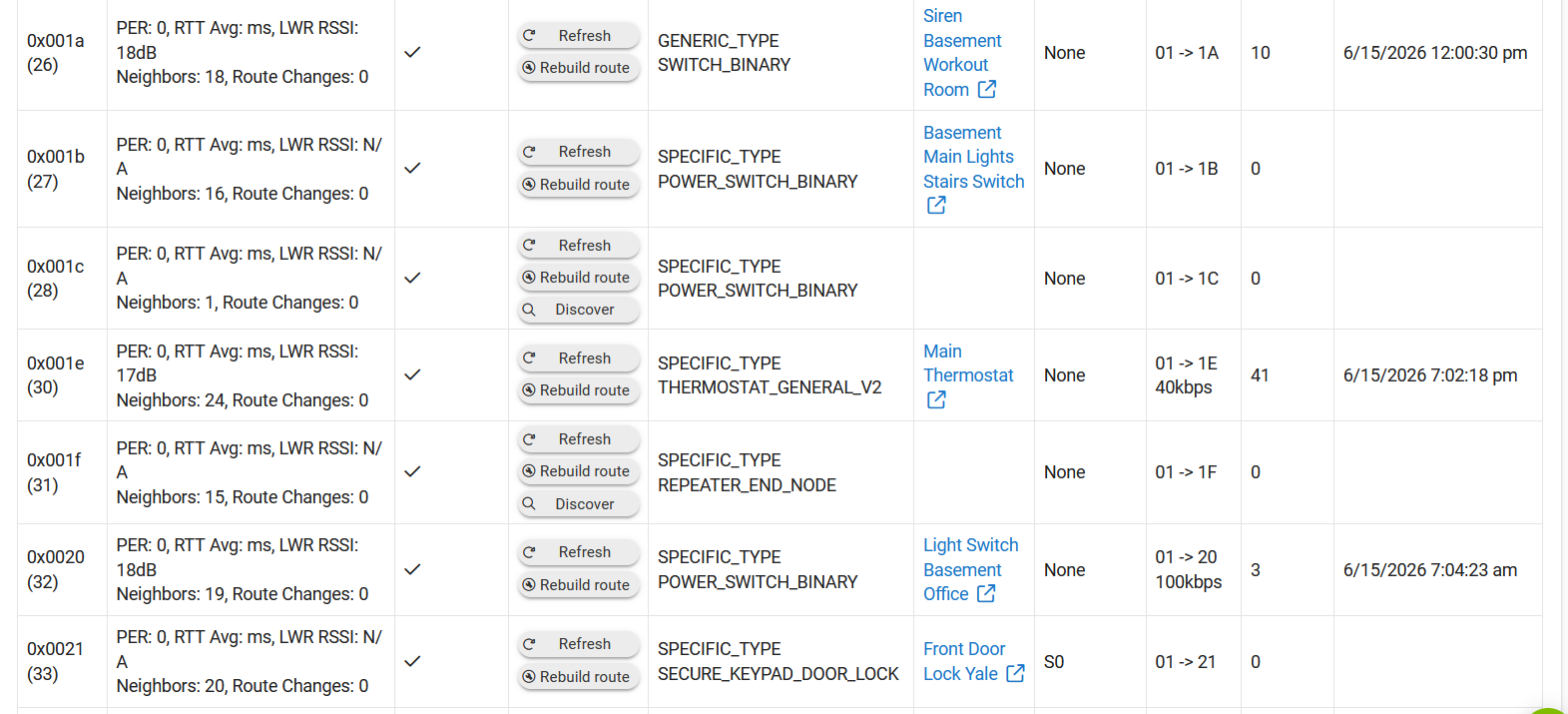
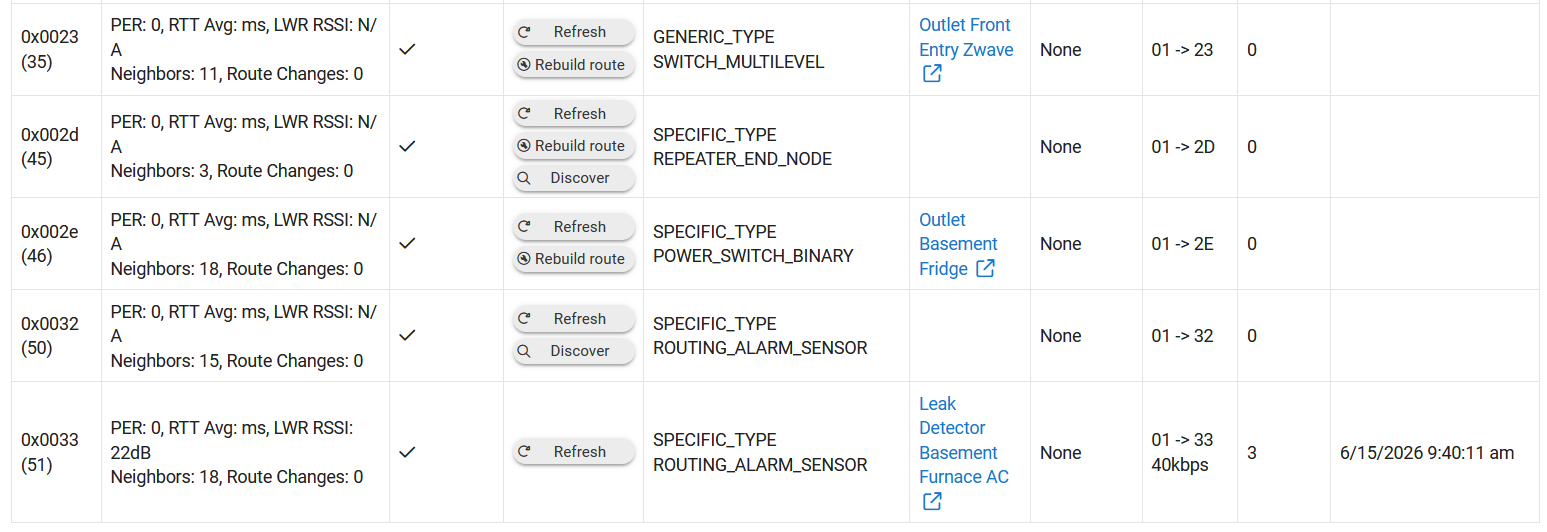
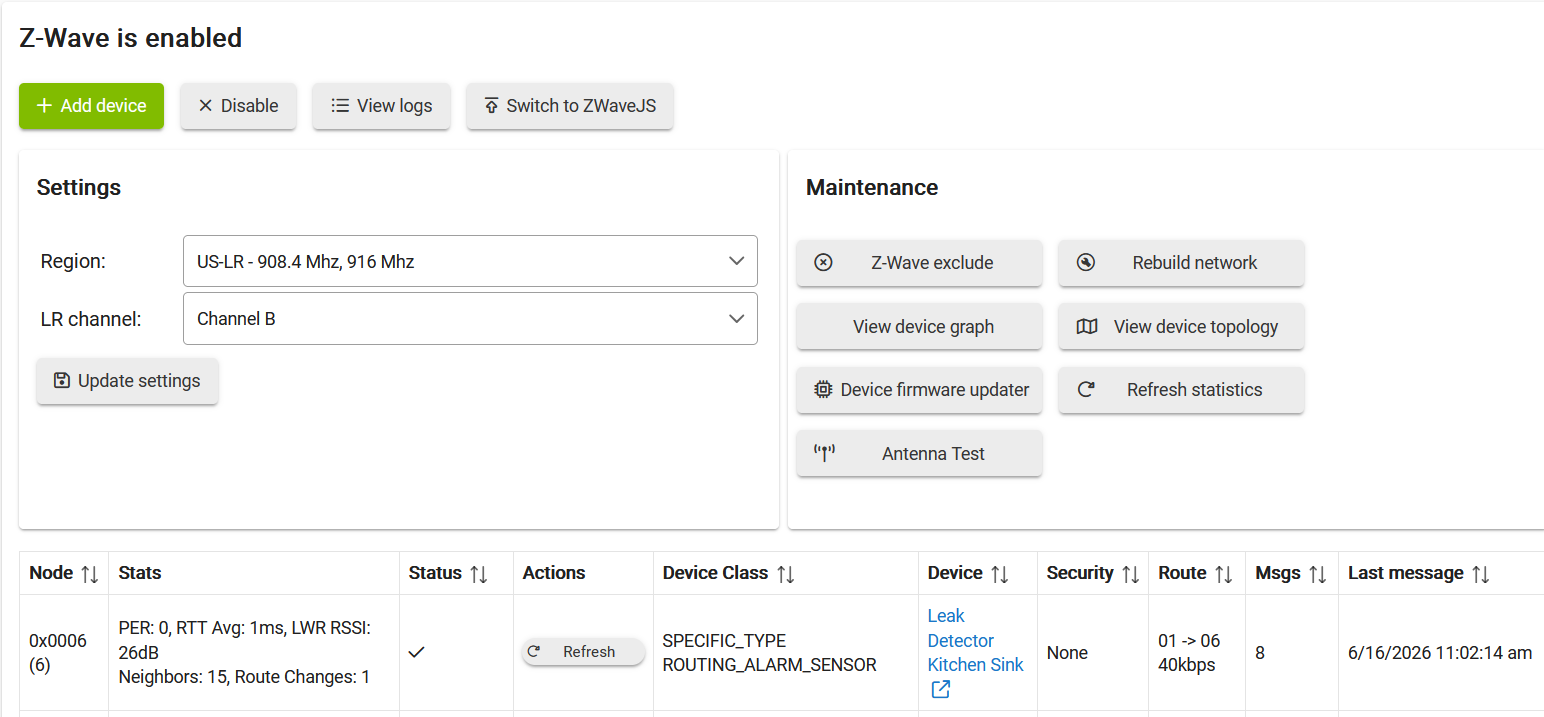
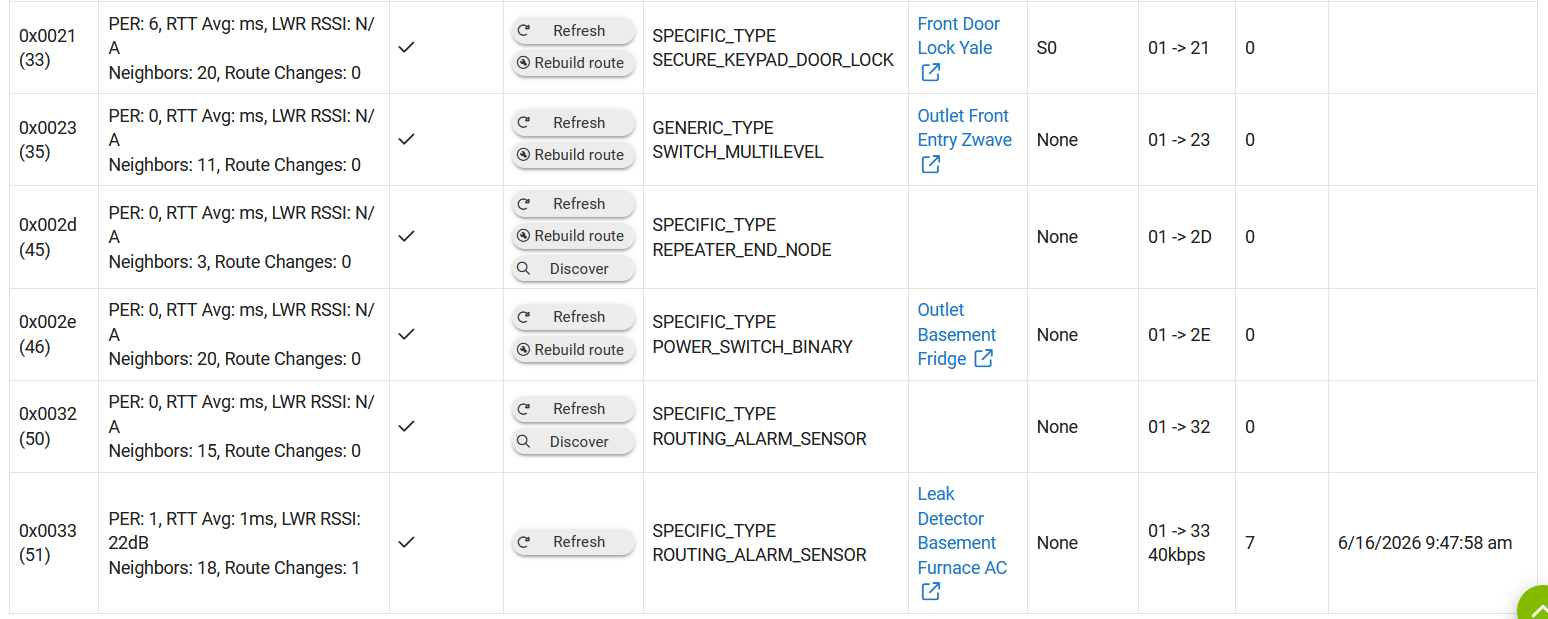
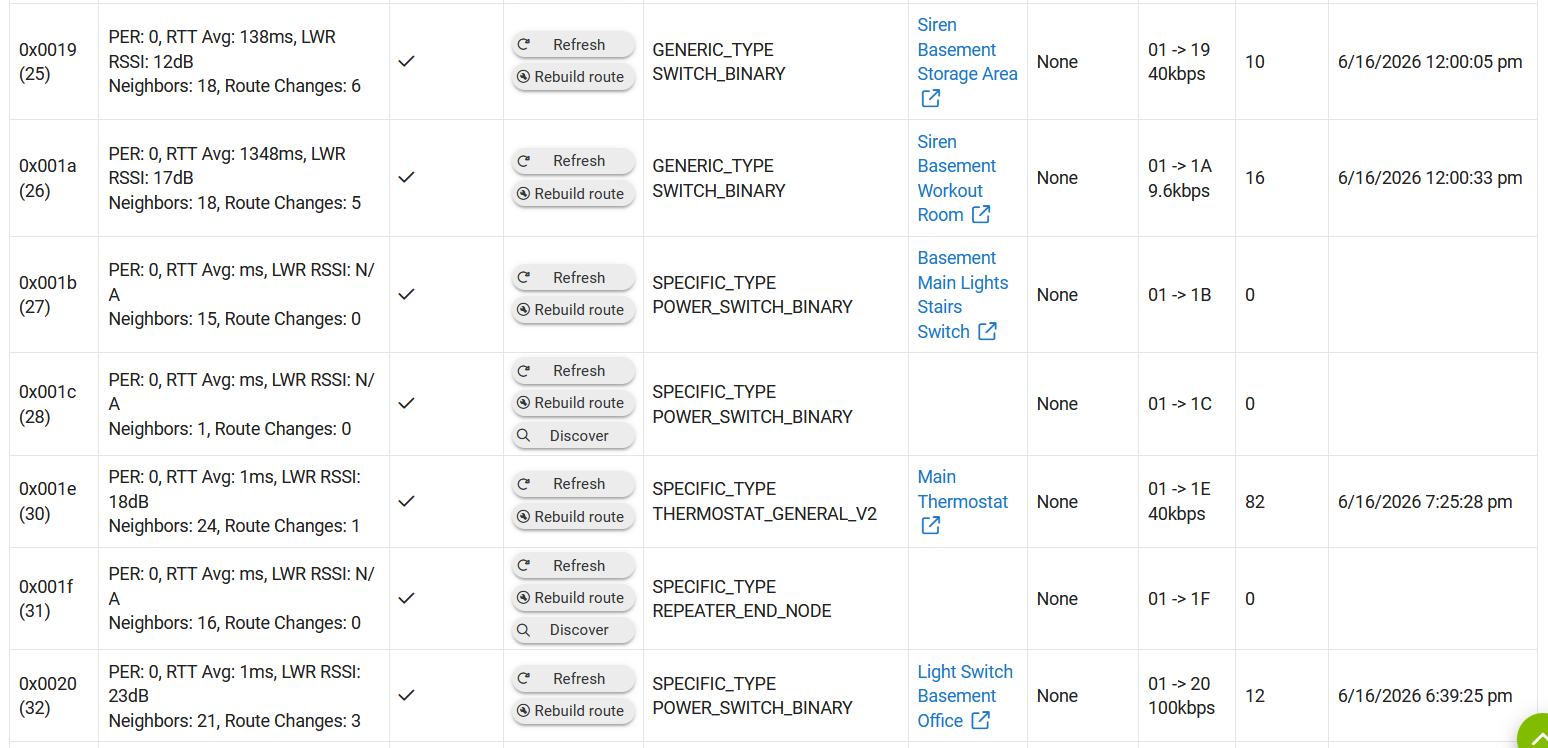
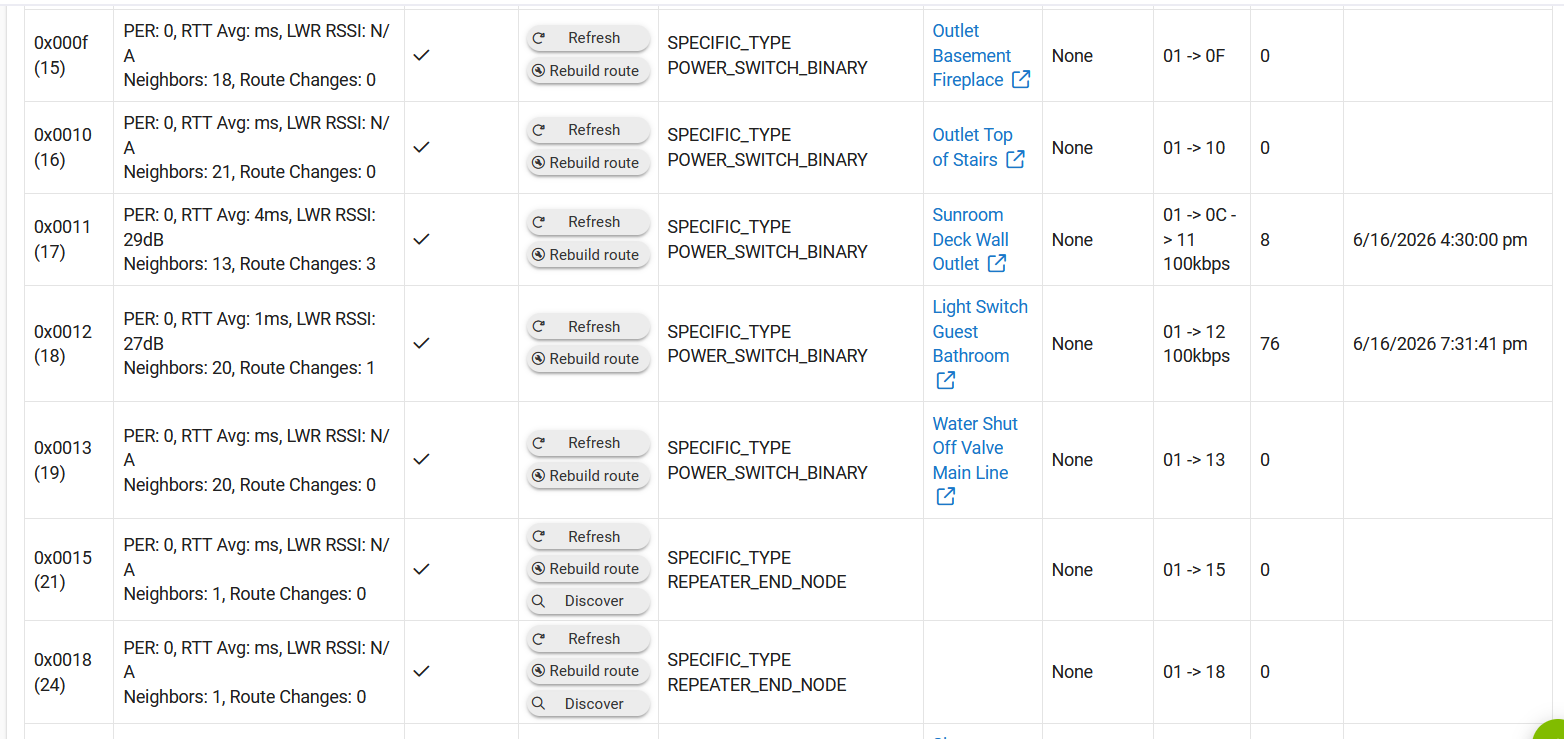
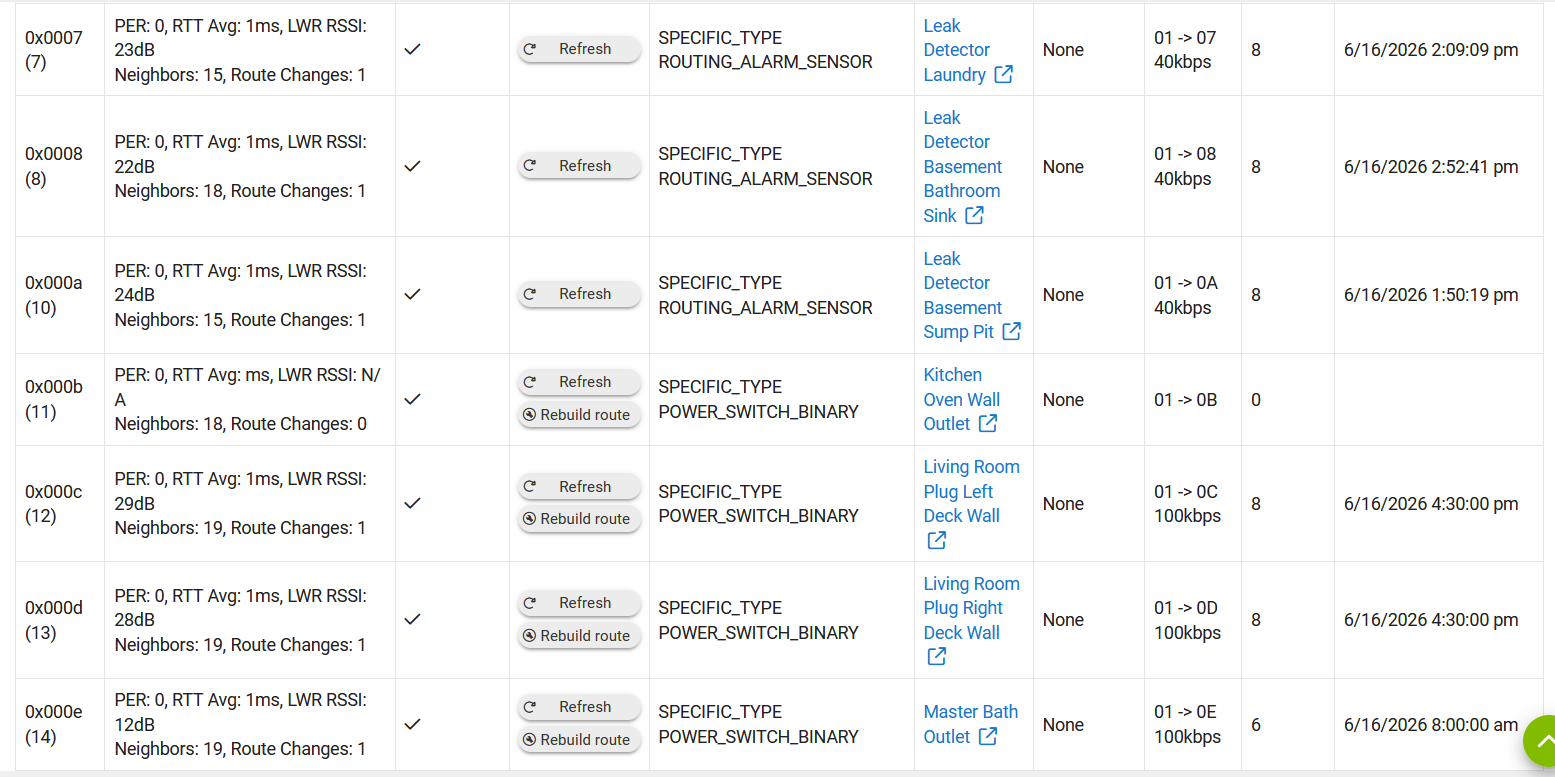
You should also read the "READ FIRST" post, and provide the requested info, including the zwave details screenshots (be sure to follow directions).
Thanks for the comments. Yes, I can try some of these suggestions and should be able to post additional info when I get home from work. I have a C8-pro. Thanks!
How is Hub being powered? Supplied power block or other (explain) - Supplied power block
Brief explanation of network topology. - Lan has ~80 devices that are either wired or wireless. Devices are connected to a switch, which is connected to a router.
Brief explanation of firewall / DNS / DHCP services. - not sure what you are looking for specifically on this one.
Is Jumbo Frames enabled anywhere on the LAN? - No
How many devices total (approx) and mix between Zwave, Zigbee, LAN/Wi-fi - 80 LAN/Wifi, 111 Zigbee/Zwave devices
What user / custom integrations are you using for LAN/IP/Cloud based connections? I don’t believe any.
Screenshots of Past Logs from the incident, and also of any errors being generated recently.
I recently installed fresh batteries in the lock. That was when I first noticed it wasn’t communicating. And it still shows 20% battery life left in the hub details for the lock so it looks like it never updated.
Manually locking/unlocking the door does not update the hub.
Start by shutting down then unplugging the hub power for 1 minute then powering back up. Then click the refresh button on the ghost line and then click remove (it may take a few times per device). Once removed do the power cycle again. If you have problems with removing them, switch to zwave js, then do it again. Once removed you can revert to zip gateway
Looks like you missed the sub-bullets in the instructions for the zwave details. Its not as useful without all the stats and for at least 12hrs of use.
Provide screenshots showing entire Z-Wave details Page
Hub should be running for at least 12hrs without reboot, and state how long in your post (you can find uptime on Logs > Device Stats)
Click the Refresh Statistics button, wait 10 seconds, then Refresh the page
Now that the ghosts are gone, try doing a full network rebuild, make note of the ones that fail. Then you can try those individually to see if they will work, test those devices etc. Want to see if anything else is failing, or just the lock.
There could be a device that was a critical path for the lock that failed, causing the lock to go down.
If all else fails you can use Swap Apps to swap the lock to a virtual lock, exclude, pair again, and then swap back to the new one. Usually the codes get all mucked up so make note of all your codes first you will probably have to add them back.