I have a new 4 outlet strip but HE doesn't see the 4 power ports. It see's the strip as generic with red flags for configurations. I'd like to control each outlet individually.
Is there a driver or app that I can use?
I have a new 4 outlet strip but HE doesn't see the 4 power ports. It see's the strip as generic with red flags for configurations. I'd like to control each outlet individually.
Is there a driver or app that I can use?
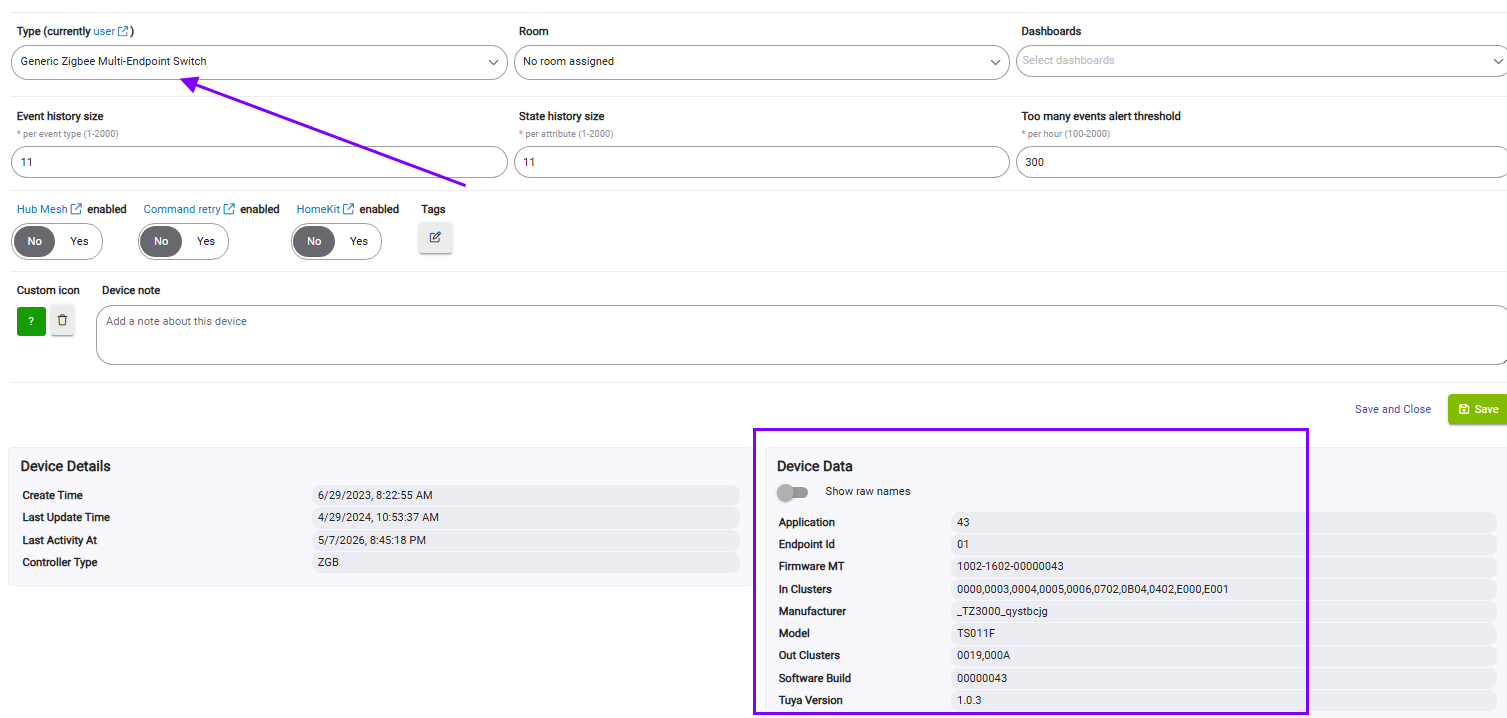
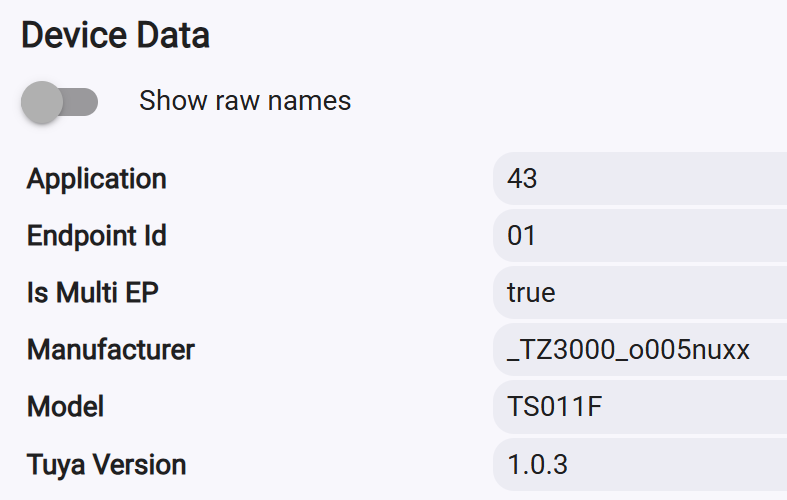
Please copy&paste the Device Data section at the bottom-right part from the ''Device Info' tab.
Have you already tried the 'Generic Zigbee Multi-Endpoint Switch' inbuilt driver?
If this is the genric strip others have tried, it didn't work too well. Copy the device data , like Krassimir said and post a link or photo of the device. There's a big thread about these devices IIRC
Found it ZigBee Power Strip
Show raw names
| Application | 52 |
|---|---|
| Endpoint Id | 01 |
| In Clusters | 0000,0003,0004,0005,0006,E000 |
| Manufacturer | _TZ3000_cfnprab5 |
| Model | TS011F |
| Out Clusters | 000A |
| Software Build |
Copy and paste the _TZ3000_cfnprab5 Zigbee manufacturer Id into this forum Search field . There should be 17 or more threads that have this device mentioned.
It was very problematic to pair abt two years ago, now I think it pairs and stays connected to the C-8 hubs.
I have a Xenon strip with 4 outlets and 2 USB ports.
I'm using the Generic Zigbee Multi-Endpoint Switch and it finds the 4 O/Ls as individual end points and the 2 USB ports as a fifth endpoint. All EP's are individually controllable.
Here is the device data of my strip.
EDIT: I think from memory I had to change the driver to the above mentioned driver after it was first discovered. I then re-paired it again and all 5 EP's were then defined. It was a while ago though.
Download the Hubitat app