Pretty simple... What new device have you introduced into your HE setup?
1 Like
Sadly, I have not added any NEW devices in months. My system is pretty stable at the moment, and I have accomplished MOST of my home automation projects. But Christmas is right around the corner, and I am sure I will find a need for a NEW device.
1 Like
Normally:
Means you have not been trying hard enough...  Admittedly like me...
3 Likes
Just got on the Fingerbot bandwagon here - installed some new blinds that didn't play nice with the existing Bond-ed ones, and didn't feel like breaking out the soldering iron to hardwire the remote to a Zen multirelay. Getting lazy in my old age...
Anyway, VERY pleased - HE pairing and setup was a breeze.  First live test at daybreak here, in about 30 minutes.
1 Like
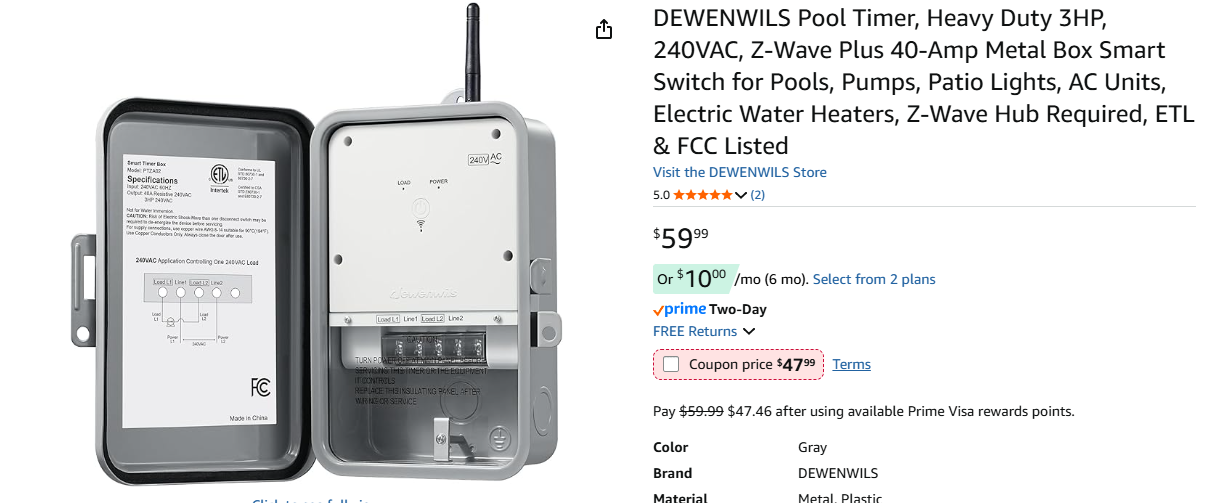
Two ZSE50's that I would like the driver to get better tweaked for the LED control and this that controls my well pump.[before I saw a ZEN78 had just came out]
2 Likes
I’ve recently setup on my hub: 10 Zigbee LED controllers to light-up my (ok, my wife’s) newly renovated kitchen, which is almost but not yet done. Also added an Inovelli Red dimmer and some Inovelli Blue On/Off Switches, and a Sinopé floor heating thermostat.
It’s been a busy summer! but we’re happy with the results up to now. Stil waiting for the backsplash and cooktop. We didn’t have the faucet setup yet for this picture…
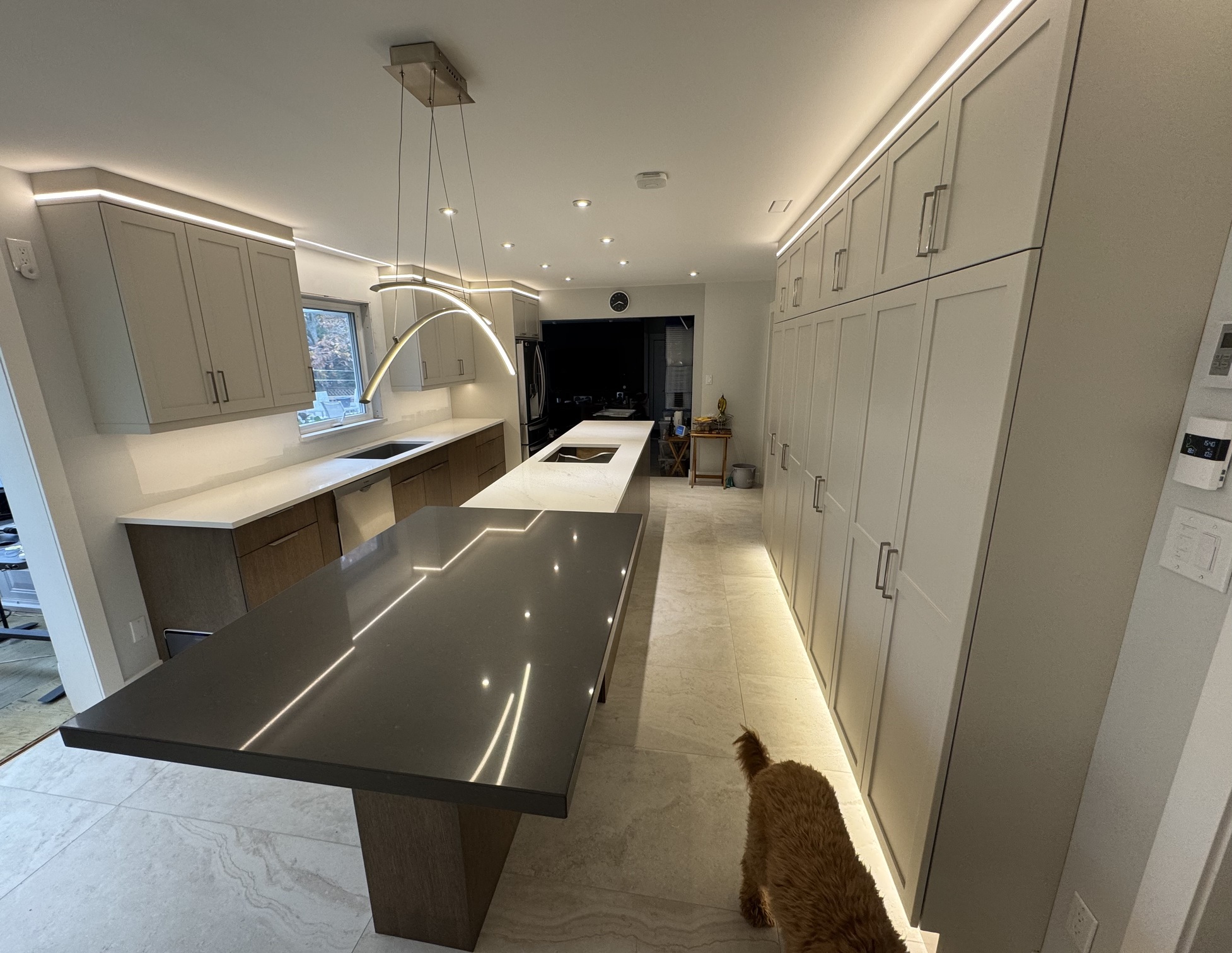
It’s all automated with an Aqara FP2 that turns on what is needed depending on where we are, and how much light there is coming from outside. The wall switches can be, but are rarely used…
12 Likes
Same, sadly. Just haven't had the need for anything new, and I look at my spare parts box and feel guilty about buying more gear.
Pics/Video would be greatly appreciated...would really like to see how it's setup/working. Be nice to have some vicarious home automation fun, and we are going to be buying some new blinds...
2 Likes
"detect up to 5 people at the same time"
Sweet!
2 Likes
Ditto.
2 Likes
Inovelli White Smart Dimmer (Matter/Thread) Is my latest test. Nothing fancy outside of using the Inovelli White Dimmer to control a couple of Hue Bulbs in a bedroom. I’m very pleased with how it seems to be going.
2 Likes
So new home porn... Tsk, Tsk....
So where are the videos....
Awesome looking place @Sebastien. Let us know when the moving in party is happening
2 Likes
Where in this picture is the FP2? I’ve been thinking about adding them, but always hold off for one reason or another.
2 Likes
I feel like this should be (rightly) renamed "what new devices has Sebestian used in his Kitchen".... And when can we all enjoy them... 
4 Likes
Waiting for it to be all done… The cooktop we ordered and had kept in warehouse is now on backorder for some reason, and won’t be available until November… So won’t be before then. 
It’s the white dot in the middle:
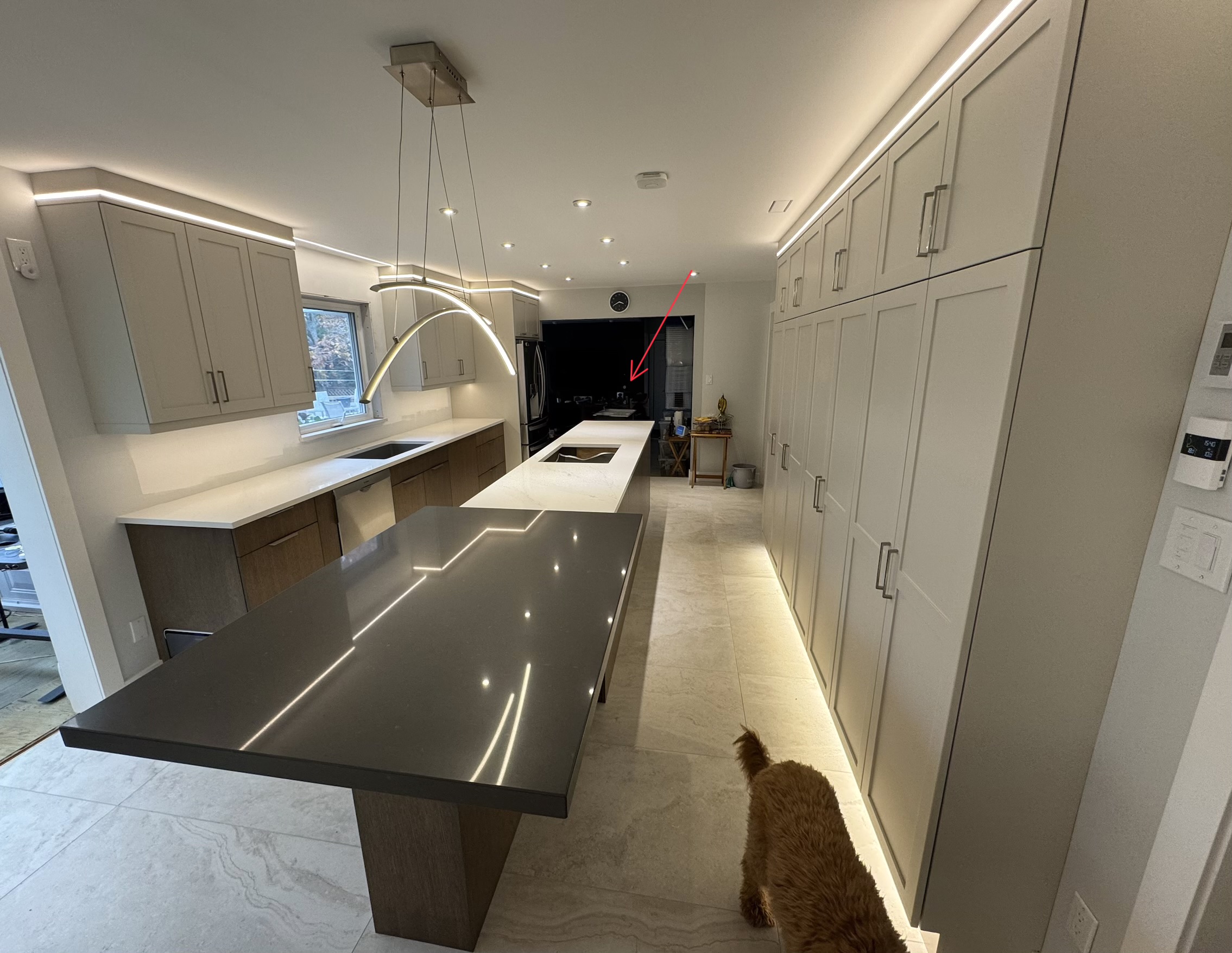
It actually covers 2 rooms, the living room and the kitchen. It doesn’t reach to the end of the kitchen though… it only goes up to about the middle of the table in black. I’ll be replacing the Lutron dimmer with an Inovelli mmWave switch as soon as they come out to cover the rest, but for now, you can see a SmartThings motion sensor stuck on one of the screws of the plug in the upper-left of the picture. That plug is for an automated roller shade that I’ll be putting in place to close-off the sunroom on the left for days where it’s too cold or warm out. We found during the renos that just a plain sheet does a great job of keeping the heat in the sunroom while the rest of the house stayed much cooler…
Lol. Automation wise, I’ve got a fan that blows the hot air from the solarium into the house when it’s sunny and cold, I have lights in our glass cabinet and a fully-automated Fujitsu mini-split. But other than the glass cabinet lighting, everything else is a few years old at this point.
The new cooktop will be a connected LG, but I’m not sure what its capabilities will be yet…
And oh, my wife loves the new garbage pull-out that is to the right of the sink. It opens automatically when you put your foot under it, but I found out after it was installed that I can connect it to our Wifi and then to Alexa to have it open automatically. I’m sure there’s some way to connect it directly to Hubitat, but haven’t done so yet… The Roborock cleaning robot that you can barely make out on the left (at the end of the cabinet) will trigger it when it cleans the floors, and I have yet to spend time to find a way to prevent it from doing so. I will likely just create a no-go zone right under the garbage, of find a way to disable to trigger while is is cleaning… haven’t decided which one to do yet…
So yup - I love my automation! But with all the time I’m spending on all the tweaks, it’s likely not saving me much time…
2 Likes
I MUST do this!
Product details please!
2 Likes
A smart plug/outlet or relay to disconnect power when the cleaning robot is running.
1 Like
I had issues with my Roborock vacuum triggering lights, my HSM intrusion, and a host of things. My solution was to put a Moe's contact sensor on the vacuum base (stuck to an extension piece so it is close enough to the vacuum) and then I removed the plastic housing from the magnet and place it on top the actual vacuum. Then I wrote a rule that when the contact sensor opens it pauses several rules, changes HSM to Home instead of Away, etc. then when the vacuum returns and it the contact closes the rules resume and HSM goes back to away.
Not sure if anything like that will help with your garbage situation but if you can out it in Alexa you might be able to work back somehow.
2 Likes
Sure:
It’s from Europe, but they have an option to find a retailer. Really worth it.
Great idea! I’m considering this… I actually have one that I can use, but didn’t set it up yet.
I have a Roborock integration with Hubitat, so probably don’t even need to do that… But the problem is that if I have it running while someone is out and about, and wants to use the garbage while the device is disabled, then they’re SOL… and so am I…
4 Likes
Two- Zooz Zen 16 multi relays,
4- Zooz Zen 76 on/off switches,
2- Uhppote electric door strikes (fail-secure),
2- Uhppote Access Control power supply/controllers,
1- Door exit release button,
2- Garadgit garadge door switches,
3- Ecolink garage door tilt sensors,
2- Aqara door contact sensors
All of this to control three overhead doors, two passage doors, and several lights in the house, garage, and barn.
Features include:
1- Turn the garage lights on and open the latch to the door to the house when I arrive home.
2- At the barn light switch, press and hold the bottom paddle to close the barn overhead door, double click the same paddle to turn on lights and open appropriate doors to facilitate the walk back to the house from the barn, and single press the same paddle to turn off the barn interior lights.
3- Close all overhead doors one hour after sunset
Everything works as it should, of course programming improvements will continue into the next year.
2 Likes
I recently got the third reality matter nightlight. It was working good until I broke it before I discovered that the flash function rule does not work with it. lol that’s the fun discovering what it can and cannot due. So had to reset it and reinstall or I should say I will soon.
1 Like