Please provide your hub model (C7, C8, etc.) and its platform version from Settings>Hub Details.
Check out the following post for help troubleshooting problems and gathering details that will help others to identify and solve the problem you are experiencing: ‼ READ FIRST - Before Posting in Get Help
Hi everyone. Setting has changed and I can not find it back.
On the left side of screen, it shows small icons without titles. Have I done something or did this become the (new menu/ now?
Thanks
You did something... 
To undo the something, click the white arrow:
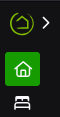
It will become...

Oh, thank you so much. Yep, I guess I hit it somehow. Lol
It is called fat fingered it
Thanks for the quick reply.
I've seen this in posts before. It was determined that this is caused by opening a file in any of the Dev options. When you open an apps code or driver code file, for example, it collapses the left menu (apparently to give more screen space for the code) and it doesn't come back until you put it back manually.
I'm in a Dev options often, so I have just given up on seeing the full menu and I just leave it collapsed now. Once your brain learns the icons you forget about it.