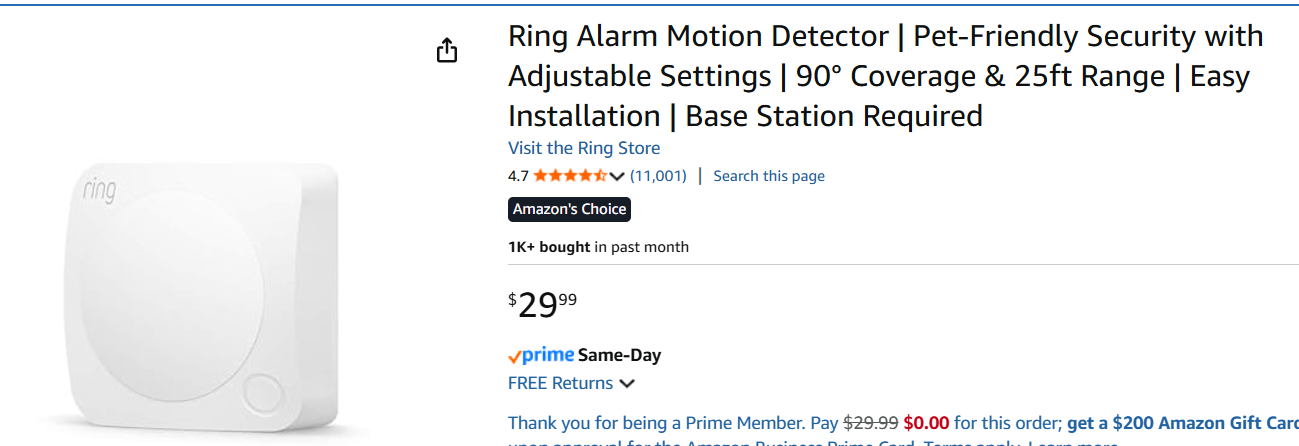
I just bought the Ring motion sensor shown below. The Hubitat compatibility list says it is compatible with Ring Alarm Motion Sensor V1 and V2. Firstly, I'm not positive this sensor is one of these exact models. Regardless, I can't even configure this thing using the Ring app or Alexa! In the Ring app there are NO motion detector devices listed. So I tried "Alexa-Connected Devices". Alexa says to install it in Ring first, and Ring says to install it in Alexa first!
Any help including this in my Hubitat C-8 Pro would be appreciated!
Ring at one time split their line up into at least 2 different protocol stacks - one using ZWave and the other that required their Ring Lighting Bridge.
It says Zwave on the Tech Details zbernie123 posted: Connectivity Z-Wave (250-foot range to Base Station open air, line of sight)
So I would think it would just pair as a Zwave device, but there are no details about how that went if zbernie123 tried that, though I assume that was the first thing they tried.
If its really a zwave device, then you need to do neither of those. You need to pair it to Hubitat. You probably wont be able to access it from the Ring app at all, unless you remove it from HE and pair it to Ring instead. Alexa does not have zwave at all, so you would get it into Alexa by sharing it from Hubitat once it is paired.
Configuration will take place on whatever hub you pair it to (Hubitat or Ring if you have a zwave hub device for Ring).
Yes, that does not work. The first thing I did was follow the Hubitat provided instructions for this device below. Then I read in another thread they added it to Alexa first.
Inclusion instructions
Select the Start Z-Wave Inclusion button.
Open the motion sensor cover.
Quickly remove and replace the battery to begin the inclusion process.
Wait for the inclusion process to end and the device is successfully included.
Factory reset instructions
Insert a straightened paper clip into the pinhole at the back of the motion detector.
Press and hold the Reset button.
The LED will be flashing. Keep holding the Reset button until the LED turns off.
Open the motion sensor cover.
Quickly remove and replace the battery to complete factory reset of the device.
Did it come with a QR code that says anything about SmartStart or a DSK?
Can you post a picture of any labels or marking on the device either outside or inside the battery compartment? So that we can ID and verify what device it is exactly.
Got it thanks! That was driving me nuts! What I'm planning on doing is when motion is detected in the front of my house, turn on the porch, office, and living room lights.