Hi,
I have a C-8 PRO.
I would like to add a wall display for basic commande interface ( like NS panel).
Is there one model that you have tested and you would recommend?
Thank you,
Pierre
Hi,
I have a C-8 PRO.
I would like to add a wall display for basic commande interface ( like NS panel).
Is there one model that you have tested and you would recommend?
Thank you,
Pierre
I use an 8 inch Fire Tablet running Fully Kiosk Browser to display my dashboards. I have it sitting on a stand on my living room end table, but I'm pretty sure there are wall mounts available for it.
How do you mount this? I am interested in getting this set up .... after years of fighting the need to have a display 
Mine is sitting on a stand, but there should be wall mounts available. You'd need to get power to where you mount the display. I'm not an electrician, but there are various way to achieve this.
https://www.amazon.com/s?k=fire+tablet+wall+mount+with+power
Wow! Those are nice! This is happening! Thank you!!
Makes by Mike is my go to place for all things mountable. They've been in business since 2019, mounting tablets to display Actiontiles dashboards when no one else offered a smart home dashboard  https://mbmounts.com/
Apple is rumored to be coming out with a new HomePod with a display. Supposedly in early 2026
For only $1599 you can get this brilliant 7 inch smart display powered by Apple, coming soon*
*don't hold us over the exact date, we've been working on this for 5 years already and counting
I've just been buying used/open box Galaxy Tabs from Ebay. I Currently have an A7 and an A8. You can buy wall mounting brackets that let you slip the tablet in and out easily. The dashboard tablet on the Kitchen wall is also used for a recipe app, so we like to be able to easily take it over to a stand on the counter when cooking.
For the dashboards, I use Fully Kiosk Browser, that is pretty commonly used to keep the tablet screen on and display the dashboard in full screen.
We also use the tablets for music, connected by bluetooth to the house speakers. Having a tablet on the wall is handy for lots of things besides dashboards.
The A9+ looks awesome recessed in the wall, not only because I look at one every day lol
I was bidding on an A9+ but I ended up buying the A8 recently. It went for like $30 because it was Google locked with FRP. I guess there are ways to get around that, I probably should have just bought it and tried one of the methods out there to unlock it, but I also didn't really want to deal with it.
Even though I could afford it, something in me just doesn't want to spend over $100 on a wall tablet. 
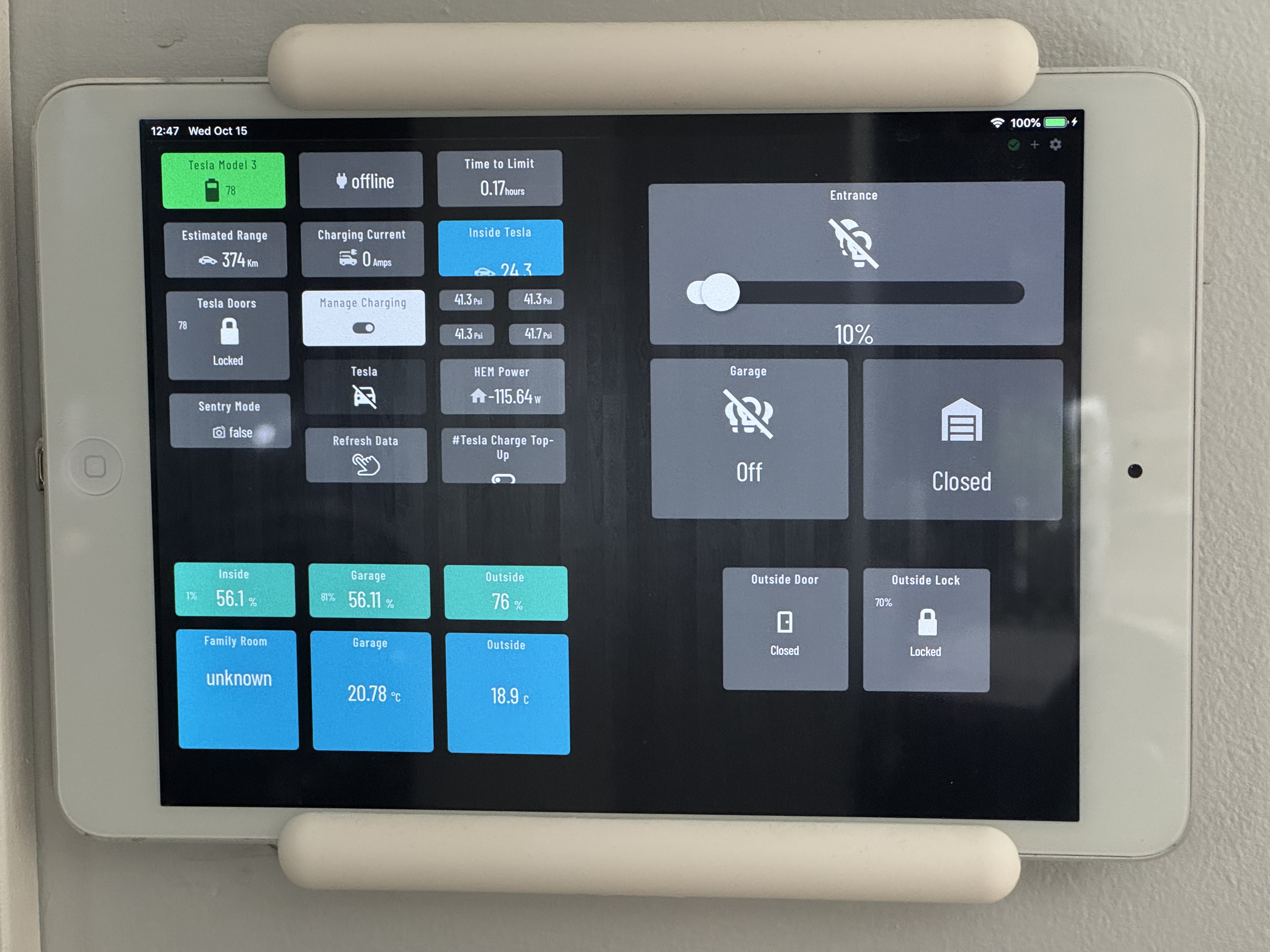
I use an old Apple iPad mini that I was not otherwise using. Has been serving us well!
I use the native browser with a link from the desktop. With Guided Access enabled, the iPad is locked to that screen. Sending it notifications (ex.: using the Hubitat App) wakes it up, but they don’t get displayed due to Guided Access restrictions. Those notifications get sent via a rule when motion is detected near it.
One down-side with this approach is that the dashboard needs to be refreshed occasionally as some buttons will become out of synch…
Have you bought a license to try the PLUS features of Fully Kiosk?
Besides the motion detection to turn the screen on and off, there is also a remote admin feature that would let Hubitat control things via web calls. Just curious if anyone is using those features and how well they work.
Fully without a plus license is like driving a car blindfolded 
I think I should try it out then... it is only $11 per device. I also just realized that it says the features are free to try with watermarks.
I have a plus license. I don't do anything with web calls.
What do you guys do to keep the battery from swelling up do to overcharging?
Tasker, costs a few bucks but lots of potential uses other than battery management.
Edit: My new Lenovo Tab One has an option to limit charge level baked in.
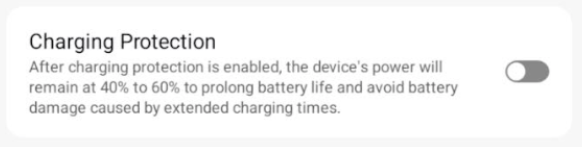
I don't know if it is just a Samsung feature, but I use the battery option to not charge over 85%.