I upgraded per the subject and everything went smooth, restoring my C-7 backup to the C-8 pro. Upon booting up, I received the "Weak Zigbee channel found" message but on quick test my zigbee devices were working so I ignored the error. However, I subsequently did indeed notice that some of my zigbee devices were not working reliably.
To troubleshoot, I booted up my old hub to confirm it was the same channel (worked fine for several years but I recall taking some time to settle on a working config with my c7). It was indeed set to channel 20 as was my new hub. I was a little surprised that for the same channel, same power that it was having issues (especially with it's much more robust antennas).
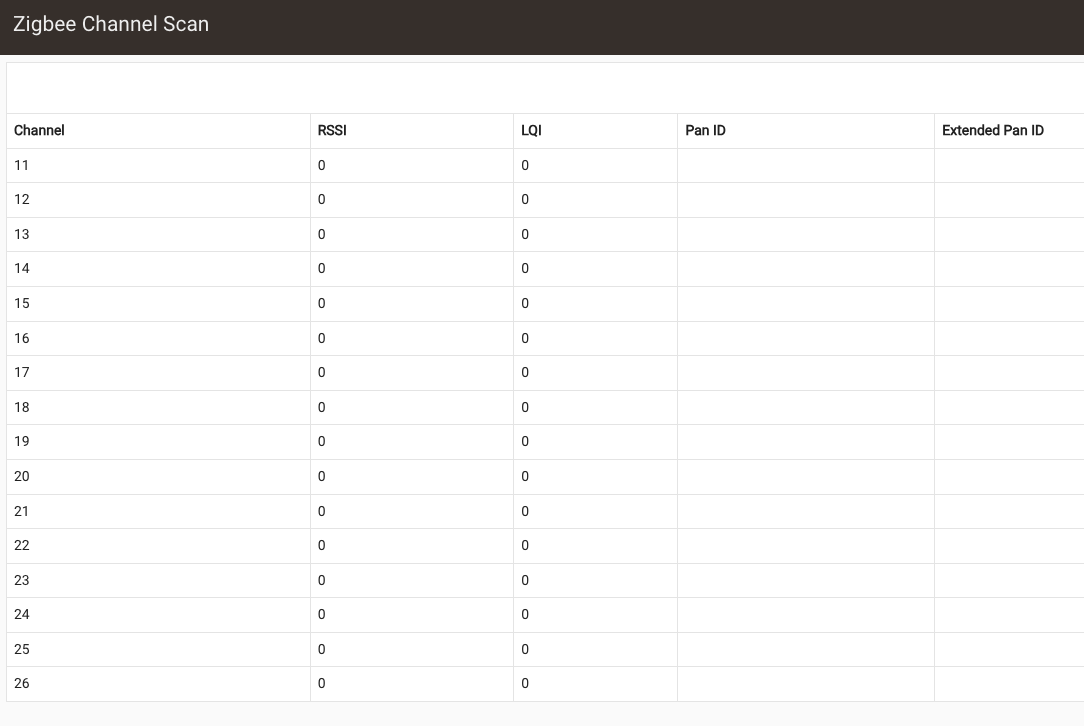
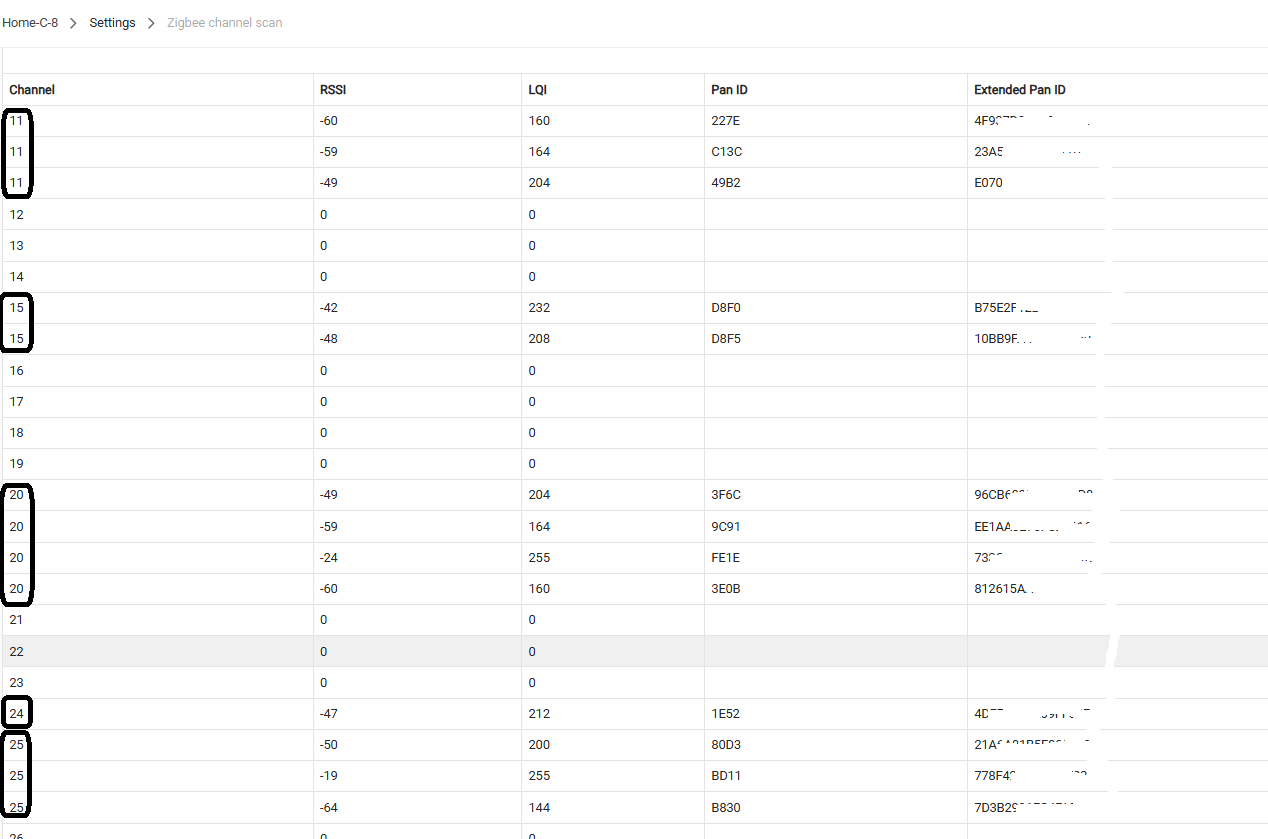
Therefore, I tried following the advice of the weak signal message and changed from channel 20 to 25 and increased the power and rebooted the hub as suggested. When I ran the channel scan before changing the channel, I could see my wifi and by hue hub on lower channels. Now when I run it I see nothing on the channel scan. It was like this for an hour so I changed back to channel 20, rebooted again, and still nothing will connect and the scan still comes up empty. Why would the channel scan not work??
Update: an hour later some of my devices have checked in per the zigbee table, but they are still not controllable. When I look at zigbee logs, one device appears to be spamming so I power cycled it.. Was that an artifact of the upgrade / hub change?
At this point, I'm changing the channel to 25, set the power back to 8, and letting it sit for a bit but really bummed that this all seems to have gone sideways.
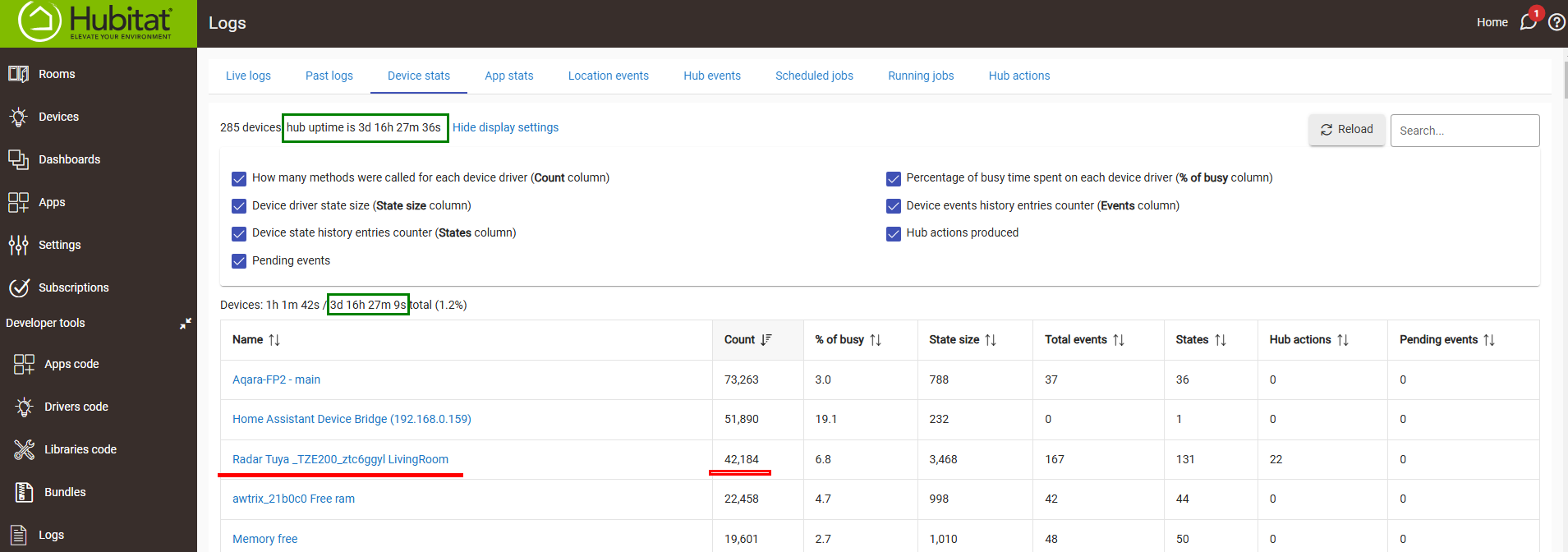
This is the same one we've been discussing in the other thread but a different variant that your driver was able to detect and has been working fine on the old hub..
This is one of the spammy Tuya mmWave sensors, but yours had some kind of malfunction/bug, probably provoked by the Zigbee channel change.... I can't be sure.
Monitor the number of the received Zigbee messages from this device in the next days, if they are more than 20..30K per day - don't use this device anymore
These are my stats for the most spammy Tuya radar that I have :
Thanks, will keep an eye on it. Right now I have had the hub up for about 30 minutes on the new channel (25) and still no devices have reconnected and my channel scan continues to show nothing on any channel. It's this latter situation that makes me wonder if there's a bigger issue because why shouldn't the channel scan work as it always previously did?
Channel scan can be flaky, I would not spend a lot of time looking at it at the moment.
30m is not very long for Zigbee devices to re-settle on the new channel (25). Leave it there, don't make any other changes for a while, and the power change you made on the C8. what did you change it to?
Many of us have found the lower end (8 or maybe 12) are best.
I moved it back to 8 because I saw that shared in some other troubleshooting threads. I have a big network with a lot of repeaters and a pretty small house so I didn't find myself lacking on the C7.
I will sit tight here for the afternoon while I'm working, but nearly an hour in not a single device has reconnected since that channel change. I seem to recall when I messed around with channels on my C7 back in the day, a bunch of things connected up pretty quickly and within a few hours everything had largely connected. It seems odd that at an hour+ not a single device has connected, but maybe that's not unusual.
OK, power level 8 is a good place to start from. Let things sit for a few hours. You've changed both channel and power (power a couple of times) so that will likely cause a little more hubub in the devices calculating/choosing the best routes back to the hub.
In my experience I've had to unplug/replug a few mains powered devices like repeaters/plugs, and a few devices may need a reset-rejoin, but typically most have rejoined on their own when I've migrated or changed Zigbee channels on my C8/C8-Pro.
One thing you can do later is turn off the hub and wait for the red LED, then pull power and wait 30s, then restore power and the hub will boot up. That will clear your Zigbee radio and might help w/devices re-joining.
I don't know if this would be helpful in this case or not, but if you shutdown and remove hub power, and then wait 25-30 minutes, that should induce a zigbee panic rejoin when you power back up.
I'm definitely no expert, but it can't hurt (other than cost time).
I'm not sure if the ~30-min downtime causes the devices or the hub (or both) to panic and look around, but someone smarter than me can probably clarify (and tell us both if this was a red herring!)
I did just manually re-pair one of my devices and that was successful and I can now control it. So my hub is not broken at least. Still no devices have found their way home other than this one that I intervened on.
If you don't have that many devices it might be quicker to just go round and re-pair the devices.
My experience is that half my devices never come back in a channel change situation.
Maybe just do your 'critical' devices and leave the rest.