What exactly is the new built-in UniFi Network Integration capable of? I don't see the documentation?
Specifically, I am looking for the ability to control the POE mode on a unifi switch port.
I don''t believe it can do that. You may want to look at @snell's integration.
The documentation is available now:
The documented UniFi Network API does not provide a way to turn PoE on or off on demand or change anything else about PoE, only power cycle. That is what the powerCylcePort() command does.
If you think more be useful, I'd encourage you to submit your feedback to UniFi that you'd find this valuable over the API, however!
You may want to load the Unifi Integration Manager from the below link.
Then load @snell unifinetwork integration.
The built in integration uses the Unifi Network API which isn't very robust. Snell has done a great job integrating with the unifi Network webhooks directly from the Network Application. It is a bit nore robust. It gives you the ability to set a port to Auto(on) or off.
1 Like
Thank you for the link.
I know that this is possible since bifocus Companion module is able to control POE:
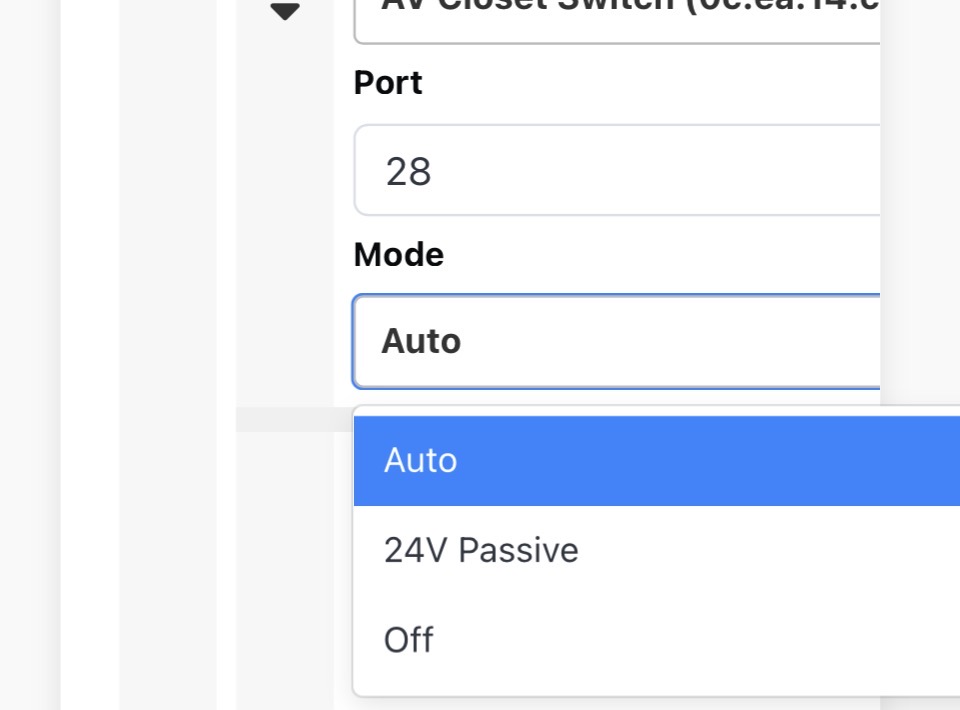
It’s done by changing the POE mode.
Can you clarify exactly what you mean by mode.
Are you thinking on/off, or like 802.11af vs 802.11.at vs 802.11bt
I just want to make sure we are clear what your expectation is.
I don't think this is about can it be done, but just what has the ability to do the the task for your expectations. If a powercycle is all that ia needed then even the built in app could do it as @bertabcd1234 mentioned
I mean actually enabling and disabling Poe power on specific ports.
Here is what that Companion module offers
As I mentioned:
But:
However, as @mavrrick58 mentioned:
(It is my understanding that this uses reverse-engineered pieces of the web interface to access additional functionality unofficially; the built-in integration uses only the official API.)
4 Likes
The "bitfocus" companion is using a method to access the controller's built in API that they use for their web browser interface (just like my drivers do). The Hubitat-based method is using a new API that Ubiquiti added that is completely different. It does not use a Username/Password and require an account/permissions, but rather just uses a simple API_Key you need to generate on the controller.
However, the new API is EXTREMELY limited. Hubitat's Presence and Power Cycle capabilities from it are the main functions it offers. If you want to go further than that, a different integration is needed.
@bertabcd1234: Technically, the other API integration method is not unofficial. Ubiquiti has published information about using that API for years, but they only publish a limited set of what it is truly capable of and really do not document it worth beans (unlike the new API, which they put some effort into making accessible).
3 Likes
I've tried using your api to change POE mode, however it does not work.
I have a USW Pro 48 PoE (7.2.120) with a UDM-Pro. Configuration is all successful. The child switch device is created using the "UnifiNetworkChild-USW48PoE" driver. Status is pulled correctly. However, sending the "Set Poe Port State" command ('auto' or 'off') does not change POE mode on the switch port. The device log does not throw up an error either. Could this be because it is the 'Pro' model of the switch?
That is the exact same main switch I have, 48 port Pro PoE, and the same controller. I just took the 4.4.3 console update and I am getting an error in my driver when I try to set a port... so something changed (again). Hopefully I can get it figured out tonight and get an update posted. I also noticed some new data points being returned that I have to add handling for...
EDIT:
A new version of my driver has been posted. The problem (at least on mine) was due to a new data field being included related to aggregated ports. Since it was not recognized before, it was not being sent as the correct type back to the API, so the API would reject the port overrides that are now required to be included with port changes.
Please let me know if the new version fixes your issue. If not, I can work with you to try to see if your system has something different from mine that is also not being included properly.
1 Like

