I've had my 2 Ecobee 3 thermostats connected via HA's HomeKit emulation for a few years, bringing them back to HE via HADB. Now that I'm on the C8 Pro, I'm trying to move them to the HE HomeKit Controller Integration.
I started with just one of the thermostats. I went to it and used Settings -> HomeKit and used "Disconnect from HomeKit". I them deleted the device on the HA instance.
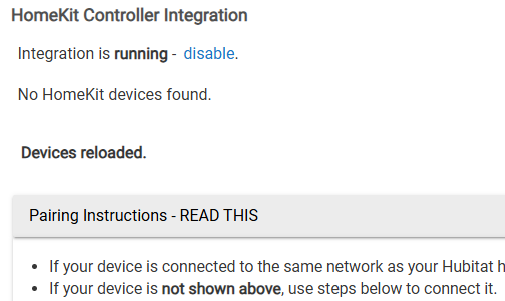
I then set up the HomeKit Controller Integration. It isn't seeing any devices to add:
At this point I've powered off and on the thermostat, and I've restart the C8 Pro. I'm still not seeing any HomeKit devices.
(and I really want to move both Ecobee3s and the Aqara FP2s to the C8 Pro).
This appears different from the problems other people were seeing last year, where the Ecobee was seen but wouldn't pair.
e.g.,
Any suggestions? I really don't want to factory reset the Ecobee 3s (we're in a heat wave right now, and after the Zigbee mess my WAF is already on the low side).
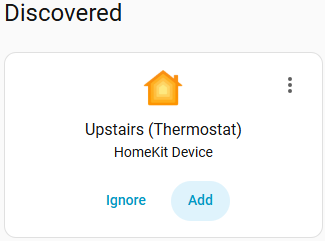
I went to Settings->Network Setup->Show mDNS devices and I see that the hub does see the thermostat I'm trying to pair. It also sees the ecobee cam (.58). Oddly, it doesn't see the downstairs thermostat (.62).
I am in same boat and have been since getting my C8Pro a few months ago. The Homekit Integration doesn’t see my 2nd Floor Ecobee 3 Lite but it does see my 1st Floor Ecobee 3 Lite and its currently paired to HA as is 2nd floor one.
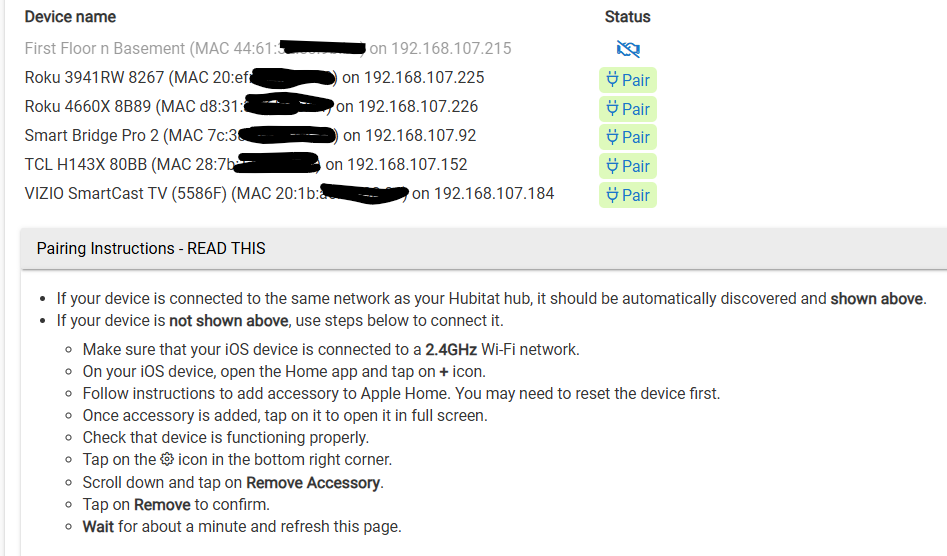
I have followed the instructions at bottom of image multiple times along w/ multiple disconnects of thermostat and Hubitat Hub. Nothing worked so I gave up and left both connected to HA and then use HADB to bring into Hubitat.
So, I am of absolutely no help other than I can empathize.
I gave up on moving my Ecobee from Home Kit on the HA to Hubitat. I have the same issues where I remove the Ecobee from HA/Home Kit. It shows up in Hubitat and then at the final steps can’t complete the pairing with the message device is already paired.
@gopher.ny was working with me and after the words “try factory resetting the ecobee” were brought up I said no.
General - Settings - HomeKit - Disconnect from HomeKit or similar should work as well. I just tested it out.
Not sure why I didn’t see it before, perhaps the option wasn’t available at the time? But it shouldn’t be necessary to factory reset the thermostat, only to disconnect it from the HomeKit controller.
If someone paired an Ecobee with an earlier version of HomeKit integration and the Ecobee is stuck being paired to a controller that doesn’t see it any more, that’s the way to go.
I actually went through the process of doing a factory reset on my Ecobee4 a few times as i was trying to troubleshoot it. It actually isn’t to bad depending on how complicated your custom rules are.
The conclusion i have came to with mine was that the add-on sensor that came with my Ecobee was the problem somehow. The factory reset cleared the attached sensors and i could attach the Ecobee to Hubitat without fail after the reset. 1 of the 3 i have seems to cause everything to fail once it is connected. I don’t know why, but everything falls apart after adding the sensor back. Until i do it all works fine. I have a add on sensor in my Master bedroom, the Study, and the second bedroom. The Master bedroom sensor is the one that came with the thermostat. They all look the same so i don’t know what the difference is. As long as i don’t add the Master Bedroom sensor back it works.
I ended up giving up and going back to Ecobee Suite since i use custom ecobee programs for certain functions.
Could there be something weird about your wifi like vlan’s or 2.4 vs 5ghz bands, Multiple AP’s?
I read all your threads yesterday (I looked and looked for an answer). As I recall, your thermostat was initially seeming to pair but not completing. I'd love to be getting that far - my thermostat doesn't even show up on HE.
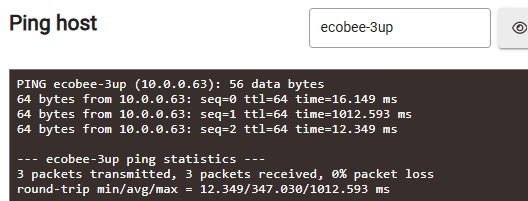
The ecobee's are on a 2.4 only WiFi. The C8 Pro is wired Ethernet. No vlans. I can ping and see the thermostat on the network from the C8 Pro.