Any security settings enabled on the CG Ultra that are off by default?
Just gave that a shot. Unfortunately no change.
It must be a security setting in the firewall. I’m a novice here and will need to do some research.
I have my hub in an IoT vlan, run the HE mobile app on my main/default vlan, and communication between my phone/HE app and hub works w/out issue, even in that "complicated" setup. I don't have any special firewall settings/rules other than an "established/related" rule that allows the hub to respond from the IoT vlan to connections initiated from the default vlan.
So I don't think you have a firewall issue as you just have one subnet/LAN, and didn't initially add anything (as far as I can tell) to your default firewall rules when you set up your Cloud Gateway Ultra. Unifi defaults to "everything open" when you first setup a gateway and/or switches so everything should just work initially. That's why I was wondering if you turned on any security settings that might be causing issues. I frankly doubt it's that as well as I have several security settings enabled on my Cloud Gateway Max, (including encrypted DNS via NextDNS) and the mobile app is still connecting w/out issue to my hub, knows when it's local vs cloud connected.
Jeff covered all the kinds of things that normally would explain your issues. Long story short...this is very confusing. 
@bobbyD - any suggestions?
Why?
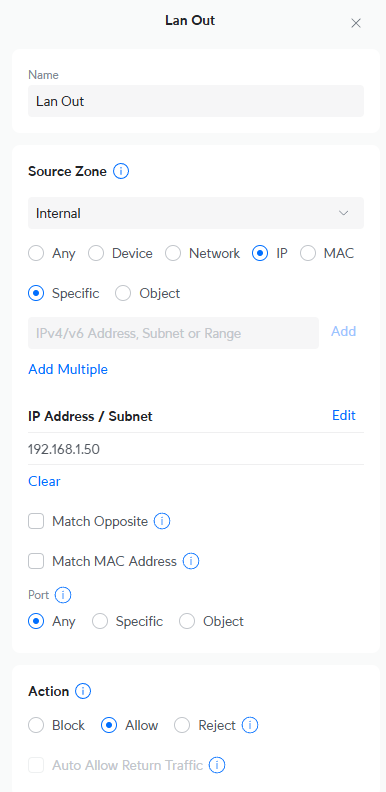
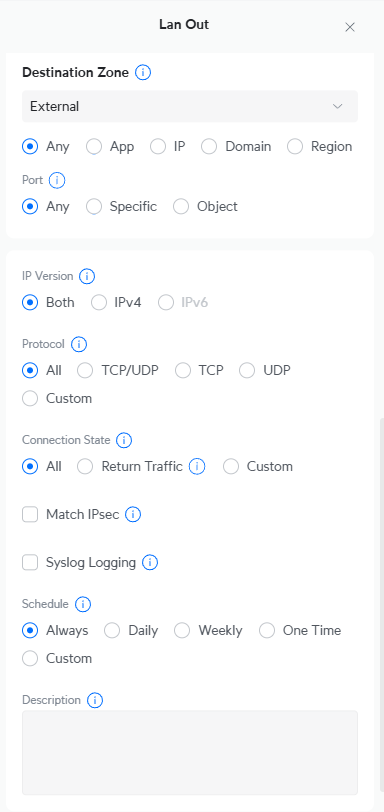
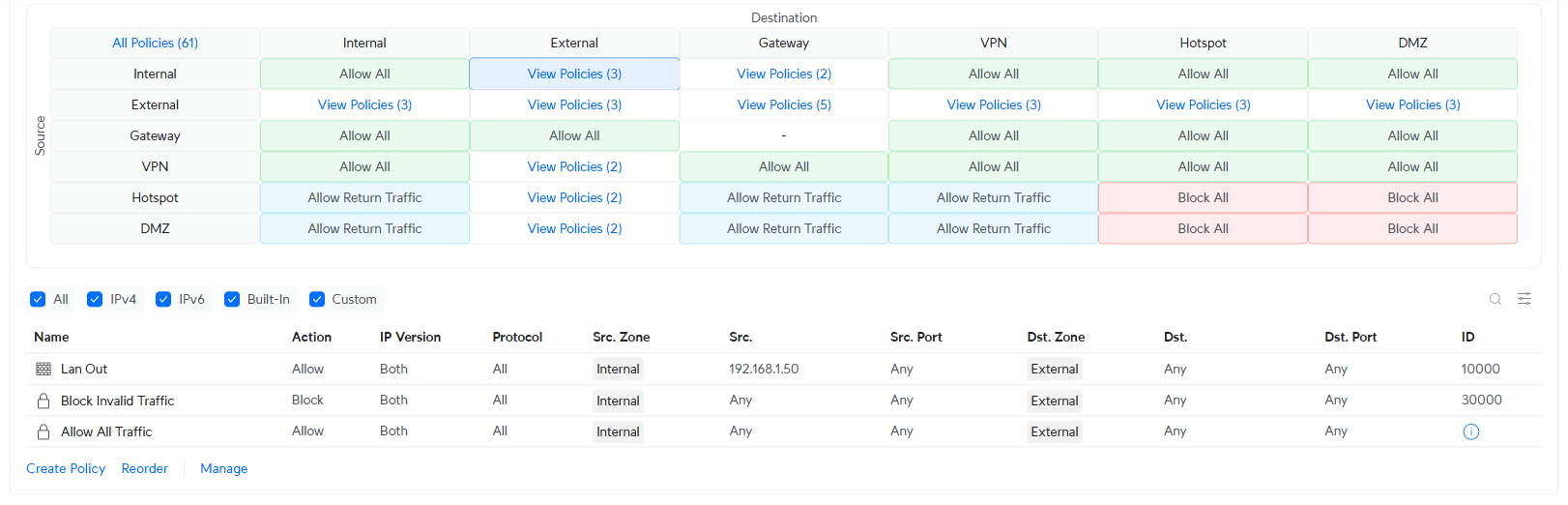
According to the screenshots you shared, the networks in your “internal” zone already have access to the internet (the “external” zone in unifi’s new zone-based firewalls).
This firewall rule alone wouldn’t explain why your hub’s having connection issues (at least I don’t think so?), but it also appears to be unnecessary.
That’s possible. Did you manually create any other firewall rules?
Appreciate you looking at this...Its a head scratcher for sure.
Thankfully i am able to access the HE via the web so not all is lost.
No other new firewall rules outside of the one titled Lan Out...That was a fix suggestion that i came across on the innerwebs...If I can delete that (its not helping) that would be good by me.
Probably not helping or hurting, but I’d remove it.
I’m as puzzled as everyone else at this point.
Are you able to access the hub from safari on your iPhone?
1 Like
yes I can get to it via the assigned IP address.

So to summarize the 30 previous posts......
You can connect to the hub from your phone by entering 192.168.1.50 into your browser, but using the Hubitat app on the same phone, you only see "cloud" connection available.
If that is true, then we need to think about how the app finds hubs on the local network. And I don't know the answer to that.
I suspect it uses MDNS protocol, which might be getting blocked by your unnecessary firewall rule.
OR
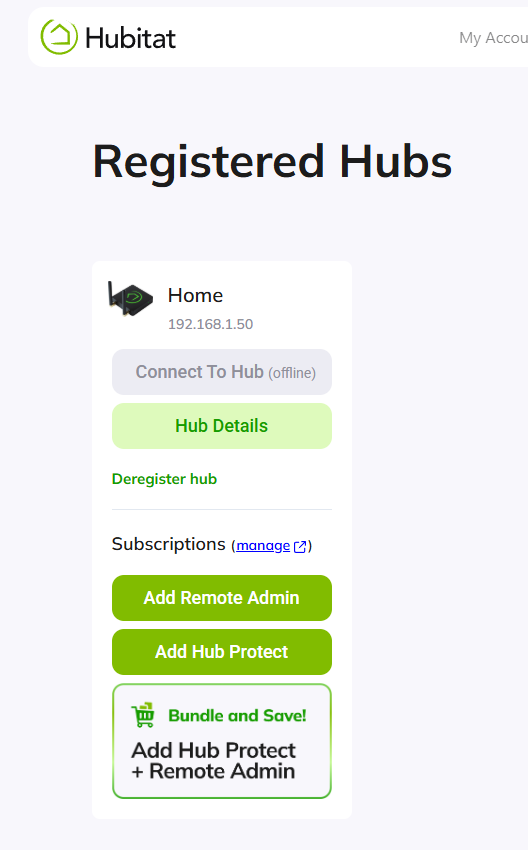
The app connects to my.hubitat.com to obtain the local IP address. I suggest logging in to my.hubitat.com, and selecting registered hubs. Click on "hub details" and make note of the local IP and "last check in time", to verify proper hub connectivity.
BTW I tried using the DNS server you were using in your earlier posts (75.75.75.75), and it doesn't work at all for me. Same error message that you received. Possibly it only works for Comcast subscribers.
You resolved that problem when you switched to DHCP.
I've removed the rule that I built to "help" but am at the office now and cant try to login via the app...I'll try it when I get home
On the output from my.hubitat
It shows the same IP Address
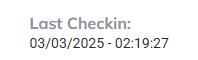
Last checkin shows
I suppose that you can check MY mDNS theory by entering https://findmyhub.hubitat.com/ into the web browser, rather than the IP, and choose advanced discovery via mDNS.
I'm not on my home network right now but was able to find the hub using the mac address while on my office network that sits behind a Cato Client
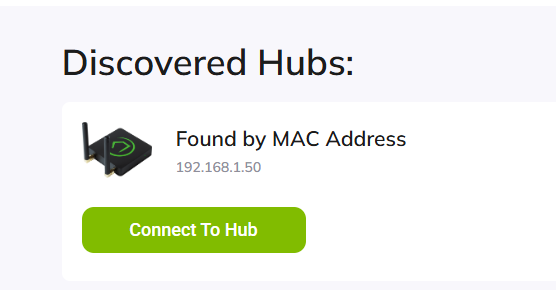
That won’t work while you’re away from home anyway (without a VPN at least).
Try
when you’re on the same local network as the hub.
1 Like
Will try it when I get home.
Without setting up a reflector, mDNS also won't work over a VPN. Reiterating the need to try this while directly connected to the LAN.
1 Like
you are on comcast right? as that is one of there dns servers and will not work if you are on another provider.
your table is also allowing lan out but then blocking everything next. i am not sure how your firewall works but you need to allow data back in too. and dns i believe comes in on udp by default and the respose back to the hub may be getting blocked.