I suspect that the biggest problem people have with Zigbee has to do with WiFi. I locked my router to use channel 1 and have my HE on channel 25. My Zigbee mesh is rock-solid and reliable. I had tried using a WiFi extender and did have problems. I realized my house is not big enough to use the extender. After I eliminated the extender and set the WiFi channel to 1, no problems.
Based on @HAL9000's recommendations/comments, I unplugged all of my Apple Home TBR's (2 x AppleTV 4Ks, 1 x Apple HomePod Mini, and 1 x Aqara M3 Hub.) After doing so, sure enough I could no longer control the GRILLPLATS outlet from the C8ProT hub.
Also, by looking at the C8ProT's Settings->Matter Details page, I could see that the IPv6 address of the GRILLPLATS plug was different from all of the other MoT devices that were paired directly to the C8ProT hub's Thread radio. See the following post for details.
If your Thread network(s) credentials are shared with your mobile device, try Introducing Thread Tools.
Mike:
I've done some additional testing with the infamous Grillplatts. I found a couple things that might be of interest.
I can pair the GP with Alexa. In the pairing process Alexa offers 3 different thread networks: the amazon network, my Apple Home network, and the Hubitat network. I chose the Hubitat network and was prompted to enter the network key. I referenced thread details page in Hubitat and entered the key manually because I couldn't figure out how to copy and paste it. As you know, it's a LONG string of hex digits. I entered the string and checked it twice. I received a message saying the key was incorrect.
Question: why does choosing the Hubitat network require entering the network key? Choosing Amazon or Apple network does not require this. A second question: Has the process of joining the Hubitat network from another system like Alexa been tested? It's certainly possible that I entered the key wrong but I did double check it. So I paired the GP with Alexa instead.
I successfully paired the Grillplatts with both Homekit and Hubitat using setup keys generated by Alexa. I know that the real goal is to pair it with the Hubitat thread network, but I can at least use the device from both Hubitat and Homekit. Response time is instantaneous. This beats throwing the device in the trash (i guess).
The Eve iPhone app shows the GP as a router device connected to the Amazon network. Thread Doctor shows an unconnected network showing the Amazon border router with the GP connected to it.
I hope this helps a bit.
The Hubitat network key is shown on the thread details page as you noticed you should be able to copy that directly and use that in the Alexa prompt.
There's almost no way you could type that in by hand and get it right
Understatement of the year...

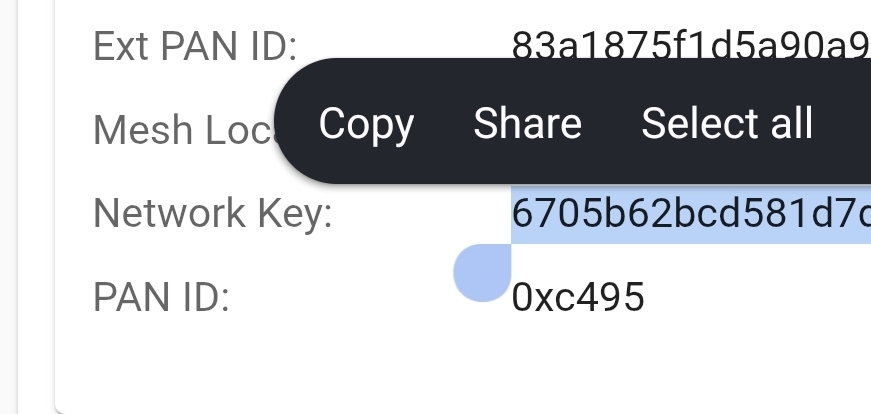
Yeah.. I copied it easily from my computer. But i was using the Alexa app on my iPhone and couldn't figure out how to paste it. For some reason I cannot ping the address of my Echo nor attach to the device with a browser.
In any event, I'm not going to attempt to repeat the whole process. Took me to long and at least I have the Grillplatts working in Hubitat and Homekit. I think I needed to enter the key is because it has not been entered into my phone keychain. The Home network and Amazon network keys have probably been copied.
Have you been able to add a device to the Hubitat thread network using the network key process from Homekit or Alexa?
No, I haven't tried that. Haven't had any need to try it yet.
Is the end result of copying the key and pairing as described to the Hubitat network using Alexa that the spatzplat is on the Hubitat network independent of other TBRs?
unlikely to work, but ive been wrong before
I think I have figured out a way to copy and paste the Hubitat network key into the Alexa app. That will relieve me from trying to enter the key manually. I have a new Matter/thread device due to be delivered tomorrow. I'm going to first pair it with Alexa and see if the Alexa app prompts me to choose a thread network. I'll choose the Hubitat network and paste the key.
We'll see what happens.
I decided to give the Grillplats another try to add it to the Hubitat thread network. This time I was able to copy and paste the network key into the Alexa app. It worked! Looks like Mike was right. I guess I did fat finger entering the code manually. Adding the Grillplats to the Hiubitat thread network does not add it to the Hubitat, so I generated a setup code from Alexa and paired the device to the C8pro with thread. Seems to work OK.
I wanted to confirm the Grillplats device was in fact paired to the Hubitat thread network. The two apps I use to display thread device details are both Apple centric. But I can't pair the device to the Homepod mini. I tried using setup codes from both Alexa and Hubitat. In both cases the Homekit said it could not find the device. So I'm still not absolutely positive the device is on the Hubitat network. I seem to remember that I was able to pair the Grillplats to Apple once before by putting the device and the Homepod with in about 6 inches of each other. I'll give that a try when I have more time.
I also temporarily added the Grillplats to the Eero thread network. I enabled the thread network on the Eero router. The router has an option to enter the network key into the iPhone keychain so I did not have to do any copy/paste work. The process seemed to work fine.
I have found that the Amazon Alexa app is very receptive to pairing thread devices. ChatGPT told me that Apple Homekit has a very rigorous pairing process compared to Alexa. This could be a convenient workaround for users who have access to something like an Echo device that acts as a border router.
Thanks very much for your attempts to find a workaround.
The quest here, as you know, is to have the device participating in Hubitat’s Thread network as a repeater. Controlling the device is desirable too, but we could do that through another TBR previously and that doesn’t even require a C8 Pro T.
The Eve or Discovery iOS apps (I don’t recall which) will show what the Thread network looks like and what is acting as a repeater.
I’m still out of the country but will try your technique and do additional testing next week.
Thread Tools will allow you to browse your thread networks. If your mobile device has the credentials for a thread network installed, you can browse the network devices as well.
IOS and Android versions.
Yes Thread Tools can browse thread networks. But a device like an iPhone running thread tools needs to have the network credentials in the keychain. I can see my small Apple thread network on my phone with Thread Tools and display devices on the network because the Apple network is in my keychain. The Hubitat network is visible but greyed out. And I don't see a way to copy and paste the Network key like did into Alexa. Hubitat could fix this problem by providing an option to update the keychain. Eero routers do this and it works. I've tested it and it works.
Using the flaky Ikea Grillplats as a test device is probably not a great idea. I'm going to reset one of my Eve Energy devices and then use the Alexa app to pair it rather than pairing directly to the Hiubitat network. I'm pretty sure I can use a setup code from Alexa to pair it to the Homekit network. Then I can use Thread Doctor , Eve, or other apple centric tools to display the device data.
If the Grillplats is actually paired into the Hubitat network using the Hubitat border router then it SHOULD function as a repeater. The old Matter app that was available without a thread radio allowed devices to be added to Hubitat but that didn't mean the devices could be repeaters without being part of some other thread network/border router. As far as I know it's functioning as a repeater now. But I can't prove that without access to some tool that will display the thread details of the device. Thread Tools doesn't work because my keychain does not contain the Hubitat network credentials and i don't see any practical way to add them.
Same on Android version of Thread Tools...I can view Google Nest hub stuff, but can't see Hubitat or HomePod networks, they are greyed out. So the app is of limited use, unfortunately. Underwhelming release from the Thread dudes...they should know how to do this, of all people.
I just went through this dance in the last hour with Android. The app can see my Alexa Thread network but no access without the keychain. Turned Matter back off for now.