I'm liking what you've done with the Leviton ZS057-DOZ here and was starting to copy your success....but I came across this Fan Alert in the AC Infinity manual and had the realization that this Tach Signal is likely the feedback used to sense blade obstruction and/or motor problems.
Using their fan in a whole house ventilation (attic installation) case where the winter-to-summer "pre-flight check" of those blades might not always be done...I could see some concern over not having that built in check that "things are good" before spinning things up.
Wondering how/if that signal monitoring could be emulated?
I'm going to ask the stupid question for clarification; your pictures show the 10v wire connections from the Leviton to the AC Infinity but I expect you have to have the rest of the Leviton wired up to 110V for that Zigbee pairing with the HE even if you don't power the AC Infinity from the switch. RIGHT ?
EDIT: Nevermind, of course it needs 110V AC to power the functions of the dimmer.
another thing you can do if you don't care about the absolute speed but you just want an alert if it's not running, is to use a timer module to create a sustained logic signal when there are pulses present. that could be done with a macromatic timer module for example. you could drive a siren directly from it.
Do you think the AC Infinity plugged in to a Power Monitoring Outlet would allow for oversight of problems that might occur with the motor/fan blade.
In other words, if you left the "white Tach wire" disconnected/un-monitored....would an EC motor behave in a manner that you could know (from empirical data) that under normal operating conditions it should NEVER exceed X watts for more than 10 seconds and if it does....then turn off that outlet pending investigation.
I'm convinced AC Infinity uses that Tach data for problem oversight (blockage, failure, etc.).
I don't think the fan is going to catch fire for lack of you monitoring the tach signal. my thinking is that the tach signal was required, and still functions internally, for regulating the speed in proportion to the input signal.
Because static pressure can vary, it is necessary for this to be a closed-loop control and not just some amount of power blindly applied in proportion to the control signal. It probably also applies more power to start the shaft turning and then it backs off the power when the target is reached.
It is reasonable to speculate that even in the absence of the factory remote, the fan will still monitor the tach signal internally and will not put ridiculous levels of power into the motor if it were locked up.
From a design standpoint, the cost of the tach-sensing hardware being baked in, the additional feature of having it report a problem to the user was "free".
I am speculating here on all of this, but it would have been a logical way to the design the thing. It probably wouldn't be too difficult to do a little reverse engineering to find out for sure.
Yes, for the ZS057-DOZ, I am running the signal and power from the Leviton switch to the AC Infinity Fan. The setup is the same for the Zen54, but you can use an existing "dumb" switch for a low voltage switch signal to the relay.
As far as monitoring fan speed, I'm using two AC Infinity 6" fans in my ventilation system, and another 6" Terrabloom fan for the kitchen exhaust. None of them have any kind of monitoring via the tach signal. On the HRV side of things, the fan speeds were set based on old school balancing via a differential magnehelic for each of my CFM profiles. Static pressure is different for stale/fresh air at the same CFM values on most HRVs, and the values are shown on a table usually affixed to the outside of the unit. Each CFM profile (50, 60, 75, 90, 100, 110) has a scene that is called depending on VOC, radon, or CO2 levels. There is another profile, I call it the asymetric one, which is active when the kitchen exhaust is running. This provides about 50 CFM more fresh air in than stale air going out. The net effect is that when the kitchen exhaust fan is running over the induction cook top, there is zero cooking odour/PM2.5 detectable outside the cooking area.
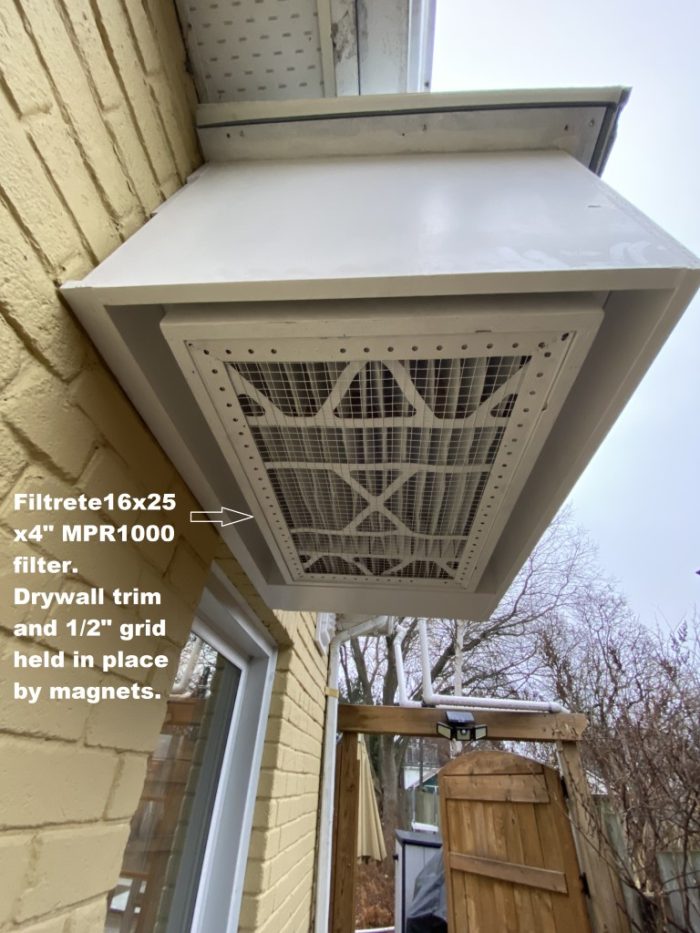
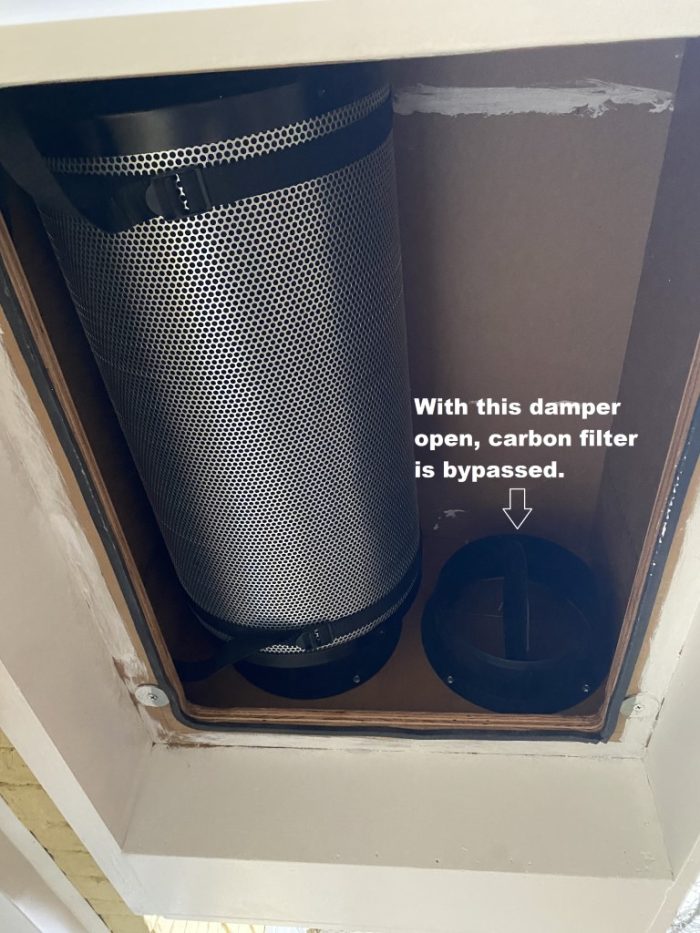
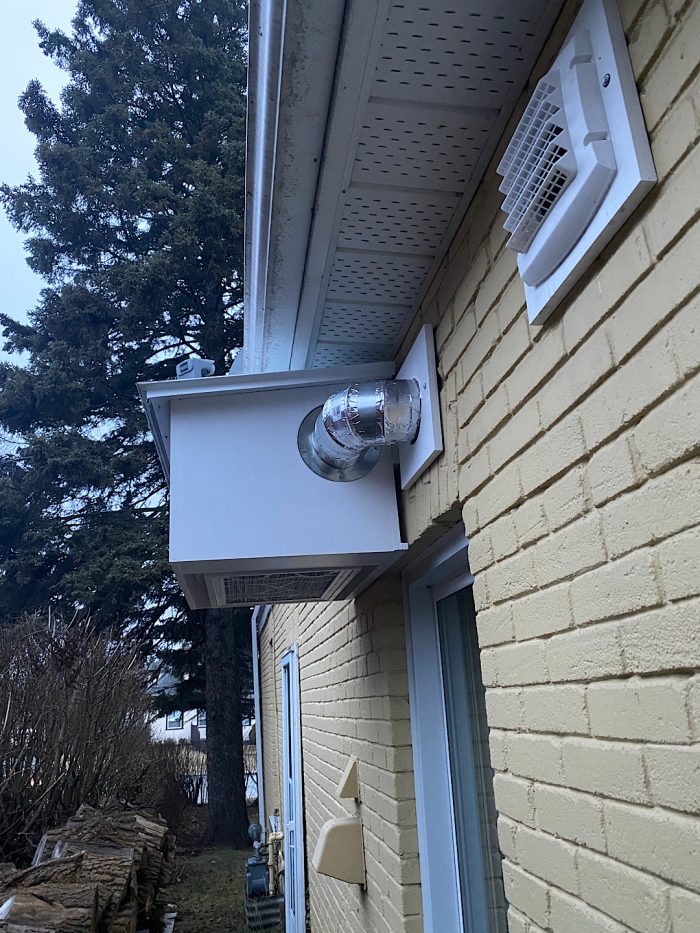
I've also modified filtration this year with an external box that filters fresh air into the home, and adds a carbon filtration filter to deal with fire smoke. The combination of both is very impressive with respect to inside air quality, even in heavy smoke events.
For summer, I picked up a few X7762 filters (MERV 16, 16x25x5) to use in combination with the carbon canister, during smoke conditions. We're at about .3" w.g static drop @~110 CFM with both the 16x25x5 filter and charcoal filter bypass closed...so air is forced through the filter 1st, then charcoal 2nd.
These are flow rates for the X7762 filters:
Air Flow Rate (CFM) 659 initial resistance (IWC) .10
Air Flow Rate (CFM) 989 initial resistance (IWC) .17
Air Flow Rate (CFM) 1319 initial resistance (IWC) .24
Air Flow Rate (CFM) 1649 initial resistance (IWC) .32
Air Flow Rate (CFM) 1600 initial resistance (IWC) .31
Thanks for taking the time to document your project. It was the sole motivation to get an AC Infinity for whole house ventilation which has facilitated bringing in early morning cool air more than simply "opening the windows".
I like it and AC Infinity stuff actually "feels like the old days", where good product AND good value came together in the same package.
Unlike your use of the Levitron switch my needs could be served by KEEPING the AC Infinity controller in the loop and simply controlling the power to it with a smart outlet. Their controller remembers enough about the previous setting to serve the purpose.
However, I'm considering smarter (always available) makeup air options as you have shown... so I'm glad you've shared the rough concept in pictures ! Right now I basically limit the ability to power up the smart outlet by the state of a sensor at one key window (open vs closed) and outside temperatures. The best cool air to get a pre-chill on the house is pre-dawn so obviously waking to open the windows is not ideal. I'd like to implement a scaled down version of what you have...with filtering that impedes larger particle stuff without getting too HEPA/MERV maintenance burdened.
I did the night cooling thing on a commercial building with upper story clerestory windows that were automated using Solarsmart operators, along with a building exhaust fan (about 6000 CFM). That was using Vera and unfortunately their forum is long gone where I had documented this.
You need a lot of air to pre-cool, particularly if the temp delta is small. You also need to consider relative humidity as at night, it can approach 100%..and you may not want this in your house. Dust was an issue for our system, but not terrible as we brought in cool air via the 2nd story windows, and exhausted on the main floor. I had a fairly complex rule set that used the next day forecast as well as compared interior temps (via nine ecobee stats) and outside temp and humidity. It did work great and would lower inside temps morning below comfortable if let loose 100%. The over-cooling thing limited how long I could run the pre-cool setup as tenants did not like it when temps were below 68-70F or so in the morning.
At home, we generally just open the 2nd floor windows on cool nights which eventually shuts down the HRV as CO2 etc. below 500ppm.
Yes and Yes.... Thankfully that early morning particulate is low. The humidity however is another story and something I've been measuring purely "analogue". I DO have sensors outside measuring this so maybe that'll go into the rule with temperature prohibiting the fan kicking on...window open or not.
Not sure what api’s are working these days on Hubitat for local weather but I used a Weather Underground feed to both monitor outside temps/humidity as well as the next day temp forecast. There was no point pre-cooling if forecast next-day temps were lower than 68-70F.
Understanding this is an older thread...
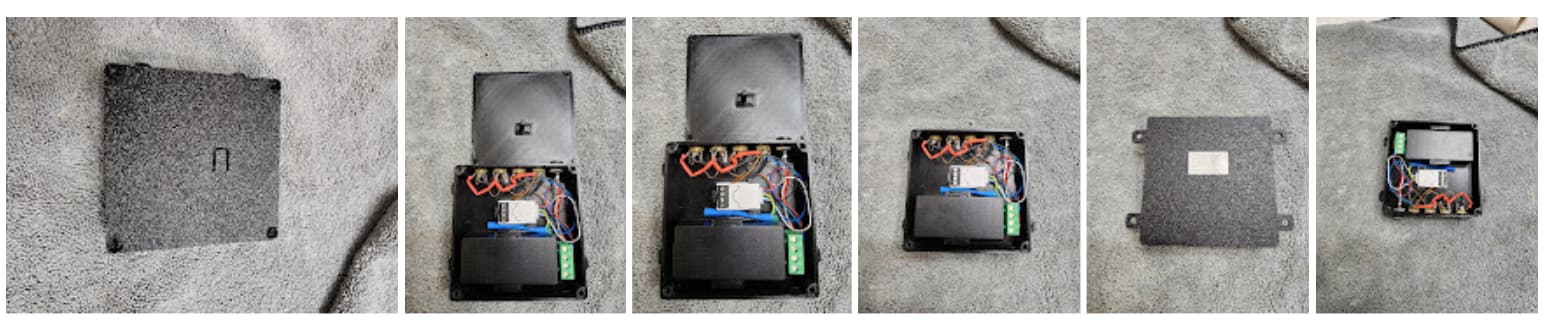
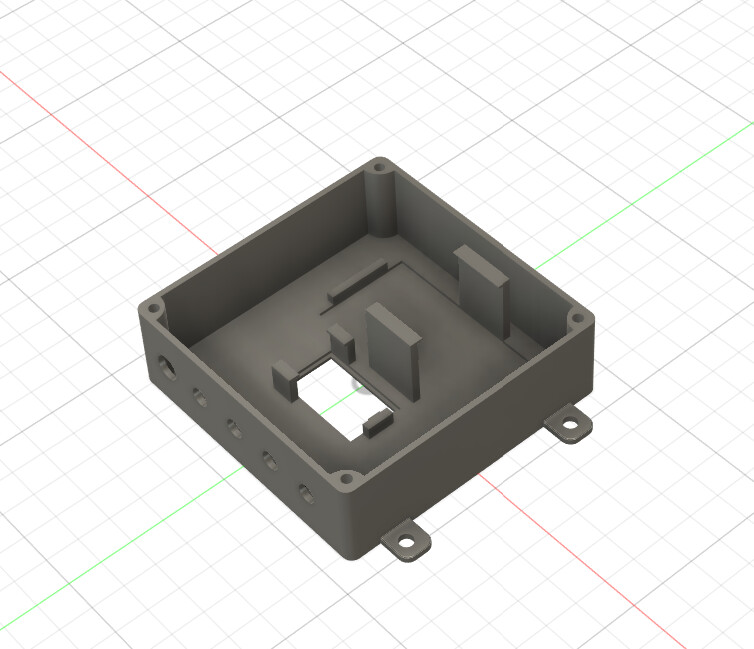
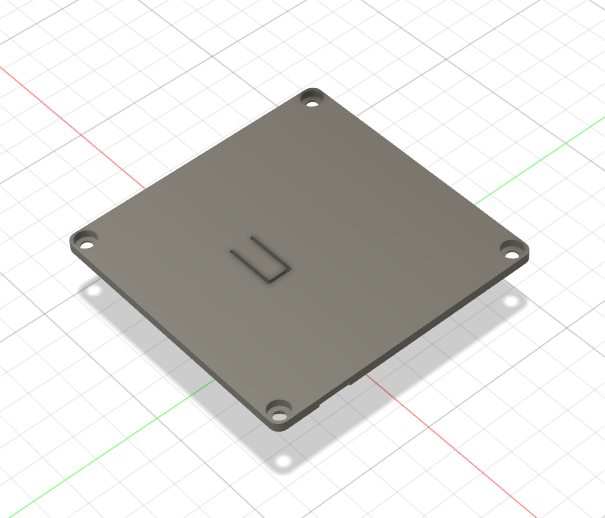
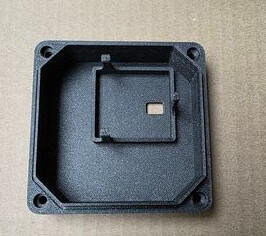
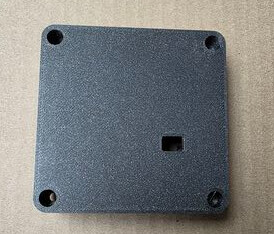
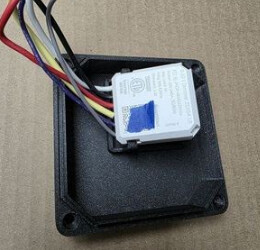
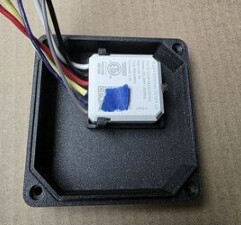
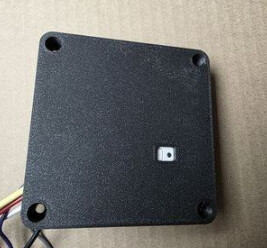
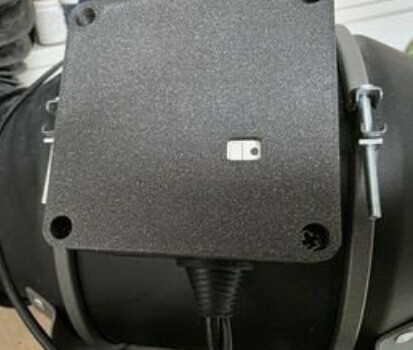
I have a replacement motor wiring cover that incorporates the Zen54.
The cover will fit the AC Infinity Cloudline series inline fans.
Nice work…that’s awesome. I have two 6” Ac Infinity fans running 24/7 for a few years now with Hubitat 0-10 control/automations on the HRV project. Pretty much flawless so far.
I have been using the Zen54 since it came out. Made the cover a while ago and always meant to share it. I use the AC Infinity in my brewery, shop, printing room, and grow room and like the ability to automate.
While I was able to fit the Zen54 in the motor box and use the existing cover, it was too tight. This provides a bit more room, and exposes the led and button.
The Zen54 remains one of the most useful automation bits in my opinion. I was pretty stoked on the Fibaro Smart implant for temperature monitoring as an important part of fan control, but that product seems to be unobtainium. Trying out the Shelly Uni Plus to host the DS18B20 remote temp probes….
I tried twice to order, albeit amazon.ca and the vendor reported back with no stock, and no ETA...weird. I also queried Fibaro USA and got no response In any case, I ordered one via that amazon link. The Shelly Uni Plus works just fine, but it was not nearly as easy to set up as the Fibaro which just works. That said, the Shelly Uni Plus can store it's own automations (aside from whatever you're doing with Hubitat) and communicates via WIFI, so would be useful for standalone automation where you need temp/humidity monitoring and two dry contacts. At $22 it's pretty hard to beat, but it fails a bit on the KISS rule when compared to the Fibaro unit.
It looks like you got fancy with jacks/plugs on your HVAC setup. Can you show an image of what you did there? That's a super clean install!


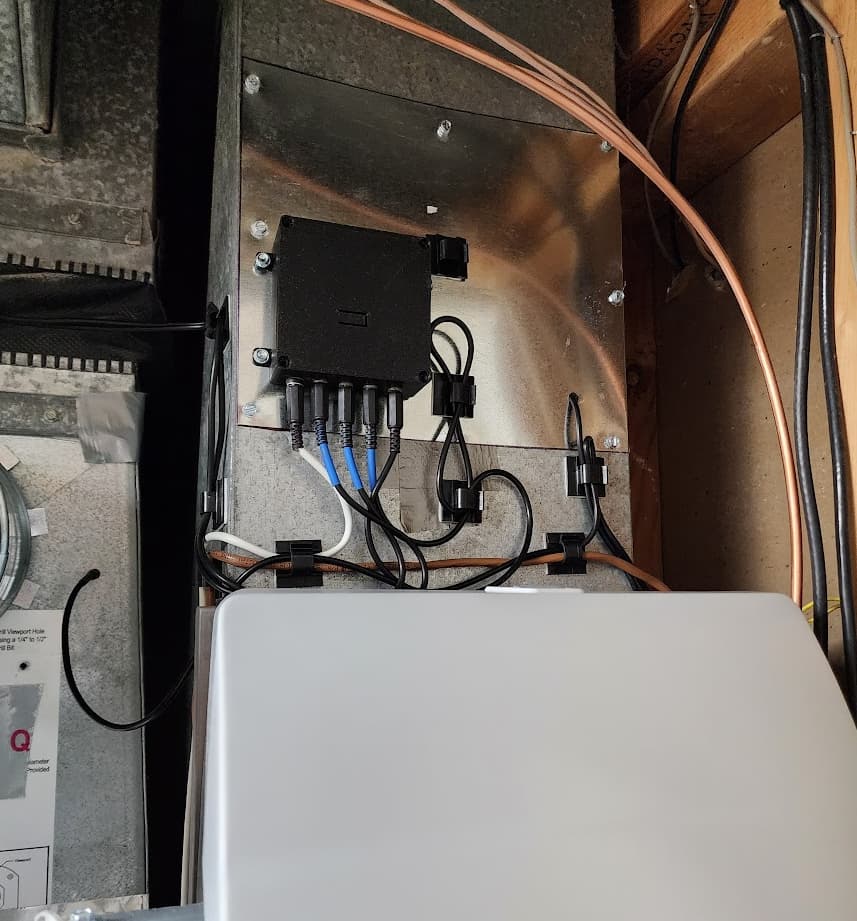
 In any case, I ordered one via that amazon link. The Shelly Uni Plus works just fine, but it was not nearly as easy to set up as the Fibaro which just works. That said, the Shelly Uni Plus can store it's own automations (aside from whatever you're doing with Hubitat) and communicates via WIFI, so would be useful for standalone automation where you need temp/humidity monitoring and two dry contacts. At $22 it's pretty hard to beat, but it fails a bit on the KISS rule when compared to the Fibaro unit.