Ladies and Gentlemen: I was "away" from my C-8 for while during a move. I am setting it up now, and updated to the latest firmware.
I set my hub up from scratch, with new log-in credentials and the like as I had completely erased the hub and am starting over.
The issue: When I enter the 192.168 etc web address to access my hub, it just goes right into where I had left off, where before, I got a log-in page where I entered a name and password.
The questions: What changed? What am I doing wrong? (I, for the life of me, can't fine a "Log out").
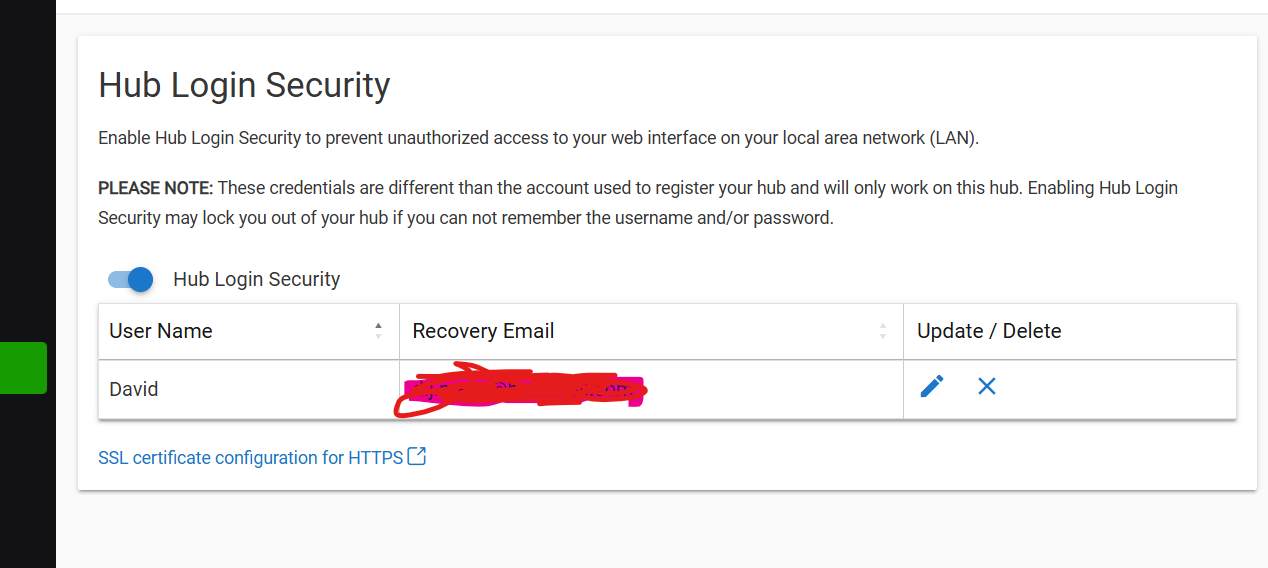
It sounds like you used to have local login security enabled, and after resetting your hub, you don’t currently have local login security enabled.
When login security is not enabled, there’s no way to log out of the hub UI. Because without login security, you didn’t log in .
If you re-enable login security, then you will be required to enter a username and password to access the hub’s UI in a web browser, same as you previously were doing.
There is a log-out button. It is approximately " [-->" in the upper right next to the bell. (Each time I see the word "logout" all joined together, I think of it as being French and pronounced "Loh-zhoo". I have a very strange mind.
 .
.
 .
.
