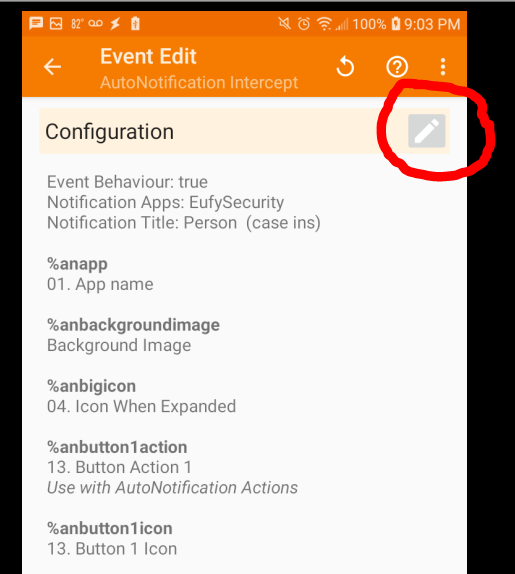
The easiest way to do it is trigger motion with first camera and wait until you get a notification. Then, go to Tasker and setup a new profile with Event as AutoNotification Intercept. When it opens, click on the edit button and top right corner and it will open the configuration screen.
Then, click on first line that says "FILL FROM CURRENT" and go select the appropriate notification.
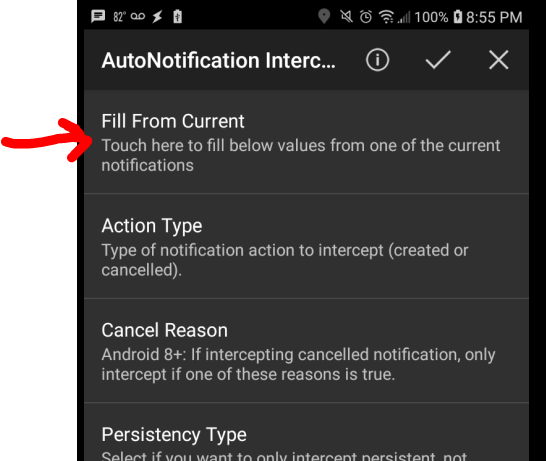
That should populate all of the settings. Then, do the same for your second camera. If you are like me, you might have to tweak it a little by experimenting with the settings but the FILL FROM CURRENT gets you off to a good start.
I am in a little different situation since I have the Doorbell. I have one HTTP Request on motion and one for the button pushed. For a button push, the word "Ringing" is in the Notification Title. For motion, the word "Person" is in the Notifictation Title. For both, "EufySecurity" is the Notification Apps. I would guess that whatever you named your cameras in Eufy App is either in the "Notification Title" or "Notification Text". For my Wyze Cams, the name of the camera in Wyze App is in the Notification Text.