You could try using this driver.
I'm not sure how far forward you are with HE but if you go into -
For Developers
Driver code.
Then Add Driver
Click on import code and copy this link in.
https://raw.githubusercontent.com/markus-li/Hubitat/release/drivers/expanded/zigbee-aqara-water-leak-sensor-expanded.groovy
The driver should import. Now save.
Try pairing the Aqara Water Sensor again and see if it pairs using this driver.
1 Like
Hi there.
Thanks for your replay.
I did install this driver following your instruction.
I tried 3 times it did not install.
Is there any specific way i can force zigbee to use that driver?
Thanks
I did. But this is what happened.
"Found a Zigbee device, Found a Zigbee device, initializing......"
Finishing up, please wait...
But after a while it will stop.
Hubitat found all my devices but can not add them.
Is there possibility something wrong with my settings?
Thanks
Will they work with Hubitat?
While it is initializing have you tried to keep pressing the buttons on the devices that have buttons and for the leak sensors in the middle of the sensors. Not holding the buttons or the middle down like you do to put them in pairing mode but pressing and releasing with a second or two in between?
Yes, they work great for me using these custom drivers.
I'm not sure what to say.
My Aqara devices do get discovered.
Sometimes they get discovered as a 'Device' but I change that to my Aqara driver and they work just fine.
Are you trying to discover the devices with them close to the hub?
Yes i did.
This a log info.
2025-08-16 06:49:37.550 AM
info
Zigbee Discovery Stopped
sys:12025-08-16 06:48:09.123 AM
info
Initializing Zigbee Device 00158D008B80C2F0, 5FB4
sys:12025-08-16 06:47:58.422 AM
info
Zigbee Discovery Running
sys:12025-08-16 06:46:18.149 AM
info
Zigbee Discovery Stopped
sys:12025-08-16 06:45:47.780 AM
info
Initializing Zigbee Device 00158D008B80C2F0, 5FB4
sys:12025-08-16 06:44:50.845 AM
info
Zigbee Discovery Running
Very close. Few inches from hub.
Like i mentioned before. I have six Aqara devices. Three water leak sensor and three door contact sensor. All devices get founded. But i was able only one water leak sensor to add properly. Rest of them failed.
Hi there. I was able to add them. But there is no option to see status or set status.
Just this.
Default Current State
Select the default current state
None
Do i need to change something or remove them and try to install them again?
Looks like some drivers missing
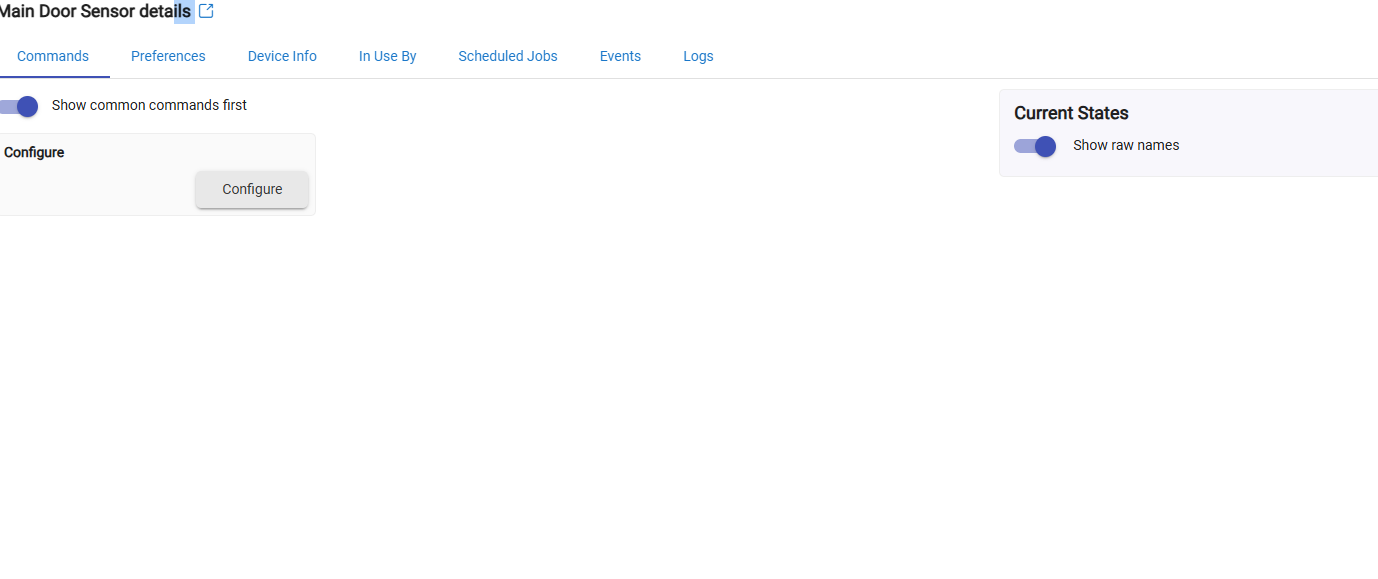
They are red in dashboard

- What driver are you using?
- Turn on debug logging, open a log page, and trigger the sensor (open/shut door a few times). Does the Current States get populated with contact status? If not, could you post a screenshot of the debug log captured?
1 Like
Hi there.
I was able to add these sensors using drivers you provide me.
Thank you very much.
2 Likes
Thanks for your help.
I was able to install these sensors.
1 Like