Please provide your hub model (C7, C8, etc.) and its platform version from Settings>Hub Details.
Check out the following post for help troubleshooting problems and gathering details that will help others to identify and solve the problem you are experiencing: ‼ READ FIRST - Before Posting in Get Help
Solved: Hubitat devices had been unreliable for over a year 
Hubitat Elevation C-8 Pro, along with Alexa, Siri/HomeKit, and a UniFi home network with several access points
I wanted to share this because it may help someone else who has struggled with slow or inconsistent Hubitat responses without finding an obvious cause.
My system uses a Hubitat Elevation C-8 Pro along with Alexa, Siri/HomeKit, and a UniFi home network with several access points. For more than a year, commands had become extremely unreliable. Some lights responded immediately, while others took a long time or did not respond at all. The problem occurred through voice commands, HomeKit, and normal automations.
I had reached the point where I was seriously considering wiping everything and starting over, possibly abandoning Hubitat and moving everything to HomeKit. My wife was ready to remove the smart devices and go back to regular switches.
Fortunately, I did not reset the hub or start excluding and re-pairing devices. The problem turned out to involve the surrounding network configuration.
What we found
I downloaded a UniFi support file and had ChatGPT analyze the configuration and logs. Two issues stood out.
1. The UniFi 2.4 GHz radios were using 40 MHz channel widths
My Hubitat Zigbee network was operating on Zigbee channel 20. Several UniFi access points were using 40 MHz channel widths on 2.4 GHz, creating much more overlap and potential interference than necessary.
We changed every UniFi 2.4 GHz radio to:
-
20 MHz channel width
-
Wi-Fi channels 1, 6, or 11
-
No change to the 5 GHz or 6 GHz channel widths
I left Hubitat on Zigbee channel 20 rather than changing two things at once.
The improvement in Hubitat responsiveness after reducing the Wi-Fi channel width was substantial.
2. Hubitat was connected through both Ethernet and Wi-Fi
In Hubitat under Settings → Network Setup, I discovered that both network interfaces were active:
-
Ethernet: 192.168.1.159
-
Wi-Fi: 192.168.1.211
UniFi showed the Ethernet connection as Hubitat but incorrectly identified the Wi-Fi connection as a “Raise3D Pro2 Plus 3D Printer.” I do not own a 3D printer.
The UniFi logs also contained hundreds of duplicate-IP or conflicting client-association warnings involving the Hubitat network addresses and its two hardware interfaces.
Since Hubitat was already connected by Ethernet, I did the following:
-
Opened Hubitat → Settings → Network Setup.
-
Confirmed that Ethernet was connected and working.
-
Disconnected Hubitat from Wi-Fi.
-
Continued using Ethernet only.
-
In UniFi, created a DHCP reservation so Hubitat’s Ethernet address remains fixed at 192.168.1.159.
After disconnecting Hubitat Wi-Fi, the mystery “3D printer” immediately went offline in UniFi, while the wired Hubitat remained online at its correct address.
What I did not do
I did not:
-
Factory-reset Hubitat
-
Reset the Zigbee or Z-Wave radios
-
Change the Hubitat Zigbee channel
-
Exclude and re-pair devices
-
Rebuild automations
-
Replace device drivers
-
Move everything to HomeKit
Results
After allowing the system to settle, the difference was remarkable. Lights began responding quickly and consistently again—essentially the way the system worked before these problems started.
The following evening, my wife commented that she could hardly believe everything was working again. Considering that she had been ready to remove the smart switches entirely, that was a pretty meaningful test.
I cannot say whether the 40 MHz Wi-Fi interference or the simultaneous Ethernet/Wi-Fi connections was the single cause. My suspicion is that both contributed:
-
The 40 MHz Wi-Fi configuration affected Zigbee reliability.
-
The two active Hubitat network interfaces affected LAN, cloud, Alexa, and HomeKit communication.
Suggested checklist
If you are experiencing similar unexplained delays, I would check these items before resetting anything:
-
Confirm that every 2.4 GHz access point uses a 20 MHz channel width.
-
Use only Wi-Fi channels 1, 6, and 11 where possible.
-
Check Hubitat → Settings → Network Setup.
-
If Hubitat is wired, disconnect its Wi-Fi connection.
-
Do not operate Hubitat on Ethernet and Wi-Fi simultaneously.
-
Reserve the Hubitat Ethernet address in your router so it remains consistent.
-
Allow the system time to settle before making another change.
-
Make only one change at a time whenever possible.
This may not solve every slow Hubitat system, but it restored a system that had been unreliable for over a year without requiring a reset or rebuilding a single device.
The one disappointment
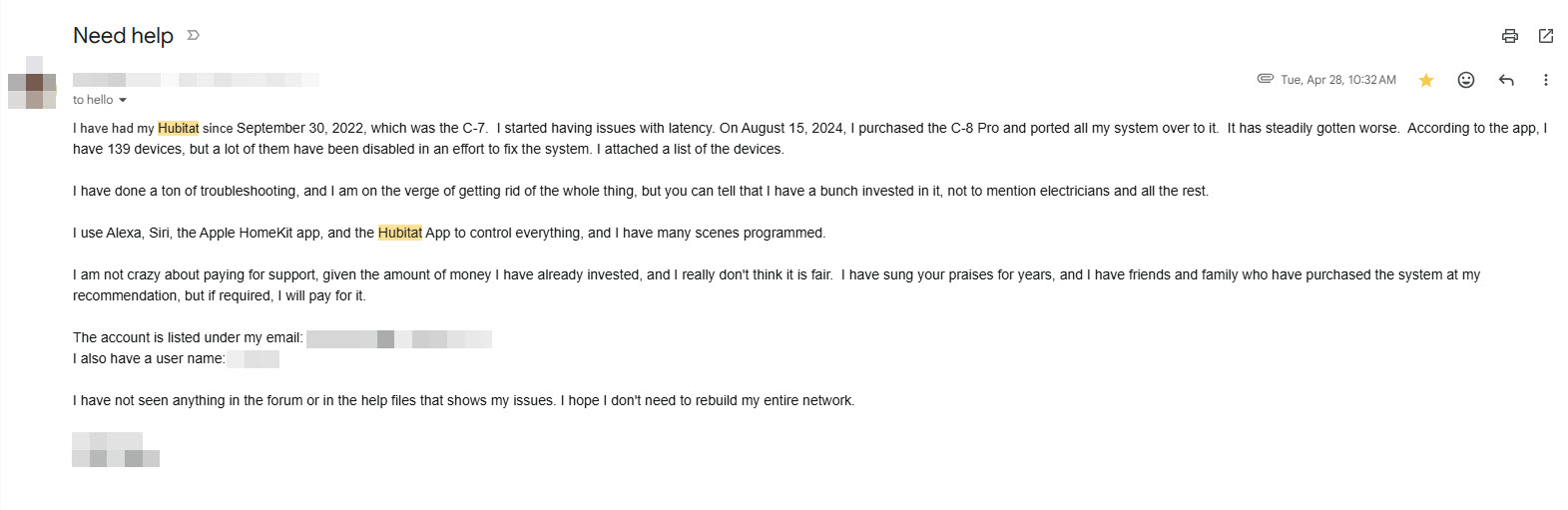
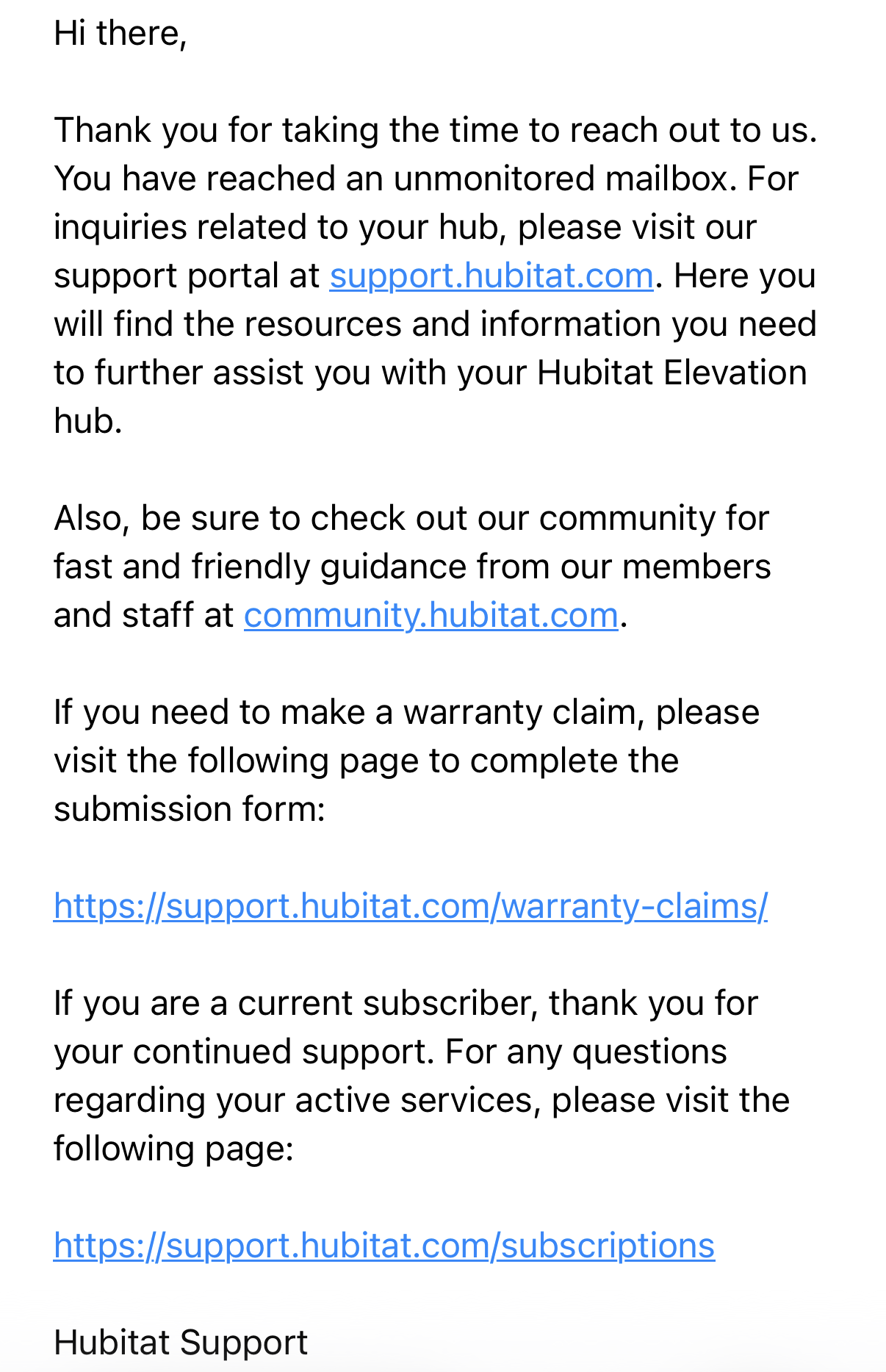
I searched the forum and tried multiple things to no avail. I wasted a lot of time trying all manner of things. I even replaced my hub; I went from a C-7 to a C8 Pro, which cost me $181.02 for no reason (I still have the C-7, if someone is interested). Out of desperation, I wrote to Hubitat (see letter below) and offered to pay them for some help. They never even responded. I have too much invested now to start over with Home Assistant, and now that everything is working, there is no need to change; however, I would not go with Hubitat again. Not because I had issues, but because they did not have the decency to even send me an email back to turn down my request. IMO - a company like that does not deserve my business.