I have a rule to conditionally turn on an outlet (if at home, and at a specific time).
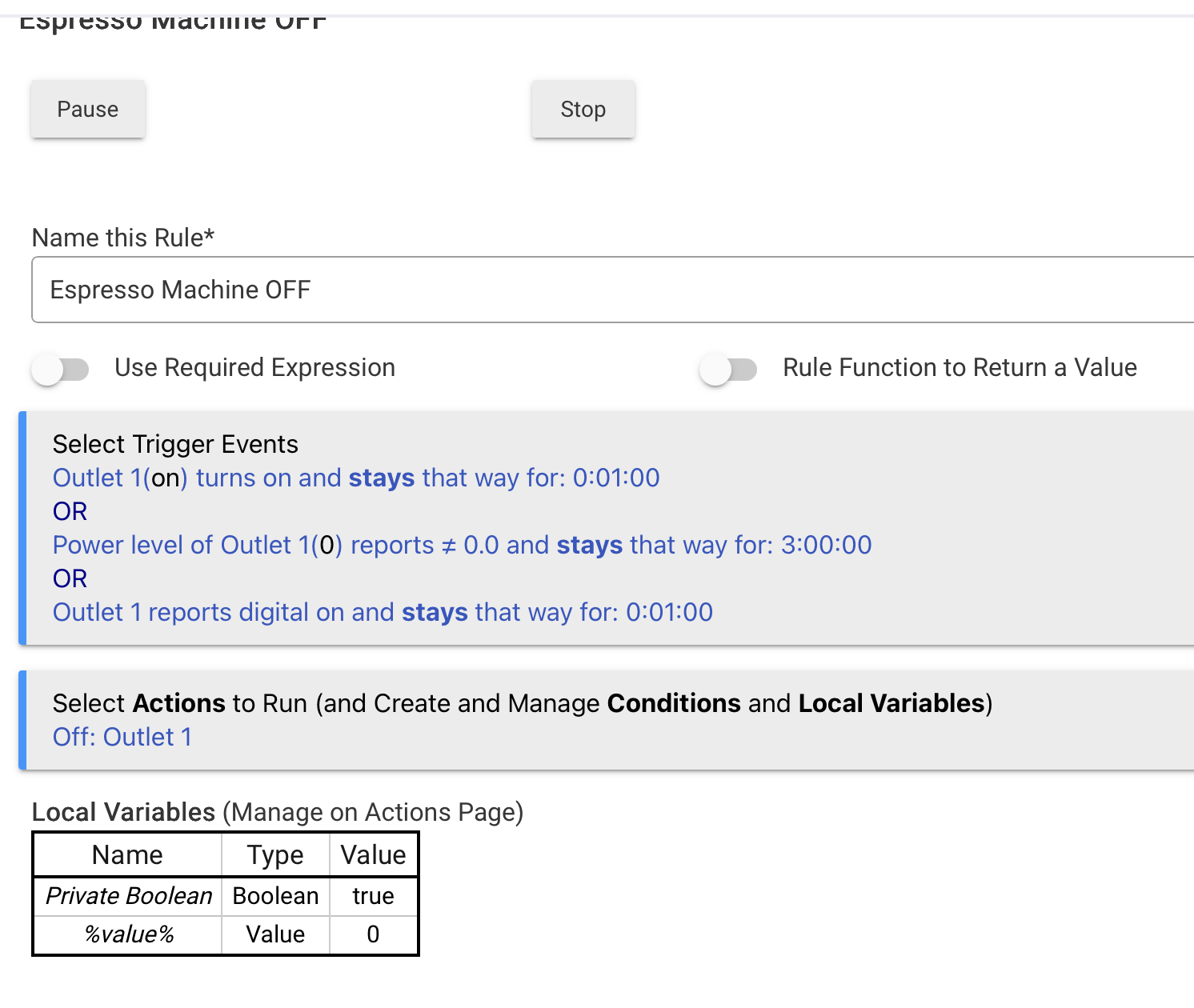
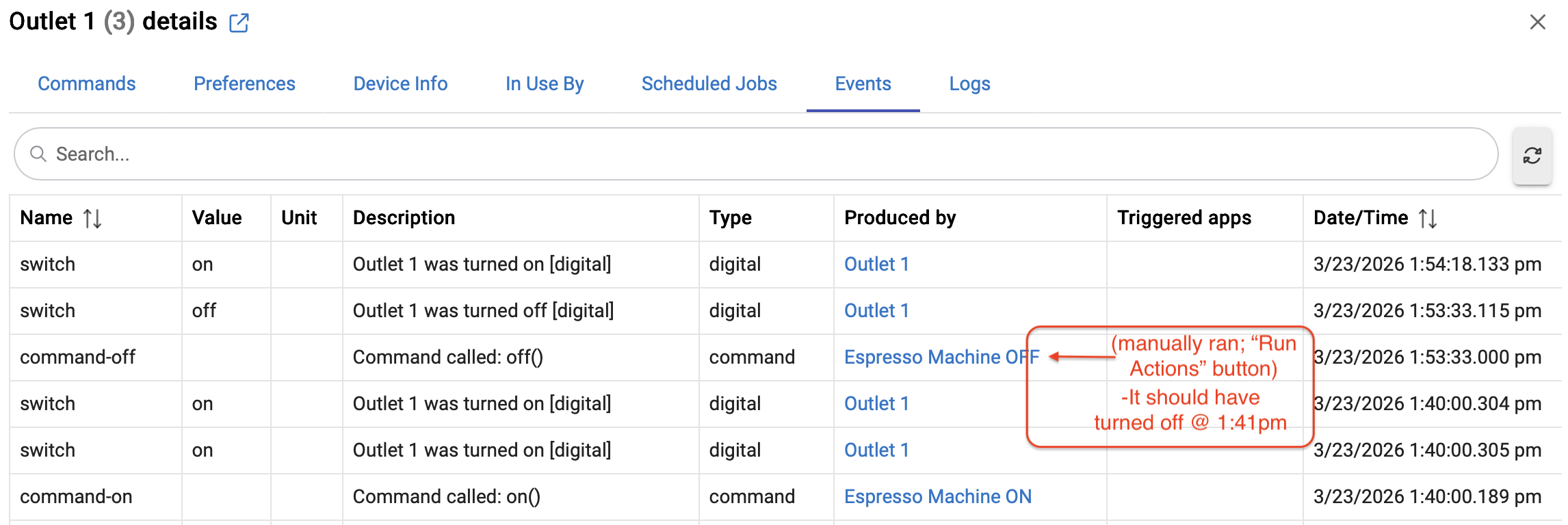
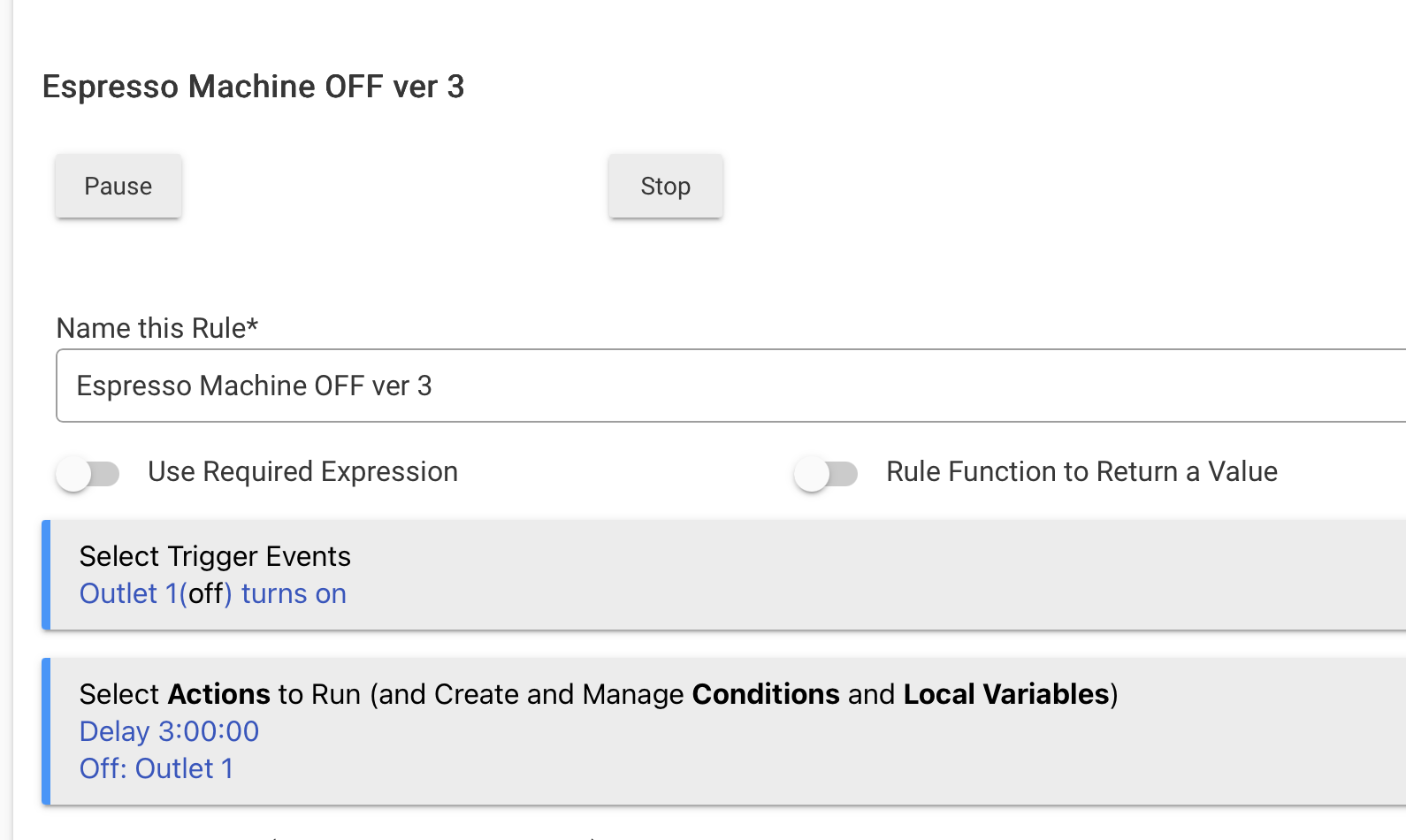
I am attempting to make a rule to turn that same outlet off after it has been on for a period of time, but is not 'triggering,' I assume there is something I am missing with the syntax:
The logs indicate this rule thinks it has Reqd Expression (RE), and since it additionally thinks that RE is False, it's as if this rule doesn't exist.
Did you have an RE in this rule at one point and remove it? If so, something about that removal didn't "take"...
Since this is a pretty simple rule, I'd just trash this one and rebuild it new.
But your triggers could use some cleaning up first too... Can you explain in plain english what you are trying to accomplish with structuring your triggers that way?
I only show the rule I want to use to turn it off; it is a separate rule to turn it on. (rule to turn on is if present AND time is 6:15, THEN turn Outlet 1 on)
My goal is to turn it off after it has been on for a period* of time, no matter if it is triggered by the ON rule or switched on manually. I realize if it is working properly I don't need the "OR" statements.
*once functional, 3 hours, but I have 1 min in there for testing purposes.
Does the outlet report power = 0.0 when it's Off? I'd be surprised if it does.
It's common for most power-reporting to show some draw even when off, so I recommend you get an idea of the typical reading is when you turn it off and then add some padding to that for good measure in your trigger's power-reading threshold.
Ah, gotcha. What I guess I don't see is the difference between these. In any case, you want to shut it off? Just choose a single method... They all should work individually. For most of my rules like this, I just trigger when it turns on, and then turn it off after x hours/minutes.
But as @hydro311 said, I'd take a look at the required expression is doing as well...
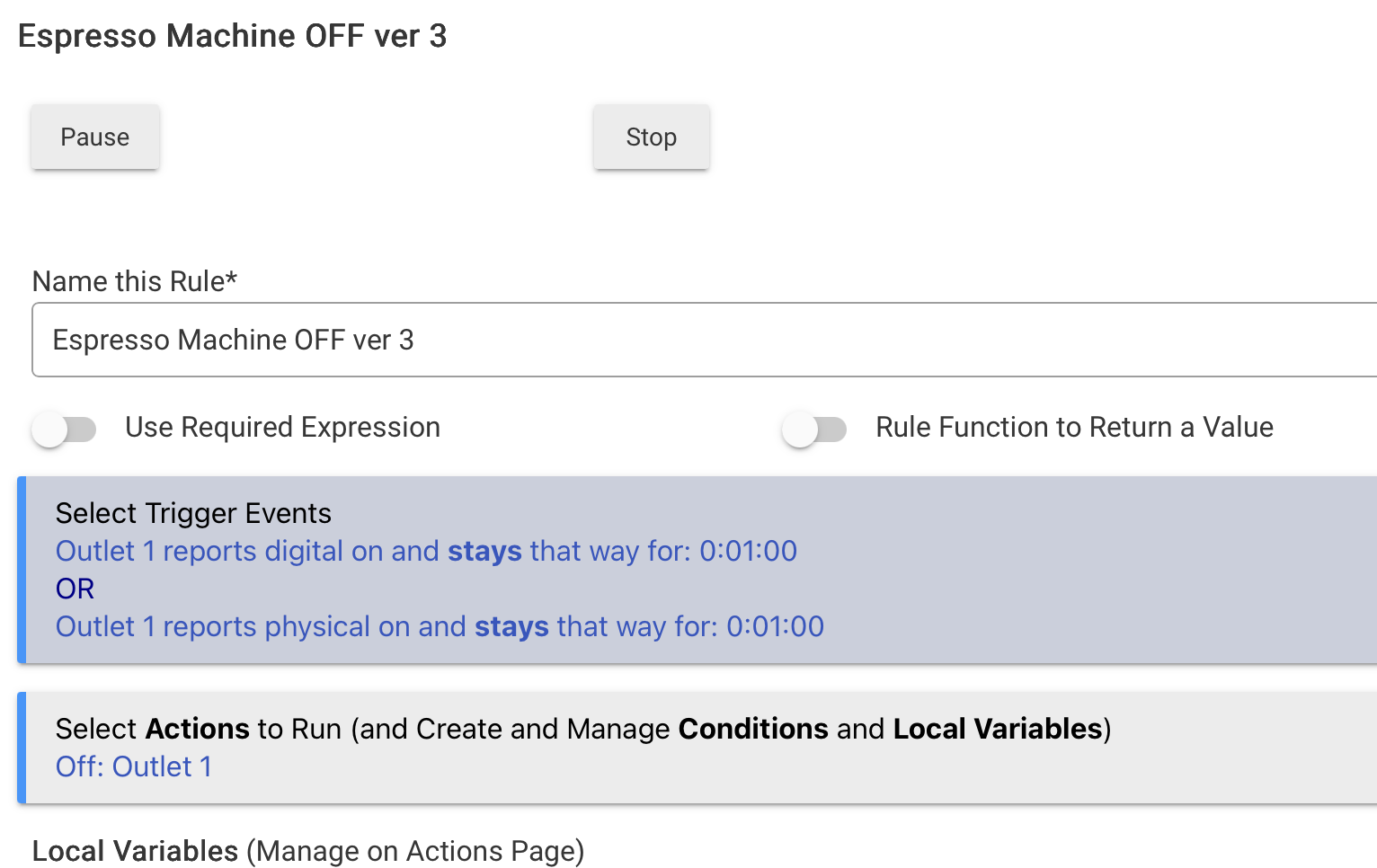
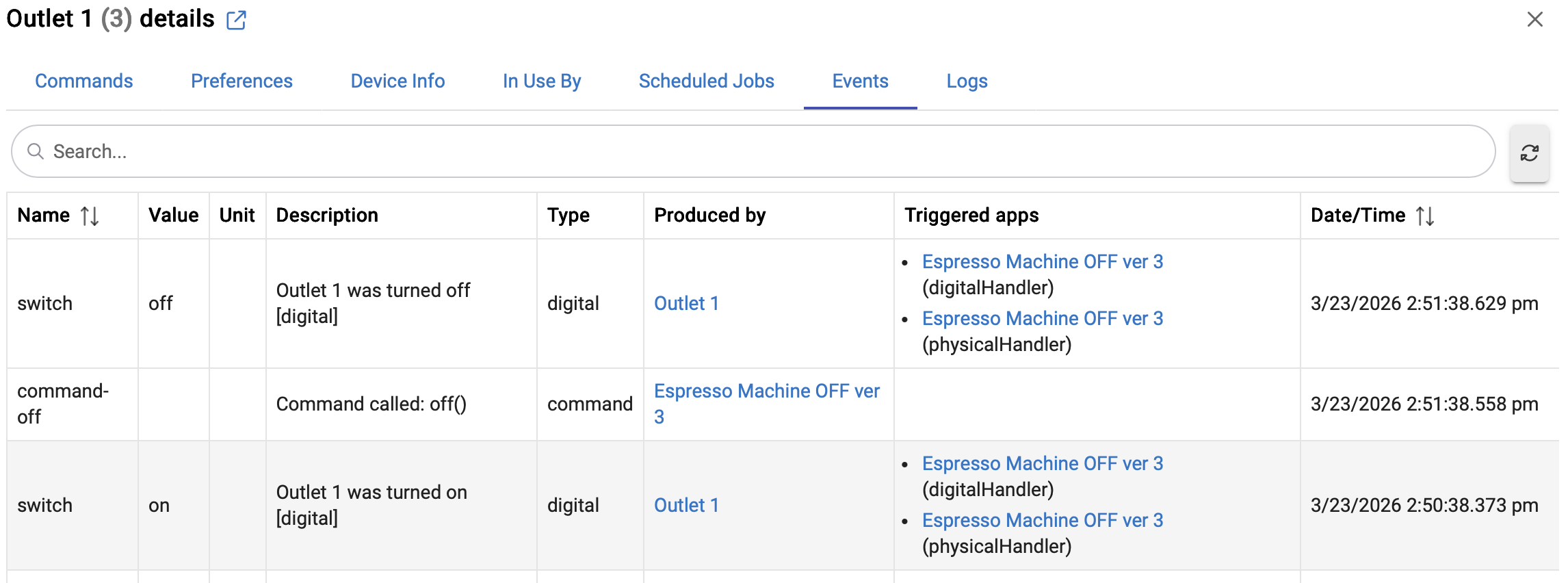
Thanks everyone, it worked after rebuilding, BUT... The trigger options were 'different' this time around, hence the "OR" statement; I could not just select "Outlet 1 ON" if that makes sense...
Just use the Switch attribute when setting up the trigger for the outlet - that's how you get plain On and Off options.
There's very rarely a genuine need to ever distinguish Digital vs Physical, and depending on the device's reporting capability, that may not even be reliable anyway.
I have a ton of rules and none of them ever distinguish Digital vs Physical stuff.
The weird thing was when I rebuilt it, the 'Switch' Attribute wasn't in the pulldown, or at least I didn't see it there...
-Side question... Is there an "App" or a way to direct code like your shown example, without using the builder? I am an old bithead (PLC/controls) and I'd rather type it in the old fashioned way than using builders..
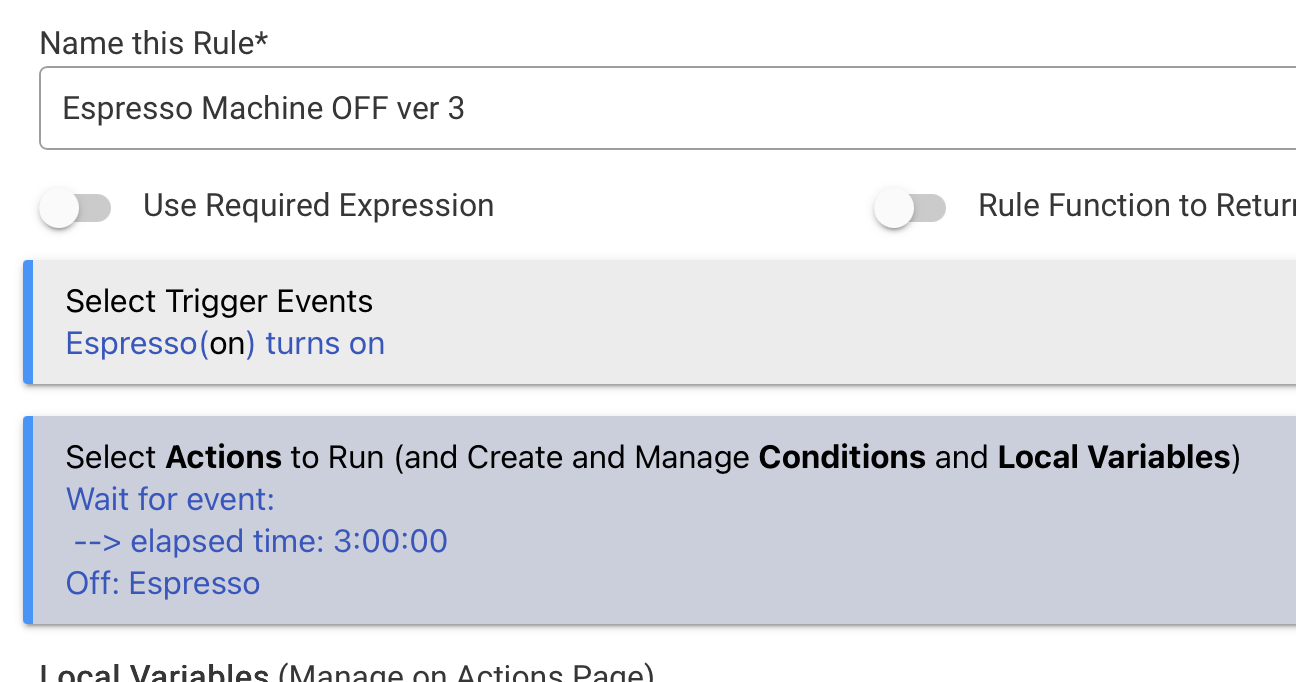
As I mentioned earlier, I'd avoid using a Delay here... If the outlet gets turned off and on again in that 3-hr window, then a new instance of the rule will fire (so you have multiple instances of the rule active concurrently - that's not good in this case).
Using a "Wait for event: Elapsed time = xx:xx" will prevent any concurrent runs.
More info here (this link will auto-scroll to the applicable section):
Edit -- to answer your other question, you may want to look into WebCore (available as a built-in app) -- it might be more along the lines of what you're looking for.
If you prefer to work on this rule because it'll help you learn some of the basics of creating rules then you may want to continue to work through the issues here.
If you just want a very simple app that does auto off (and can do auto on as well) based on a timer, then Auto Off will be a timesaver/lifesaver for you. One of my favorite apps. You can install manually or via HPM.

 One of my favorite apps. You can install manually or via HPM.
 .
.
