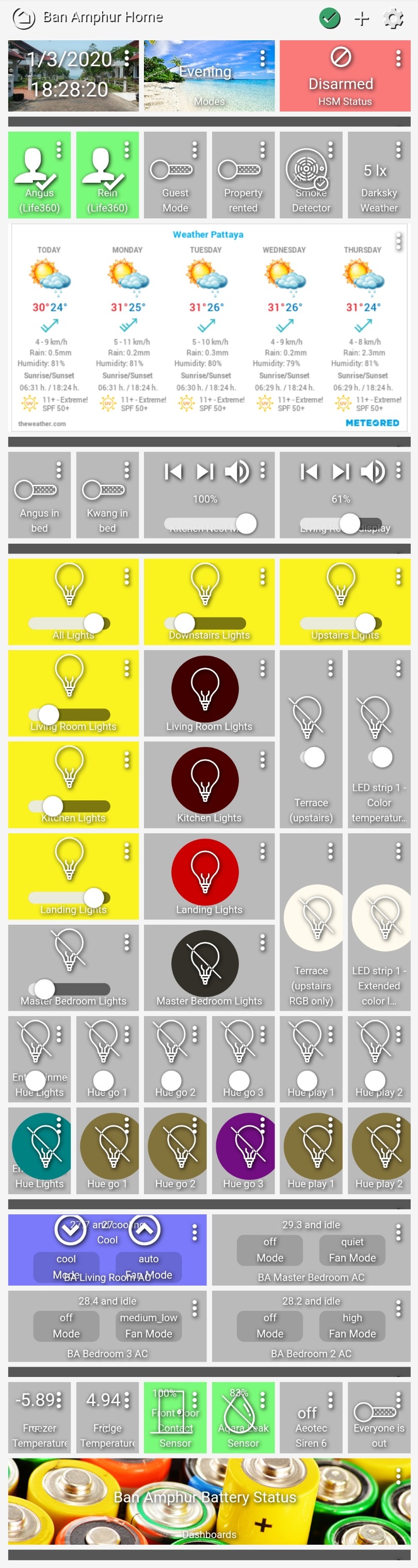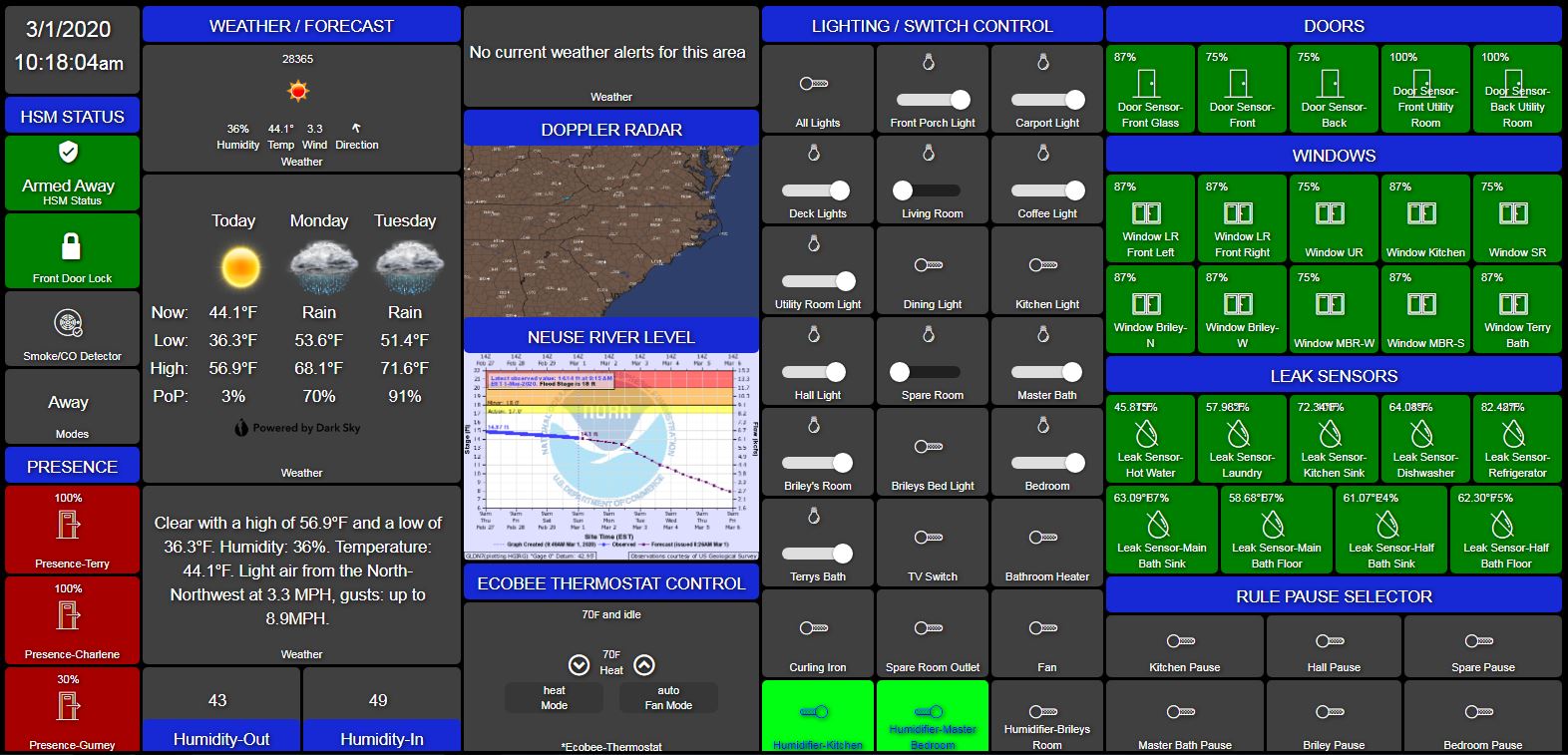
3 Likes
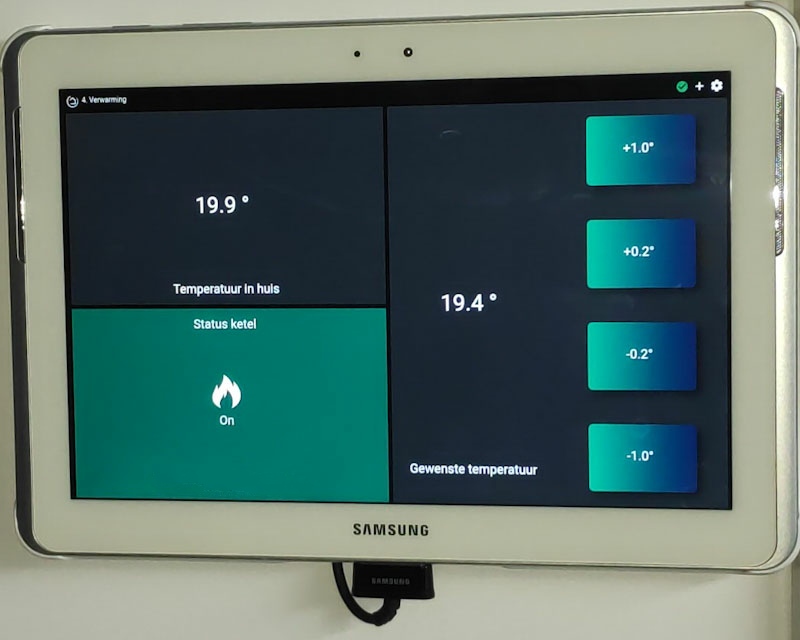
C’mon man, Your killing me here - a black power cord with a white tablet ?
Thats too much for my OCD !

5 Likes
Sorry, I didn't want that either, but Samsung made it this way. I'm going to cover it with a white piece once I've found something to cover it up with. And if I don't I'll print something. I share your ocd on this one. 
1 Like
Testers wanted.
I'd like to release a skin engine + online update utility over the weekend but need additional testers. PM me if you have time to test and provide feedback!
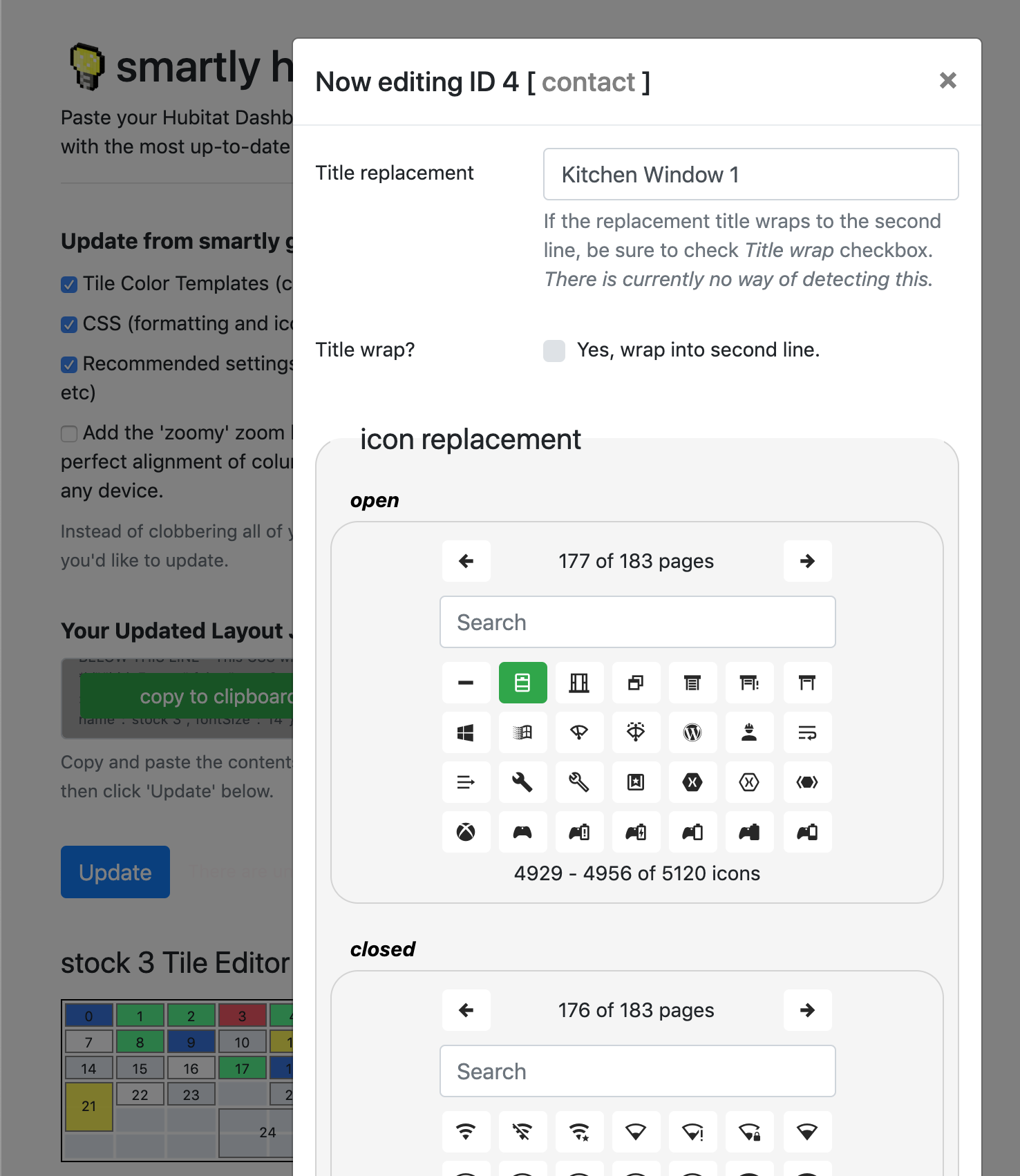
Replace individual tile TITLES, replace individual ICONS per tile state (5120 icons to choose from with search). add LABELS to image and video tiles. Apply the minimal, clean 'smartly' base theme with one click (see screenshots previously posted by @SoundersDude, @TechMedX and @Royski). Lastly it provides a tool to calibrate your dashboard per-device so that the icons fit perfectly on the screen like an app.
12 Likes
This is very awesome!!
My Status dash below now has a change in switches (on the right) which worked very nicely 
The "Status" tiles on the left, change according to the rooms switch.
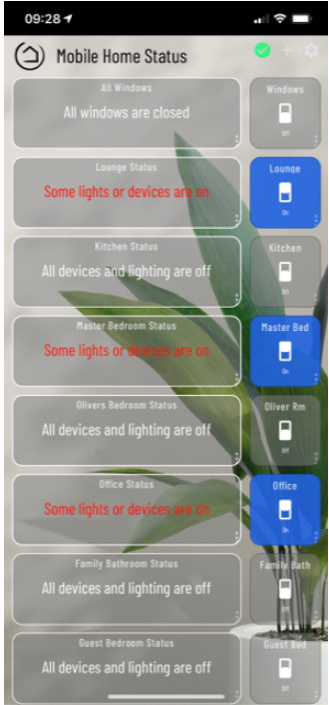
If any device in any room turns on, this changes the rooms "status" switch on the right to On, and sets the attribute to Red on the left.
When on, and I know no one is in that room, I can turn that switch off, which turns all devices off in that room.
If I hit the Room tiles on the left, these open Mobile friendly dashboards each with a "Back" tile, so I can return to the main status dash. The tiles have two tiles each. One is the Switch status (using @Cobra's Status Switch  ) Overlaid with a Link tile using Z-index to keep it on top, the tiles opacity is set at zero, so doesnt show and I didnt assign any name, so has no title.
I probably use this dash more than any. Thanks to @spelcheck for this awesome work
5 Likes
Are you using a scene to evaluate whether something is on in the room?
I'm using variable devices via webCoRE, so if anything turns on in any room, its added to that rooms variable, and the switch turns that variable switch off.
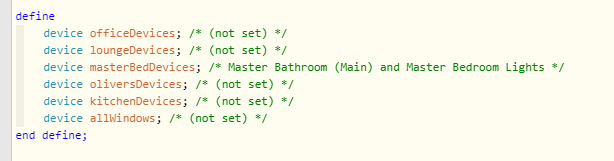
But pretty sure it can also be performed in RM?
1 Like
Does most of this work offline, I would imagine the icons wouldn't if their being pulled from an internet source?
Thanks.
The normal way HE works in regards to images is that it pulls the image one time (if it has connection) and then caches it (don't know for how long, but pretty long). So only people who have disconnected their hub from the cloud on purpose might have a problem with images, the rest will probably never notice it.
2 Likes
Thanks, I know that's what they said about spoken text too once it's been spoken once it shouldn't need the internet but I didn't know that about images.
It's currently using a few cdns for fonts. Another developer and I (not tagging in case he doesn't want the publicity) have some ideas on raspi+docker images that should make it dead easy for users to launch a local pi to hold the needed resources. Add to that HE now being able to use JS, it should be able to detect whether those resources (fonts, images, etc) are available locally and automatically use them. If viewing through cloud it would default to cdn.
For now, though it's just cdn for the sake of simplicity on the initial release but also so that it will work via cloud.
1 Like
Yes caching is done per-browser though so only a device that has the images/fonts previously loaded shouldn't have an issue. Caveat is it's possible the browser will attempt to re-load those resources when changing dashboards.. it shouldn't, but might if offline.
I wish I had time to test, but I want to take this chance to at least shout out a big thank you for sharing your templates.
So far I worked out which Material Design font you're using and looked up the hex refs for new contact sensor icons, and then slightly adjusted tile colors, sizing, and spacing to get it looking nice on my particular mobile model:
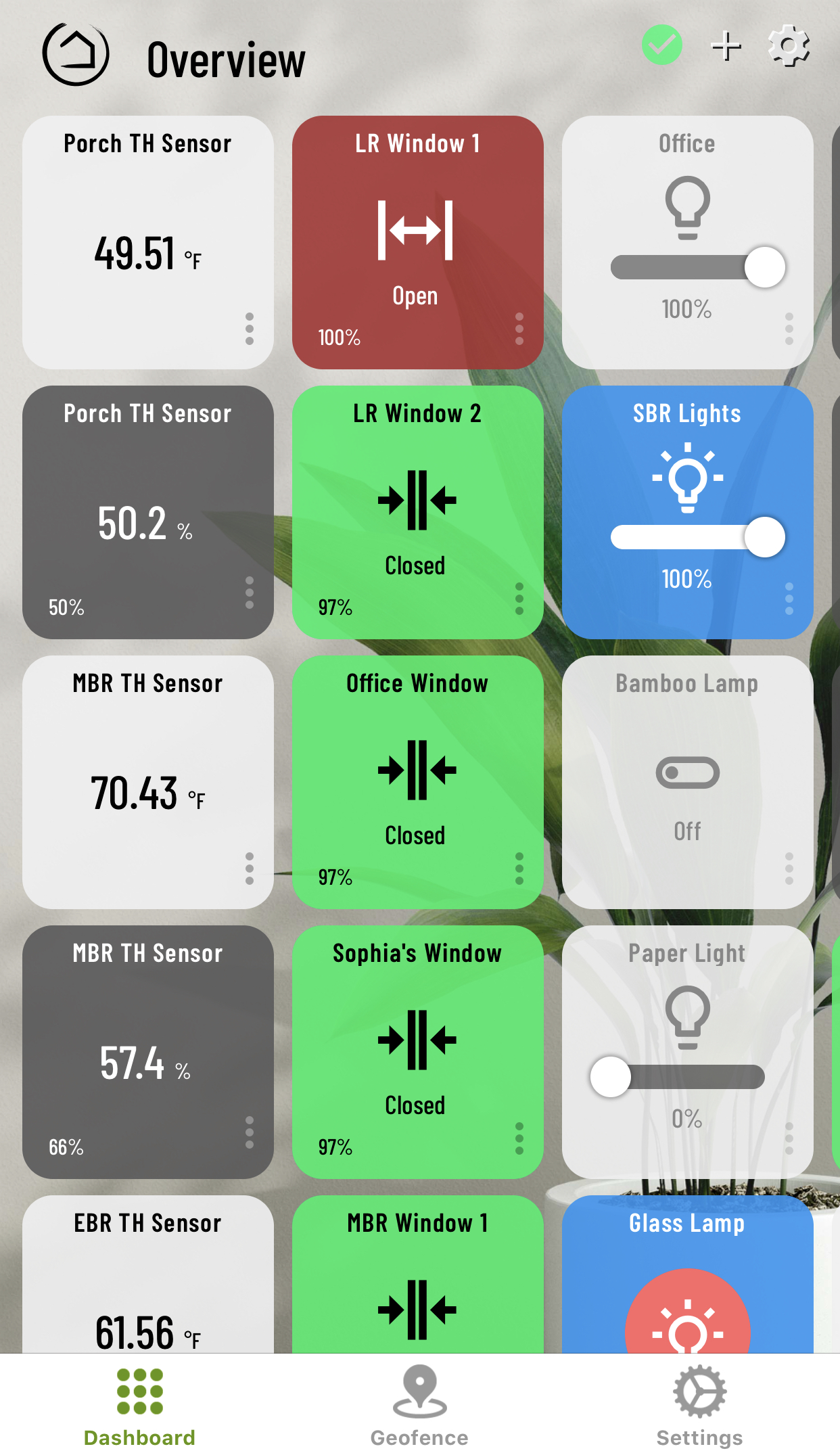
I know it's still similar to your original look, but I'm happy to finally breathe some new life into the look of the dashboards and am really looking forward to the prospect of anything that helps automate the process of customization.
2 Likes
This is the way to go. I run a bunch of dockers on my unraid box. I’ve created dockers for any automated script I use. It makes life so much easier.
1 Like
Looking good! I'm currently testing an online one-click updater (in the 'testers wanted' post a few comments up), hoping to release it later this weekend [I promise I'll create a separate release thread!]. I'll PM you details and if you have time to test and provide feedback that would be great! 
1 Like
It's fine, tag away  My contributions so far are just some CSS/feature feedback and the JS inject.
If you have time, maybe you could help create a docker with something easy to use for this? With some quick docs to get it working. I'm sure those who are less familiar with these things would appreciate it.
1 Like
No prob. Once it’s released I’ll take a stab at creating a dockerfile for it. Hopefully it won’t be hard.
2 Likes
That sounds great, thank you! Not a complex one needed, basically lighttpd + some scripted resource download from github to begin with. That might actually be all that is ever needed. It's just to get resources local.
If you want, you could join the testing as well. Without assuming too much, I'm sure @spelcheck would add you if you asked.
2 Likes