You can look at the ha integration.
Also Shelly has examples like this one forwarding to mqtt.
You can look at the ha integration.
Also Shelly has examples like this one forwarding to mqtt.
Perfect!
Could you please point me to the (better detailed) instruction(s) how to configure Shelly Devices as a BLE Proxies (of course, only local services)? So far whatever I tried (Shelly Devices and /or Shelly integration(s) on HA) did not work at all.
PS.
I am not a programmer (unfortunately). I can understand existing scripts/programs/etc. but I cannot create something myself (one way ticket). However I have no problems creating any complexity Automation Rules.
OK, I will check this out.
Thank you.
OK, I checked out this script. For what I need/want now it looks too complicated and over killer.
I have few Shelly BLE Buttons integrated with HE via HA + HADB. This integration works very well but BLE range (Button(s) <--> HA direct connection(s) is not 100% reliable. To fix this range related problem I added two ESPHome BLE Proxies. The problem was fixed instantly. Since I have few Shelly Devices which should be acting as a BLE Proxies out of the box I tried to follow various instructions how to get this working. Unfortunately nothing worked as it was promised. All these added scripting should work (I hope) but I don't want to add more unnecessary complexity to my current setup (everything already works just fine).
Anyway, thank you for the advice and suggestion.
Sure. There are a number of sample scripts. I think there is one like your use case.
Regarding color controls you posted: What would they look like if for example you would try to set [128, 128, 0]?
I'm currently trying to fix color control issues, As for 'rgb' and 'rgbw'.. Hubitat framework prefers to merge color and brightness into [hue, saturation, level]. It seems that Shelly has [r, g, b] and 'brightness' that might be independent (i.e. [r,g,b] translates into [hue, saturation, value]; and 'brightness' into 'level' beside this). So what I'm trying to understand if shelly 'brightness' is really independent of color 'level' or not. This strongly affects if I could reuse built-in child devices or will have to make a custom one.
I have (locally) added experimental 'cct' component support.
I did not connect any LEDs yet so, I don't know how LEDs will shine. According to my previous experience with direct control of RGB channels color should be greenish-yellow. For very good yellow color G channel should be set to around 64-96 (usually Green LEDs visually are too bright vs. Red with the same control settings).
Shelly app does not have any h, s, v settings in color mode. There are a fields for setting R, G, B and W values in a 0-255 range (8-bit per channel). In addition there is a common Slider for the Brightness control which controls R, G, B channels simultaneously and on top of the R, G, B values. W (white) channel has an individual Brightness control slider. I checked outputs with oscilloscope. The outputs as expected are PWM. When you set say R channel to the 128 the PWM pulse is an expected 50%. Then Brightness slider will control PWM from 0 to 50%. If channel value is set to 255 (100% PWM) than slider will control this channel from 0 to 100%, etc. Another words, the Slider is acting on top of per channel values.
I have no idea what HE is doing for the Color Controls in Drivers but so far I did not like any existing RGB(WW) controller because neither one provides a direct per channel control. Only custom driver, designed by @jtp10181 for the Zooz ZEN31 RGBW controller has an ability for the direct per channel control. This was added after I asked Jeff to add this capability. Since Jeff's driver is public I guess, you can borrow some code related to color controls from this driver.
UPDATE AND QUESTION
I am ready to deploy Shelly RGBW PM device with your current driver "as is".
My use case is:
Driver "as is" is supporting all the listed above Controls and Sensors.
At this time I am not really interested in the RGBW support but I definitely can delay the device installation and can help you with testing the updated driver. Just in case, it will be very nice to have fully functional, debugged and tested for this very nice Shelly RGBW Device. Please let me know what do you think and what is your plan for the updating the existing driver. I do have RGBW LED Strip and can use it for the driver debugging and testing.
@dmitry.rozovik , thanks for your work on these drivers 
I've been using the Fibaro Smart Implant to host DS18B20 temp sensors with great success, but these devices seem to be unobtainium right now. I have zero experience with the Shelly products (but have looked over this thread) so apologies for this question.
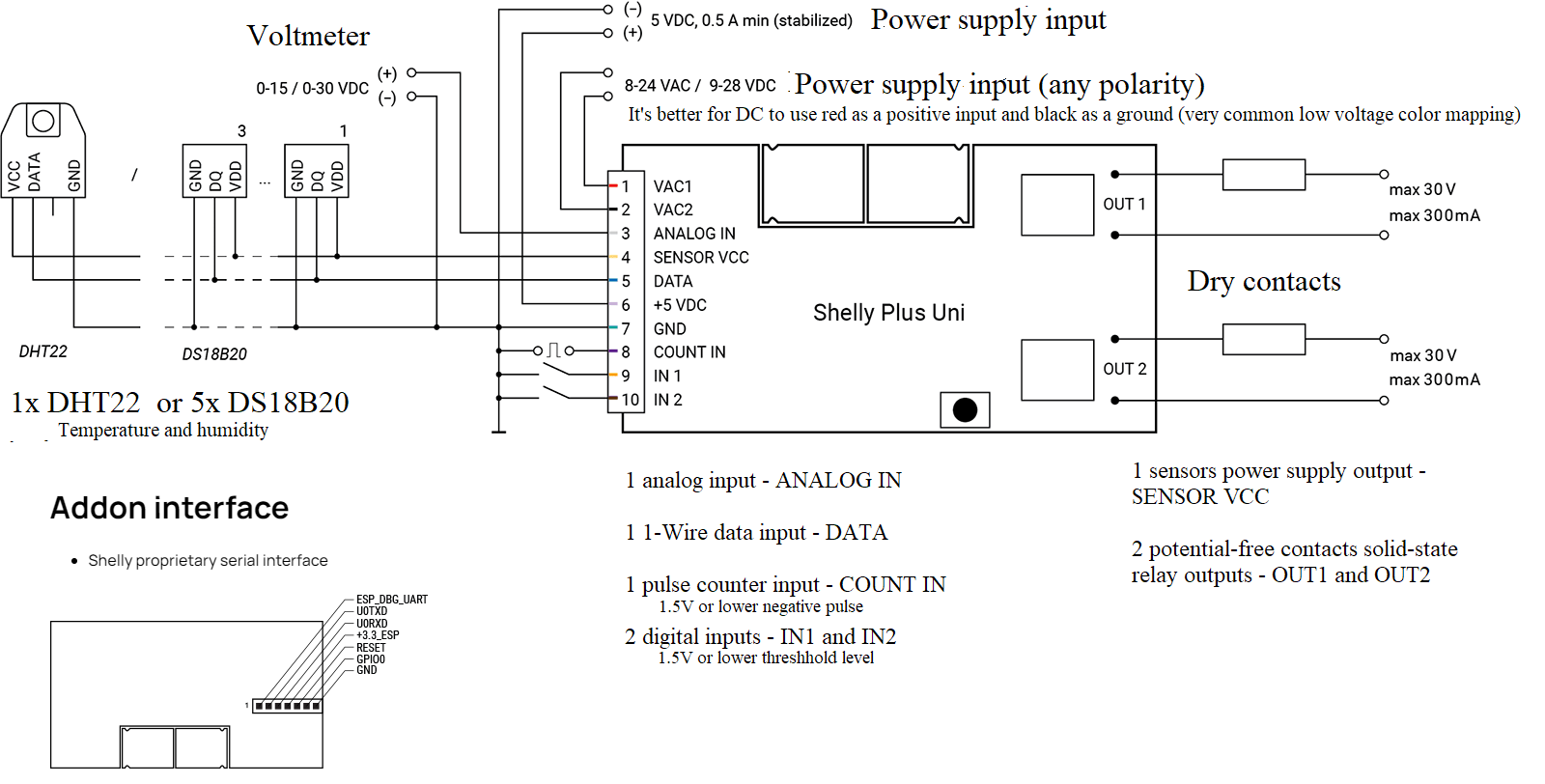
The folks over at Aartech recommended the Shelly Plus 1 UL (Shelly Plus 1 UL - Aartech Canada) combined with the Shelly-Plus Addon Sensor Interface (SHELLY-PLUS-ADDON Sensor Interface - Aartech Canada) to host up to five DS18B20 external temp sensors as per this diagram:
It looks like the add on interface clips on to the Plus 1 and uses its serial interface for communication and power. Would your driver set work to expose these temp sensors connected to the add on interface? Aside from initial configuring with all sensors connected, should these sensors just show up as child devices? What is the "leanest" setup to do this on Hubitat while keeping traffic low? I'd like max reporting resolution on the temp sensors if possible to at least 1 minute and/or 1 degree F reporting intervals.
Cheers,
Dennis.
Hello
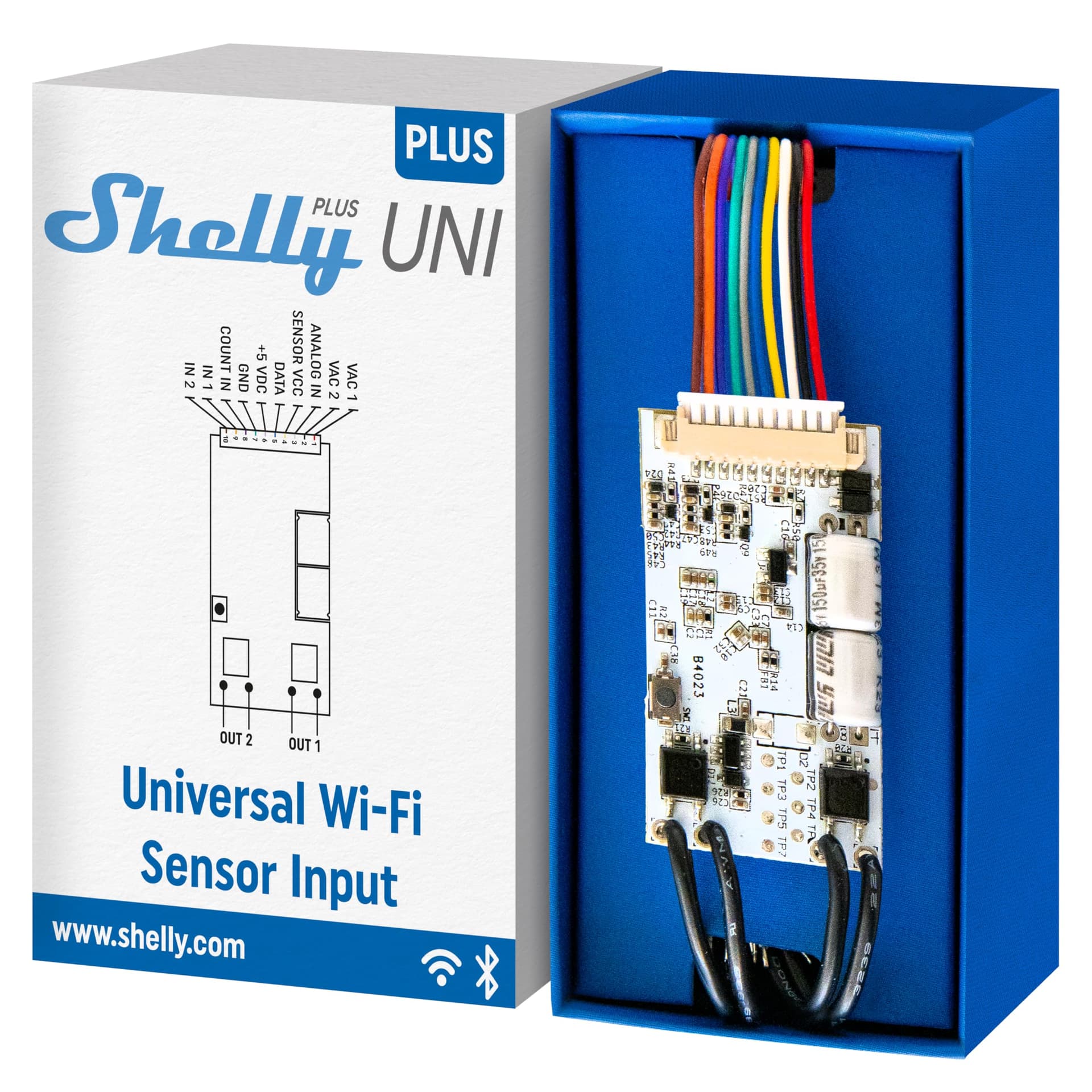
Regarding smart implan alternative - there is so called Shelly Plus Uni. Should be quite close to what Fibaro Smart Implant is.
The sensor add-on module is supported on top of any shelly plus module it can be attahed to. After attaching module, connecting and configuring the driver 'Configure' command should survey your setup for sensors/components and spawn child devices accordingly. As long as your shelly device and add-on module can provide you a setup of choice it should be handled by the driver. (Shelly Pro switch addon module is also supported)
Currently there is no support for smoke sensor and very limited support for rgb/rgbw functionality. Shelly BLU is currently not supported directly (But can be used trough custom scripts as there is shelly scripts support in this driver). CCT functionality is ready for submision (driver update). Switches, meters, dimmers, buttons/contacts, shutters, analog inputs, pulse counters, temperature sensors - supported with auto scaling to the number of channels specific shelly device implements. There is partial support for Shelly Plus Wall Display (thermostat component is not documented; on/off is not working due to that - expected control payload attribute seem to be ignored by the device [on the firmware version the implementation were tested back then])
As for traffic - this one is not that great. The driver is using WebSocket to keep comunication line open. And all shelly devices send periodic data once every 2 minutes on average (depends on the device). Shelly does not provide any option to throttle the trafic (despite such request were made to their support site more than a year ago without any response nor feedback).
There is another approach (in other driver) that uses hooks to send state changes (not sure if it has add-on module support). Hooks (in form of scripts) can be manually tinkered for the traffic required. The cost of using hooks is the nesesity to expose hub to inbound connections to other devices (WebSocket is a hub-initiated connection; Hooks are device-ti-hub messages initiated by device).
Wow, ok thanks for that very thorough reply. I've got the bits on order, so will update with how we do with the temp sensors. I'm looking for 30-60 second report times if temp changes are registered. So for my application (just need temp monitoring at 30-60 second intervals) in your estimation, which would have less traffic, hooks, or sockets?
I was not aware of the Uni, but it does look to support 3 external DS18B20 temp sensors. I guess you just need to be a bit more creative with this product with respect to a case for protection.
Again, your feedback is very much appreciated
Keep in mind there are two devices Shelly Uni and Shelly Plus Uni. My driver supports only the latter one (as a Shelly Plus family device)
Ok, duly noted. Aartech here in Canada only stocks the Plus, so all good.
With the Fibaro Smart Implant, there are options for temp thresholds and update frequency. Do any of these exist with the Shelly products, or does the device just report back every 60-90 seconds, regardless?
As for traffic..
If you need a 1/30..1/60 update, there is not that much of a difference.
The hooks are basically device-to-hub url/http requests that shelly devices may send upon changes happen (to any IP specified - hub in this case). They are not periodic (mostly) but event driven (sent on demand). Thus target IP must be available to accept such requests (exposed to such device)
Trough a WebSocket stream shelly device send periodic reports independently on if something were changed or not. On one hand this is redundant, on the other hand it is sort of ping or "I'm alive" sort of thing. Being a stream connection from hub it does not requires for hub to be exposed to the device (pretty much like you access internet trough your ISP provider router).
So the final decision depends on your needs and preferences (and device/functionality support).
Awesome. Thanks for explaining the websocket vs hook behavior. It's very helpful. I am not too concerned about chatty devices, as long as the hub behaves ok with them.
I modified my Aartech order to two of the Uni Plus devices. I'll report back here once they arrive from back order.
Thank you @dmitry.rozovik
I should have two of the Uni Plus units on hand by tomorrow so will report back on how they work with your drivers.
I also purchased the temperature add-on probes for 2 shelly devices and attached 2 each of the probes to each shelly. Works great using the shelly app but no temperature reporting in Hubitat.. apparently the code has not been written into the driver (native Hubitat nor user code via GitHub).. been waiting over 2 years for such to no avail)
Could you give a bit more info on your setup?
Temperature sensors trough add-on module are expected to work.
Hello.. thanks for the reply.. my devices are 2pm's.. 2-4 years ago.. installed using the stock "built-in" hubitat driver "wifi switch".. did not know of available drivers.. are these on github..? are the add-on modules still available..? cannot find the option on shelly's website..
I need some time to go through your entries on the community to find out what exactly has changed in shelly..
Stay safe..!
Download the Hubitat app