I'm not sure which part of the process you're asking about, so I'll start at the beginning. Within the rule, you can select Cloud End Point or Local End Point as a trigger.
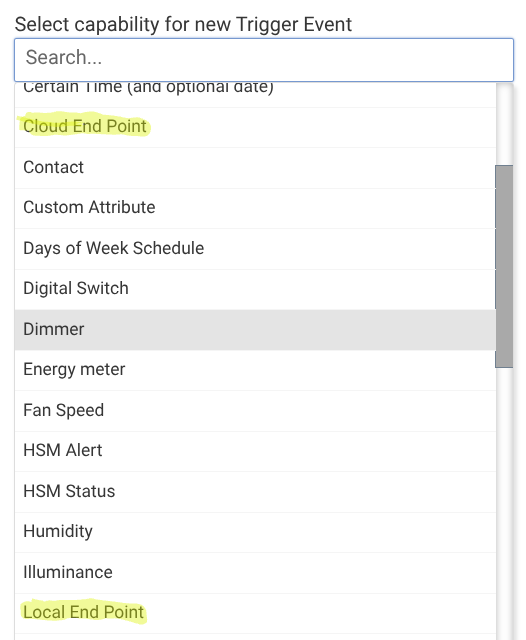
Once you select that, it will show you a link:

You can right click on the link and copy it to add it to the notification action.
The actual notification part can be tricky because of the way HTML and links get treated in rule machine and (probably) by other apps. I am using a self-hosted ntfy server and my own enhanced version of the ntfy driver ([RELEASE] NTFY Notifier Driver - Push Notifications via ntfy.sh or Self-Hosted - #5 by Alan_F) that lets me send a structured notification in JSON format.
In the main rule, I created a local string variable (l_url) and set it to the cloud end point URL. I set my notification message to this:

I end up with a notification that looks like this:
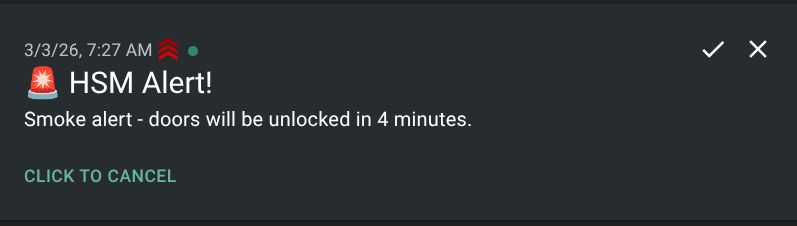
A similar result could be achieved with Pushover and per other posters, Tasker. I haven't had any success so far trying to send the URL via a regular Hubitat app notification (the URL comes through, but it is not clickable or copyable) or using the LGK Sendmail V3 driver to send it in an email (the link gets truncated or mangled).

